
1. Inleiding
Thank you for choosing the Long Run Technologies LRT-ANC1 Active Noise Cancelling Bluetooth Headphones. These headphones are designed to provide a superior audio experience with advanced noise cancellation, extended battery life, and comfortable wear. This manual will guide you through the setup, operation, and maintenance of your new headphones.
Sleutel kenmerke sluit in:
- Advanced Active Noise Cancellation (ANC) technology.
- Bluetooth 5.4 for stable wireless connectivity.
- Up to 100 hours of music playtime on a single charge.
- Hi-Res Audio support with precision-tuned 40mm drivers.
- Comfortable memory foam ear cups and a foldable design for portability.
- Wired audio option via 3.5mm jack.
2. Veiligheidsinligting
Please read the following safety guidelines before using your headphones:
- Avoid listening to audio at loud volumes for extended periods to prevent hearing damage.
- Do not use the headphones while operating a motor vehicle or in situations where awareness of surroundings is critical.
- Keep the headphones away from water and moisture. While water-resistant, they are not waterproof.
- Moenie probeer om die oorfone uitmekaar te haal of te wysig nie. Dit kan die waarborg ongeldig maak en skade veroorsaak.
3. Pakketinhoud
Maak seker dat alle items in jou pakket teenwoordig is:
- Long Run Technologies LRT-ANC1 Headphones
- USB-laaikabel
- 3.5 mm oudio kabel
- Gebruikershandleiding (hierdie dokument)
4. Produk verbyview
Familiarize yourself with the headphone components and controls.
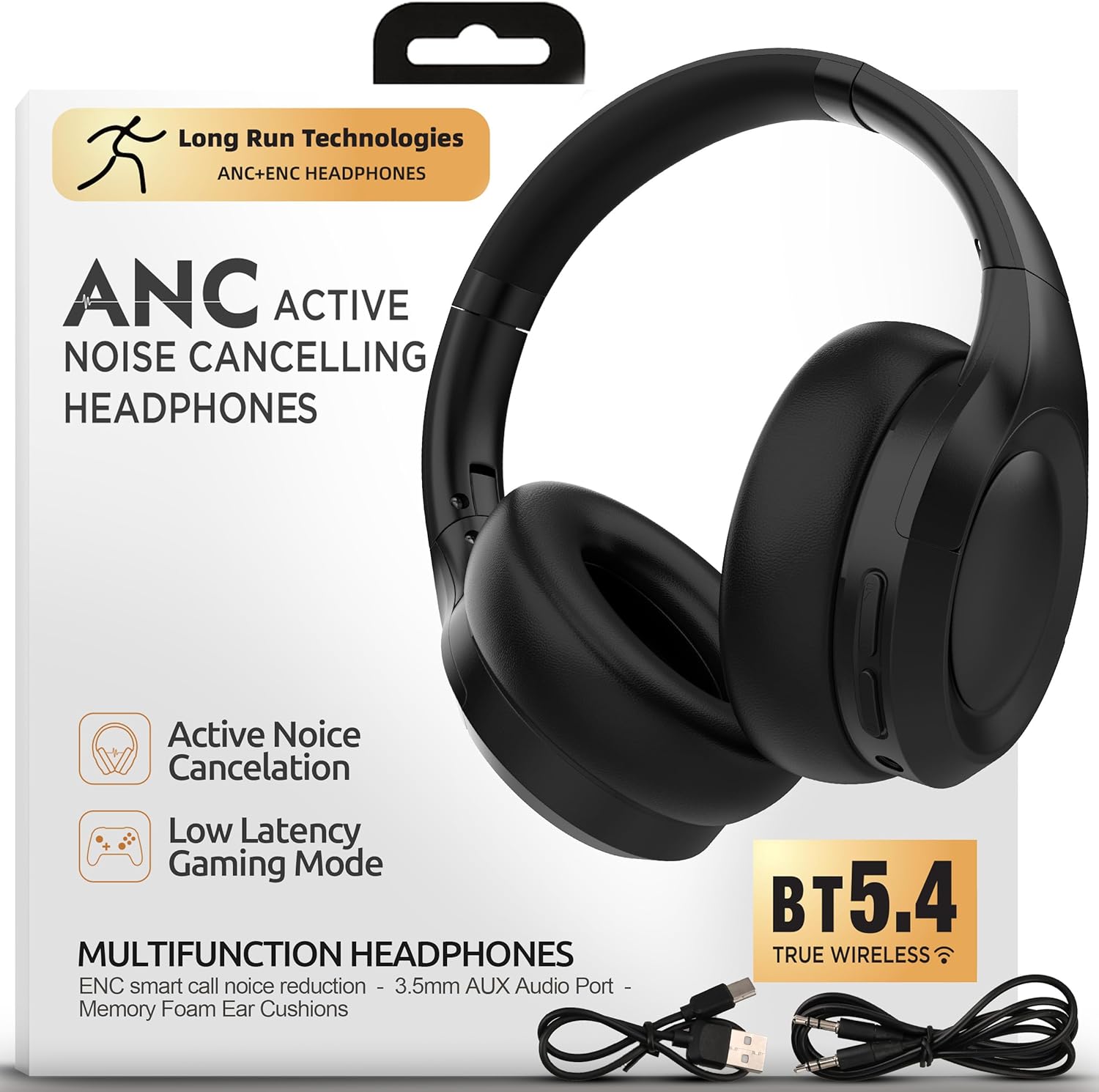
Beeld: Voorkant view of the Long Run Technologies LRT-ANC1 headphones.
Kontroles en aanwysers:
- Kragknoppie: Druk en hou om aan/af te skakel.
- Volume op/Volgende snit-knoppie: Druk kort vir volume op, druk lank vir die volgende snit.
- Volume Verlaag/Vorige Liedjie Knoppie: Druk kort om volume te verlaag, druk lank vir die vorige snit.
- Multifunksieknoppie (MFB): Play/pause, answer/end calls.
- ANC-knoppie: Skakel Aktiewe Geraaskansellasie aan/af.
- 3.5 mm oudio-aansluiting: Vir bedrade verbinding.
- USB-C-laaipoort: Vir die laai van die oorfone.
- LED-aanwyser: Wys krag-, parings- en laaistatus.
5. Opstelling
5.1 Laai die oorfone
Before first use, fully charge your headphones. A full charge takes approximately 2 hours and provides up to 100 hours of playtime.
- Koppel die USB-laaikabel aan die USB-C-poort op die oorfone.
- Koppel die ander kant van die kabel aan 'n USB-kragadapter (nie ingesluit nie) of 'n rekenaar se USB-poort.
- Die LED-aanwyser sal die laaistatus wys (bv. rooi tydens laai, af wanneer dit volledig gelaai is).

Image: The headphones next to a battery icon, illustrating the 100-hour playtime per charge.
5.2 Aan-/afskakel
- Om aan te skakel: Press and hold the Power button for 3 seconds. The LED indicator will flash blue.
- Om af te skakel: Press and hold the Power button for 3 seconds. The LED indicator will turn off.
5.3 Bluetooth -koppeling
Pair your headphones with a Bluetooth-enabled device for wireless audio.
- Maak seker dat die oorfone afgeskakel is.
- Press and hold the Power button for 5-7 seconds until the LED indicator flashes red and blue alternately, indicating pairing mode.
- Aktiveer Bluetooth op jou toestel (slimfoon, skootrekenaar, ens.) en soek vir beskikbare toestelle.
- Select "LRT-ANC1" from the list of devices.
- Sodra dit gekoppel is, flits die LED -aanwyser stadig blou.
5.4 Bedrade verbinding
Use the included 3.5mm audio cable for a wired connection, which is useful when the battery is low or for non-Bluetooth devices.
- Plug one end of the 3.5mm audio cable into the headphone's 3.5mm audio jack.
- Plug the other end into your audio source's 3.5mm audio output.
- Die oorfone sal outomaties na bedrade modus oorskakel. Bluetooth-funksionaliteit sal gedeaktiveer word.

Image: The LRT-ANC1 headphones highlighting the flexibility of both wireless Bluetooth and wired 3.5mm jack connectivity.
6. Bedryfsinstruksies
6.1 Aktiewe geraaskansellasie (ANC)
The LRT-ANC1 headphones feature advanced ANC technology to reduce ambient noise.
- Om ANC te aktiveer: Press the ANC button once. The ANC indicator light will turn on.
- To Deactivate ANC: Press the ANC button once again. The ANC indicator light will turn off.

Image: Two individuals wearing the headphones, one on a plane and one working, demonstrating the ability to cancel chaos and focus in any environment.
6.2 Musiekweergawe
- Speel/pouse: Druk een keer op die MFB.
- Volgende snit: Druk die Volume Op-knoppie lank.
- Vorige snit: Druk die Volume Af-knoppie lank.
6.3 Oproepbestuur
- Beantwoord/beëindig oproep: Druk een keer op die MFB.
- Verwerp oproep: Druk en hou die MFB vir 2 sekondes.
- Aktiveer stemassistent: Dubbeldruk die MFB.
6.4 Volumebeheer
- Verhoog volume: Druk kort op die Volume Op-knoppie.
- Verlaag volume: Druk kort op die Volume Af-knoppie.
7. Onderhoud
Proper care ensures the longevity of your headphones.
- Clean the ear cups and headband with a soft, dry cloth. Do not use harsh chemicals or abrasive materials.
- Bêre die oorfone op 'n koel, droë plek wanneer dit nie gebruik word nie. Die opvoubare ontwerp maak kompakte berging moontlik.
- Vermy die blootstelling van die oorfone aan uiterste temperature of direkte sonlig vir lang tydperke.

Image: Close-up of the headphones highlighting pressure-free foam, perfect fit, and travel-ready foldable form.
8. Probleemoplossing
| Probleem | Oplossing |
|---|---|
| Oorfone sal nie aanskakel nie. | Ensure the headphones are charged. Connect to a power source using the USB charging cable. |
| Kan nie via Bluetooth koppel nie. |
|
| No sound when connected. |
|
| ANC is nie effektief nie. |
|
9. Spesifikasies
| Kenmerk | Detail |
|---|---|
| Modelnommer | LRT-ANC1 |
| Bluetooth weergawe | 5.4 |
| Batterylewe | Tot 100 ure |
| Battery Laai Tyd | Ongeveer 2 ure |
| Geraasbeheer | Aktiewe ruisonderdrukking (ANC) |
| Tipe oudiobestuurder | Dinamiese bestuurder |
| Frekwensiereeks | 20 Hz - 20 000 Hz |
| Konnektiwiteit | Draadloos (Bluetooth), Bedraad (3.5mm-aansluiting) |
| Oorplasing | Oor Oor |
| Materiaal | Foam, Leather (ear cups) |
| Waterweerstandvlak | Waterbestand |
| Produk afmetings | 19.05 x 5.08 x 19.05 cm |
| Item gewig | 375 g |
10. Amptelike Produkvideo
Video: 'n Oorview of the Long Run Technologies LRT-ANC1 headphones, showcasing their design, features like long battery life, noise cancellation, and comfort.
11. Waarborg en Ondersteuning
Your Long Run Technologies LRT-ANC1 headphones come with a 1-jaar waarborg vanaf die aankoopdatum, wat vervaardigingsfoute dek.
For technical support, warranty claims, or any questions regarding your product, please contact Long Run Technologies customer service. Refer to the contact information provided with your purchase or visit the official Long Run Technologies webwebwerf vir ondersteuningsbesonderhede.
Vervaardiger: Langtermyn-tegnologieë