
1. Inleiding
This manual provides essential information for the NIMO 15.6" Gaming Laptop (Model N159). It covers product features, setup procedures, operating instructions, maintenance guidelines, troubleshooting tips, and detailed specifications. Please read this manual thoroughly before using your new laptop to ensure optimal performance and longevity.

Image: The NIMO 15.6" Gaming Laptop, showcasing its display and key features like fingerprint unlock, Type-C PD charger, and backlit keyboard.
2. Wat is in die boks
Verifieer dat alle items in die verpakking teenwoordig is:
- 1 x NIMO N159 Laptop
- 1 x Type-C 100W PD Fast Charger
- 1 x Gebruikershandleiding (hierdie dokument)
- Windows 11 Home Operating System (pre-installed)
- Warranty Information (2 Years Warranty, 90 Days Return)
3. Produk verbyview
3.1 Sleutelkenmerke
- Verwerker: AMD Ryzen 7 7735HS (8 Cores, 16 Threads, up to 4.75GHz)
- Grafika: Integrated AMD Radeon 680M GPU
- Vertoon: 15.6" Full HD (1920x1080) IPS Anti-Glare Display
- Geheue: 16GB DDR5 RAM (upgradeable)
- Berging: 1TB PCIe 4.0 SSD (upgradeable)
- Laai: 100W Type-C PD Fast Charger
- Sekuriteit: Fingerprint Reader for secure unlock
- Sleutelbord: Backlit Keyboard with Numeric Keypad
- Oudio: Dual 2W stereo speakers, dual beamforming microphones
- Webkamera: 2MP with physical camera shutter
- Bedryfstelsel: Windows 11 Tuis

Image: An illustration detailing the AMD Ryzen 7 7735HS processor, highlighting its 8 cores, 16 threads, and integrated Radeon 680M graphics for balanced performance.
3.2 Poorte en verbindings
Familiarize yourself with the available ports on your NIMO laptop:

Image: A detailed diagram illustrating the location and type of ports on the NIMO laptop, including USB 2.0, USB 3.2 Gen1, Type-C Gen2 (multifunction), HDMI 2.0, Audio Jack, Micro SD Reader, and Kensington Lock.
- USB 2.0-poort: Vir die koppeling van ouer USB-toestelle.
- USB 3.2 Gen1 Ports (x4): Vir hoëspoed-data-oordrag met versoenbare USB-toestelle.
- Type-C Gen2 Ports (x2, Multifunction): Supports data transfer, video output, and power delivery (100W PD fast charging).
- HDMI 2.0 Poort: Vir die koppeling aan eksterne skerms of TV's.
- Oudio-aansluiting: Vir die koppeling van oorfone of eksterne luidsprekers.
- Micro SD Reader: For reading Micro SD memory cards.
- Kensington Slot Slot: For securing your laptop with a compatible lock.
4. Opstelling
4.1 Aanvanklike aanskakeling
- Pak die skootrekenaar en al die bykomstighede uit die boks.
- Connect the 100W Type-C PD Fast Charger to one of the Type-C ports on the laptop and then to a power outlet.
- Maak die skootrekenaar se deksel oop. Die skootrekenaar mag dalk outomaties aanskakel, of jy moet dalk die aan/af-knoppie druk.
- Volg die instruksies op die skerm om die Windows 11 Home-opstelling te voltooi, insluitend taalkeuse, netwerkverbinding en die skep van 'n gebruikersrekening.
4.2 Laai die battery
Before first use, it is recommended to fully charge the laptop battery. The 100W Type-C PD Fast Charger can provide approximately 5 hours of usage time with just 1 hour of charging.

Image: A visual representation of the 100W Type-C lightning-fast charger connected to the NIMO laptop, demonstrating its ability to charge quickly and efficiently.
5. Bedryfsinstruksies
5.1 Aan/Af en Slaapmodus
- Krag aan: Druk die aan/af-knoppie wat op die sleutelbord geleë is.
- Skakel af: Klik die Start-knoppie in Windows en kies dan Aan/uit > Skakel af.
- Slaap stelling: Click the Start button, then select Power > Sleep, or close the laptop lid.
5.2 Using the Fingerprint Unlock
The fingerprint reader is integrated into the touchpad for quick and secure access.
- During Windows setup or later in Windows Settings, configure your fingerprint for login.
- To unlock, simply place your registered finger on the fingerprint reader on the touchpad.
5.3 Adjusting the Backlit Keyboard
The keyboard backlight can be adjusted for comfortable typing in various lighting conditions.

Image: A visual guide demonstrating the fingerprint unlock feature on the touchpad and the functionality of the backlit keyboard, including how to cycle through brightness settings using the F9 key.
- Druk die F9 key to cycle through backlight settings:
- 1 Tap: Light (Temporary)
- 2 Taps: Light (Temporary)
- 3 Taps: Light (Constant)
- 4 Taps: Off
5.4 Gebruik die Webcam Shutter
For privacy, the laptop includes a physical camera shutter.
- Slide the shutter to the left to open the camera.
- Slide the shutter to the right to close and cover the camera lens.

Image: A visual guide demonstrating the physical camera shutter, showing both the 'Camera Open' and 'Camera Close' statuses for enhanced privacy.
6. Onderhoud
6.1 Skoonmaak van die skootrekenaar
- Always power off the laptop and disconnect the charger before cleaning.
- Gebruik 'n sagte, pluisvrye lap effens dampmet water of 'n skermreiniger vir die skerm afgespoel.
- Vir die sleutelbord en onderstel, gebruik 'n sagte, droë lap. Vermy harde chemikalieë of skuurmiddels.
- Gebruik saamgeperste lug om gereeld stof uit ventilasieopeninge te verwyder.
6.2 Batterysorg
- Vermy om die battery gereeld heeltemal te ontlaai.
- Bêre die skootrekenaar op 'n koel, droë plek indien dit nie vir lang tye gebruik word nie.
- Moenie die skootrekenaar aan uiterste temperature blootstel nie.
6.3 Sagteware-opdaterings
Kontroleer gereeld vir bedryfstelsel- en dryweropdaterings en installeer dit om optimale werkverrigting en sekuriteit te verseker.
7. Probleemoplossing
| Probleem | Moontlike oorsaak | Oplossing |
|---|---|---|
| Skootrekenaar skakel nie aan nie. | Probleem met lae battery of kragadapter. | Connect the charger and wait a few minutes before attempting to power on. Ensure the charger is properly connected to both the laptop and the power outlet. |
| Die skerm is leeg of swart. | Laptop in sleep mode, display settings issue, or hardware problem. | Press any key or the power button to wake from sleep. Try connecting an external monitor to check if the display output works. Restart the laptop. |
| Sleutelbord se agterlig werk nie | Backlight turned off or at lowest setting. | Druk die F9 key repeatedly to cycle through brightness levels and turn on the backlight. |
| Fingerprint unlock not working. | Finger not properly placed, or sensor issue. | Ensure your finger is clean and dry and covers the sensor completely. Re-register your fingerprint in Windows Settings if the issue persists. |
| Stadige werkverrigting. | Too many applications running, insufficient storage, or outdated drivers. | Close unnecessary applications. Check available storage space. Update Windows and device drivers. |
If you encounter issues not listed here or require further assistance, please contact NIMO customer support.
8. Spesifikasies
| Handelsmerk | NIMO |
| Model Naam | NIMO N159B |
| Skerm grootte | 15.6 duim |
| Skermresolusie | 1920 x 1080 Pixels (FHD IPS) |
| Verwerker | AMD Ryzen 7 7735HS (8 Cores, 4.75 GHz Max Turbo) |
| RAM | 16 GB DDR5 (4800 MHz) |
| Hardeskyf | 1024 GB SSD (PCIe 4.0) |
| Grafiese medeverwerker | AMD Radeon 680M (Geïntegreerd) |
| Bedryfstelsel | Windows 11 Tuis |
| Draadlose tipe | 802.11a/b/g/n/ac |
| USB 2.0-poorte | 1 |
| USB 3.0-poorte | 4 |
| Gemiddelde batterylewe | 5 Hours (54Wh, 11.4V/4700mAh) |
| Item gewig | 3.8 pond |
| Produk afmetings | 14.07 x 8.98 x 0.76 duim |
| Kleur | Blou |
| Agter Webcam resolusie | 2 MP |
| Spesiale kenmerke | Backlit Keyboard, Fingerprint Reader, HD Audio, Numeric Keypad |
9. Waarborg en Ondersteuning
9.1 Vervaardiger se waarborg
Your NIMO N159 laptop is covered by a comprehensive 2-jaar vervaardiger se waarborg from Nimo Direct Inc. This warranty covers defects in materials and workmanship under normal use. For warranty claims, please contact customer support.

Image: A technician working on a laptop's internal components, representing the 2-year support provided for Nimo products.
9.2 Retourbeleid
Nimo Direct Inc. offers a 90-Day Hassle-Free Return Policy. You may return any Nimo product for any reason within 90 days of purchase. Please refer to your purchase documentation for specific return procedures.
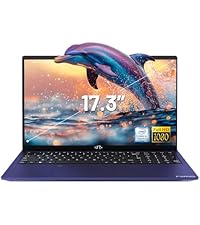
Image: A delivery person handing a package to a customer, illustrating the 90-day return policy for Nimo products.
9.3 Kliëntediens
For any product-related questions, technical assistance, or warranty claims, please contact our professional after-sales service team. Our dedicated support team is available to resolve issues or facilitate replacements.
- E-pos: service@nimopc.com
- Aanlyn: Visit the official NIMO website or product page for contact options.

Image: Customer service representatives wearing headsets, indicating professional customer assistance available via phone and live chat.


