
1. Inleiding
The SONOFF Zigbee 3.0 USB Dongle Plus MG24 is a versatile Zigbee gateway designed to enhance your smart home experience. Powered by the advanced EFR32MG24 chip, it offers robust performance for faster automation processing and stable control of sub-devices. This dongle features an enhanced antenna for stronger signal strength and wider coverage, ensuring reliable device connections. It is compatible with a wide range of platforms including Home Assistant, Zigbee2MQTT, and openHAB, supporting Zigbee 3.0 devices from various brands. Its compact design and included USB extension cable allow for flexible placement and reduced electromagnetic interference.
2. Wat is in die boks
- Dongle-PMG24 (SONOFF Zigbee 3.0 USB Dongle Plus MG24)
- USB-verlengkabel (1 m)
- Gebruikershandleiding

Image: Contents of the SONOFF Zigbee 3.0 USB Dongle Plus MG24 package, including the dongle, USB extension cable, and user manual.
3. Opstelling
3.1 Fisiese verbinding
- Koppel die antenna: Attach the external antenna to the dongle. The antenna is rotatable for optimal signal reception.
- Direkte verbinding: Plug the SONOFF Zigbee 3.0 USB Dongle Plus MG24 directly into an available USB port on your computer or Raspberry Pi.
- Gebruik van die USB-verlengkabel: For flexible placement and to reduce electromagnetic interference, connect the dongle to the provided USB extension cable, then plug the cable into your computer or Raspberry Pi. This helps ensure stable communication.

Image: The SONOFF Zigbee 3.0 USB Dongle Plus MG24 plugged directly into a laptop's USB port.

Image: The SONOFF Zigbee 3.0 USB Dongle Plus MG24 connected to a Raspberry Pi using the included USB extension cable.
3.2 Software Setup (Home Assistant Example)
The dongle is designed for seamless integration with Home Assistant. Follow these general steps for initial setup:
- Power On Home Assistant: Ensure your Home Assistant server (e.g., Raspberry Pi) is powered on and running.
- Automatic Discovery: Home Assistant should automatically discover the SONOFF Zigbee 3.0 USB Dongle Plus MG24. You will typically see a notification for a new device.
- Configure Integration: Follow the on-screen prompts in Home Assistant to configure the Zigbee Home Automation (ZHA) or Zigbee2MQTT integration.
Video: A detailed guide on setting up the SONOFF Zigbee 3.0 USB Dongle Plus in Home Assistant, demonstrating the software configuration steps.
4. Bedryfswyses
The SONOFF Zigbee 3.0 USB Dongle Plus MG24 supports multiple operating modes, offering flexibility for various smart home setups:
- Zigbee-koördineerder: Acts as the central hub for your Zigbee network, managing all connected Zigbee devices.
- Zigbee Router: Extends the range and strengthens the mesh network of your existing Zigbee setup.
- Thread RCP (Radio Co-Processor): Enables the dongle to function as a Thread border router, supporting Matter over Thread devices.
- MultiPAN: Allows simultaneous operation of both Zigbee and Thread protocols.

Image: The dongle functioning as a core adaptor for various open-source platforms, illustrating its central role in a smart home ecosystem.
Video: Demonstrates how to use the SLZB-06, showcasing its capabilities as a universal smart home adapter supporting Zigbee, Bluetooth, Matter, and Thread protocols over Ethernet, Wi-Fi, or USB.
5. Flexible Firmware Flashing
The firmware on the SONOFF Zigbee 3.0 USB Dongle Plus MG24 can be easily flashed via the SONOFF dongle flasher or an Add-on to switch between different modes (Zigbee coordinator, router, or Thread RCP mode). This flexibility allows you to adapt the dongle to your specific smart home needs.
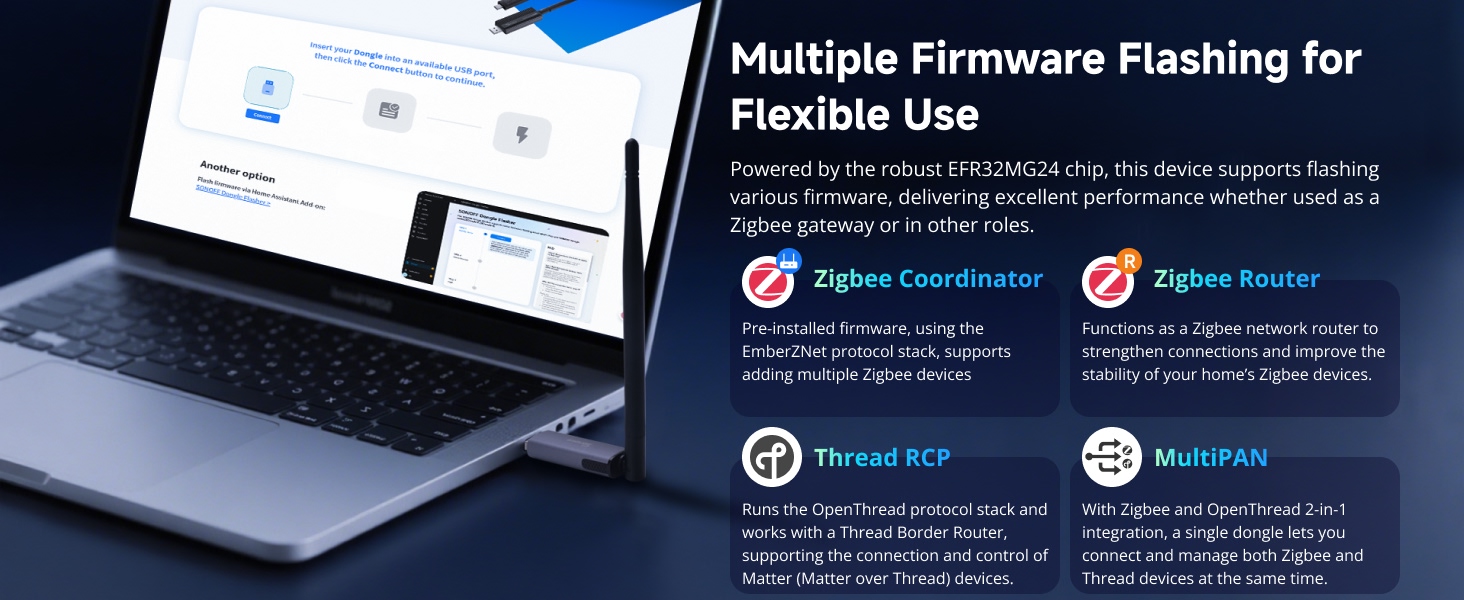
Image: Illustrates the multiple firmware flashing options available for the dongle, allowing it to function as a Zigbee Coordinator, Zigbee Router, Thread RCP, or MultiPAN device.
6. Wide Platform Compatibility
The SONOFF Zigbee 3.0 USB Dongle Plus MG24 is designed for wide compatibility with popular smart home platforms and devices:
- Platforms: Works with Home Assistant, Zigbee2MQTT, and openHAB.
- Toestelle: Supports Zigbee 3.0 devices such as Philips Hue, Aqara, IKEA Tradfri, and SONOFF.
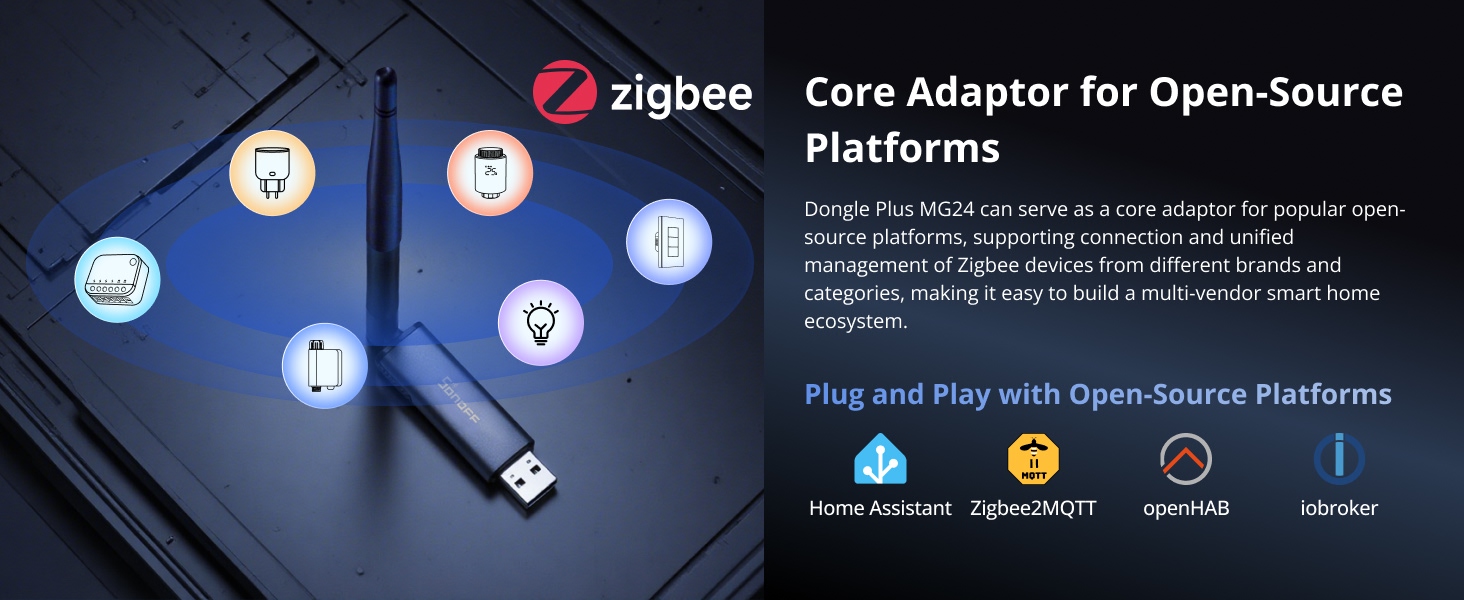
Image: Shows the dongle's compatibility with various open-source platforms like Home Assistant, Zigbee2MQTT, openHAB, and ioBroker.
7. Spesifikasies
| Kenmerk | Detail |
|---|---|
| Model | Dongle-PMG24 |
| Handelsmerk | SONOFF |
| Hardeware-koppelvlak | USB 3.0 Tipe B |
| Versoenbare toestelle | Desktop |
| Dataskakelprotokol | USB |
| Item gewig | 0.674 onse (19.1 gram) |
| Pakket afmetings | 8.58 x 1.85 x 0.67 duim |

Image: Close-up of the EFR32MG24 chip, highlighting the core technology of the dongle.
8. Probleemoplossing
- Verbindingskwessies: If you experience unstable connections, ensure the dongle is placed away from potential sources of electromagnetic interference using the provided USB extension cable.
- Antenna: The antenna on the SONOFF USB device is fixed permanently and cannot be replaced with an extension antenna. Use the included USB extension cable to position the dongle away from interfering signals.
- Firmware flits: If firmware flashing fails, double-check the serial port settings and ensure the correct firmware is selected for your device. Refer to the SONOFF dongle flasher documentation for detailed steps.
- Experimental Modes: Some firmware modes, particularly for Thread, may be experimental. Use these modes with caution and be aware that stability might vary.
9. Waarborg en Ondersteuning
The SONOFF Zigbee 3.0 USB Dongle Plus MG24 comes with a Twee jaar waarborg. For any technical assistance, troubleshooting, or warranty claims, please contact customer support:
Email: support@itead.cc