
Inleiding
Dankie vir die aankoopasing the UPERFECT 23.8-inch 120Hz Portable Touch Monitor. This device is designed to enhance your productivity and entertainment experience with its large display, high refresh rate, and versatile connectivity. Please read this manual carefully before use to ensure proper operation and to maximize the monitor's potential.
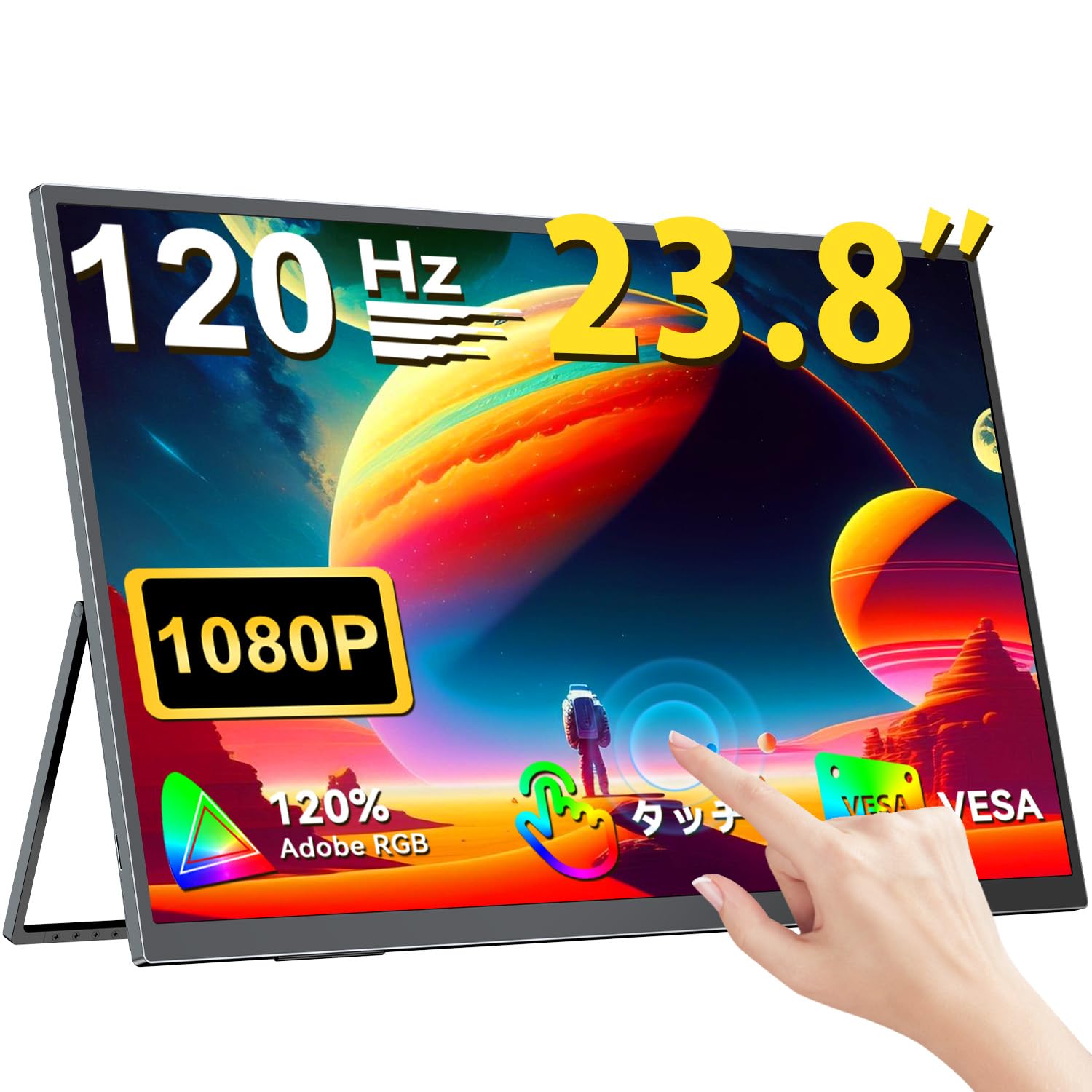
The UPERFECT 23.8-inch 120Hz Portable Touch Monitor.
Veiligheidsinligting
Om skade te voorkom en veilige werking te verseker, neem die volgende voorsorgmaatreëls in ag:
- Moenie die monitor aan reën, vog of uiterste temperature blootstel nie.
- Vermy om swaar voorwerpe op die monitor te plaas.
- Gebruik slegs die meegeleverde kragadapter en kabels.
- Do not attempt to disassemble or repair the monitor yourself. Contact customer support for assistance.
- Verseker behoorlike ventilasie rondom die monitor om oorverhitting te voorkom.
- When adjusting the stand, ensure the monitor is stable to prevent tipping.

Recommended ergonomic viewing angles for comfortable use. Avoid upward viewing angles to prevent tipping and eye strain.
Pakketinhoud
Verifieer dat alle items in die pakket teenwoordig is:
- UPERFECT 23.8-inch Portable Touch Monitor
- Kragadapter
- USB Type-C Cable (Full-featured)
- Mini HDMI na HDMI kabel
- USB-A to USB-C Cable (for power/OTG)
- Gebruikershandleiding
Produk verbyview
Monitor funksies
- 23.8-inch IPS Panel: Large display with 178° wide viewhoeke.
- 120Hz opdateringsfrekwensie: Provides smooth visuals, ideal for gaming and fast-paced content.
- 10-punt multi-aanraking: Intuitive interaction with supported devices.
- 120% sRGB-kleurspektrum: Delivers vibrant and accurate colors.
- Geïntegreerde Staanplek: Adjustable from 0° to 180° for flexible viewing posisies.
- VESA Mount Versoenbaar: Supports 75x75mm VESA standard for alternative mounting options.
- Non-Glare Screen: Reduces reflections for comfortable long-term use.
- Ingeboude luidsprekers: Vir oudio-uitvoer.
Poorte en knoppies

verbyview of the monitor's ports and control buttons.
- Oortelefoonaansluiting: 3.5 mm oudio-uitvoer.
- Kieslys-knoppie: Kry toegang tot die Skermvertoning (OSD)-kieslys.
- Plus/Minus-knoppies: Navigate OSD menu, adjust volume/brightness.
- Kragaanwyser: Toon kragstatus.
- Krag/terug-knoppie: Powers the monitor on/off, or returns to previous OSD menu.
- Tipe-C-poorte (x2): Full-featured USB-C for power, video, and touch signal.
- Mini HDMI-poort: Video-invoer.
- Micro USB-B OTG Port: For connecting peripherals like mouse or keyboard.
Opstelling
Koppel aan toestelle
The monitor supports various devices including laptops, desktops, smartphones, and gaming consoles (PS4, PS5, Xbox, Nintendo Switch).

The monitor can be connected to various devices using a single Type-C cable for power and display, provided the device supports DP Alt Mode.
- USB Tipe C-verbinding: Connect a full-featured USB Type-C cable from your device (laptop, smartphone, Switch) to one of the monitor's Type-C ports. If your device supports DP Alt Mode, a single cable can transmit video, audio, touch, and power. If your device does not support DP Alt Mode, or for stable power delivery, connect the included power adapter to the other Type-C port.
- Mini HDMI-verbinding: Connect a Mini HDMI to HDMI cable from your device (PC, game console) to the monitor's Mini HDMI port. For power, connect the included power adapter to one of the monitor's Type-C ports.
- OTG-poort: Use the Micro USB-B OTG port to connect a mouse or keyboard for enhanced control, especially when using the monitor with a smartphone in desktop mode.
Belangrike nota:
- For optimal performance, especially when increasing contrast, brightness, or color saturation, always connect the monitor to an external power source using the provided power adapter.
- If your device's USB-C port does not support DP Alt Mode, a Type-C cable alone cannot transmit video. Refer to your device's specifications for compatibility.
Stand Adjustment and VESA Mounting

The monitor features a smart integrated stand for flexible positioning and VESA compatibility for arm mounts.
- Geïntegreerde Staanplek: The monitor features a durable aluminum alloy integrated stand. Adjust the viewing angle freely within a 0° to 180° range. The base includes anti-slip rubber pads for stability.
- VESA Montering: The monitor is compatible with VESA 75x75mm mounts (M4*4mm screw holes). This allows for attachment to monitor arms or wall brackets for a customized setup.
Bedryfsinstruksies
Krag aan/af
Press the Power/Return button to turn the monitor on or off.
On-Screen Display (OSD)-kieslys
Press the Menu button to access the OSD menu. Use the Plus/Minus buttons to navigate and adjust settings such as brightness, contrast, color temperature, and input source.
Raak Funksionaliteit

The monitor supports 10-point multi-touch gestures for intuitive control. For MacBook connections, 2-point gestures (pinch zoom/rotate) are supported.
The monitor supports 10-point multi-touch for Windows and Android devices. For MacBook connections, 2-point gestures (pinch zoom/rotate) are fully supported. This allows for direct interaction with the screen for tasks like sketching, document navigation, and presentations.
Vertoonmodusse

Easily switch between horizontal (landscape) and vertical (portrait) display modes to suit your content and workflow. Portrait mode settings are configured on your PC.
The monitor supports various display modes to suit your needs:
- Uitgebreide modus: Extend your PC desktop across both screens for increased workspace.
- Duplikaatmodus: Mirror your PC screen for presentations or shared viewing.
- Portretmodus: Rotate the monitor vertically for document review or coding. (Settings for portrait mode are typically configured on the connected PC).
Speleienskappe

The monitor supports FreeSync technology to eliminate screen tearing and stuttering during gaming.
- 120Hz opdateringsfrekwensie: Experience smoother gameplay and action sequences compared to standard 60Hz displays.
- FreeSync Ondersteuning: Compatible with FreeSync technology to reduce screen tearing and stuttering, providing a more fluid gaming experience.
- Vinnige reaksietyd: Enjoy a quick response time of 1ms, minimizing motion blur.
Onderhoud
Follow these guidelines to maintain your monitor:
- Skoonmaak van die skerm: Vee die skerm liggies af met 'n sagte, pluisvrye lap. Vir hardnekkige merke, vee dit effens af.ampMaak die lap skoon met water of 'n skermskoonmaakoplossing. Moenie vloeistof direk op die skerm spuit nie.
- Maak die C skoonasing: Gebruik 'n sagte, droë lap om die monitor skoon te maakasing. Vermy skuurmiddels of oplosmiddels.
- Berging: Wanneer dit nie vir lang tye gebruik word nie, bêre die monitor op 'n koel, droë plek, weg van direkte sonlig en uiterste temperature.
- Vingerafdrukweerstand: The screen features an anti-fingerprint coating to help maintain cleanliness in business environments.
Probleemoplossing
Indien u probleme ondervind, verwys na die volgende algemene probleme en oplossings:
| Probleem | Moontlike oorsaak | Oplossing |
|---|---|---|
| No display/No signal | Incorrect input source selected; Cable not connected properly; Device not outputting signal; Insufficient power. | Check cable connections; Select correct input source via OSD; Ensure device is powered on and configured to output to external display; Connect external power adapter to monitor. |
| Aanraakfunksie werk nie | USB-C cable not full-featured; Device does not support touch output; Driver issue (Windows); Cable connection issue. | Ensure a full-featured USB-C cable is used; Verify device compatibility with touch output; Reconnect USB-C cable; For Windows, ensure touch drivers are installed (usually automatic). |
| Screen flickering/Unstable image | Cable issue; Graphics card issue; Refresh rate mismatch; Insufficient power. | Try a different cable; Update graphics drivers; Adjust refresh rate in device settings; Ensure external power is connected. |
| No audio from monitor speakers | Volume te laag; Gedemp; Verkeerde oudio-uitvoer op toestel gekies. | Adjust monitor volume via OSD; Check device's audio output settings. |
| Monitor keeps restarting | Onvoldoende krag. | Ensure the monitor is connected to the provided power adapter for stable power delivery. |
Spesifikasies
| Kenmerk | Spesifikasie |
|---|---|
| Handelsmerk | OPERFEK |
| Modelnommer | M238T02 |
| Skerm grootte | 23.8 duim |
| Resolusie | FHD 1080p (1920 x 1080) |
| Aspekverhouding | 16:9 |
| Paneel tipe | IPS LCD |
| Skermoppervlak | Nie-glans |
| Kontrasverhouding | 1000:1 |
| Herlaaitempo | 120 Hz |
| Reaksie Tyd | 1 ms |
| Viewing Hoek | 178 grade |
| Kleurreekswaarde | 120% sRGB |
| Konnektiwiteit | 2x USB Type-C (Full-featured), 1x Mini HDMI, 1x Micro USB-B (OTG), 1x 3.5mm Audio Jack |
| VESA-versoenbaarheid | 75x75mm (M4*4mm skroewe) |
| Afmetings (D x B x H) | 1.7 x 54.5 x 32.7 cm |
| Aanpasbare sinkronisering | FreeSync |
Waarborg en Ondersteuning
UPERFECT provides comprehensive support for your product:
- Vervaardiger se waarborg: Hierdie produk kom met 'n 2-jaar vervaardiger se waarborg.
- 90-dae tevredenheidswaarborg: If you are not completely satisfied within 90 days, a full refund is available.
- Toegewyde ondersteuning: Contact our dedicated support team for any questions or issues.
- Free Accessory Replacement: Genuine cables and adapters are provided free of charge for life.
- PSE Certified: The product is PSE certified, ensuring safety standards.
For any inquiries or if you encounter an initial defect within the warranty period, please contact us through your order history. We are committed to providing the best possible assistance.