
1. Inleiding
Thank you for choosing the Cecotec Conga M100 X-Treme Robot Vacuum and Mop. This device is designed to provide efficient and intelligent cleaning for your home, combining powerful vacuuming with effective mopping. Please read this manual thoroughly before using the product to ensure proper operation, maintenance, and safety.
2. Veiligheidsinstruksies
- Maak seker dat die robot ten volle gelaai is voor die eerste gebruik.
- Moenie die robot in nat omgewings of naby waterbronne gebruik nie.
- Hou kinders en troeteldiere weg van die robot tydens werking.
- Remove any loose cables, small objects, or fragile items from the cleaning area to prevent entanglement or damage.
- Use only the original charging base and power adapter provided by Cecotec.
- Do not attempt to repair or modify the robot yourself. Contact authorized service personnel.
- Clean the robot's sensors and brushes regularly to maintain optimal performance.
3. Pakketinhoud
Verifieer dat alle komponente in die pakket teenwoordig is:
- 1 x Cecotec Conga M100 X-Treme Robot Vacuum and Mop
- 1 x laaibasis
- 1 x kragadapter
- 1 x handleiding
- Additional accessories (e.g., side brushes, mop cloths, cleaning tool) may be included depending on the specific model variant.
4. Produk verbyview
The Conga M100 X-Treme features advanced technology for comprehensive cleaning.
Sleutel kenmerke:
- Artificial Intelligence (AI) Navigation: Enables precise navigation, object avoidance, and obstacle detection for efficient and safe cleaning.
- Ekstreme suigkrag: Up to 20,000 Pa suction for deep cleaning on various surfaces, including high-pile carpets.
- Anti-Tangle Silicone Brush: Designed to prevent hair entanglement, making it ideal for homes with pets.
- Rotating Spin Mops: Two rotating mops effectively remove stubborn stains.
- Spin Up System: Automatically lifts the mops when detecting carpets to prevent wetting.
- Long-Range Autonomy: Cleans up to 220 m² on a single charge (3200mAh battery).
- Totale Oppervlakte 3.0: Returns to the charging base to recharge and resumes cleaning from where it left off.
- App Control (APP 3.0): Allows defining zones, restricting areas, setting cleaning order, and adjusting water flow for different floor types via your mobile device.
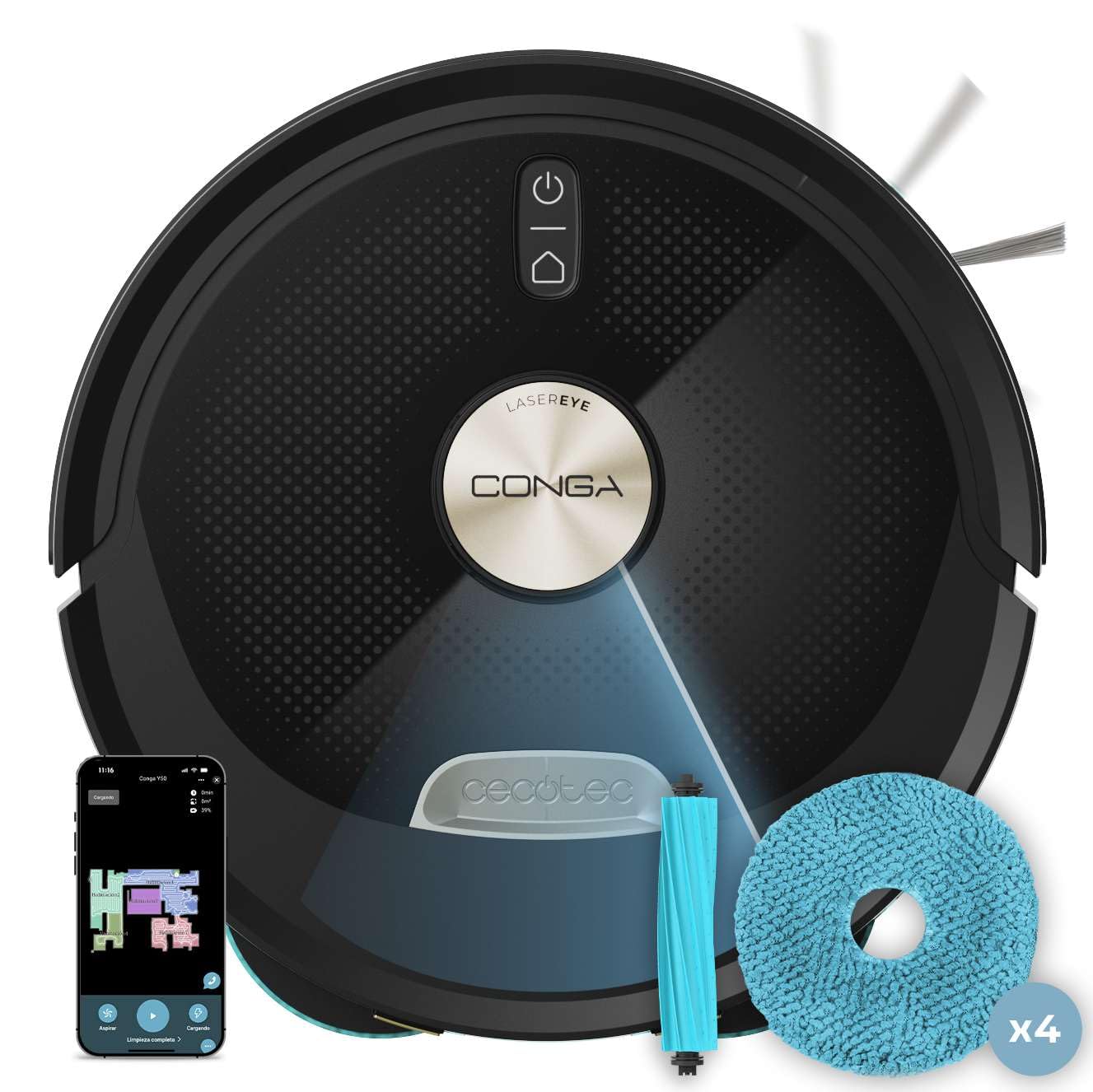
Beeld 1: Bo view of the Cecotec Conga M100 X-Treme robot vacuum and mop.

Beeld 2: Onderkant view of the robot, highlighting the anti-tangle silicone brush and rotating mops.
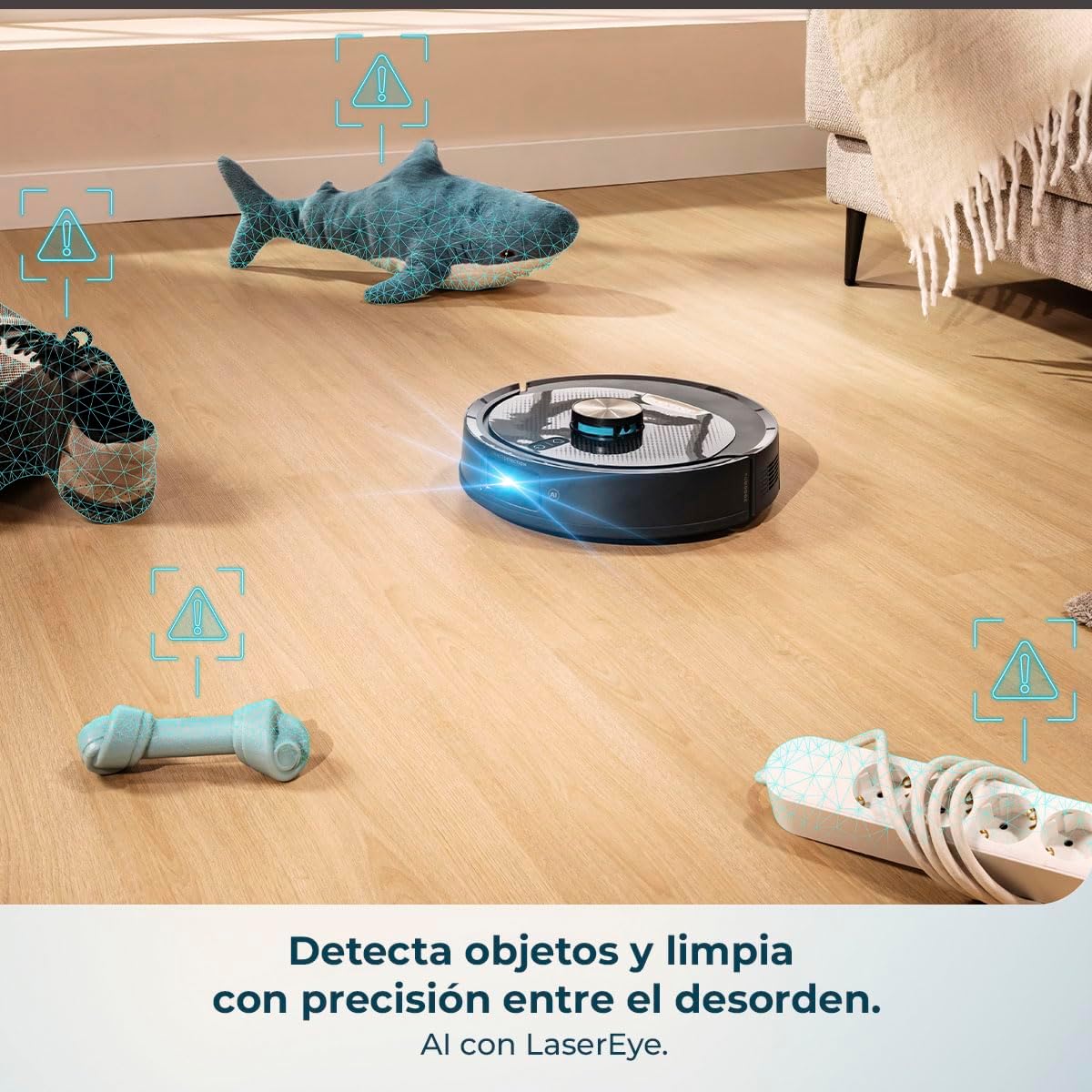
Image 3: The robot's AI and LaserEye technology detecting and navigating around objects like toys and power strips.
5. Opstelling
5.1 Laaibasisplasing
- Place the charging base against a wall in an open area, ensuring at least 1 meter of clear space on both sides and 2 meters in front.
- Koppel die kragadapter aan die laaibasis en prop dit in 'n kragaansluiting.
- Ensure the charging base is placed on a hard, flat surface and not on carpet.
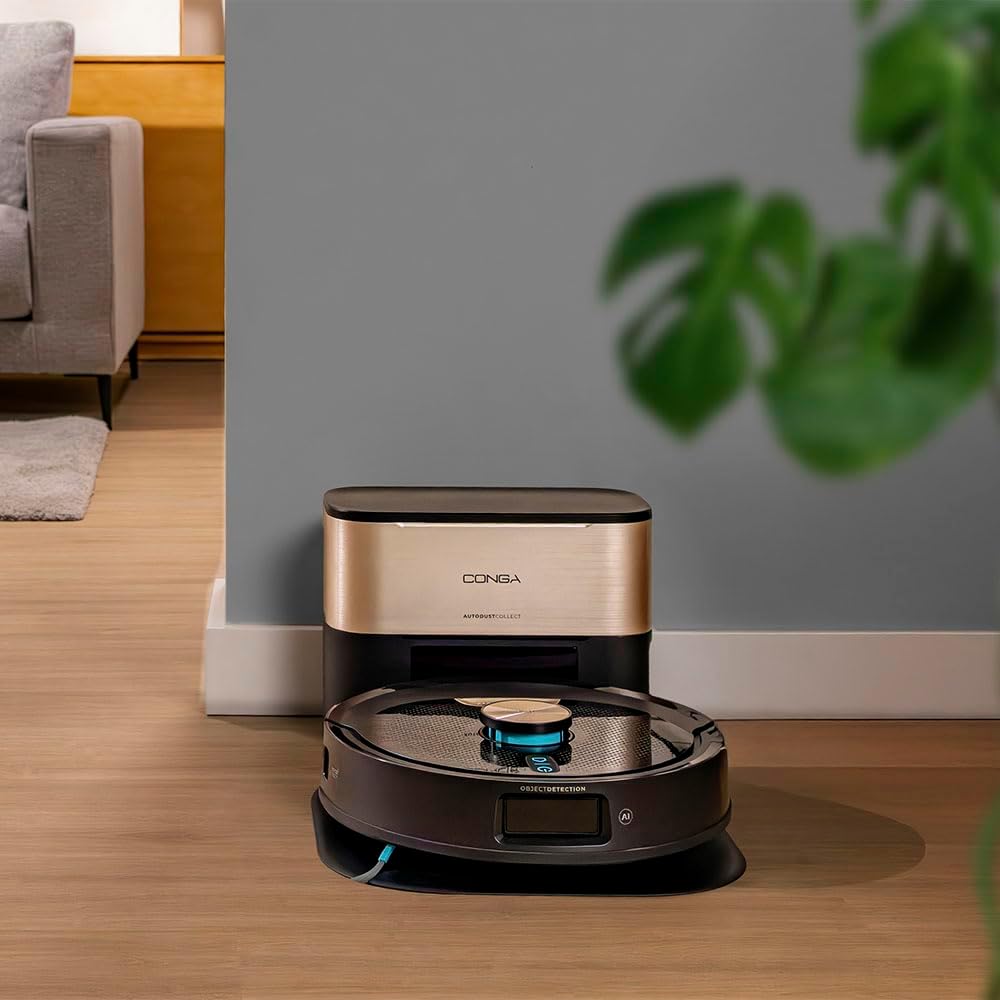
Image 4: The robot returning to its charging base.
5.2 Aanvanklike laai
Place the robot on the charging base. The indicator light on the robot will show its charging status. For first use, allow the robot to charge completely, which may take several hours.
5.3 App-installasie en -paring
- Download the official Cecotec APP 3.0 from your smartphone's app store (iOS or Android).
- Follow the in-app instructions to create an account and pair your Conga M100 X-Treme robot. This typically involves connecting to the robot's Wi-Fi network and then to your home Wi-Fi (2.4 GHz network required).
- The app allows for easy and quick linking via Bluetooth and Wi-Fi.

Image 5: Easy and fast pairing of the robot with the mobile app.
6. Bedryfsinstruksies
6.1 Begin en Stop Skoonmaak
- Handmatige aanvang: Press the power button on the robot once to start a general cleaning cycle.
- Toepassing begin: Open the APP 3.0 and select the desired cleaning mode or area to start cleaning.
- Pouse/Stop: Press the power button again or use the app to pause or stop the cleaning cycle.
6.2 Using the APP 3.0
The APP 3.0 provides comprehensive control over your robot:
- Define Cleaning Zones: Create specific areas for the robot to clean or avoid.
- Set Restricted Areas: Mark virtual walls or no-go zones where the robot should not enter.
- Pas suigkrag aan: Choose between Silent, Normal, Turbo, or Max suction levels.
- Beheer Watervloei: Adjust the water flow for mopping (Low, Medium, High) based on floor type.
- Skoonmaakskedule: Stel daaglikse of weeklikse skoonmaakskedules op.
- View Cleaning Map: Monitor the robot's progress and cleaning map in real-time.

Image 6: The mobile app interface for defining cleaning zones and adjusting settings.
6.3 Outomatiese terugkeer na basis
When the battery is low or a cleaning cycle is complete, the robot will automatically return to its charging base. Thanks to Total Surface 3.0, if the battery runs low during a cleaning cycle, the robot will recharge and then resume cleaning from where it left off.

Image 7: The robot ensures the cleaning plan is always completed by returning to its base for recharging.
6.4 Carpet Detection and Mop Lifting
The robot is equipped with a Spin Up system that detects carpets and automatically lifts the rotating mops to prevent them from getting wet, ensuring only vacuuming occurs on carpeted surfaces.

Image 8: The Spin Up system lifts the mops to protect carpets from moisture.
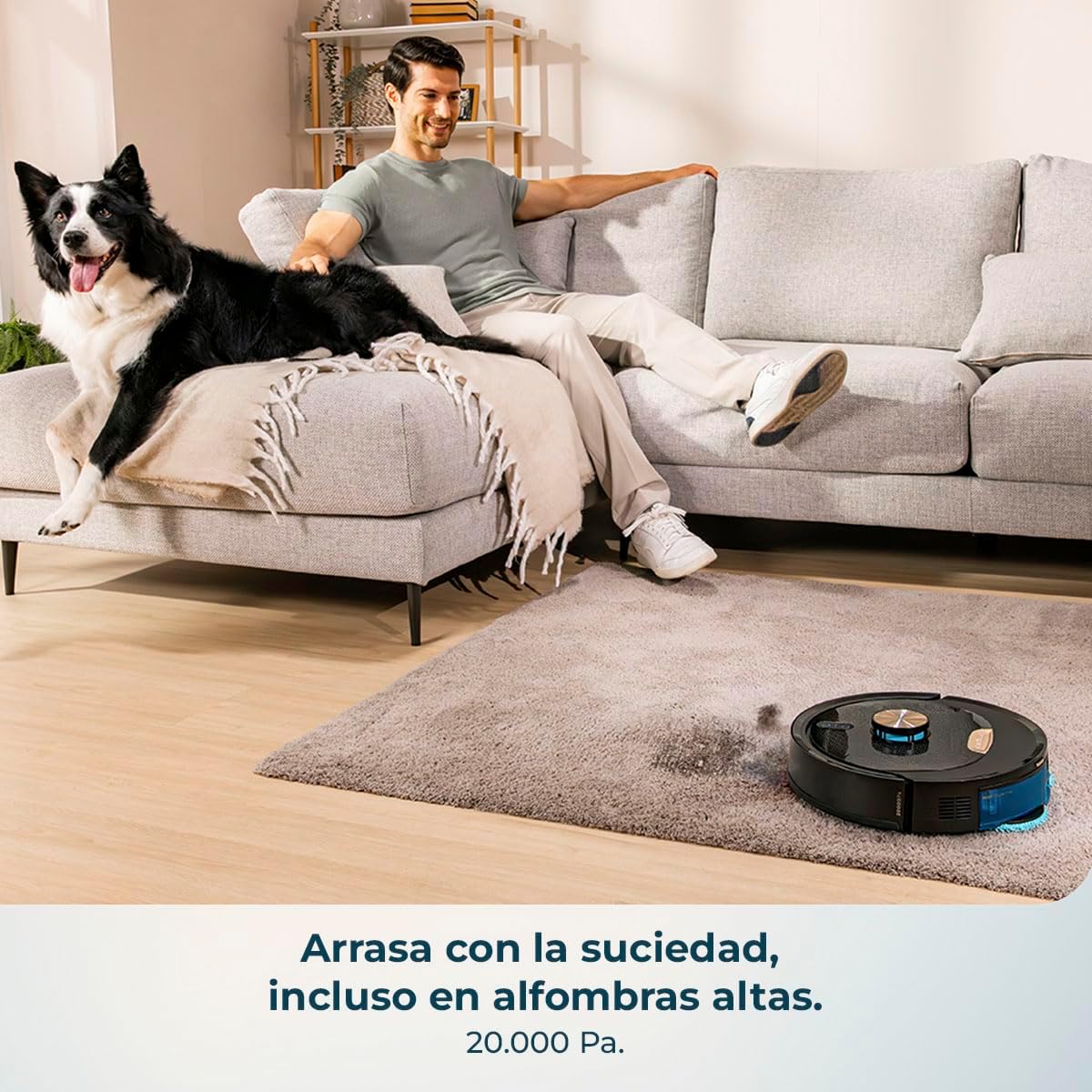
Image 9: The robot effectively cleans carpets with its powerful suction.

Image 10: The robot is capable of cleaning large areas up to 220 m² without interruption.
7. Onderhoud
Regular maintenance ensures the longevity and optimal performance of your robot.
7.1 Skoonmaak van die stofhouer en filter
- Maak die asblik leeg na elke skoonmaaksiklus.
- Clean the primary filter and HEPA filter regularly with the provided cleaning tool. Do not wash HEPA filters with water.
7.2 Hoofborsel en syborsels
- Remove the main anti-tangle silicone brush and clean any hair or debris wrapped around it using the cleaning tool.
- Check and clean the side brushes for tangled hair or debris. Replace them if they are worn or damaged.

Image 11: The anti-tangle silicone brush effectively collects debris without getting tangled.
7.3 Rotating Mops
- Remove the rotating mops after each mopping session.
- Wash the mops with water and mild detergent. Allow them to air dry completely before reattaching.
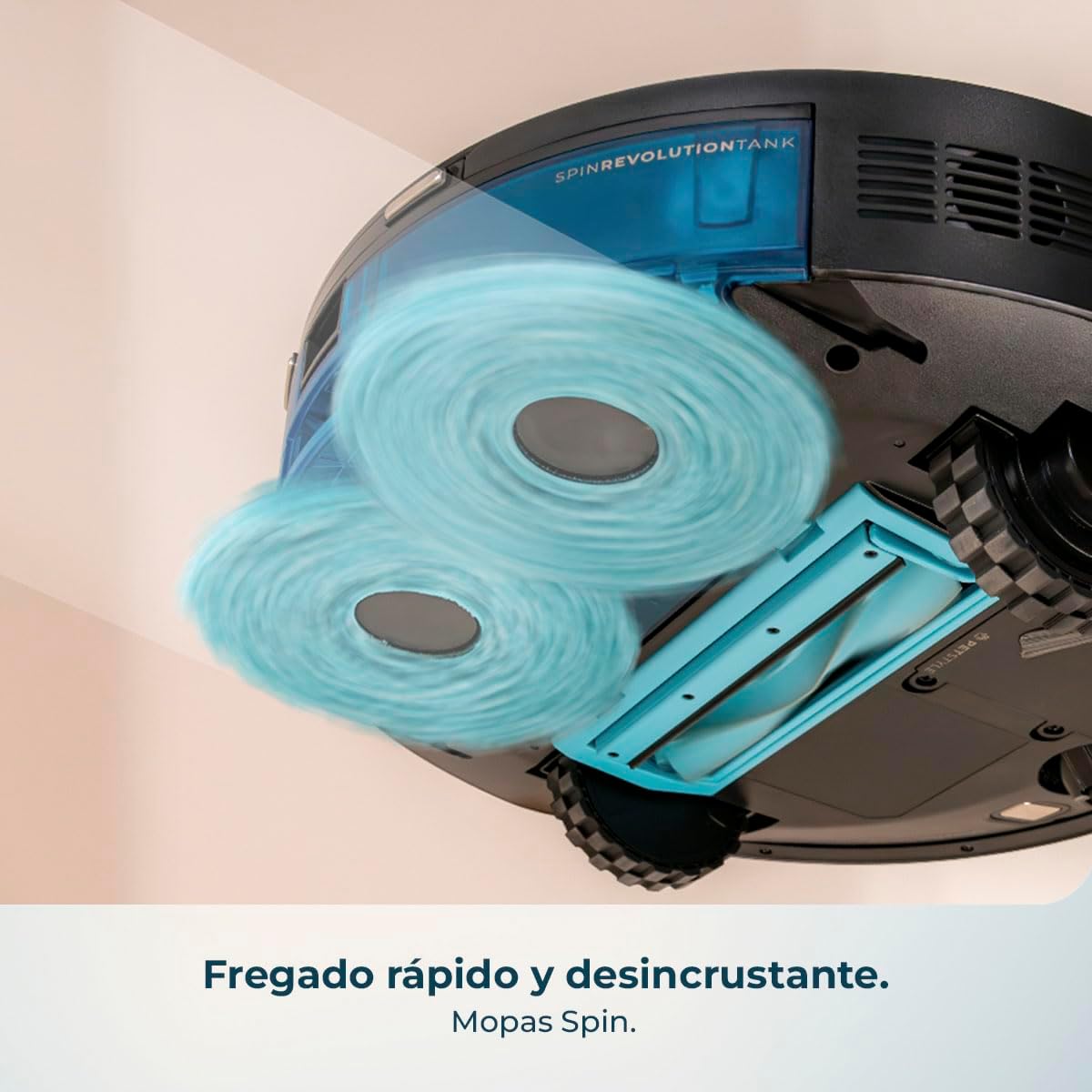
Image 12: The rotating mops provide powerful and thorough scrubbing for effective stain removal.
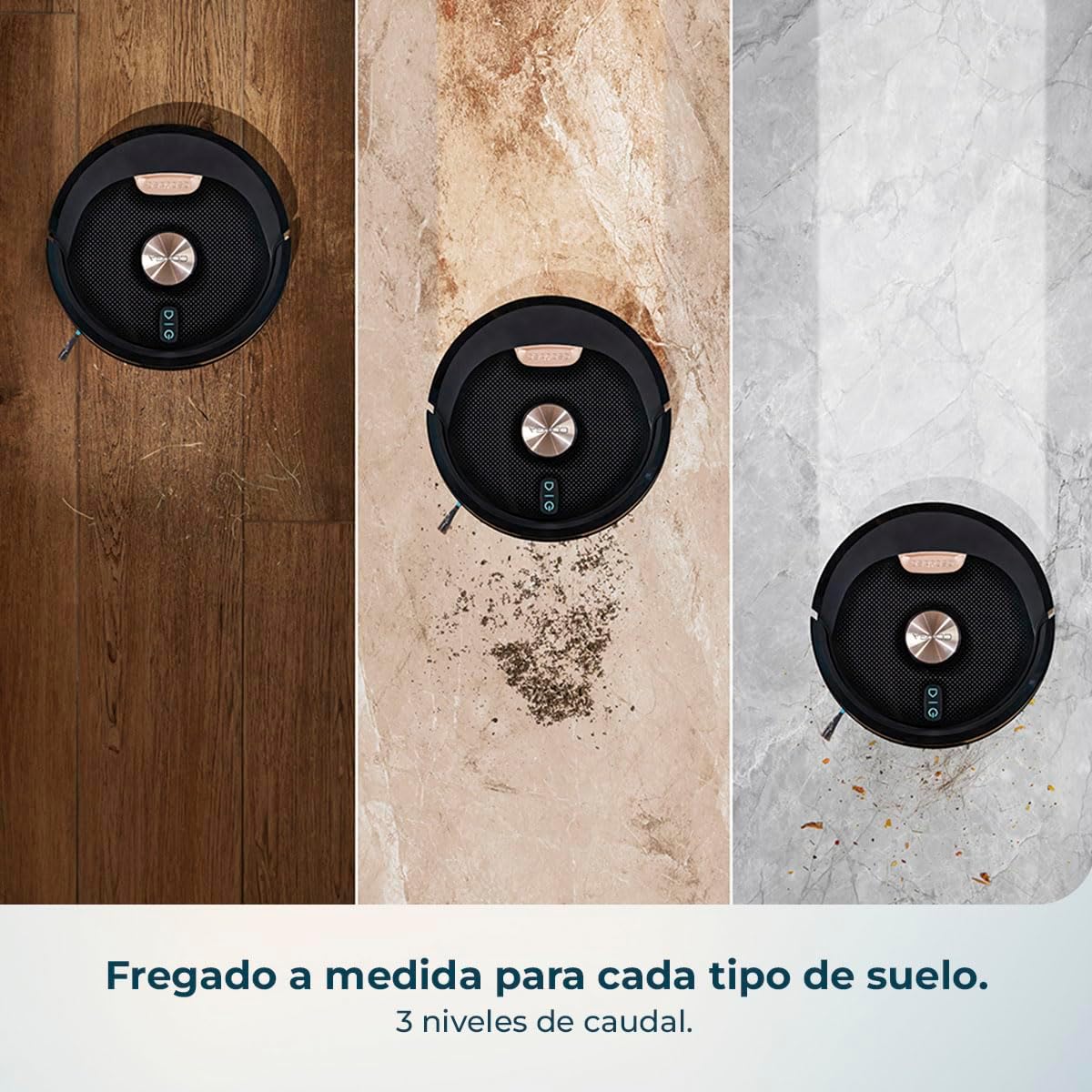
Image 13: The robot offers tailored mopping with 3 levels of water flow for various floor types.
7.4 Sensors en laaikontakte
- Wipe the cliff sensors, object detection sensors, and charging contacts on both the robot and the charging base with a dry, soft cloth.
8. Probleemoplossing
| Probleem | Moontlike oorsaak | Oplossing |
|---|---|---|
| Robot skakel nie aan nie | Lae battery; Aan/af-knoppie nie korrek gedruk nie | Charge the robot; Press and hold the power button for a few seconds. |
| Robot laai nie | Laaikontakte vuil; Laaibasis nie aangedryf nie | Clean charging contacts; Ensure charging base is plugged in and powered. |
| Swak skoonmaakprestasie | Vullisdrom vol; Borsels verstrengel; Filters verstop | Empty dustbin; Clean brushes; Clean or replace filters. |
| Robot sit gereeld vas | Hindernisse op die vloer; Sensors vuil | Clear floor of obstacles; Clean all sensors. |
| Programverbindingkwessies | Incorrect Wi-Fi password; Robot too far from router; 5GHz Wi-Fi network | Verify Wi-Fi password; Move robot closer to router; Ensure 2.4GHz Wi-Fi is used. |
9. Spesifikasies
| Kenmerk | Spesifikasie |
|---|---|
| Handelsmerk | Cecotec |
| Model Naam | Conga M100 X-Treme |
| Oppervlak-aanbeveling | Alle oppervlaktes |
| Spesiale funksie | Cyclonic action |
| Kleur | Swart |
| Produk afmetings | 31L x 31W x 12.5H sentimeter |
| Tipe beheerder | Programbeheer |
| Battery sel samestelling | Litiumioon |
| Voltage | 240 Volt |
10. Amptelike Produkvideo
Video 1: This video demonstrates the key features of the Cecotec Conga M100 X-Treme, including its AI navigation, object detection, powerful suction on carpets, rotating mop system, and app control capabilities.
11. Waarborg en Ondersteuning
Your Cecotec Conga M100 X-Treme comes with a standard manufacturer's warranty. For detailed warranty information, product support, or service inquiries, please refer to the warranty card included in your package or visit the official Cecotec webwebwerf. Bewaar u aankoopbewys as bewys van aankoop vir waarborgeise.