
1. Inleiding
Thank you for choosing the ZEALOT ZE01 Portable Bluetooth Speaker. This manual provides essential information for setting up, operating, and maintaining your speaker to ensure optimal performance and longevity. Please read this manual thoroughly before use and retain it for future reference.
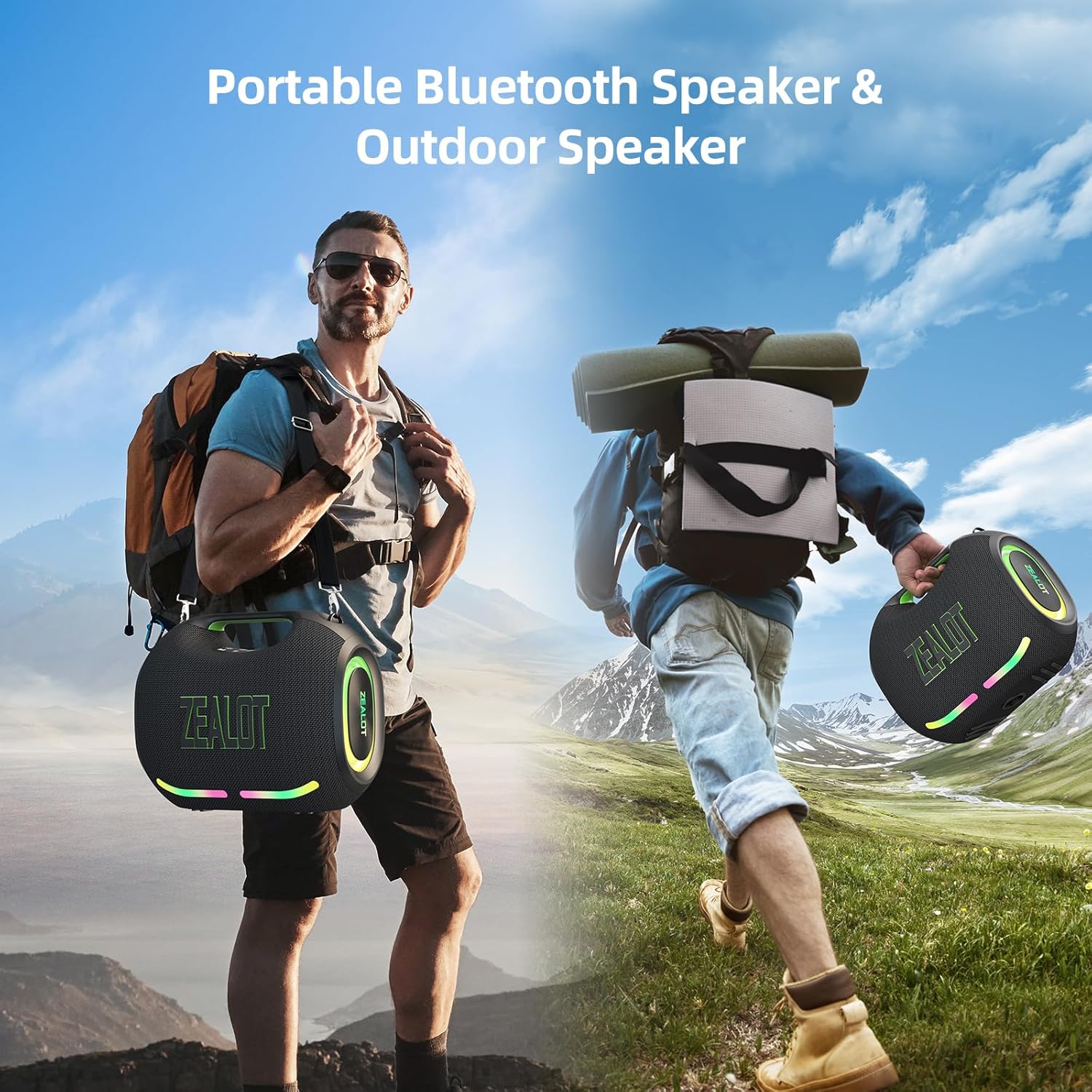
Figure 1: The ZEALOT ZE01 speaker is designed for portability, featuring a convenient shoulder strap for easy transport during outdoor activities.
2. Veiligheidsinligting
- Moenie die luidspreker vir lang tye aan uiterste temperature of direkte sonlig blootstel nie.
- Vermy om die luidspreker te laat val of aan sterk impakte te onderwerp.
- Keep the speaker away from water and liquids, despite its IPX6 rating, to prevent damage to internal components.
- Do not attempt to disassemble, repair, or modify the speaker yourself. Contact qualified service personnel for assistance.
- Use only the provided charging cable and a compatible power adapter (PD2.0 45W adapter recommended for optimal charging) to prevent damage.
- Hou buite bereik van kinders.
3. Pakketinhoud
Verifieer dat alle items in die pakket teenwoordig is:
- 1x ZE01 Bluetooth Speaker
- 1x AUX -kabel
- 1x Power Cable (Type-C)
- 1x vinnige begingids
- 1x Removable Shoulder Strap
- 1x Waarborgkaart

Figure 2: Included accessories with the ZEALOT ZE01 Portable Bluetooth Speaker.
4. Produk verbyview
4.1 Kontroles

Figure 3: Top panel controls for the ZEALOT ZE01 speaker.
- Aan/af-knoppie: Druk en hou vir 3 sekondes om aan/af te skakel.
- Speel/Pause-knoppie: Druk een keer om oudio te speel of te onderbreek.
- Volume op (+): Press once to increase volume. Press and hold for 2 seconds for next track.
- Volume af (-): Press once to decrease volume. Press and hold for 2 seconds for previous track.
- Modus (M) Knoppie: Press to switch between Wireless (Bluetooth), TF Card, AUX, and USB modes.
- EQ-knoppie: Press to cycle through EQ modes (Bass, Vocal, Normal).
- Ligte knoppie: Press to turn LED lights on/off or change light modes.
- Koppelknoppie: Press to initiate Bluetooth pairing or TWS pairing.
4.2 hawens

Figure 4: Input and output ports on the ZEALOT ZE01 speaker.
- TYPE-C CHARGE IN: Vir die laai van die luidspreker.
- AUX IN: Vir die koppeling van eksterne oudiotoestelle via 'n 3.5 mm-klankkabel.
- USB DRIVE: For playing music directly from a USB flash drive.
- TF-KAART: Vir die speel van musiek direk vanaf 'n TF (MicroSD) kaart.
- OUT-5V (USB): Functions as a power bank to charge other devices.
5. Opstelling
5.1 Laai die luidspreker
- Connect the provided Type-C power cable to the 'TYPE-C CHARGE IN' port on the speaker.
- Connect the other end of the cable to a compatible USB power adapter (not included). A PD2.0 45W adapter is recommended for optimal charging speed.
- The battery indicator lights on the control panel will show charging status:
- Red light flashes: Charging
- Red light on: Battery below 30%
- Yellow light on: Battery 40%-70%
- Green light on: Battery 80%-100%
- A full charge typically takes 3-4 hours. The speaker offers up to 40 hours of playtime at 30% volume in standard EQ mode.

Figure 5: Battery status indicators and charging port.
5.2 Bluetooth -koppeling
- Power on the speaker by pressing and holding the Power button for 3 seconds. The speaker will enter Bluetooth pairing mode automatically, indicated by a flashing blue light.
- Aktiveer Bluetooth op jou toestel (slimfoon, tablet, ens.) en soek vir beskikbare toestelle.
- Select "ZEALOT-ZE01" from the list of devices.
- Once connected, the blue light will stop flashing, and you will hear an audible confirmation.
5.3 Ware Draadlose Stereo (TWS) Paring
To achieve a 240W Max ultra stereo sound experience, you can pair two ZEALOT ZE01 speakers:
- Ensure both ZEALOT ZE01 speakers are powered on and in Bluetooth pairing mode (not connected to any device).
- On one of the speakers, press the 'Pairing' button (often indicated by a chain link icon). This speaker will become the primary unit.
- The two speakers will automatically connect to each other. Once connected, the primary speaker's Bluetooth indicator will flash, and the secondary speaker's indicator will be solid.
- Koppel nou jou toestel aan die primêre luidspreker via Bluetooth soos beskryf in Afdeling 5.2.

Figure 6: TWS pairing allows for a wider stereo soundstage.
5.4 Other Connection Methods
The ZEALOT ZE01 supports multiple playback modes:
- AUX-invoer: Connect an external audio device using a 3.5mm AUX cable to the 'AUX IN' port. Press the 'M' button to switch to AUX mode.
- USB Drive: Insert a USB flash drive into the 'USB DRIVE' port. Press the 'M' button to switch to USB mode.
- TF kaart: Insert a TF (MicroSD) card into the 'TF CARD' slot. Press the 'M' button to switch to TF Card mode.
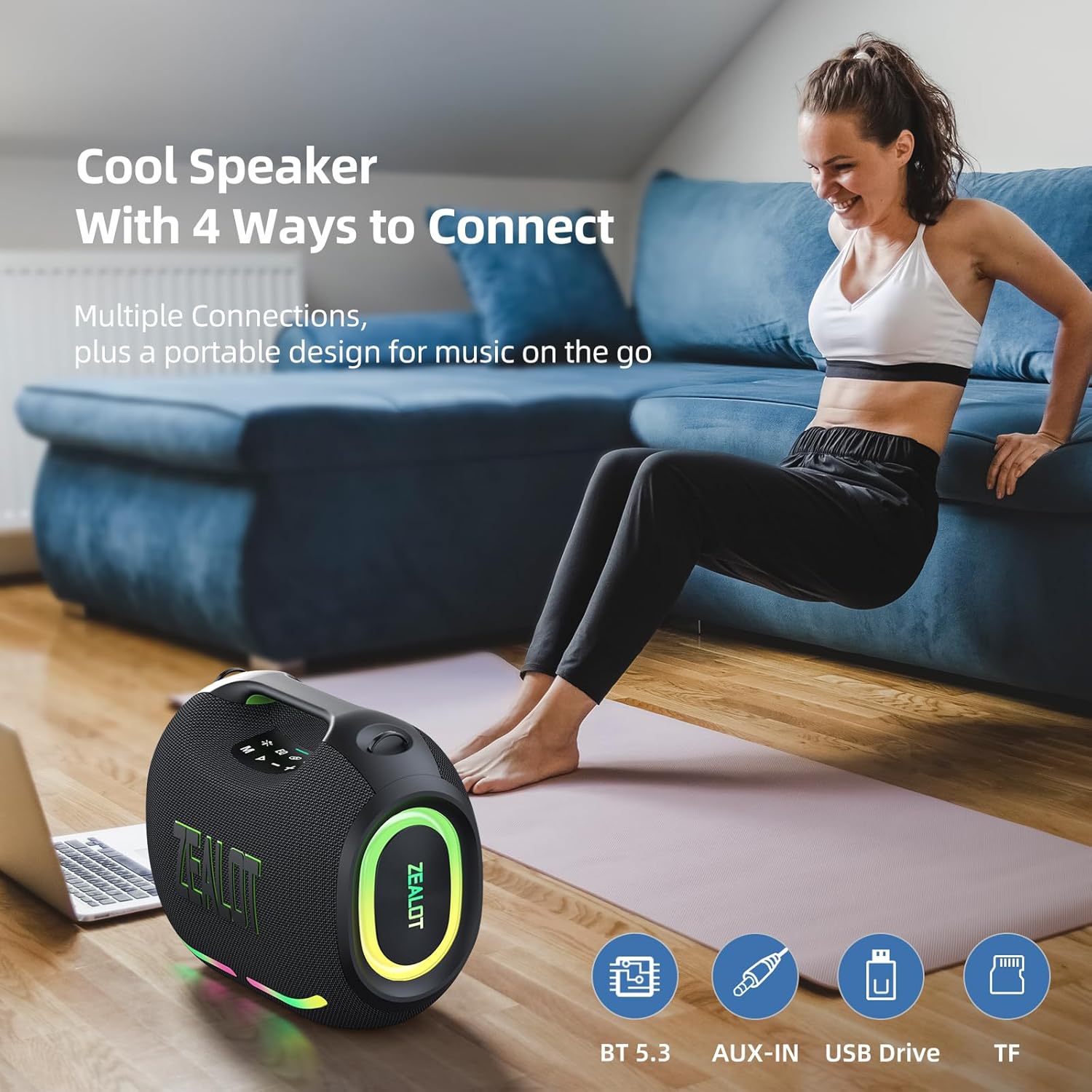
Figure 7: The speaker offers various connectivity options for versatile audio playback.
6. Bedryfsinstruksies
6.1 Basiese klankweergawe
- Speel/pouse: Druk die Speel/Pause-knoppie.
- Volume aanpassing: Press '+' to increase volume, '-' to decrease volume.
- Volgende / vorige snit: Press and hold '+' for the next track, press and hold '-' for the previous track.
6.2 EQ-modusse
The ZEALOT ZE01 features three Equalizer (EQ) modes to customize your audio experience:
- Press the 'EQ' button to cycle through the modes.
- Basmodus: Green light on. Enhances low frequencies for a deeper bass sound.
- Vokale modus: Orange light on. Optimizes mid-range frequencies for clearer vocals.
- Normale modus: White light on. Provides a balanced audio profile.

Figure 8: EQ mode indicators.
6.3 LED-ligbeheer
The speaker is equipped with dynamic colorful LED lights that can be controlled:
- Press the 'Light' button (indicated by a sun/star icon) to turn the lights on/off or cycle through different light modes (e.g., Ritmo, Breathing, Rainbow).

Figure 9: Dynamic LED lights enhance the listening experience.
6.4 Kragbankfunksie
The ZEALOT ZE01 can also serve as a portable power bank:
- Connect your external device (e.g., smartphone) to the 'OUT-5V' USB port on the speaker using a compatible charging cable.
- The speaker will begin charging your device.
7. Onderhoud
- Skoonmaak: Gebruik 'n sagte, droë lap om die buitekant van die luidspreker skoon te maak. Moenie skuurmiddels of oplosmiddels gebruik nie.
- Berging: Bêre die luidspreker op 'n koel, droë plek weg van direkte sonlig en uiterste temperature wanneer dit nie vir lang tye gebruik word nie.
- Waterweerstand: The speaker has an IPX6 water resistance rating, meaning it can withstand powerful water jets. However, it is not designed for submersion. Ensure all port covers are securely closed before exposure to water.

Figure 10: The IPX6 rating provides protection against water splashes and dust.
8. Probleemoplossing
| Probleem | Moontlike oorsaak | Oplossing |
|---|---|---|
| Luidspreker skakel nie aan nie. | Lae battery. | Laai die luidspreker vir ten minste 30 minute. |
| Kan nie via Bluetooth koppel nie. | Die luidspreker is nie in paringsmodus of reeds aan 'n ander toestel gekoppel nie. | Ensure the speaker is in pairing mode (flashing blue light). Disconnect from other devices if necessary. Restart both speaker and device. |
| Geen klank nie. | Volume te laag; verkeerde invoermodus; toestel speel nie. | Increase speaker and device volume. Press 'M' to select correct input mode. Ensure audio is playing on your connected device. |
| TWS-paring misluk. | Luidsprekers is te ver uitmekaar of reeds aan ander toestelle gekoppel. | Ensure both speakers are within close proximity and not connected to any other Bluetooth devices. Repeat TWS pairing steps. |
9. Spesifikasies
| Kenmerk | Detail |
|---|---|
| Model Naam | ZEALOT ZE01 Bluetooth Speaker |
| Tipe luidspreker | Draagbare luidspreker |
| Klankuitvoermodus | Stereo |
| Luidspreker Maksimum uitsetkrag | 150 XNUMX watt (piek) |
| Subwoofer diameter | 120 Millimeters (2x 50W) |
| Tweeter-deursnee | 42 Millimeters (2x 10W) |
| Frekwensierespons | 20 KHz |
| Sein-tot-geraas verhouding | 90 dB |
| Impedansie | 4 ohm |
| Verbindingstegnologie | Bluetooth |
| Bluetooth weergawe | 5.3 |
| Bluetooth-reeks | 10 meter (33 voet) |
| Battery kapasiteit | 24000 miljoenamp Ure |
| Speeltyd | Up to 40 hours (at 30% volume, EQ-standard) |
| Laai tyd | 3-4 hours (with PD2.0 45W adapter) |
| Waterweerstandvlak | IPX6 (Waterbestand) |
| Produk afmetings | 8.15" D x 13.07" B x 11.18" H |
| Item gewig | 13.22 pond |
| Materiaal | Metaal, plastiek |
| Spesiale kenmerke | Bass Boost, Built-In Powerbank, LED Light, Portable, Stereo Pairing |

Figure 11: The internal speaker configuration for powerful audio.
10. Amptelike Produkvideo
Video 1: 'n Amptelike produkvideovertoningasing the ZEALOT ZE01 120W Party Speaker's features and capabilities, including its sound quality and LED lights.
11. Waarborg en Ondersteuning
The ZEALOT ZE01 Portable Bluetooth Speaker comes with a limited warranty. Please refer to the included Warranty Card for detailed terms and conditions. For technical support, troubleshooting assistance, or warranty claims, please contact ZEALOT customer service through the official channels provided on the warranty card or the ZEALOT webwebwerf.