
Inleiding
This manual provides detailed instructions for the setup, operation, and maintenance of your COLMI P86 Smartwatch. Please read this guide thoroughly to ensure proper use and to maximize your device's features.
Wat is in die boks
Upon opening your COLMI P86 Smartwatch package, you should find the following items:
- COLMI P86 Smartwatch with Band
- Laai kabel
- Gebruikershandleiding (hierdie dokument)

Image: Contents of the COLMI P86 Smartwatch package, showing the smartwatch, charging cable, and user manual.
Opstelling
1. Laai die slimhorlosie
Before initial use, fully charge your COLMI P86 Smartwatch. Connect the provided magnetic charging cable to the charging contacts on the back of the watch and to a USB power source. A full charge typically takes approximately 2 hours.

Image: The COLMI P86 Smartwatch connected to its magnetic charging cable, displaying "Charging..." on the screen. Information on charging time and battery life is also shown.
The 400mAh battery provides 5-7 days of battery life under normal use and up to 30 days of standby time.
2. App-installasie en -paring
- Laai die toepassing af: Scan the QR code provided in the quick start guide or search for the official COLMI app in your smartphone's app store (compatible with Android and iPhone).
- Skep rekening: Volg die instruksies op die skerm om 'n rekening te skep en jou pro op te stel.file.
- Saambinding:
- Maak seker dat Bluetooth op jou slimfoon geaktiveer is.
- Open the COLMI app and navigate to the device pairing section.
- Select your COLMI P86 from the list of available devices.
- Bevestig die paringsversoek op beide jou slimfoon en slimfoon.
- Probleemoplossing vir paring: If you encounter issues pairing, try deleting the app from your phone, restarting your phone and watch, and then reinstalling the app and rescanning the QR code for pairing.
Bedryfsinstruksies
1. Basiese navigasie
The COLMI P86 Smartwatch features a touch-sensitive AMOLED screen and a rotating crown for navigation.
- Raakskerm: Swipe left, right, up, or down to access different menus and functions. Tap to select items.
- Roterende Kroon: Press the crown to wake/sleep the device or return to the watch face. Rotate the crown to scroll through menus or change watch faces.

Beeld: 'n Gedetailleerde view of the COLMI P86 smartwatch highlighting the delicate rotating crown for innovative interaction and the curved AMOLED screen with 1.93-inch 368x448 resolution.
2. Skerm en horlosieskerms
The smartwatch features a 1.93-inch curved AMOLED screen with 368x448 resolution, offering clear visuals.
- Verander horlosievlakke: Long-press the watch face on the screen or use the rotating crown to browse and select from hundreds of available watch faces. More options are available through the companion app.
- Altyd op vertoon: This feature allows the smartwatch to continuously display essential information like time without requiring manual screen activation.

Image: The COLMI P86 Smartwatch showcasing its Always On Display functionality, which keeps information visible without needing to manually light up the screen.

Image: A selection of over 100 watch faces available for the COLMI P86 Smartwatch, including dynamic dials and options for DIY customization via the app.
3. Bluetooth-oproepe
The COLMI P86 supports Bluetooth calling, allowing you to make, answer, and end calls directly from your wrist. It features a built-in microphone and speaker for clear audio.
- Maak seker dat jou slimhorlosie via Bluetooth aan jou slimfoon gekoppel is.
- Access the call function from the watch menu to dial or answer incoming calls.

Image: The COLMI P86 Smartwatch showing its Bluetooth calling capability with an incoming call notification, alongside message display and icons for microphone, call, dial pad, and speaker.
4. Gesondheidsmonitering
The smartwatch provides comprehensive health monitoring features, including heart rate, blood oxygen, and sleep tracking.
- Hartslagmonitering: The 8-channel heart rate sensor continuously monitors your heart rate, providing timely reminders for irregular heart rates.
- Bloedsuurstofmonitering (SpO2): Measure your blood oxygen levels directly from the watch.
- Slaapmonitering: The watch analyzes your sleep quality, providing insights into your sleep patterns.
- Spanningstoetsing: Monitor jou stresvlakke.

Image: The COLMI P86 Smartwatch highlighting its high-precision sensors for accurate vital sign monitoring, including an 8-channel heart rate sensor and blood oxygen sensor. Displays for sleep monitoring, blood oxygen, and stress testing are also shown.
Note: The health monitoring features are for reference only and should not be used for medical diagnosis or treatment. Consult a medical professional for health concerns.
5. Exercise Tracking
The COLMI P86 offers over 100 exercise modes for both indoor and outdoor activities. It records exercise time, steps, and calories burned.
- Select your desired sport mode from the watch menu before starting an activity.
- The watch will automatically track relevant data.
- Review your exercise data in the companion app for detailed analysis.
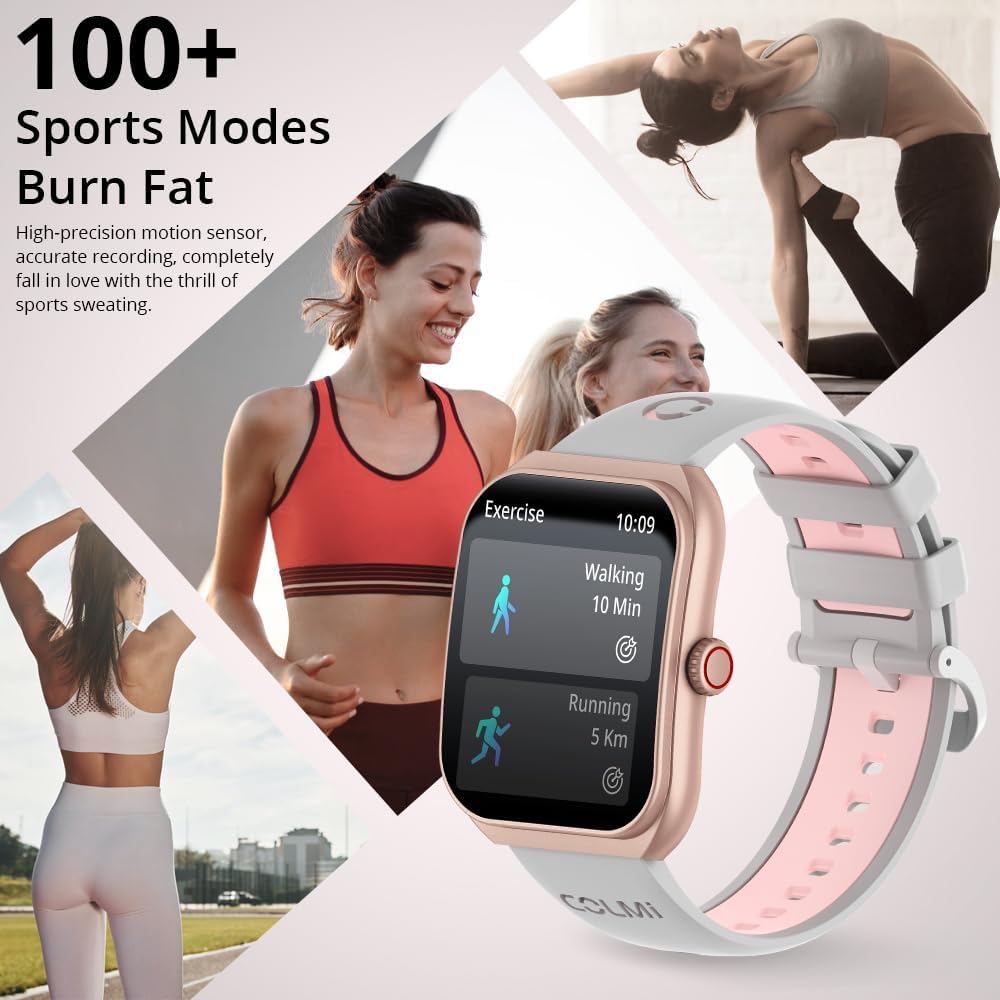
Image: The COLMI P86 Smartwatch showcasing its support for over 100 sports modes, with a display showing walking and running exercise data. Various fitness activities are depicted in the background.
6. Kennisgewings
Receive notifications for calls, messages, and other app alerts directly on your smartwatch. Ensure notification permissions are enabled in the companion app and your phone settings.
Onderhoud
1. Skoonmaak
- Vee die horlosieskerm en -liggaam af met 'n sagte, pluisvrye lap.
- For the watch band, use a mild soap solution and rinse thoroughly, then dry completely before wearing.
- Vermy die gebruik van harde chemikalieë of skuurmateriaal.
2. Waterweerstand
The COLMI P86 Smartwatch has a 1ATM water resistance rating, meaning it is resistant to splashes and brief immersion. It is suitable for daily use and light rain.
Belangrik: Do not wear the watch while swimming, showering, or in saunas, as steam and hot water can compromise the water seal. Avoid pressing buttons underwater.
Probleemoplossing
- Horlosie skakel nie aan nie: Maak seker dat die horlosie volledig gelaai is. Koppel dit vir ten minste 30 minute aan die laaier.
- Kan nie met slimfoon koppel nie:
- Maak seker dat Bluetooth op jou foon geaktiveer is en dat die horlosie opspoorbaar is.
- Try restarting both your phone and the smartwatch.
- If issues persist, uninstall the COLMI app, restart your phone, and then reinstall the app and attempt pairing again.
- Kennisgewings verskyn nie:
- Check app permissions on your smartphone to ensure the COLMI app has access to notifications.
- Verify that notification settings are enabled within the COLMI app for specific applications.
- Maak seker dat die horlosie behoorlik via Bluetooth gekoppel is.
- Onakkurate staptelling: Ensure the watch is worn snugly on your wrist. Calibrate step tracking within the app if available.
- Kort batterylewe:
- Verminder die helderheid van die skerm.
- Disable "Always On Display" if not needed.
- Beperk gereelde hartklop- of bloedsuurstofmonitering.
- Maak seker dat geen agtergrondprogramme oormatig krag dreineer nie.
Spesifikasies
| Kenmerk | Detail |
|---|---|
| Modelnommer | COLMI P86 |
| Skerm grootte | 1.93 duim |
| Tipe vertoon | AMOLED, Curved Screen |
| Resolusie | 368x448 |
| Battery kapasiteit | 400mAh (0.4 Amp Ure) |
| Batterylewe (normale gebruik) | 5-7 dae |
| Bystandtyd | Tot 30 dae |
| Konnektiwiteit | Bluetooth |
| Bedryfstelselversoenbaarheid | Android, iPhone |
| Geheue berging kapasiteit | 128 MB |
| Item gewig | 100 gram (3.53 onse) |
| Waterweerstand | 1ATM (Splash resistant) |
| Spesiale kenmerke | AMOLED, Bluetooth calling, Curved screen, Heart Rate/Blood Oxygen/Sleep Monitoring, 100+ Exercise Modes |
Waarborg en Ondersteuning
COLMI provides professional after-sales service for your P86 Smartwatch. If you have any questions regarding the use or quality of your product, please contact our customer support team.
For support, please refer to the contact information provided with your purchase or visit the official COLMI webwerf. Hou jou aankoopkwitansie vir waarborgeise.