
1. Produk verbyview
The ICARZONE MA200 V6 is an advanced OBD2 diagnostic scanner designed for comprehensive vehicle analysis. It provides access to professional-level diagnostics, allowing users to read and clear fault codes across various vehicle systems, perform essential maintenance services, and monitor live data. This tool is suitable for home mechanics, DIY enthusiasts, and professionals seeking detailed vehicle insights.
Sleutel kenmerke:
- Full System Diagnostics (Engine, ABS, SRS, Transmission, etc.)
- 6 Essential Maintenance Services (Oil Reset, EPB, SAS, TPMS, DPF, BMS)
- Full OBDII Functions (Read/Clear Codes, Live Data, I/M Readiness, etc.)
- Battery Test Functionality
- Lewenslange gratis sagteware-opdaterings
Verenigbaarheid: The MA200 V6 is designed for most car models from the following manufacturing groups: BMW, BENZ, PORSCHE, VAG (Audi, Volkswagen, Bentley, Bugatti, Lamborghini, Seat, Skoda), JLR (Land Rover, Jaguar), and VOLVO (Volvo, Saab). Specific compatible brands include Porsche, Benz, Sprinter, Smart, Maybach, Land Rover, Jaguar, BMW, MINI, Rolls Royce, Volvo, Saab, Audi, Volkswagen, Bentley, Bugatti, Lamborghini, Seat, Skoda, MAN LD, Volkswagen CV, and Volkswagen LT3.
Let wel: Compatibility varies by vehicle make, model, and year. Please provide your car's VIN number for a precise compatibility check before use.

Image 1.1: The MA200 V6 scanner is compatible with a wide range of vehicles from major manufacturing groups.
2. Wat is in die boks
Wanneer u die pakkie oopmaak, maak seker dat al die volgende items teenwoordig is:
- MA200 V6 Main Device
- Verpakkingsboks
- Draagbare opbergsak
- Rekenaar-aansluitkabel (USB)
- TF Card (contained within the device)
- TF-kaartleser
- Gebruikershandleiding (hierdie dokument)
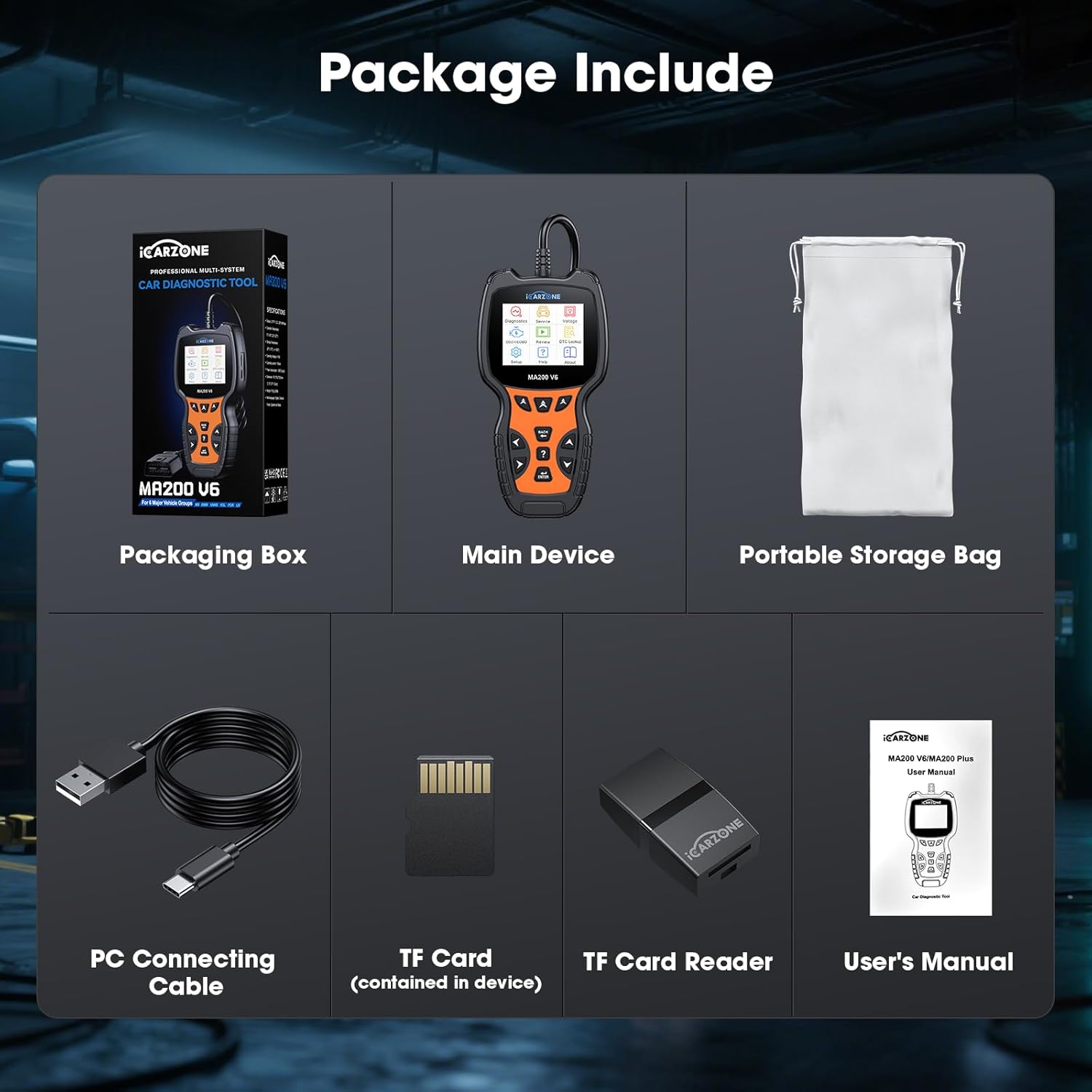
Image 2.1: All components included in the MA200 V6 product package.
3. Opstelinstruksies
Follow these steps to set up and begin using your MA200 V6 OBD2 Scanner:
- Vind die OBD2-poort: Die OBD2-poort is tipies onder die paneelbord aan die bestuurderskant van die voertuig geleë. Raadpleeg u voertuig se gebruikershandleiding as u dit nie kan vind nie.
- Koppel die skandeerder: Plug the MA200 V6's diagnostic cable connector firmly into the vehicle's OBD2 port. The scanner receives power directly from the vehicle's port, so no external batteries are required.
- Krag aan: Once connected, the scanner will automatically power on. If it does not, ensure the vehicle's ignition is in the 'ON' position (engine can be off).
- Aanvanklike opstelling: Follow any on-screen prompts for initial language selection or system configuration.
4. Bedryfsinstruksies
This section details the primary functions and how to operate your MA200 V6 scanner.
4.1. Full System Diagnostic
The MA200 V6 can access and diagnose various electronic control units (ECUs) within your vehicle, including Engine, Anti-lock Braking System (ABS), Supplemental Restraint System (SRS/Airbag), Transmission, and more. This allows for a comprehensive fault code detection beyond basic engine codes.
- From the main menu, select "Diagnostics."
- Choose "Auto Scan" to automatically identify your vehicle and scan all available systems, or select "Control Unit" to manually choose a specific system (e.g., Engine, ABS, SRS).
- The scanner will display any detected fault codes (DTCs) and their descriptions.
- You can generate a diagnostic report for review or to share with a repair shop.

Image 4.1: The MA200 V6 provides full system diagnostic capabilities, covering various vehicle modules.
4.2. 6 Maintenance Services
The MA200 V6 offers six commonly used maintenance and reset functions:
- Olie-herstel: Herstel die enjinolie-lewensduurstelsel na 'n olieverversing.
- EPB-herstel (Elektroniese parkeerrem): Essential for safely replacing brake pads on vehicles with electronic parking brakes.
- SAS-terugstelling (stuurhoeksensor): Calibrates the steering angle sensor, crucial for vehicle stability control systems.
- TPMS-herstel (banddrukmoniteringstelsel): Resets the TPMS system after tire rotation, sensor replacement, or tire pressure adjustment.
- DPF-terugstelling (Dieseldeeltjiefilter): Initiates the DPF regeneration process to clear blockages in diesel vehicles.
- BMS-herstel (Batterybestuurstelsel): Registers a new battery with the vehicle's ECU to ensure proper charging and system function.
Let wel: The availability and specific procedures for these services vary by vehicle model. Please check compatibility for your specific car's VIN.

Image 4.2: The MA200 V6 provides 6 essential maintenance services for routine vehicle care.
4.3. OBDII Full Functions
The MA200 V6 supports all standard OBDII protocols, enabling comprehensive diagnostics for all OBDII-compliant vehicles (typically 1996 and newer in the US).
- Lees kodes: Haal generiese (P0, P2, P3 en U0) en vervaardigerspesifieke (P1, P3 en U1) kodes op.
- Duidelike kodes: Erases Diagnostic Trouble Codes (DTCs) and turns off the Check Engine Light (MIL). Note: Codes can only be permanently cleared after the underlying problem is fixed.
- Regstreekse datastroom: Vertoon intydse data van die voertuig se sensors in teks- of grafiekformaat.
- I/M-gereedheid: Checks the readiness of emission-related monitors, indicating if the vehicle is ready for an emissions test.
- Vries raamdata: Toon 'n momentopname van die voertuig se bedryfstoestande ten tyde van 'n emissieverwante fout.
- O2-sensortoets: Haal die resultate van die O2-sensormonitor op.
- Toets van aanboordmonitor: Haal toetsresultate vir emissieverwante aandrywingstelselkomponente en -stelsels op.
- Voertuiginligting: Displays the Vehicle Identification Number (VIN), Calibration ID (CALID), and Calibration Verification Number (CVN).
- Battery toets: Evaluates the vehicle's battery health.
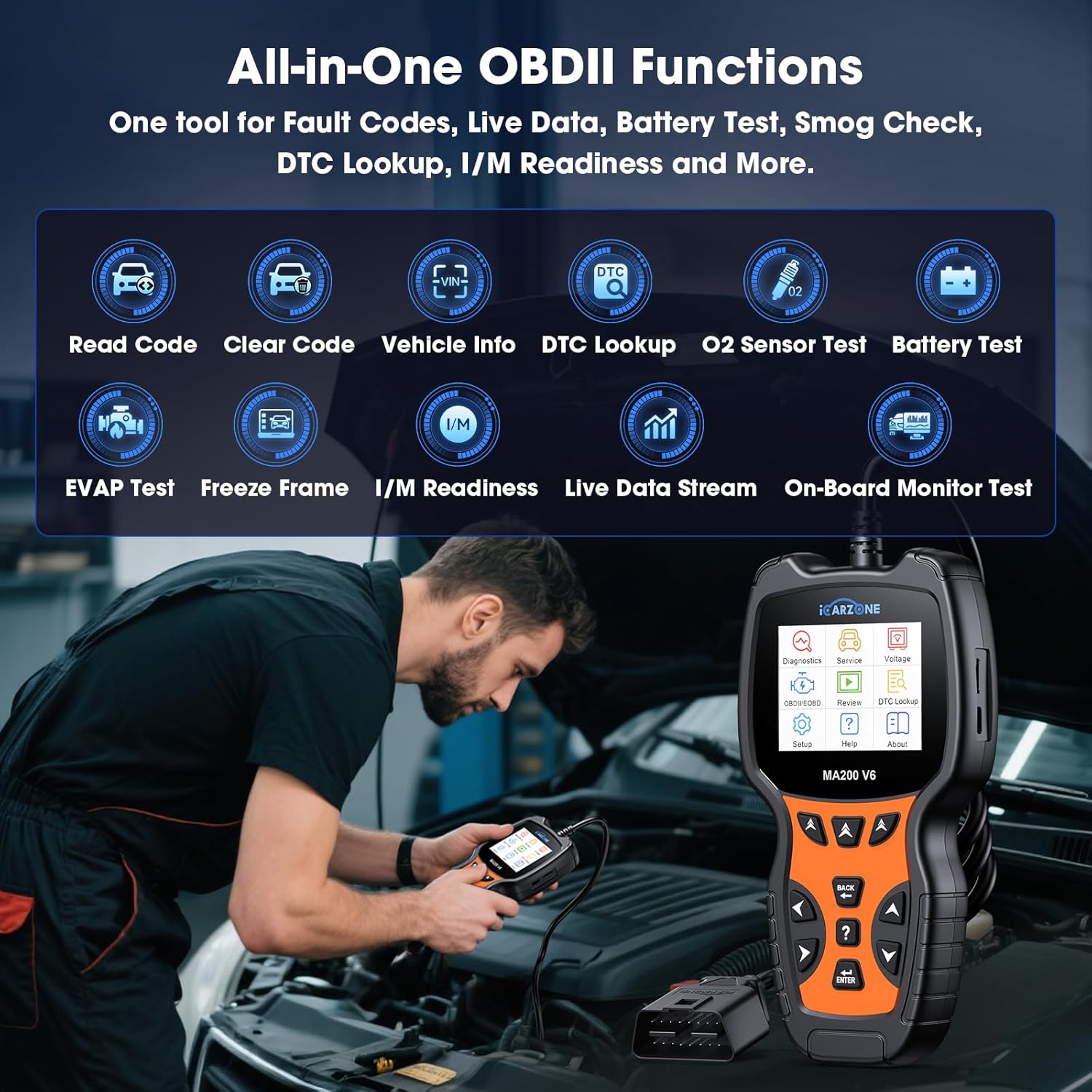
Image 4.3: The MA200 V6 provides a comprehensive suite of OBDII functions for standard diagnostics.
4.4. DTC Opsoek
The MA200 V6 includes a built-in DTC library to help you understand the meaning of diagnostic trouble codes.
- From the main menu, select "DTC Lookup."
- Enter the specific DTC code you wish to look up.
- The scanner will display a detailed description of the code, helping you identify potential issues.

Image 4.4: The MA200 V6's DTC library assists in understanding and addressing fault codes.
4.5. Auto VIN Function
The Auto VIN feature automatically identifies your vehicle's VIN for quicker diagnostics setup.
- When prompted during a diagnostic session, select "Auto VIN."
- The scanner will attempt to read the VIN from the vehicle's ECU.
Let wel: Auto VIN may not be applicable to all vehicles. For some cars, you may need to manually enter the VIN to proceed with diagnostics.
5. Onderhoud
To ensure optimal performance and longevity of your MA200 V6 scanner:
- Sagteware-opdaterings: The MA200 V6 offers lifetime free software updates. Regularly connect your device to a computer using the provided USB cable and visit the official ICARZONE website to download and install the latest software. This ensures compatibility with newer vehicle models and access to updated features.
- Skoonmaak: Vee die toestel af met 'n sagte, droë lap. Vermy die gebruik van skuurmiddels of oplosmiddels.
- Berging: Store the scanner in its portable storage bag when not in use to protect it from dust and physical damage.
6. Probleemoplossing
If you encounter issues while using your MA200 V6 scanner, refer to the following common problems and solutions:
- Skandeerder skakel nie aan nie:
- Ensure the scanner is securely connected to the vehicle's OBD2 port.
- Verifieer dat die voertuig se ontsteking in die 'AAN'-posisie is.
- Kontroleer die voertuig se sekering vir die OBD2-poort (verwys na u voertuig se handleiding).
- Kan nie foutkodes uitvee nie:
- Fault codes can only be successfully erased after the underlying mechanical or electrical problem has been fixed. If the issue persists, the code will reappear.
- Auto VIN fails to identify vehicle:
- Auto VIN is not universally compatible with all vehicles. Try manually entering the VIN when prompted.
- Specific diagnostic or service function not working:
- The compatibility of advanced functions (like maintenance services) varies significantly by vehicle make, model, and year. Contact ICARZONE support with your vehicle's VIN for a compatibility check.
- Ensure your scanner's software is up to date.
- "Link Error" or "Communication Error":
- Verify the OBD2 cable connection is secure.
- Maak seker dat die voertuig se ontsteking aan is.
- Try the scanner on a different OBDII-compliant vehicle to rule out a vehicle-specific issue.
7. Spesifikasies
| Kenmerk | Spesifikasie |
|---|---|
| Model | MA200 V6 |
| Handelsmerk | ICARZONE |
| Kragbron | Koord Elektries (via OBD2-poort) |
| Bedryfstelsel | Professional Automotive Inspection OS |
| Skerm grootte | 2.8 duim |
| Item gewig | 1.15 pond |
| Pakket afmetings | 8.35 x 4.02 x 2.44 duim |
| Tipe motorpas | Voertuigspesifieke passing |
8. Waarborg en Ondersteuning
ICARZONE is committed to providing reliable products and excellent customer service.
- Waarborg: The MA200 V6 OBD2 Scanner comes with a 1-year brand warranty from the date of purchase. Please retain your proof of purchase for warranty claims.
- Lewenslange gratis opdaterings: Enjoy lifetime free software upgrades for your device. Regularly check the official ICARZONE website for the latest updates to ensure your scanner remains current with new vehicle models and features.
- Tegniese ondersteuning: Lifetime technical support is available for all MA200 V6 users. If you have any questions, encounter issues, or require assistance with specific vehicle compatibility, please do not hesitate to contact our support team.
For support, please visit the official ICARZONE webwebwerf of verwys na die kontakinligting wat saam met u produkverpakking verskaf word.