
Inleiding
Thank you for choosing the SGIN S15 N5100 15.6-inch Laptop. This manual provides essential information for setting up, operating, maintaining, and troubleshooting your new device. Please read it carefully to ensure optimal performance and longevity of your laptop.
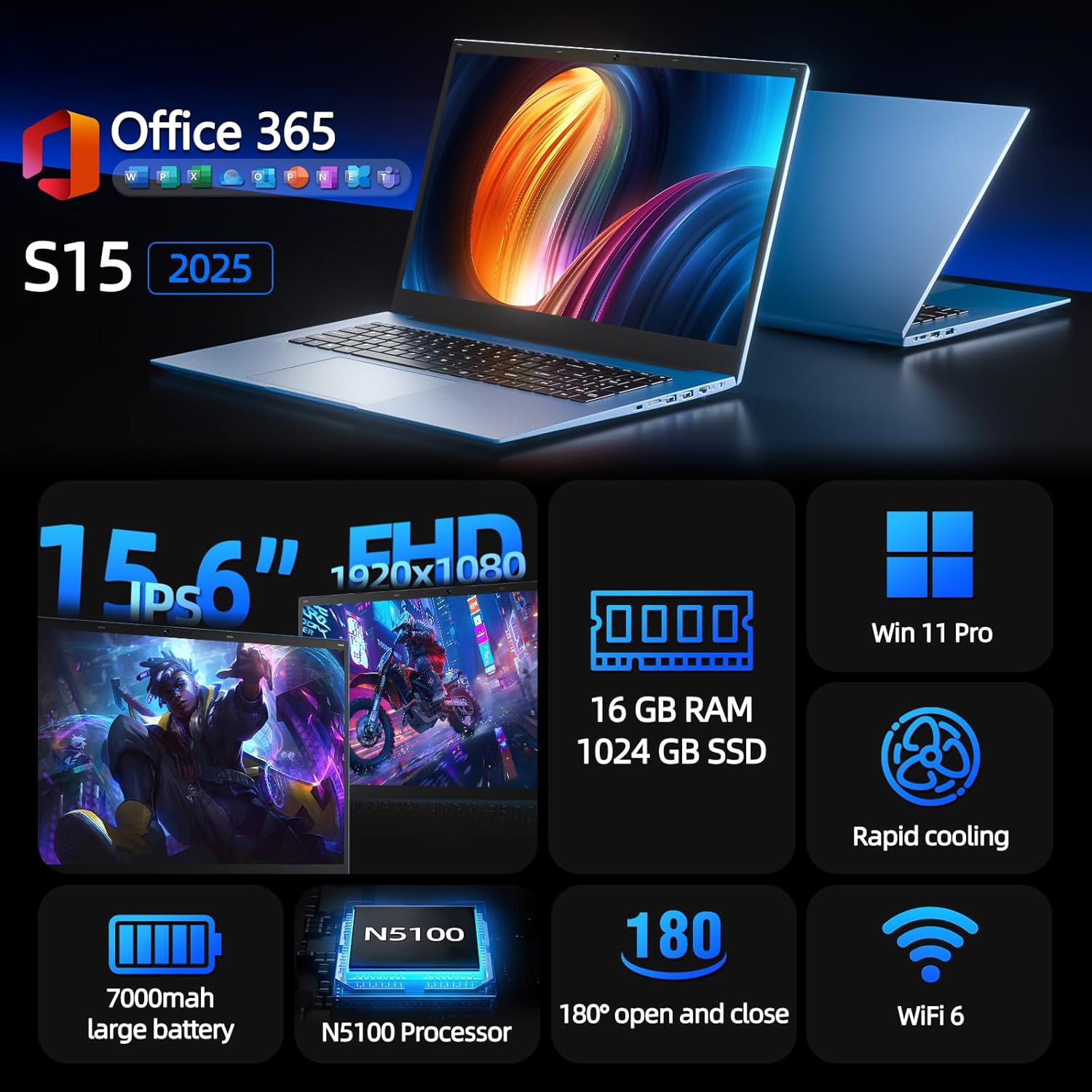
Figure 1: SGIN S15 N5100 Laptop Overview
1. Opstelling
1.1 Uitpak en Aanvanklike Inspeksie
Carefully remove all components from the packaging. Verify that all items listed in the "What's in the Box" section are present and undamaged. If any items are missing or damaged, contact customer support immediately.
- SGIN S15 N5100 Laptop
- Kragadapter/laaier
- Gebruikershandleiding (hierdie dokument)
Video 1: Uitpak en oordrag van voorlettersview of the SGIN S15 Laptop.
1.2 Die kragadapter koppel
Connect the power adapter to the DC-in port on the side of the laptop. Plug the other end into a power outlet. The battery indicator light will illuminate, indicating that the laptop is charging.

Figure 2: Laptop ports, including the DC-in port for charging.
1.3 Eerste aanskakeling en Windows-opstelling
Press the power button to turn on the laptop. Follow the on-screen instructions to complete the Windows 11 Pro setup. This includes selecting your region, language, connecting to a Wi-Fi network, and creating a user account. The laptop comes pre-installed with a 1-year Office 365 subscription, which can be activated during or after the initial setup.
2. Bedryfsinstruksies
2.1 Vertoonkenmerke
The SGIN S15 features a 15.6-inch Full HD IPS (1920x1080) Anti-Glare Display. The 180° viewing angle allows for flexible screen positioning, ideal for sharing content or adjusting to your preferred working posture.

Figure 3: High-resolution IPS display with 180° hinge.
2.2 Berging en Werkverrigting
Equipped with 16GB DDR4 RAM and a 1024GB SSD, the laptop offers fast boot-up times and smooth multitasking. The Intel Celeron N5100 processor (4 cores, 4 threads, up to 2.8GHz) provides efficient performance for daily tasks, business applications, and student work.

Figure 4: Internal storage and memory configuration.

Figure 5: Celeron N5100 processor details.
2.3 Konnektiwiteit
The laptop supports WiFi 6 for strong wireless signals and fast connections, and Bluetooth 5.2 for connecting peripherals. It includes various ports for external devices:
- HDMI-poort
- Tipe C-poort
- 3.5mm TRRS audio jack
- Memory card slot (TF card up to 1TB)
- USB 3.2 ports (2 ports)

Figure 6: WiFi 6 connectivity for enhanced network performance.
3. Onderhoud
3.1 Batterysorg
The laptop is equipped with a 7000mAh battery, providing up to 8 hours of continuous use. To prolong battery life:
- Vermy om die battery gereeld heeltemal te ontlaai.
- Moenie die skootrekenaar aan uiterste temperature blootstel nie.
- Bêre die skootrekenaar met 'n gedeeltelike lading (ongeveer 50%) indien dit nie vir lang tye gebruik word nie.

Figure 7: Laptop battery for extended use.
3.2 Skoonmaak van die skootrekenaar
Gebruik 'n sagte, pluisvrye lap om die skerm en buitekant skoon te maak. Vir hardnekkige vlekke, vee dit effens af.ampen the cloth with water or a screen-safe cleaner. Avoid harsh chemicals or abrasive materials. Ensure the laptop is powered off and unplugged before cleaning.
3.3 Verkoelingstelsel
The laptop features dual cooling fans for efficient heat dissipation. Ensure that the vents are not obstructed to maintain optimal airflow and prevent overheating. Avoid using the laptop on soft surfaces like beds or couches that can block the vents.
4. Probleemoplossing
4.1 Kragprobleme
- Skootrekenaar skakel nie aan nie: Maak seker dat die kragadapter stewig gekoppel is en dat die aansluiting funksioneel is. Kontroleer of die battery voldoende gelaai is.
- Battery laai nie: Verify the power adapter is correctly plugged into both the laptop and the wall outlet. Try a different outlet if available.
4.2 Vertoonprobleme
- Skerm is leeg: Connect an external monitor via HDMI to check if the issue is with the laptop's display or graphics output. Ensure the laptop is powered on and not in sleep mode.
- Flikkerende skerm: Update your display drivers. Adjust the screen refresh rate in Windows display settings.
4.3 Konnektiwiteitsprobleme
- Wi-Fi verbind nie: Maak seker dat Wi-Fi in Windows-instellings geaktiveer is. Herbegin jou router en die skootrekenaar. Kontroleer vir opgedateerde Wi-Fi-drywers.
- Bluetooth-toestel koppel nie: Ensure Bluetooth is enabled on both the laptop and the device. Place devices close to each other during pairing.
4.4 Prestasieprobleme
- Skootrekenaar is stadig: Maak onnodige toepassings toe. Gaan Taakbestuurder na vir hoë SVE/RAM-gebruik. Maak seker dat daar genoeg vrye spasie op die SSD is. Voer 'n skyfopruiming uit.
- Oorverhitting: Ensure cooling vents are clear. Use the laptop on a hard, flat surface. Consider reducing heavy workload if persistent.
5. Spesifikasies
| Kenmerk | Detail |
|---|---|
| Model Naam | S15 |
| Item Modelnommer | N5100 |
| Vertoon grootte | 15.6 duim |
| Skermresolusie | 1920 x 1080 pixels (FHD IPS Anti-Glare) |
| Verwerker | Intel Celeron N5100 (4 Cores, 4 Threads, up to 2.8GHz) |
| RAM | 16 GB DDR4 |
| Berging | 1024 GB SSD (Expandable with TF card up to 1TB) |
| Bedryfstelsel | Windows 11 Pro |
| Battery | 7000mAh (up to 8 hours) |
| Draadlose konneksie | WiFi 6, Bluetooth 5.2 |
| Hawens | HDMI, Type-C, 3.5mm TRRS Jack, Memory Card Slot, 2x USB 3.2 |
| Afmetings (LxBxH) | 14.56 x 9.4 x 0.86 duim |
| Item gewig | 4.4 pond |
6. Waarborg en ondersteuning
6.1 Produkwaarborg
Your SGIN S15 N5100 laptop comes with a 1-year repair service warranty from the date of purchase. This warranty covers manufacturing defects and hardware malfunctions under normal use. Please retain your proof of purchase for warranty claims.
6.2 Retourbeleid
A 30-dae terugkeerbeleid is offered for this product. Please refer to your retailer's specific return guidelines for detailed information.
6.3 Kliëntediens
For any technical assistance, troubleshooting, or warranty inquiries, please contact SGIN customer support. We offer 24/7 customer instant help to address your concerns promptly.
Kontakbesonderhede (bv. website, email, phone number) would typically be provided here by the manufacturer.