
1. Inleiding
Thank you for choosing the Sofucor 52 Inch Smart Ceiling Fan. This manual provides essential information for the safe installation, operation, and maintenance of your new ceiling fan. This model features smart control options (voice, app, remote), a quiet DC motor, and a reversible function for year-round comfort. Please read these instructions thoroughly before installation and retain them for future reference.
2. Veiligheidsinligting
- Elektriese veiligheid: Always disconnect power at the main circuit breaker before installation or servicing. Consult a qualified electrician if you are unsure about wiring connections.
- Montering: Ensure the mounting structure can support the weight of the fan (approximately 13.12 pounds) and is securely fastened.
- Lemspeling: Maintain a minimum clearance of 7 feet from the floor to the fan blades and 18 inches from the wall to the blade tips.
- Ventilator werking: Moenie voorwerpe in die pad van die waaierblaaie plaas nie.
- Skoonmaak: Gebruik 'n sagte, damp cloth for cleaning. Avoid harsh chemicals that may damage the finish.
3. Pakketinhoud
Verifieer dat alle komponente teenwoordig is voordat u met die installasie begin:
- Montagebeugel (1)
- DC Motor Assembly (1)
- Solid Wood Blades (3)
- Hardewarepak (skroewe, wassers, draadmoere)
- Bottom Cover (1)
- Handleiding (1)
- Afstandbeheer (1)
- Ontvanger (1)
4. Spesifikasies
| Handelsmerk | Sofucor |
| Model Naam | KBS-52143 |
| Produk afmetings | 52" D x 52" B x 9.64" H |
| Item gewig | 13.12 pond |
| Kleur | Bruin + swart |
| Styl | Smart-Without Light |
| Kragbron | 120V WS-inset, GS-motor |
| Motor tipe | DC |
| Geraasvlak | 30 Desibel |
| Lugvloeikapasiteit | 5800 kubieke voet per minuut |
| Aantal kragvlakke | 6 |
| Beheer metode | Toepassing, afstandbeheer, stem |
| Binne/buiteluggebruik | Binne, Buitelug |
5. Installasie
Belangrik: Before starting, ensure the power is turned off at the circuit breaker. It is recommended to have a qualified electrician perform the installation.
5.1 Voorinstallasiestappe
- Skakel krag af: Locate your circuit breaker box and turn off the power to the ceiling fan location.
- Berei gereedskap voor: Gather necessary tools such as a screwdriver, wire strippers, pliers, and a ladder.
- Pak komponente uit: Verwyder alle dele versigtig uit die verpakking en lê dit uit.
5.2 Monteer die bracket
Secure the mounting bracket to your ceiling. The type of screws used will depend on your ceiling material (concrete, junction box, or wooden ceiling). Refer to the detailed instructions in the printed manual for specific screw types and procedures.
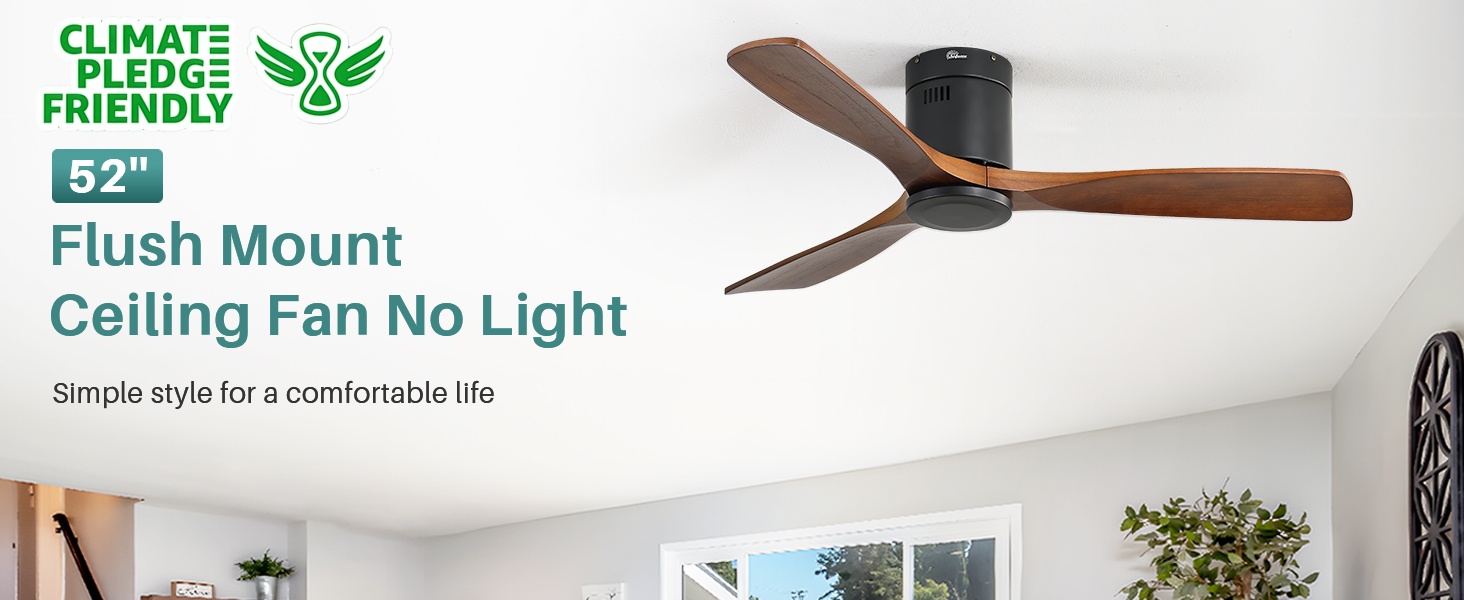
Image: Sofucor 52 Inch Smart Ceiling Fan without lights, flush mount design.
5.3 Assembling the Fan
- Heg lemme aan: Securely attach the three solid wood blades to the motor assembly using the provided screws.
- Verbind Ontvanger: Connect the receiver to the fan's wiring. Ensure all connections are tight and secure.
- Draadverbindings: Connect the fan's black wire to the home's hot wire, the fan's white wire to the home's white or neutral wire, and the green wire to the ground wire. Use wire nuts to secure connections.
- Hangwaaier: Carefully hang the fan assembly onto the mounting bracket.
- Secure Downrod/Canopy: Secure the downrod (if applicable) and canopy to the mounting bracket, ensuring all screws are tightened.
- Install Bottom Cover: Attach the bottom cover to the motor housing.
5.4 Installasievideogids
For a visual step-by-step guide, please refer to the official installation video:
Video: Detailed installation instructions for the Sofucor 52 Inch Ceiling Fan.
6. Bedryfsinstruksies
6.1 afstandbeheer
The included remote control allows for convenient operation of your fan. Functions include:
- Krag aan/af: Skakel die waaier aan of af.
- Fan Spoed: Adjusts between 6 fan speeds (Level 1-6).
- Omkeerbare funksie: Changes the direction of blade rotation for summer (downward airflow) or winter (upward airflow) use.
- Afteller: Stel die waaier om outomaties af te skakel na 1, 4 of 8 uur.

Image: Sofucor 52 Inch Smart Ceiling Fan control methods: remote, app, and voice.
6.2 App-beheer (Smart Life-app)
Your Sofucor smart ceiling fan can be controlled via the Smart Life mobile application. Follow these steps to connect:
- Laai die app af: Laai die 'Smart Life'-app af vanaf jou slimfoon se appwinkel.
- Registreer/Teken aan: Skep 'n rekening of meld aan.
- Voeg toestel by: Tap 'Add Device' or the '+' icon. Ensure your phone's Wi-Fi and Bluetooth are enabled.
- Paringsmodus: Follow the app's instructions to put the fan into pairing mode (usually by cycling power).
- Koppel: Select the 'KBS DC FAN' from the discovered devices and enter your Wi-Fi credentials.
- Beheer: Once connected, you can control fan speed, direction, and timer settings directly from the app.
6.3 Stembeheer (Alexa/Google Assistent)
Integrate your Sofucor smart ceiling fan with Amazon Alexa or Google Assistant for hands-free control:
- Koppel rekening: In your Alexa or Google Home app, enable the 'Smart Life' skill/service and link your Smart Life account.
- Ontdek toestelle: Vra jou stemassistent om nuwe toestelle te ontdek.
- Stembevele: Use commands like "Alexa, turn on the ceiling fan" or "Hey Google, set fan speed to 3."
6.4 Omkeerbare Funksie
The fan features a reversible motor for optimal air circulation throughout the year:
- Somermodus: Blades rotate counter-clockwise, creating a downward airflow that produces a cooling effect.
- Wintermodus: Blades rotate clockwise, creating an upward airflow that circulates warm air trapped near the ceiling, helping to evenly distribute heat.

Image: Reversible function for summer (downward airflow) and winter (upward airflow).
7. Onderhoud
Gereelde onderhoud verseker optimale werkverrigting en lang lewensduur van u waaier:
- Skoonmaak: Periodically clean the fan blades and motor housing with a soft, lint-free cloth. Do not use abrasive cleaners or solvents.
- Draai skroewe: Check all screws and connections annually to ensure they are secure. Loose connections can cause noise or wobbling.
- Lembalans: If the fan wobbles, ensure the blades are properly balanced. Refer to the troubleshooting section or contact support if needed.
8. Probleemoplossing
| Probleem | Moontlike oorsaak | Oplossing |
|---|---|---|
| Waaier begin nie | Geen krag na die waaier nie; Los draadverbindings; Afstandbeheerder se battery is laag. | Kontroleer stroombreker; Verifieer dat alle draadverbindings stewig is; Vervang afstandbeheerbatterye. |
| Fan wiebel | Los lemskroewe; Ongebalanseerde lemme; Los monteringsbeugel. | Tighten all blade screws; Use a balancing kit (not included) to balance blades; Ensure mounting bracket is securely installed. |
| Afstandbeheer werk nie | Battery low/dead; Incorrect pairing; Obstruction between remote and receiver. | Replace batteries; Re-pair the remote with the fan (refer to app control section for pairing); Ensure clear line of sight. |
| Fan is raserig | Loose screws; Motor issues; Blades hitting an obstruction. | Check and tighten all screws; Ensure no obstructions are near the blades; Contact customer support if motor noise persists. |
9. Waarborg en Ondersteuning
Sofucor stands behind the quality of its products. This ceiling fan comes with:
- Lifetime Motor Maintenance: The fan's DC motor is covered by a lifetime maintenance policy.
- 3-jaar beskermingsplan: A 3-year protection plan is provided for all accessories.
Our technical support team is available to assist you with any questions or issues. We aim to respond within 24 hours. For support, please refer to the contact information provided with your purchase or visit the official Sofucor webwebwerf.