
1. Inleiding
This manual provides detailed instructions for the assembly, operation, and maintenance of your SICOTAS SC135 Buffet Cabinet with 4 Doors. Please read all instructions carefully before assembly and use to ensure safe and proper functionality.
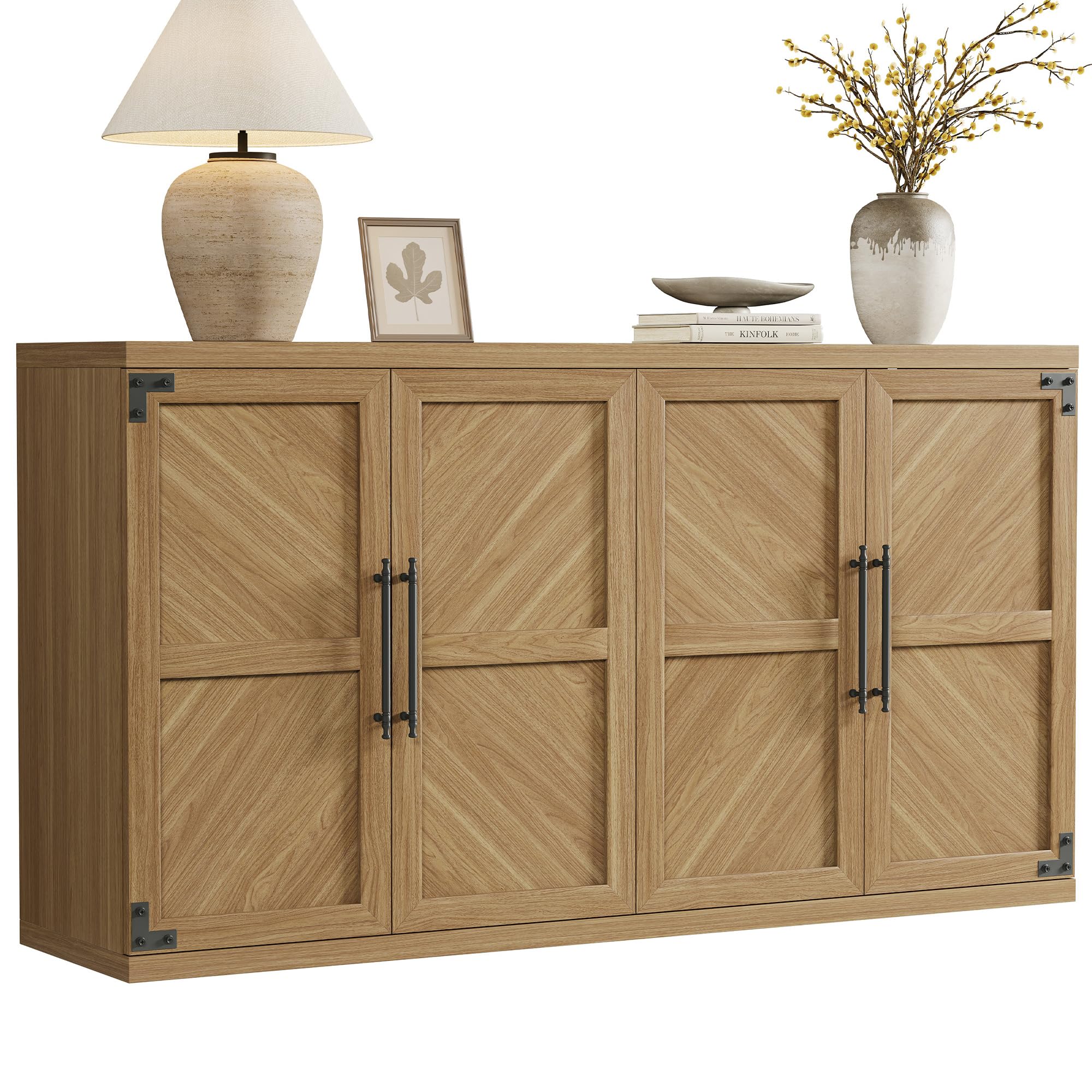
Image: The SICOTAS Buffet Cabinet in oak brown, showcasing its modern design with four doors and black handles, suitable for various home settings.
2. Veiligheidsinligting
- Volg altyd die monteerinstruksies noukeurig.
- Keep hands and fingers away from door and drawer areas when in use.
- Securely mount the cabinet to the wall to prevent tipping. An anti-tipping kit is included for this purpose.
- Do not overload the cabinet, as this could cause it to tip or the shelves to collapse.
- Ensure all hardware is tightened securely before use. Periodically check and re-tighten as needed.
3. Pakketinhoud
Your SICOTAS SC135 Buffet Cabinet package includes all necessary components and an installation kit for assembly. Please verify all parts are present before beginning assembly.
- Kabinetpanele (bo, onder, sye, agterkant, rakke)
- 4 Doors with handles
- Verstelbare rakke (2)
- Hardware pack (screws, dowels, hinges, magnetic catches, anti-tipping kit)
- Monteringsinstruksies Handleiding
4. Opstelling en samestelling
The SICOTAS SC135 Buffet Cabinet is designed for straightforward assembly. It is recommended to have two people for easier and quicker setup. A screwdriver is required (not included).
4.1 Monteringsstappe oorview
- Pak al die komponente uit en lê dit op 'n skoon, sagte oppervlak om skrape te voorkom.
- Identifiseer alle onderdele met behulp van die verskafde onderdelelys in die instruksiehandleiding.
- Assemble the main frame of the cabinet (top, bottom, and side panels).
- Install the back panels.
- Attach the door hinges to the doors and the cabinet frame.
- Monteer die deure op die kas.
- Plaas die verstelbare rakke in die verlangde posisies.
- Install the door handles.
- Secure the anti-tipping kit to the cabinet and wall.
4.2 Assembly Visual Guide

Image: The assembled SICOTAS Buffet Cabinet in an oak brown finish, showcasing its modern design with four doors and black handles.
Video: Official product video demonstrating the features and assembly of the SICOTAS Willow Buffet Cabinet with Storage. This video highlights the cabinet's design and functionality.
5. Sleutel kenmerke
- Modern Fluted Design: Contemporary aesthetic with clean lines.
- Four Doors: Verskaf ample storage and a symmetrical appearance.
- Verstelbare rakke: Two shelves per compartment can be adjusted to multiple heights or removed for larger items.
- Slow-Closing Hinges: Ensures quiet and gentle closing of doors, preventing slamming.
- Stewige konstruksie: Made from engineered wood with reinforced frame for durability.
- Anti-Kantel Stel: Included for enhanced safety and stability.

Beeld: 'n Binnekant view of the cabinet showing the adjustable shelves. The shelves can be moved to different heights to accommodate various items.
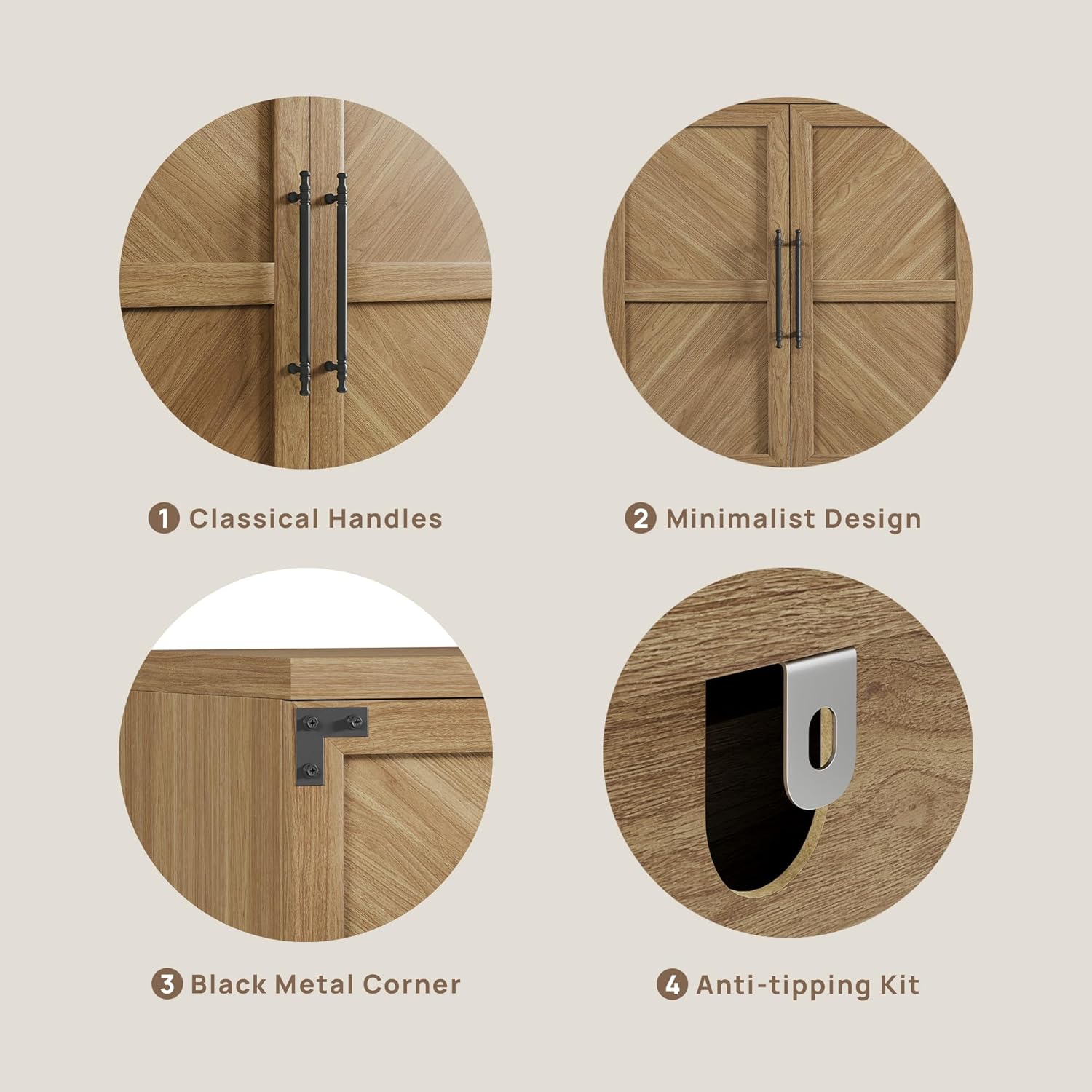
Beeld: Gedetailleerd view of the cabinet's features, including classical handles, minimalist door design, black metal corner accents, and the anti-tipping kit attachment point.
6. Gebruik en werking
The SICOTAS SC135 Buffet Cabinet offers versatile storage solutions for various rooms in your home.
6.1 Berging
Utilize the adjustable shelves to organize items such as:
- Dining Room: Dinnerware, linens, serving pieces.
- Living Room: Media accessories, books, decorative items.
- Kitchen: Pantry items, small appliances, kitchenware.
- Kantoor: Files, notebooks, office supplies.
6.2 Veelsydigheid
This cabinet can function as a:
- Buffet or Sideboard in dining areas.
- TV Stand or media console in living rooms.
- Storage unit in kitchens, hallways, or offices.

Image: The buffet cabinet configured as a TV stand in a living room, demonstrating its suitability for media storage.
7. Onderhoud
- Skoonmaak: Vee oppervlaktes af met 'n sagte, damp lap. Vermy harde chemikalieë of skuurmiddels.
- Gemors: Maak gemorste vloeistof onmiddellik skoon om vlekke of skade aan die vervaardigde hout te voorkom.
- Hardeware: Kontroleer gereeld alle skroewe en bevestigingsmiddels om te verseker dat hulle styf bly. Draai weer vas indien nodig.
- Sonlig: Vermy langdurige blootstelling aan direkte sonlig om verkleuring of vervaaging te voorkom.
- Vog: Hou die kas weg van oormatige vog of humiditeit.
8. Probleemoplossing
8.1 Wobbly Cabinet
Ensure all cam locks and screws are fully tightened. Verify the cabinet is on a level surface. If necessary, use shims under the legs to stabilize. Confirm the anti-tipping kit is properly installed and secured to the wall.
8.2 Deure Nie In Lyn Nie
Adjust the hinges on the doors. Most hinges allow for minor adjustments in three directions (up/down, left/right, in/out) using a screwdriver. Refer to the hinge adjustment section in the detailed assembly manual if available.
8.3 Ontbrekende Onderdele
If any parts are missing or damaged upon arrival, please contact SICOTAS customer support immediately for assistance.
9. Spesifikasies
| Kenmerk | Detail |
|---|---|
| Handelsmerk | SICOTAS |
| Modelnommer | SC135 |
| Kleur | Oak Brown |
| Materiaal | Gemanipuleerde hout |
| Produk Afmetings (D x B x H) | 15.4" D x 61.3" B x 33.46" H |
| Item gewig | 113 pond |
| Aantal deure | 4 |
| Aantal rakke | 2 (Verstelbaar) |
| Vergadering benodig | Ja |
| Montage tipe | Vloerberging |
| Styl | Moderne |
10. Waarborg en Ondersteuning
For warranty information, replacement parts, or technical support, please contact SICOTAS customer service through the retailer where the product was purchased or visit the official SICOTAS website. Please have your model number (SC135) and purchase date available when contacting support.
You can visit the SICOTAS store for more information: SICOTAS Store