
1. Inleiding
Thank you for choosing the UCOCARE Mini Portable Projector V18. This projector is designed to provide a high-quality visual and audio experience for various entertainment and presentation needs. Featuring native 1080P resolution with 4K support, AI-enhanced visuals and audio, and smart screen adjustments, it offers versatility and ease of use. Please read this manual thoroughly before using the product to ensure proper operation and to maximize its lifespan.
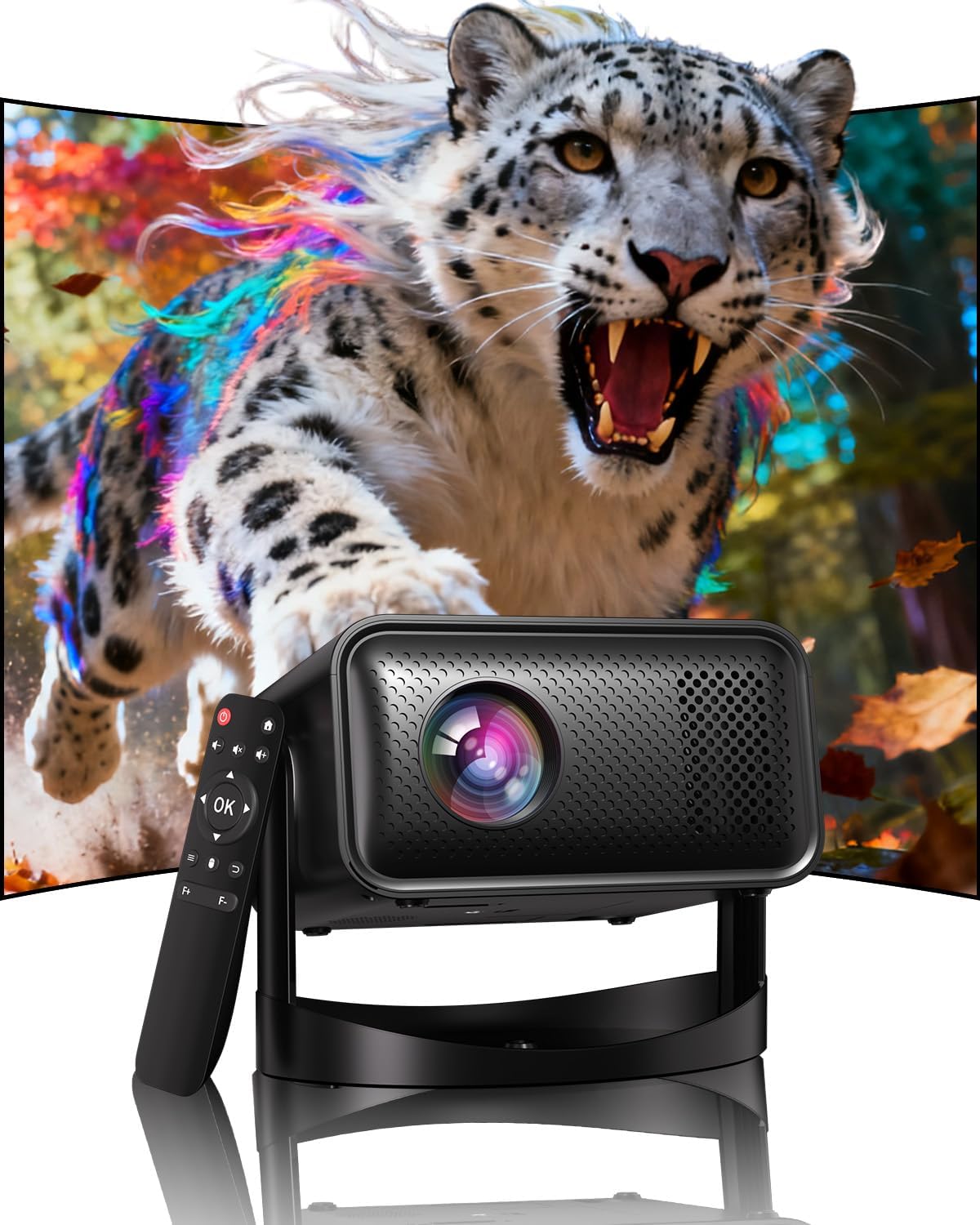
Image: The UCOCARE Mini Portable Projector V18, showcasing its compact design and the vibrant projection capabilities.
2. Veiligheidsinligting
- Moenie direk in die projektorlens kyk wanneer die lamp is aan.
- Verseker behoorlike ventilasie rondom die projektor om oorverhitting te voorkom.
- Gebruik slegs die kragadapter wat by die toestel voorsien is.
- Hou die projektor weg van water, vog en vlambare materiale.
- Vermy om die projektor op onstabiele oppervlaktes te plaas.
- Moenie probeer om die projektor self uitmekaar te haal of te herstel nie. Kontak kliëntediens vir hulp.
3. Pakketinhoud
Verifieer dat alle items in jou pakket teenwoordig is:
- UCOCARE Mini Portable Projector V18
- Afstandbeheer
- Kragkoord
- Gebruikershandleiding (hierdie dokument)
4. Produk verbyview
The UCOCARE V18 projector combines advanced features in a compact design, making it suitable for various environments. It weighs approximately 2.09 pounds and measures 8.35 x 8.03 x 5.28 inches.

Image: The compact and lightweight design of the UCOCARE Mini Portable Projector V18, highlighting its dimensions and portability.
4.1 Sleutelkenmerke
- Native 1080P Resolution with 4K Support: Delivers sharp and detailed images.
- AI-Enhanced Visuals: Improves detail, contrast, and color for a lifelike viewondervinding.
- AI-Enhanced Audio: Provides clear dialogue and rich, distortion-free sound.
- Smart Screen Adjustment: Features electric focus, 50%-100% zoom, and auto keystone correction.
- Dubbelband WiFi: Supports 2.4GHz/5GHz for stable and high-speed streaming.
- Bluetooth-verbinding: For wireless audio devices.
- 180° Flexible Rotating Stand: Allows projection on walls, ceilings, or tables.
- Universele verbinding: HDMI, USB, and 3.5mm audio jack.
5. Opstelling
5.1 Plasing
Position the projector on a stable surface. The 180° flexible rotating stand allows you to adjust the projection angle to suit your needs, whether projecting on a wall, ceiling, or screen.
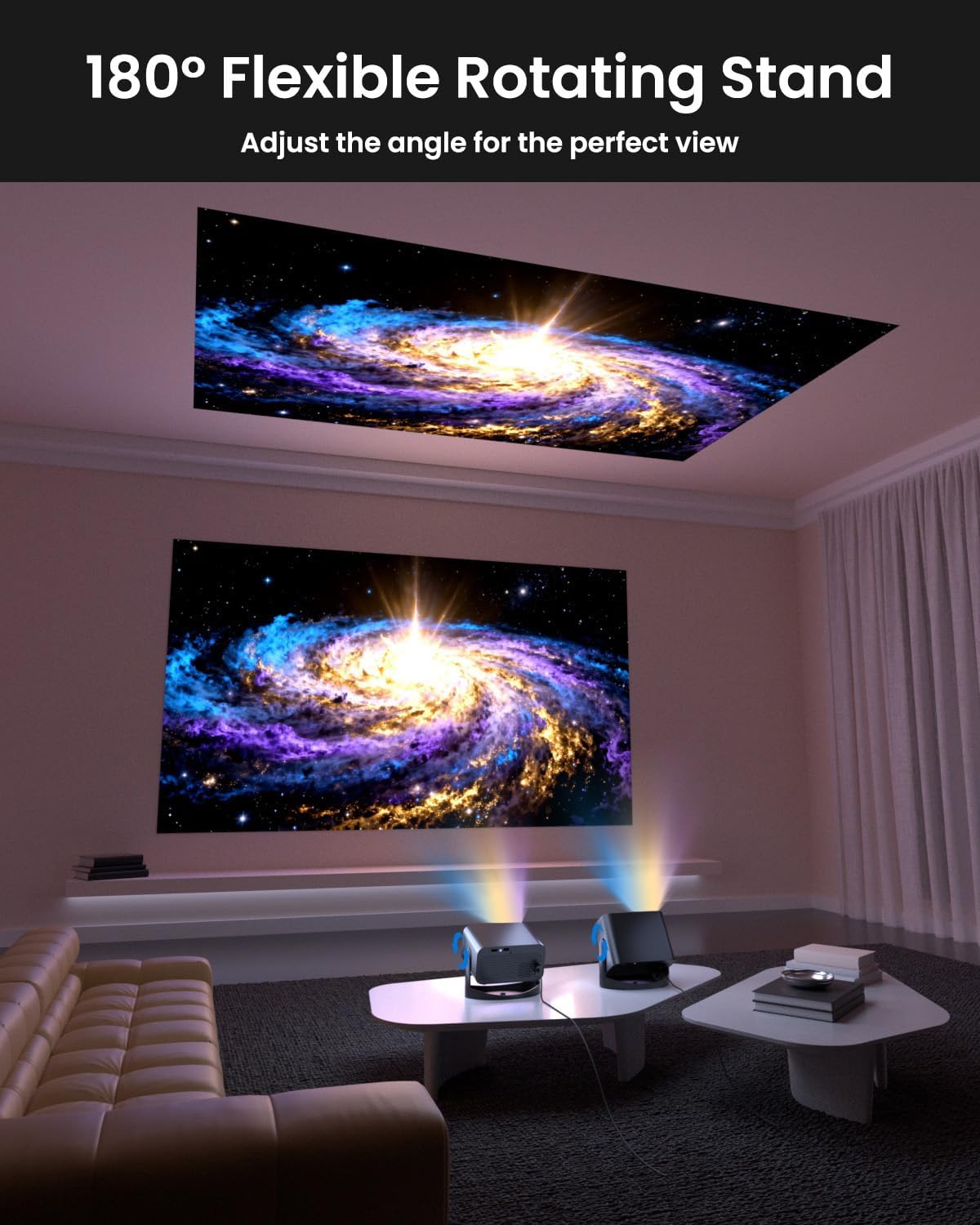
Image: The UCOCARE Mini Portable Projector V18 demonstrating its flexible 180° rotating stand, allowing projection onto various surfaces.
5.2 Kragverbinding
- Koppel die kragkabel aan die projektor se kragtoevoerpoort.
- Steek die ander kant van die kragkabel in 'n kragaansluiting.
- Druk die aan/af-knoppie op die projektor of afstandbeheerder om dit aan te skakel.
5.3 Initial Screen Adjustment
The projector features smart screen adjustment for optimal viewing.
- Elektriese fokus: Use the remote control to activate one-touch electric focus for a clear image.
- Outo-sleutelsteen-korreksie: The projector will automatically correct vertical distortion.
- Zoom Function (50%-100%): Adjust the screen size without moving the projector using the remote control.

Image: Visual representation of the smart screen adjustment features: Electric Focus, 50%-100% Zoom, and Auto Keystone Correction.
5.4 Netwerkverbinding (WiFi)
- Navigeer na die 'Instellings'-kieslys op die projektor.
- Kies 'Netwerk' of 'WiFi-instellings'.
- Choose your desired 2.4GHz or 5GHz WiFi network from the list.
- Voer die wagwoord in en koppel.
5.5 Bluetooth -koppeling
- Go to the 'Settings' menu and select 'Bluetooth'.
- Aktiveer Bluetooth op die projektor.
- Put your Bluetooth audio device (e.g., speaker, headphones) into pairing mode.
- Select your device from the list on the projector screen to pair.
6. Bedryf
6.1 Eksterne Toestelle Koppel
Die projektor ondersteun verskeie invoerbronne:
- HDMI: Connect devices like laptops, gaming consoles, or TV sticks using an HDMI cable.
- USB: Koppel 'n USB-skyf in om media te speel files direk.
- 3.5 mm oudio-aansluiting: Koppel eksterne bedrade luidsprekers of oorfone.
- Draadlose gietwerk: Stream content from your smartphone or tablet via WiFi.

Beeld: Oorview of the UCOCARE Mini Portable Projector V18's universal multi-device connectivity options.
6.2 Beeldkwaliteit
Experience stunning visuals with AI-enhanced technology.

Image: The UCOCARE Mini Portable Projector V18's AI-enhanced video quality, detailing 4K support, HDR 10+, Native 1080P, and Wide Color Gamut.
6.3 Oudiokwaliteit
The projector features AI-enhanced audio for an immersive sound experience.
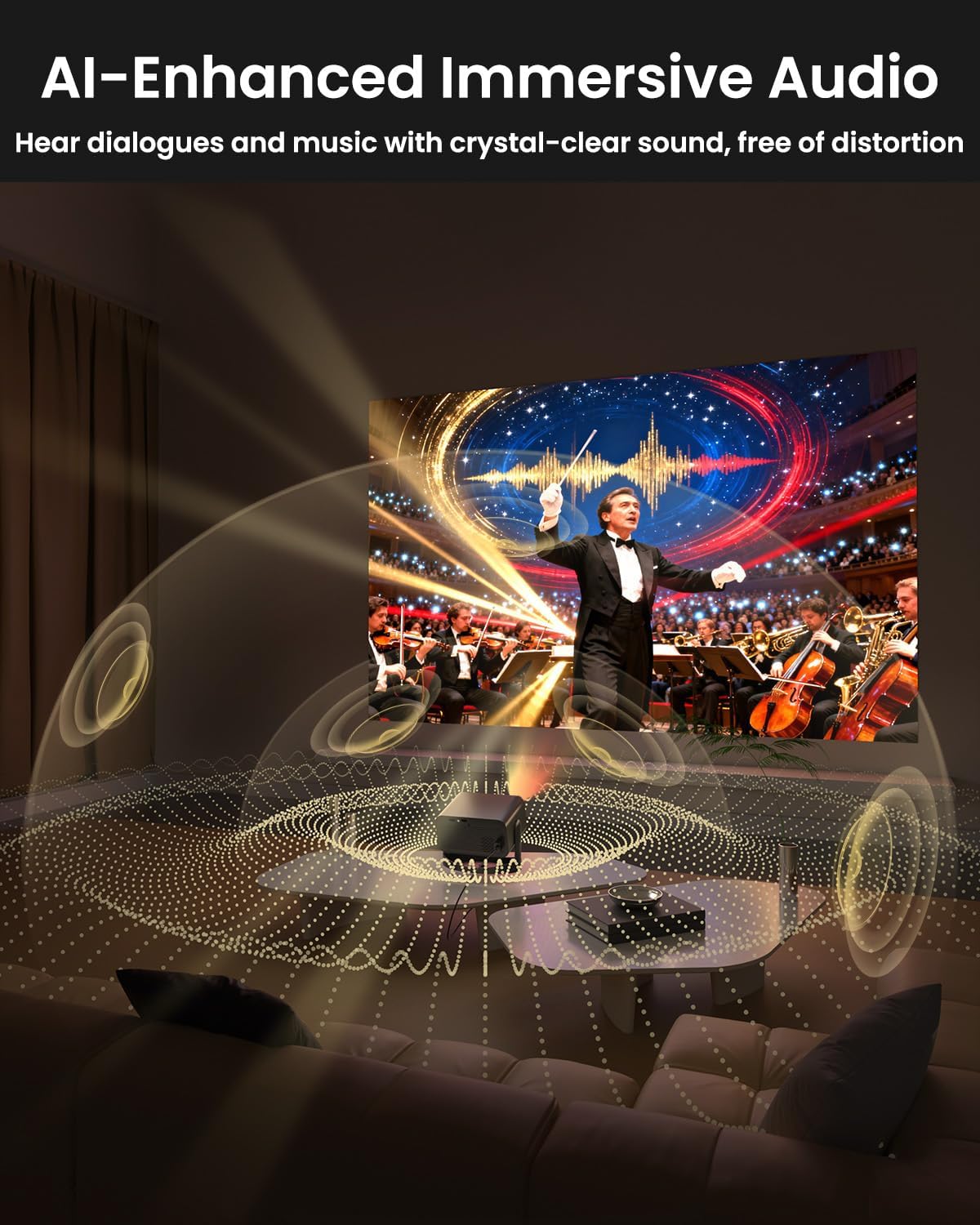
Image: The UCOCARE Mini Portable Projector V18 delivering AI-enhanced immersive audio, creating a surround sound experience.
6.4 Afstandbeheerfunksies
The included remote control allows you to navigate menus, adjust volume, change input sources, and control playback. Refer to the remote control diagram in your quick start guide for specific button functions.
6.5 Gebruikscenario's
The UCOCARE V18 projector is versatile for various uses:
- Tuis teater: Geniet flieks en programme op 'n groot skerm.
- Speletjies: Connect your console for an immersive gaming experience.
- Besigheidsaanbiedings: Project documents and slides for meetings.
- Bedtime Relax: Project calming visuals or stories onto the ceiling.

Image: The UCOCARE Mini Portable Projector V18 adapting to various scenarios, including home theater, business, gaming, and relaxation.
7. Onderhoud
7.1 Skoonmaak van die lens
Use a soft, lint-free cloth specifically designed for optical lenses to gently wipe the projector lens. Avoid using abrasive materials or harsh chemicals.
7.2 Stofverwydering
Regularly clean the projector's exterior with a soft, dry cloth. For ventilation openings, use a soft brush or compressed air to remove dust buildup, ensuring proper airflow.
7.3 Berging
Wanneer dit nie vir lang tye gebruik word nie, bêre die projektor op 'n koel, droë plek, weg van direkte sonlig en uiterste temperature. Gebruik die oorspronklike verpakking of 'n beskermende omhulsel om stof en skade te voorkom.
8. Probleemoplossing
Indien u probleme met u projektor ondervind, raadpleeg die volgende algemene probleme en oplossings:
| Probleem | Moontlike oorsaak | Oplossing |
|---|---|---|
| Geen beeld op die skerm nie | Power cable disconnected, incorrect input source, lens cap on. | Kontroleer die kragverbinding, kies die korrekte invoerbron, verwyder die lensdop. |
| Beeld is vaag | Focus not adjusted, projector too far/close. | Use electric focus function. Adjust projector distance if necessary. |
| Geen klank nie | Volume te laag, eksterne oudiotoestel nie gekoppel nie, verkeerde oudio-uitvoer. | Increase volume, check Bluetooth connection or 3.5mm cable, select correct audio output in settings. |
| WiFi/Bluetooth connectivity issues | Out of range, incorrect password, interference. | Ensure projector is within range of router/device. Re-enter password. Reduce interference. |
| Afstandbeheer werk nie | Batteries low/dead, obstruction, remote not paired. | Replace batteries. Remove obstructions. Re-pair remote if applicable. |
9. Spesifikasies
| Kenmerk | Detail |
|---|---|
| Handelsmerk | UCOCARE |
| Modelnommer | V18 |
| Vertoon resolusie | Native 1920 x 1080 (1080P), 4K Supported |
| Verbindingstegnologie | 2.4GHz/5GHz Wi-Fi, Bluetooth, 3.5mm Jack, HDMI, USB |
| Spesiale kenmerke | 4K Supported, Native 1080P, Adjustable Stand, Electric Focus, Auto Keystone, Portable Mini Size, Built-In 2.4G/5GHz WiFi, Built-In Bluetooth |
| Item gewig | 2.09 pond |
| Pakket afmetings | 8.35 x 8.03 x 5.28 duim |
| Aanbevole gebruike | Besigheid, Onderwys, Speletjies, Tuisbioskoop |
10. Waarborg en Ondersteuning
UCOCARE products are manufactured to high-quality standards. For warranty information, please refer to the documentation included with your purchase or visit the official UCOCARE website. If you require technical assistance or have questions not covered in this manual, please contact UCOCARE customer support.
Contact information can typically be found on the product packaging or the official brand webwebwerf.