
1. Inleiding
Thank you for choosing the MONODEAL CD401 Portable HiFi Stereo CD Player. This versatile device combines classic CD playback with modern connectivity options, including Bluetooth, FM radio, USB, and AUX input. Enjoy high-fidelity audio with built-in speakers, dynamic RGB lighting, and convenient remote control. This manual provides essential information for setup, operation, and maintenance to ensure optimal performance.
2. Wat is in die boks
- 1x MONODEAL CD401 CD Player
- 1x Gebruikershandleiding
- 1 x afstandbeheer
- 1x 3.5 mm klank kabel
- 1x Charging Cable and Plug
3. Produk verbyview
The MONODEAL CD401 is designed for both portability and desktop use, offering a blend of classic and contemporary audio features. Its compact design includes integrated speakers and a clear display for easy navigation.
Figuur 1: Voorkant view of the MONODEAL CD401 Portable CD Player, showcasing its compact design and central display.
Sleutel kenmerke:
- Multi-Color RGB Lighting: Dynamic lighting effects that change color to the beat of the music, enhancing visual and auditory experience.
- Bluetooth 5.3: Functions as both a Bluetooth transmitter (to headphones/speakers) and receiver (from phones/tablets).
- Integrated 4*HIFI Speakers: Provides surround sound for an immersive listening experience.
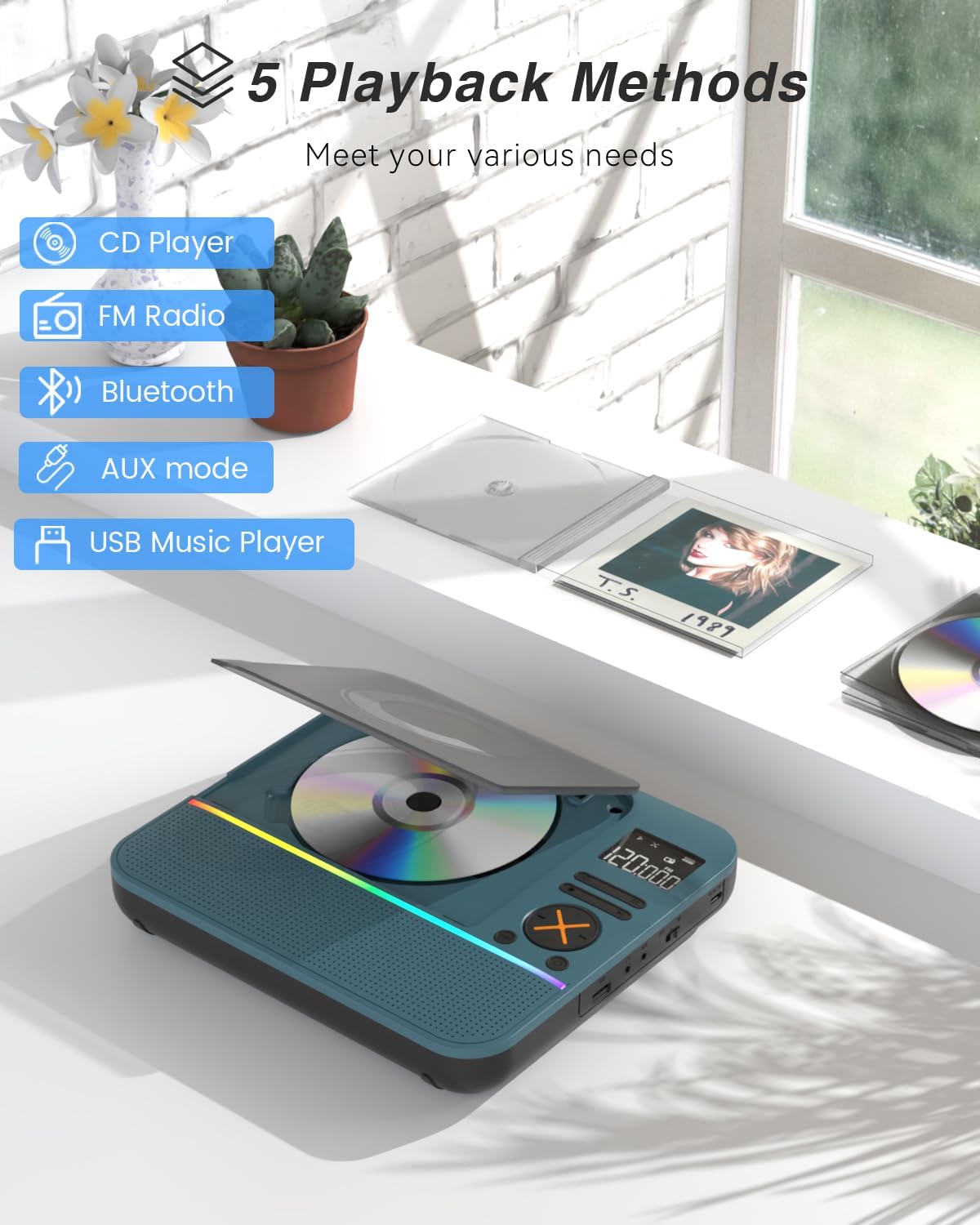
- Veelvuldige afspeelmodusse: Easily switch between CD, Bluetooth, FM Radio, AUX, and USB modes via a large LCD screen.
- Wide CD Compatibility: Supports CD, CD-R, CD-RW, MP3, and WMA formats.
- Klankeffekte: Choose from five equalizer presets: Flat, Rock, Pop, Jazz, and Classic.
- FM Radio: Access FM frequencies from 76MHz to 108MHz.
- USB & AUX Connectivity: Play music from a USB flash drive or connect external devices via the 3.5mm AUX cable.
- Herlaaibare battery: Built-in 3000mAh battery offers up to 8 hours of continuous playback.
- Slaaptimer: Customizable sleep timer from 10 to 90 minutes.

Figure 2: The MONODEAL CD401 displaying its multi-color RGB lighting effects, which synchronize with the music.
Kontroles en poorte:
The device features intuitive controls on its top panel and essential ports on the side for easy access.

Figure 3: Top panel of the CD player showing playback controls, mode selection, and display.

Figure 4: The side panel of the CD player, illustrating the AUX input, USB port, and charging port.
Amptelike produkvideo:
Video 1: Official product video from MonoDeals showcasing the Desktop CD Player with Bluetooth and RGB Light features.
Video 2: Official product video from MonoDeals demonstrating the Desktop Player's Bluetooth functionality and colorful lighting effects.
4. Opstelling
4.1 Laai die toestel
- Connect the provided USB charging cable to the charging port on the side of the CD player.
- Plug the other end of the USB cable into a compatible USB power adapter (included) or a computer's USB port.
- The battery indicator on the LCD screen will show charging status. A full charge provides up to 8 hours of playback.
4.2 Invoeging van 'n CD
- Gently open the CD compartment cover.
- Place the CD with the label side facing up onto the spindle. Ensure it clicks into place.
- Close the CD compartment cover firmly until it latches.
4.3 Aan-/afskakel
- To power on, slide the ON/OFF switch to the 'ON' position. The LCD screen will light up.
- Om af te skakel, skuif die AAN/AF-skakelaar na die 'AF'-posisie.
5. Bedryfsinstruksies
5.1 Moduskeuse
Druk die MODUS button on the device or remote control to cycle through the available modes: CD, Bluetooth, FM, AUX, and USB.

Figure 5: The CD player's display indicating the five available playback methods: CD, FM Radio, Bluetooth, AUX mode, and USB Music Player.
5.2 CD-weergawe
- Insert a compatible CD (CD, CD-R, CD-RW, MP3, WMA).
- Select 'CD' mode. The player will automatically start reading the disc.
- Gebruik die Speel / Pouse, Volgende Snit, en Vorige Snit knoppies om afspeel te beheer.
- Druk die HERHAAL button to cycle through repeat options (e.g., repeat one, repeat all).
- Druk die EQ button to select desired sound effects (Flat, Rock, Pop, Jazz, Classic).
5.3 Bluetooth-modus
The CD401 supports both Bluetooth transmission (BT TX) and reception (BT RX).
- Bluetooth Receiver (BT RX): Select 'Bluetooth' mode. The device will enter pairing mode. On your phone/tablet, search for 'CD401' and connect. Audio from your device will play through the CD player's speakers.
- Bluetooth Transmitter (BT TX): Select 'Bluetooth' mode. Press and hold the BT TX button. The CD player will search for nearby Bluetooth headphones or speakers. Once connected, CD audio will transmit to the external Bluetooth device.

Figure 6: Illustration of the CD player's dual Bluetooth functionality, allowing it to receive audio from a phone (RX) or transmit to headphones (TX).
5.4 FM -radio
- Select 'FM' mode.
- Gebruik die Volgende Snit en Vorige Snit knoppies om vir radiostasies te skandeer.
- The FM frequency range is 76MHz to 108MHz.
5.5 AUX-invoer
- Select 'AUX' mode.
- Connect an external audio device (e.g., smartphone, computer) to the AUX IN port using the provided 3.5mm audio cable.
- The CD player will now act as a wired speaker for the connected device.
- Note: Bluetooth connectivity is not supported in cars; use the 3.5mm AUX cable for car audio.
5.6 USB-terugspeel
- Select 'USB' mode.
- Plaas 'n USB-flash drive wat MP3- of WMA-klank bevat files in die USB-poort.
- The player will automatically detect and begin playing the audio files.
5.7 Volumebeheer
Adjust the volume using the dedicated volume buttons on the device or the remote control.
5.8 Slaap Timer
- Druk die SLAAP knoppie op die afstandbeheer.
- Cycle through the available sleep timer durations (10, 20, 30, 40, 50, 60, 70, 80, 90 minutes).
- The device will automatically power off after the selected time.

Figure 7: The CD player featuring its sleep timer function, allowing users to set automatic shutdown after a specified duration.
6. Onderhoud
6.1 Skoonmaak
- Vee die toestel af met 'n sagte, droë lap. Moenie vloeibare skoonmaakmiddels of skuurmiddels gebruik nie.
- Hou die CD-kompartement skoon en stofvry.
6.2 Berging
- Store the CD player in a cool, dry place away from direct sunlight and extreme temperatures.
- Remove any CDs or USB drives before storing for extended periods.
7. Probleemoplossing
| Probleem | Moontlike oorsaak | Oplossing |
|---|---|---|
| Toestel skakel nie aan nie | Lae battery of die kragskakelaar is af. | Laai die toestel volledig. Maak seker dat die AAN/AF-skakelaar in die 'AAN'-posisie is. |
| Geen geluid van luidsprekers nie | Volume is too low or incorrect mode selected. | Increase volume. Verify correct playback mode (CD, Bluetooth, FM, AUX, USB). |
| CD speel nie | Die CD is vuil, gekrap of verkeerd ingesit. | Clean the CD. Check for scratches. Reinsert the CD correctly with the label side up. |
| Bluetooth-saambinding het misluk | Device is not in pairing mode or too far from the source. | Ensure the CD player is in Bluetooth pairing mode. Move devices closer. Disconnect from other Bluetooth devices. |
8. Spesifikasies
| Kenmerk | Detail |
|---|---|
| Modelnommer | CD401 |
| Handelsmerk | MONODEAAL |
| Verbindingstegnologie | Bluetooth 5.3 |
| Tipe luidspreker | 4*HIFI Stereo |
| Battery kapasiteit | 3000mAh (Ingebou) |
| Speeltyd | Tot 8 uur (op volle lading) |
| Ondersteunde skyfformate | CD, CD-R, CD-RW |
| Ondersteunde oudioformate | MP3, WMA |
| FM frekwensie reeks | 76MHz tot 108MHz |
| Pakket afmetings | 10.83 x 9.13 x 1.93 duim |
| Item gewig | 2.48 pond |
9. Waarborg en Ondersteuning
For warranty information, technical support, or customer service inquiries, please refer to the contact details provided in your product packaging or visit the official MONODEAL webwerf. Hou jou aankoopkwitansie vir waarborgeise.