
Inleiding
Dankie vir die aankoopasing the Hisense 43A69Q 4K UHD Smart VIDAA TV. This manual provides essential information for setting up, operating, and maintaining your television. Please read it thoroughly before using the product to ensure safe and correct operation. Keep this manual for future reference.
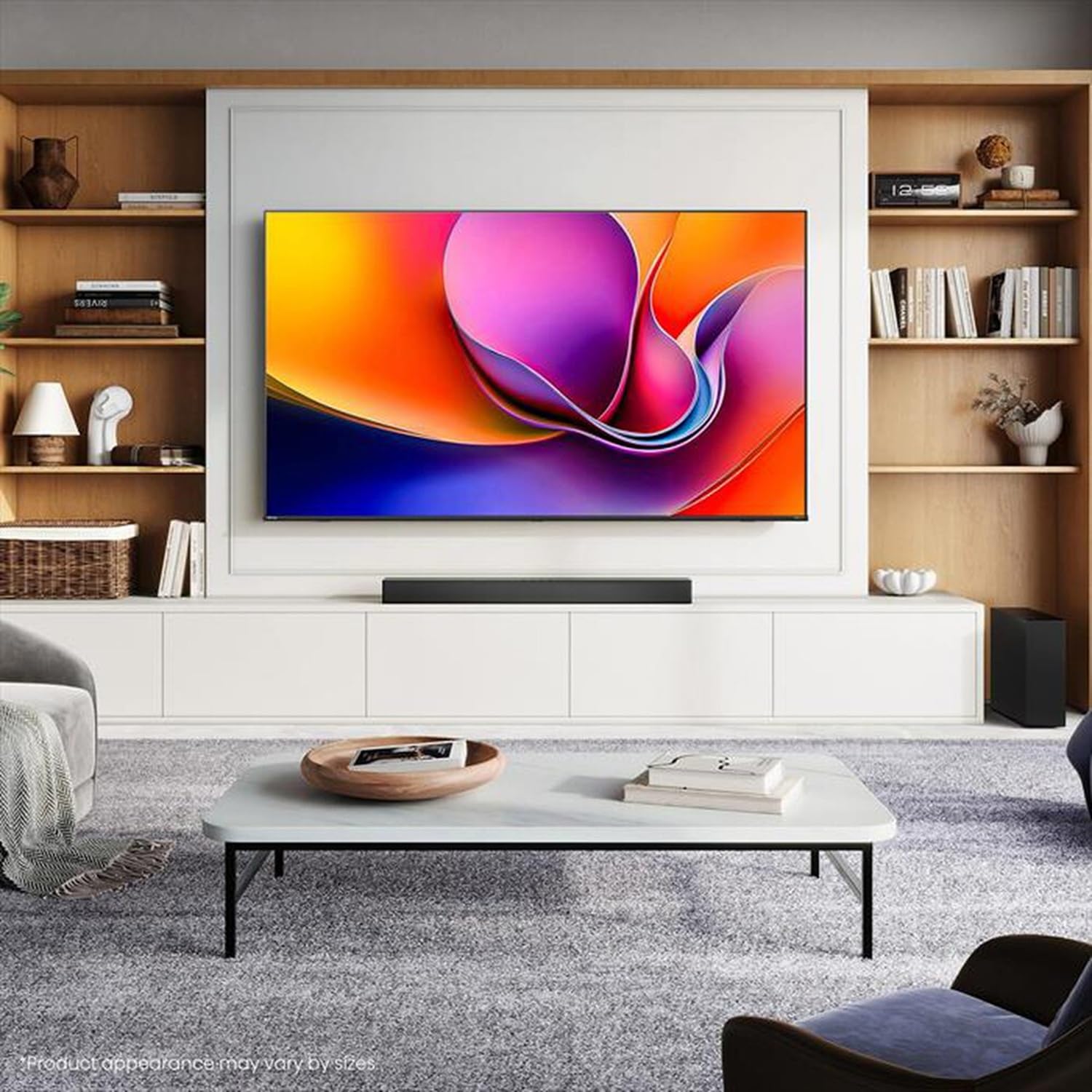
Image: Hisense 43A69Q 4K UHD Smart VIDAA TV. This image shows the television from the front, highlighting its slim bezel design and display.
Veiligheidsinligting
Volg altyd hierdie basiese veiligheidsmaatreëls wanneer u u televisie gebruik:
- Moenie die TV aan reën of vog blootstel nie.
- Do not open the TV cabinet. Refer all servicing to qualified personnel.
- Verseker behoorlike ventilasie rondom die TV. Moenie ventilasie-openinge blokkeer nie.
- Beskerm die kragkabel teen geloop of vasgeknyp.
- Ontkoppel die TV tydens weerligstorms of wanneer dit vir lang tye nie gebruik word nie.
- Hou die TV weg van hittebronne soos verkoelers, hitteregisters, stowe of ander hitteproduserende toestelle.
Wat is in die boks
Verifieer dat alle komponente teenwoordig is:
- Hisense 43A69Q 4K UHD Smart VIDAA TV
- Afstandbeheer met batterye
- Kragkoord
- TV Stand Components (2 legs)
- Skroewe vir Staaninstallasie
- Vinnige instellingsgids
- Gebruikershandleiding (hierdie dokument)
Opstelling
1. Uitpak
Carefully remove the TV from its packaging. It is recommended that two people handle the TV to prevent damage or injury. Retain the packaging materials for future transport or servicing.
2. Staaninstallasie
If you are not wall-mounting the TV, attach the stand:
- Plaas die TV met die gesig na onder op 'n sagte, skoon oppervlak om skermskade te voorkom.
- Rig elke staanderpoot met die ooreenstemmende gleuwe aan die onderkant van die TV.
- Maak elke poot vas met die meegeleverde skroewe. Maak seker dat hulle stewig vasgedraai is.
- Lig die TV versigtig op tot 'n regop posisie op 'n stabiele, gelyk oppervlak.
3. Muurbevestiging (Opsioneel)
The Hisense 43A69Q is compatible with VESA standard wall mounts (200x300 mm). Wall mount kits are sold separately. Follow the instructions provided with your wall mount kit and ensure professional installation if you are unsure.
4. Verbinding van eksterne toestelle
Koppel jou toestelle aan die TV se poorte:
- HDMI: Connect Blu-ray players, game consoles, or set-top boxes to the HDMI ports (HDMI1, HDMI2, HDMI3). This model features HDMI 2.1 with ALLM and VRR (60Hz) support on all ports, and eARC on HDMI3.
- USB: Plug in USB drives for media playback (2 USB 2.0 ports).
- Antenna/kabel: Connect your antenna or cable TV signal to the RF tuner input.
- Ethernet: Vir 'n stabiele bedrade internetverbinding, koppel 'n Ethernet-kabel aan die RJ45-poort.
- Klankuitgang: Use the S/PDIF optical output for digital audio to a soundbar or receiver, or the headphone jack for private listening.
5. Power On & First-Time Setup
After connecting all devices:
- Steek die kragkabel in die TV en dan in 'n muursok.
- Druk die aan/uit-knoppie op die afstandbeheerder of op die TV self.
- Follow the on-screen instructions for initial setup, including language selection, network connection (Wi-Fi or Ethernet), and channel scanning.
- Log in to your VIDAA account or create a new one to access smart features.
Bedien die TV
1. Afstandbeheer oorview
Familiarize yourself with the remote control buttons for basic functions like power, volume, channel, input selection, and smart app shortcuts.
2. Navigating VIDAA Smart OS
The VIDAA Smart OS provides a user-friendly interface. Use the directional buttons and OK button on your remote to navigate menus, launch applications, and adjust settings.
3. Using Smart Features
Access pre-installed applications like Netflix, YouTube, and Amazon Prime Video directly from the home screen. Additional apps can be downloaded from the VIDAA App Store.
4. Picture & Sound Settings
Adjust picture modes (Standard, Dynamic, Cinema, Game) and sound modes (Standard, Music, Speech) to optimize your viewing experience. Advanced settings allow fine-tuning of brightness, contrast, color, and audio equalizer.
This TV supports Dolby Vision and HDR10 for enhanced picture quality, and DTS Virtual X for immersive audio.
5. Konnektiwiteitskenmerke
- Wi-Fi en Bluetooth: Connect wirelessly to your home network and Bluetooth devices like headphones or speakers.
- Skermdeling: Use built-in screen sharing features (e.g., AirPlay 2 support) to mirror content from compatible mobile devices.
- Spelmodus PLUS: For gaming, enable Game Mode PLUS to reduce input lag (≤ 20 ms) and utilize VRR (Variable Refresh Rate) for smoother gameplay.
Onderhoud
1. Skoonmaak van die TV
Om die skerm skoon te maak, vee dit liggies af met 'n sagte, pluisvrye lap. Vir hardnekkige merke, vee dit effens af.ampen the cloth with water or a specialized screen cleaner. Never spray cleaner directly onto the screen. Clean the TV cabinet with a soft, dry cloth.
2. Sagteware-opdaterings
Your TV may receive software updates to improve performance and add new features. Ensure your TV is connected to the internet. You can usually check for updates in the TV's settings menu under 'System' or 'About TV'.
Probleemoplossing
As jy probleme ondervind, probeer hierdie algemene oplossings:
- Geen krag: Kontroleer of die kragkabel stewig in beide die TV en die muursok ingeprop is. Probeer 'n ander sok.
- Geen Beeld/Klank: Ensure the correct input source is selected. Check all cable connections. Restart connected devices.
- Afstandbeheer werk nie: Vervang batterye. Maak seker daar is geen obstruksies tussen die afstandbeheerder en die TV se IR-sensor nie.
- Netwerkverbindingsprobleme: Restart your router and modem. Reconnect the TV to your Wi-Fi network or check the Ethernet cable.
- Swak beeldkwaliteit: Check antenna/cable connections. Adjust picture settings. Ensure the source content is high quality.
For persistent problems, consult the Hisense support webwebwerf of kontak kliëntediens.
Spesifikasies
| Kenmerk | Spesifikasie |
|---|---|
| Handelsmerk | Hisense |
| Model Naam | 43A69Q |
| Skerm grootte | 43 duim (108 cm) |
| Resolusie | 4K Ultra HD 3840x2160 |
| Herlaaitempo | 60 Hz |
| Bedryfstelsel | VIDAA Smart OS |
| HDR Tegnologie | HDR, HDR10, HDR10+ decoding, Dolby Vision, HLG |
| Oudio Tegnologie | DTS Virtual X (2x7W speakers) |
| HDMI-poorte | 3 (HDMI 2.1 with ALLM, VRR (60Hz); HDMI3 also with eARC) |
| USB-poorte | 2 2.0 (USB XNUMX) |
| Konnektiwiteit | Wi-Fi (IEEE 802.11 a/b/g/n/ac-2.4G,5G), Bluetooth, Ethernet |
| VESA-versoenbaarheid | 200x300 mm |
| Energie-doeltreffendheidsklas (SDR/HDR) | E / G |
| Afmetings (met staander) | 963 mm (B) x 608 mm (H) x 222 mm (D) |
| Netto gewig (met staander) | 6.9 kg |
Waarborg en Ondersteuning
Hisense products are covered by a manufacturer's warranty. Please refer to the warranty card included with your product or visit the official Hisense webwebwerf vir gedetailleerde waarborgbepalings en -voorwaardes spesifiek vir u streek.
For technical support, troubleshooting assistance, or service requests, please contact Hisense customer support through their official webwebwerf of die kontakinligting wat in u produkdokumentasie verskaf word.