
1. Inleiding
This manual provides essential information for the safe and effective operation of your ZENTALITY Mini Projector A10 PLUS. Please read this manual thoroughly before using the product and retain it for future reference.
Produk verbyview
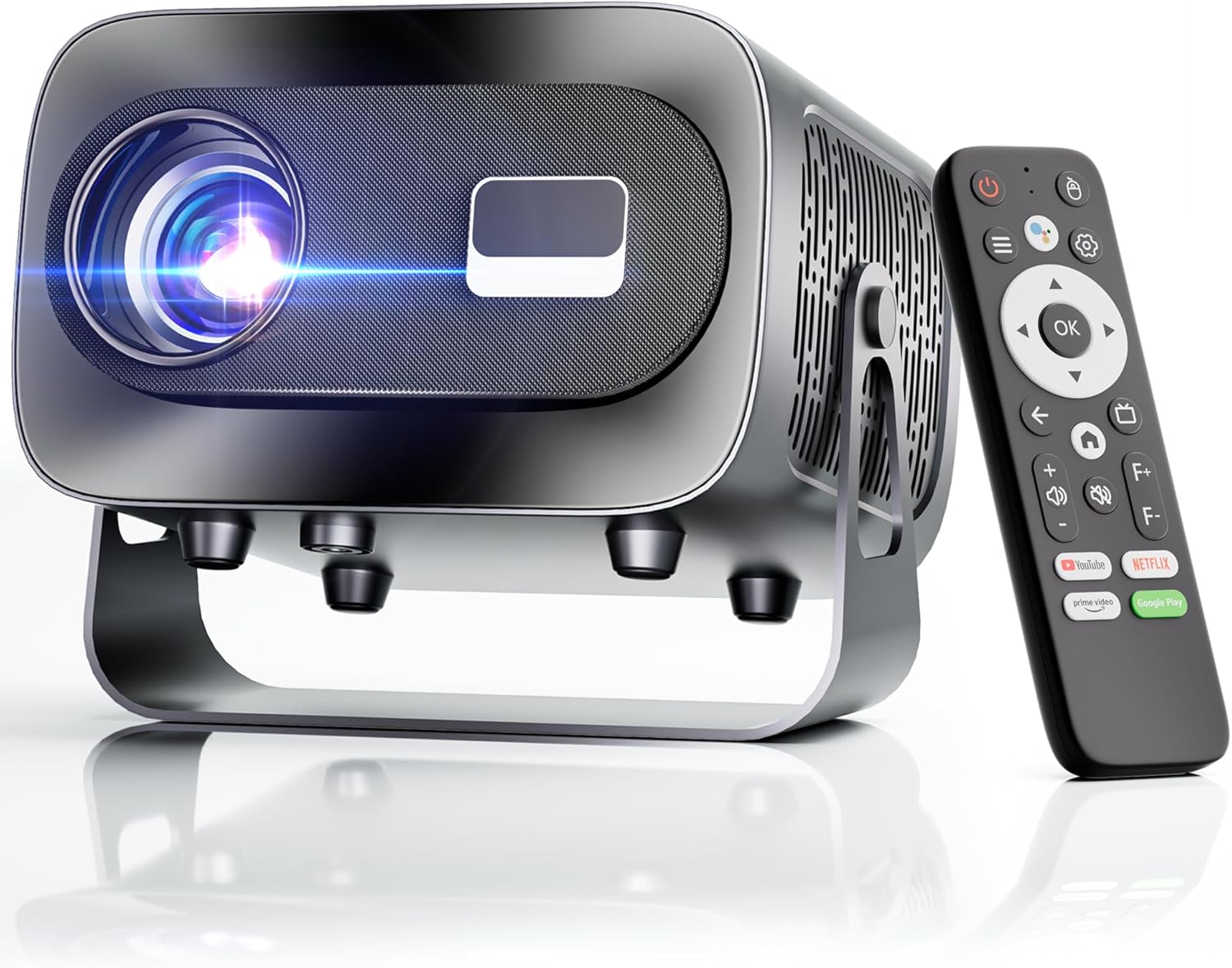
The ZENTALITY Mini Projector A10 PLUS is a smart projector featuring Android 13, designed for versatile home and outdoor entertainment. It supports 4K and 1080P HD content, offers electric focus, auto vertical keystone correction, and includes dual-band WiFi 6 and Bluetooth 5.1 connectivity. Its compact design and multiple input options make it suitable for various applications.
Wat is in die boks
- ZENTALITY Mini Projector A10 PLUS
- HDMI kabel
- Kragadapter
- Afstandbeheer
- Gebruikershandleiding (hierdie dokument)
2. Veiligheidsinligting
Neem asseblief die volgende veiligheidsmaatreëls in ag om skade aan die projektor te voorkom en gebruikersveiligheid te verseker:
- Moenie die ventilasie-openinge blokkeer nie. Verseker voldoende lugvloei rondom die projektor om oorverhitting te voorkom.
- Avoid direct exposure to the projector lens light. The bright light can cause eye strain or damage.
- Use only the provided power adapter. Using an incompatible adapter may cause fire, electric shock, or damage.
- Keep the projector away from water or other liquids. Do not operate in damp omgewings.
- Moenie probeer om die projektor self uitmekaar te haal of te herstel nie. Verwys alle diens na gekwalifiseerde personeel.
- Plaas die projektor op 'n stabiele, gelyk oppervlak om te verhoed dat dit val.
- Hou buite bereik van kinders.
3. Product Components and Ports
Familiarize yourself with the projector's physical features and connectivity options.

Beskikbare hawens:
- USB (x2): For connecting USB drives, external storage, or other USB-compatible devices.
- HDMI: For connecting devices such as laptops, gaming consoles, or TV sticks.
- Oudio-uitvoer (3.5 mm-aansluiting): Vir die koppeling van eksterne luidsprekers of oorfone.
- Kragtoevoer: Om die kragadapter aan te sluit.
4. Aanvanklike Opstelling
4.1 Kragverbinding
- Koppel die kragadapter aan die projektor se kragtoevoerpoort.
- Steek die kragadapter in 'n muuraansluiting.
- Druk die aan/af-knoppie op die projektor of afstandbeheerder om dit aan te skakel.
4.2 Afstandsbedieningparing
Important: The remote control must be paired via Bluetooth before it can operate smoothly within 1-3 meters.
- Maak seker dat die projektor aangeskakel is.
- Navigate to the projector's Bluetooth settings (usually found in the 'Settings' menu).
- Select 'Pair new device' or similar option.
- On the remote control, press and hold the designated pairing button (refer to the remote's specific instructions if available, often a combination of 'OK' and 'Volume Down' or a dedicated Bluetooth button).
- Once the remote appears in the projector's Bluetooth device list, select it to complete pairing.

4.3 Placement and Screen Adjustment
The projector offers automatic and electric adjustments for optimal image clarity and alignment.
- Elektriese fokus: The projector features electric focus for instant clarity. Use the 'F+' and 'F-' buttons on the remote control to fine-tune the image sharpness.
- Outomatiese Vertikale Keystone-korreksie: The projector automatically corrects vertical image distortion up to ±15°. This ensures a rectangular image even if the projector is not perfectly perpendicular to the screen.
- Zoem funksie: Adjust the image size from 50% to 100% without moving the projector. This is useful for fitting the projection to your screen size.


5. Bedryfsinstruksies
5.1 Android 13 Interface and App Access
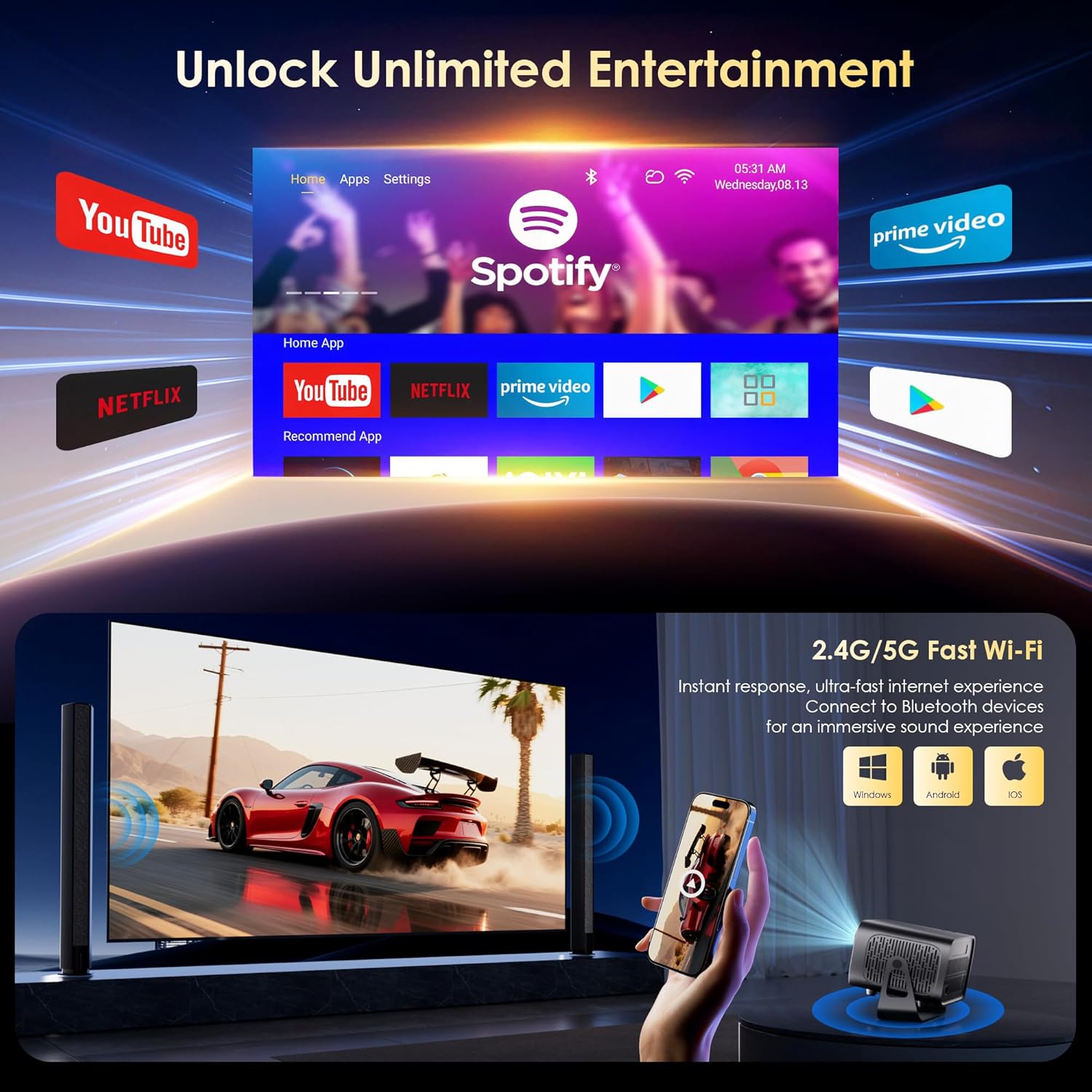
The projector runs on Android 13, providing access to a wide range of streaming applications.
- Upon startup, the home screen will display pre-installed applications like Netflix, Prime Video, and YouTube.
- Navigate using the remote control's directional pad and 'OK' button.
- Access the built-in app store (e.g., Google Play Store) to download additional applications.
- Use the voice assistant feature on the remote control for quick app launching or content search.

5.2 WiFi-konnektiwiteit
The projector supports dual-band 5G/2.4G WiFi 6 for stable internet access and screen mirroring.
- Go to 'Settings' on the home screen.
- Kies 'Netwerk en internet'.
- Skakel Wi-Fi aan en kies die verlangde netwerk uit die lys.
- Voer die wagwoord in indien gevra en koppel.
Note: WiFi is required for the first setup or online apps. If you prefer not to connect to WiFi, you can use the projector offline by connecting external devices via the included HDMI cable or the USB port.

5.3 Bluetooth-konnektiwiteit
The projector features Bluetooth 5.1 for audio streaming.
- Go to 'Settings' on the home screen.
- Select 'Connected Devices' or 'Bluetooth'.
- Skakel Bluetooth aan en soek vir beskikbare toestelle.
- Select your Bluetooth speaker, headphones, or soundbar from the list to pair.
Note: Bluetooth supports audio output only, not video transmission.
5.4 Eksterne Toestelle Koppel
The projector supports various external devices via its HDMI and USB ports.
- HDMI: Connect your laptop, gaming console, or TV stick using an HDMI cable. The projector will automatically detect the input or you may need to select the HDMI source from the input menu.
- USB: Steek 'n USB-skyf in om media te speel files directly. The projector's media player will typically launch automatically or can be accessed from the home screen.
5.5 Projeksiemodusse
The projector can be used in various orientations:
- Desktop Projection: Plaas die projektor op 'n plat oppervlak voor die skerm.
- Plafonprojeksie: Mount the projector upside down on the ceiling. Adjust the projection settings in the menu to flip the image.
- Driepoot montage: Use the 1/4'' screw hole at the bottom to mount the projector on a tripod for flexible positioning.

6. Onderhoud
6.1 Skoonmaak
- Lens: Gebruik 'n sagte, pluisvrye lap wat spesifiek vir optiese lense ontwerp is. Moenie skuurmiddels of lappe gebruik nie.
- Buitekant: Wipe the projector's exterior with a soft, dry cloth. For stubborn dirt, a slightly damp 'n Lap kan gebruik word, gevolg deur 'n droë vee.
- Ventilasie openinge: Periodically check and gently clean the ventilation openings to ensure they are free from dust and debris. Use a soft brush or compressed air.
6.2 Verkoelingstelsel
The projector features an advanced dual-fan cooling system designed for low noise and efficient heat dissipation. To ensure its longevity and stable performance:
- Always ensure the projector has adequate space around its ventilation openings.
- Avoid placing the projector on soft surfaces (e.g., blankets, carpets) that might block airflow.
- Operating the projector in extremely hot or humid environments may affect its performance and lifespan.
7. Probleemoplossing
Indien u probleme met u projektor ondervind, raadpleeg die volgende algemene probleme en oplossings:
| Probleem | Moontlike oorsaak | Oplossing |
|---|---|---|
| No power/Projector won't turn on | Kragkabel nie gekoppel nie; Kragaansluiting foutief | Kontroleer die kragkabelverbinding; Probeer 'n ander aansluiting |
| No image/Blank screen | Incorrect input source; Device not connected properly | Select correct input source (HDMI, USB); Reconnect external device |
| Beeld vaag/Uit fokus | Fokus nie aangepas nie | Use the 'F+' and 'F-' buttons on the remote for electric focus adjustment |
| Image distorted/Trapezoid shape | Sleutelsteen nie reggestel nie | The projector has auto vertical keystone correction. Ensure it's on or manually adjust if needed. |
| Afstandbeheer werk nie | Not paired via Bluetooth; Low battery | Pair the remote control via Bluetooth (Section 4.2); Replace remote batteries |
| Geen klank nie | Volume too low; Incorrect audio output; Bluetooth not connected | Increase volume; Check audio output settings; Ensure Bluetooth speaker is paired |
| WiFi-verbindingsprobleme | Incorrect password; Router issues; Out of range | Verify WiFi password; Restart router; Move projector closer to router |
8. Spesifikasies
Detailed technical specifications for the ZENTALITY Mini Projector A10 PLUS:
- Handelsmerk: ZENTALITEIT
- Modelnommer: A10 PLUS
- Item gewig: 3.1 pond
- Produk afmetings: 7.4 x 6.22 x 4.8 duim
- Bedryfstelsel: Android 13
- Vertoon resolusie: 1920 x 1080 (Native 1080P Full HD)
- 4K-ondersteuning: Ja
- Helderheid: 350 ANSI lumen
- Kontrasverhouding: 10,000:1
- Verbindingstegnologie: 3.5mm Jack, Bluetooth 5.1, HDMI, USB (x2), Wi-Fi 6 (2.4G/5G)
- Spesiale kenmerke: Built-In Media Player, Built-In Speaker, Electric Focus, Portable, Wi-Fi Ready, Auto Vertical Keystone Correction
- Aanbevole gebruike: Besigheid, Onderwys, Speletjies, Tuisbioskoop
- Lamp Lewensduur: Tot 100,000 uur

9. Waarborg en Ondersteuning
ZENTALITY is committed to providing quality products and customer satisfaction.
- Kwaliteit waarborg: 360-Day Quality Guarantee.
- Terugsendings: 180-Day Free Returns.
- Tegniese ondersteuning: Lewenslange tegniese ondersteuning.
- Kliëntediens: 24/7 Fast Customer Service.
For support inquiries, please refer to the contact information provided on the ZENTALITY official webwebwerf of jou aankoopplatform.