
1. Inleiding en Veiligheidsinligting
This manual provides detailed instructions for the safe installation, operation, and maintenance of your Parrot Uncle 52-inch Gold Smart Ceiling Fan with Lights and Remote. Please read all instructions carefully before beginning installation and retain this manual for future reference.
Belangrike veiligheidsinstruksies:
- Maak seker dat die krag by die stroombreker afgeskakel is voor installasie of onderhoud.
- Alle bedrading moet in ooreenstemming wees met nasionale en plaaslike elektriese kodes. Raadpleeg 'n gekwalifiseerde elektrisiën as u nie vertroud is met bedrading nie.
- Die monteringsstruktuur moet die gewig van die waaier (ongeveer 15 lbs) kan ondersteun.
- Do not bend the blade holders during installation, balancing, or cleaning.
- Hou hande weg van die waaierlemme wanneer die waaier aan die gang is.
- This fan is suitable for indoor and covered outdoor use. Avoid direct water exposure.
2. Pakketinhoud
Verifieer dat al die komponente wat hieronder gelys word, in u pakket ingesluit is. Kontak asseblief kliëntediens indien enige onderdele ontbreek of beskadig is.
- Motor Behuising Vergadering
- Fan Blades (5 reversible blades: matte black & maple)
- LED Light Panel (integrated 24W)
- Afstandbeheer
- Afwaartse stange (6-duim en 10-duim)
- Montagebeugel
- Hardewarepak (skroewe, wassers, draadmoere)
- Instruksie Handleiding

Figuur 2.1: Fan components and dimensions. The fan features an anti-glare light cover and double-sided blades (matte black and maple finish).
3. Installasiehandleiding
Volg hierdie stappe vir behoorlike installasie. Dit word aanbeveel om twee mense vir installasie te hê.
3.1 Voorinstallasie
- Skakel krag by die stroombreker af.
- Identify a suitable mounting location. The ceiling fan must be mounted to a ceiling joist or a fan-rated outlet box capable of supporting at least 35 lbs.
- Unpack all components and lay them out on a soft surface to prevent scratches.
3.2 Monteer die bracket
- Secure the mounting bracket to the ceiling outlet box using the screws provided with the outlet box. Ensure the bracket is firmly attached.
3.3 Assembling the Fan
- Attach the chosen downrod (6-inch or 10-inch) to the motor housing.
- Carefully hang the fan assembly from the mounting bracket.
- Connect the electrical wires according to the wiring diagram provided in the full instruction manual (Live, Neutral, Ground).
- Heg die waaierlemme aan die motorhuis vas met die meegeleverde skroewe. Maak seker dat alle skroewe stewig vasgedraai is.
- Connect the LED light panel to the fan's light kit wiring and secure it to the bottom of the motor housing.

Figuur 3.1: The fan is designed for easy installation with modular assembly.
Knip 3.1: An official video demonstrating the features and installation process of the Parrot Uncle Gold Ceiling Fan Light. This video provides visual guidance for setting up your fan.
4. Bedryfsinstruksies
Your Parrot Uncle Smart Ceiling Fan can be controlled via the included remote control or a smartphone application.
4.1 Afstandbeheerfunksies
The remote control allows for comprehensive management of your fan and light settings.
- Kragknoppie: Skakel die waaier en lig aan/af.
- Waaierspoedbeheer: Adjusts between 6 fan speeds.
- Lig aan/af: Skakel die LED-lig aan.
- Kleur temperatuur aanpassing: Cycles through 3000K (Warm White), 4200K (Natural White), and 6500K (Cool White).
- Verduistering beheer: Stepless dimming from 15% to 100% brightness.
- Timer funksie: Sets the fan to turn off after 1 or 2 hours.
- Omgekeerde funksie: Changes the direction of blade rotation for summer (downward airflow) or winter (upward airflow).
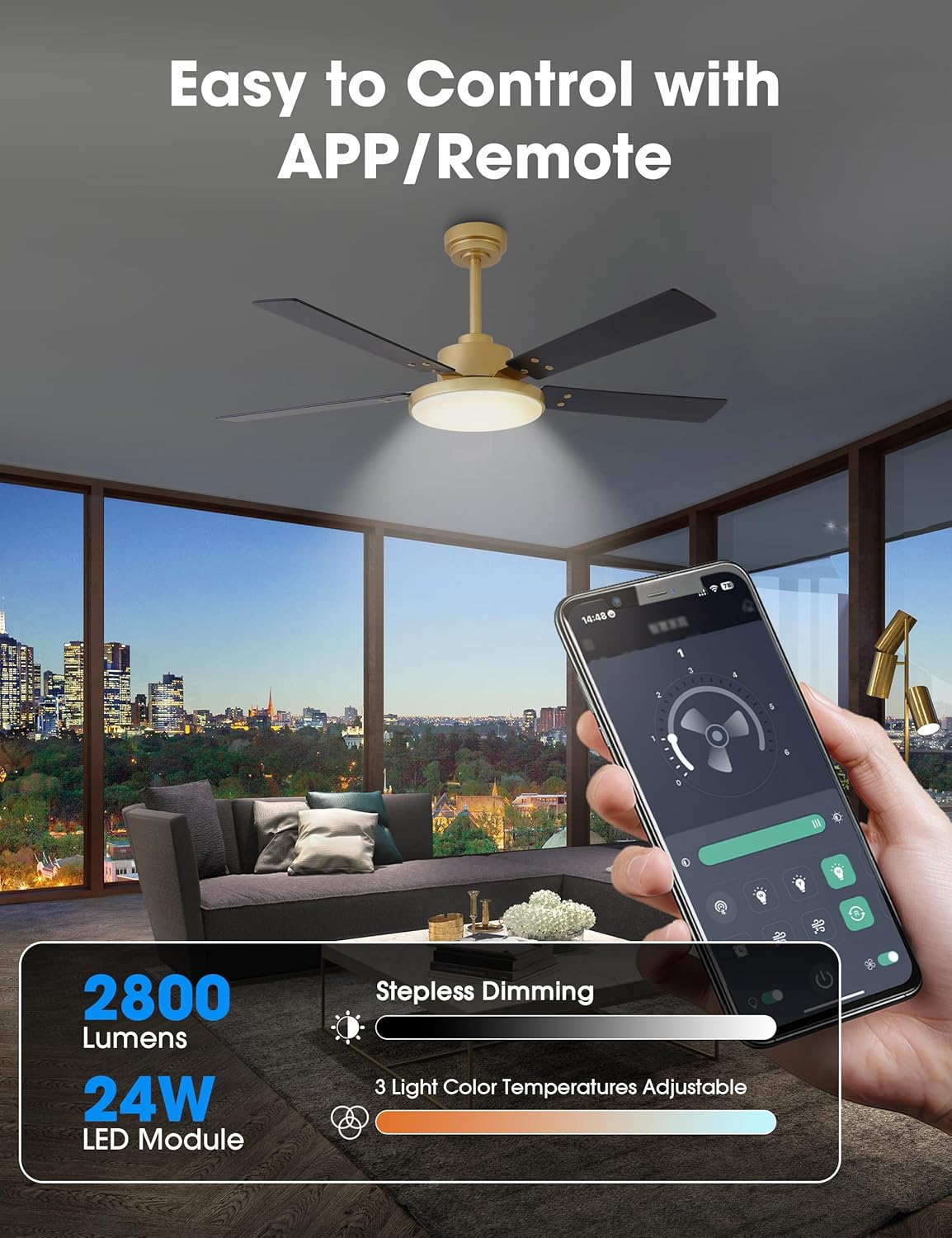
Figuur 4.1: Control your fan and light settings via the remote or smartphone app, including stepless dimming and 3 color temperatures.

Figuur 4.2: The reversible DC motor allows for seasonal air circulation: downward airflow for cooling in summer and upward airflow for heat distribution in winter.
4.2 Smartphone App Control
Download the dedicated smartphone application (refer to the full manual for app name and QR code) to access additional smart features:
- All remote control functions.
- Scheduling and automation.
- Built-in memory function to recall last settings.
5. Onderhoud
Gereelde onderhoud verseker optimale werkverrigting en lang lewensduur van jou plafonwaaier.
5.1 Skoonmaak
- Skakel altyd die krag by die stroombreker af voor skoonmaak.
- Gebruik 'n sagte, damp lap om die waaierlemme en motorbehuising skoon te maak. Moenie skuurmiddels of oplosmiddels gebruik nie.
- Periodically check for dust accumulation on the blades and light cover to maintain airflow and light output.
5.2 Algemene sorg
- Check all connections and screws periodically to ensure they remain tight.
- The DC motor is designed for long-term, quiet operation and typically requires no lubrication.
6. Probleemoplossing
As jy probleme met jou waaier ondervind, verwys na die volgende algemene probleme en oplossings:
| Probleem | Moontlike oorsaak | Oplossing |
|---|---|---|
| Waaier begin nie | Geen kragtoevoer Los draadverbindings Afstandbeheer se battery laag | Gaan die stroombreker na Verifieer dat alle draadverbindings veilig is Vervang afstandbeheerbattery |
| Lig werk nie | Los draadverbindings Probleem met LED-paneel | Check light kit wiring Contact customer support if LED panel is faulty |
| Fan wiebel | Los lemskroewe Ongebalanseerde lemme Los monteerbeugel | Draai alle lemskroewe vas Use balancing kit (not included) if necessary Ensure mounting bracket is securely fastened |
| Remote reageer nie | Battery low/dead Afstandbeheer nie saamgebind nie | Vervang battery Refer to full manual for remote pairing instructions |
If the problem persists after attempting these solutions, please contact Parrot Uncle customer support.
7. Produkspesifikasies
- Handelsmerk: Papegaai-oom
- Modelnommer: VZA01A117GD
- Grootte: 52 duim
- Kleur: Gold-A117
- Materiaal: Iron (housing), Acrylic (shade), MDF (blades)
- Motor tipe: GS-motor, omkeerbaar
- Wattage: 35 watts (fan)
- Lugvloei: Tot 4896 XNUMX CFM
- Ligbron: Integrated 24W LED Module
- Helderheid: 2800 Lumen (maksimum)
- Kleur temperatuur: 3000K / 4200K / 6500K (Verstelbaar)
- verduistering: Stepless (15% - 100%)
- Beheer metode: Remote Control, Smartphone APP
- Voltage: 120 Volt
- Binne/buiteluggebruik: Binne, Oordekte Buite
- Item gewig: 15 pond
- Sertifiserings: ETL Gesertifiseer

Figuur 7.1: The fan features high efficiency and low energy consumption, providing up to 4896 CFM air volume.

Figuur 7.2: The 35W pure copper DC motor ensures high performance and energy efficiency with 6 wind speeds.

Figuur 7.3: Enjoy ultra-quiet operation, ensuring a comfortable rest with noise levels as low as 35dB.
8. Waarborg en Ondersteuning
Parrot Uncle stands behind the quality of its products.
8.1 Vervaardiger se waarborg
Hierdie produk word gedek deur 'n 3 jaar vervaardiger se waarborg. Hierdie waarborg dek defekte in materiaal en vakmanskap onder normale gebruik.
8.2 Kliëntediens
For any questions, assistance, or warranty claims, please contact Parrot Uncle customer support. Our team is available 24/7 to provide the best service.
If your ceiling fan arrives damaged or does not meet your expectations, please reach out to us immediately.