
1. Inleiding
Dankie vir die aankoopasing the Moukey MAMP3 2.0-kanaal stereo Amplifier. This manual provides essential information for the safe and efficient operation of your device. Please read it thoroughly before use and retain it for future reference.
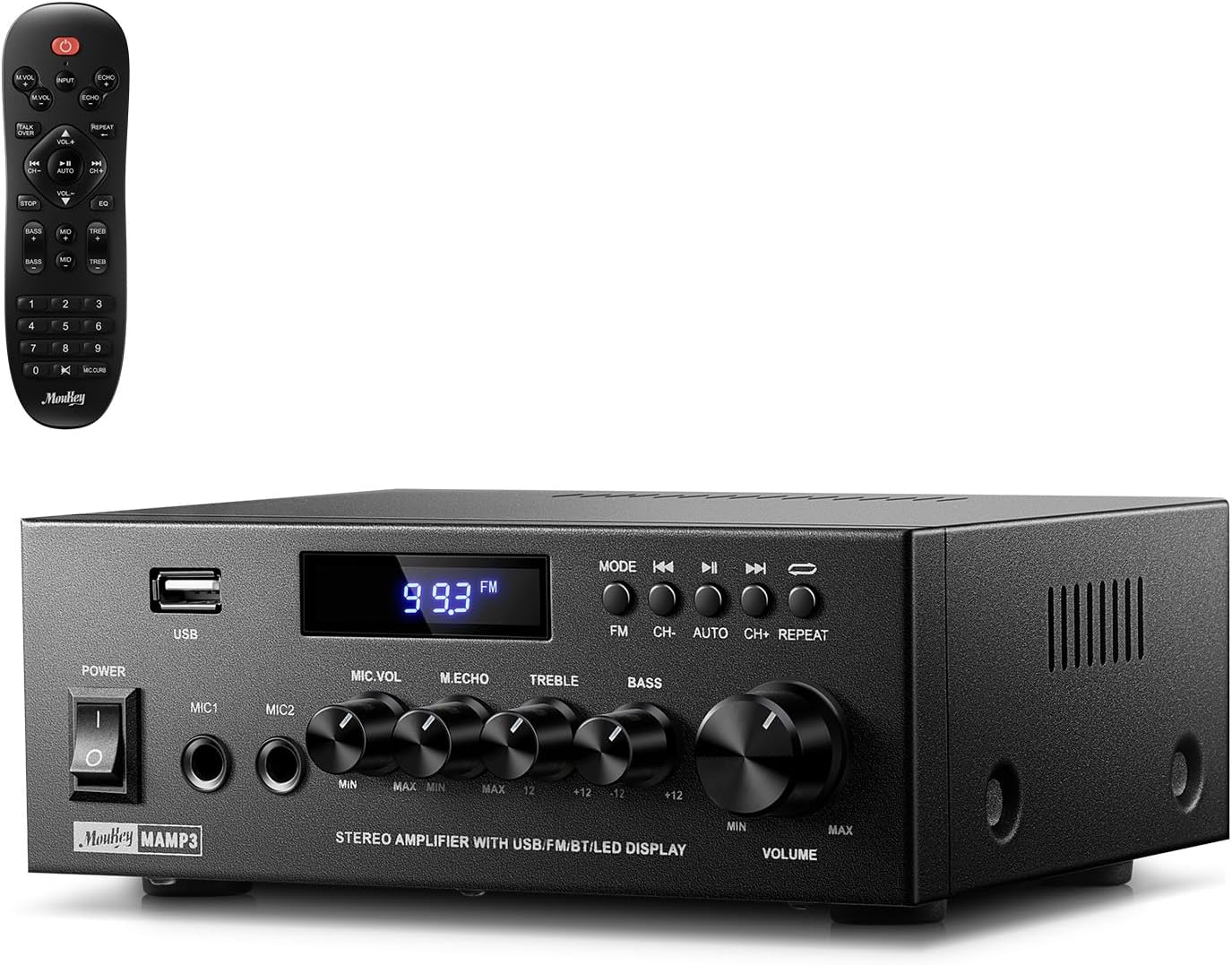
Image 1.1: The Moukey MAMP3 amplifier and its remote control.
2. Veiligheidsinstruksies
- Lees alle instruksies voordat u die amplewendiger.
- Hou die amplifier away from water, moisture, and extreme temperatures.
- Do not block ventilation openings. Ensure proper airflow around the unit.
- Gebruik slegs die kragadapter wat by die eenheid voorsien is.
- Moenie probeer om die eenheid self te herstel of te wysig nie. Verwys alle diens na gekwalifiseerde personeel.
- Disconnect the power cord from the outlet if the unit will be unused for extended periods.
3. Produk verbyview
3.1 Sleutelkenmerke
- 2.0 Channel Stereo Audio Output
- Bluetooth 5.3 vir stabiele draadlose verbinding
- Multiple Audio Inputs: RCA, USB, FM Radio, 2 Microphone Inputs
- Full-function Remote Control with EQ adjustments
- Customizable Treble, Midrange, and Bass controls
- Memory function for mode, volume, and EQ settings
- 300 Watts Peak Power Output
3.2 Voorpaneelkontroles en aanwysers

Image 3.1: Front Panel Layout
- Krag skakelaar: Skakel die eenheid aan of af.
- MIC1/2: 6.35 mm mikrofoon insette.
- Mikrofoonvolumeknop: Verstel die volume van gekoppelde mikrofone.
- Echo Knop: Pas die eggo-effek vir mikrofone aan.
- Treble Knop: Pas die hoëfrekwensie-klankuitset aan.
- Bas Knop: Pas die laefrekwensie-klankuitset aan.
- Musiekvolumeknop: Main volume control for all audio sources.
- USB-gleuf: For connecting USB storage devices for audio playback.
- LED skerm: Toon huidige modus, snitinligting of FM-frekwensie.
- MODUS-knoppie: Switches between input sources (BT, Aux, CD, USB, FM).
- Vorige knoppie: Skips to the previous track (USB/BT) or FM station.
- Speel/Pause-knoppie: Plays or pauses audio (USB/BT).
- Volgende knoppie: Skips to the next track (USB/BT) or FM station.
- Herhaal-knoppie: Repeats current track or all tracks (USB).
3.3 Agterpaneelverbindings

Image 3.2: Rear Panel Connections
- FM-antenna-invoer: Koppel die ingeslote FM-antenna vir radio-ontvangs.
- KLANKIE-INVOER (RCA): Connect external audio sources like CD/DVD players using RCA cables.
- AUDIO OUTPUT (Speaker Terminals): Connect passive speakers. Ensure correct polarity (+ to + and - to -).
- POWER AC INPUT: Sluit die netsnoer aan op 'n stopcontact.
4. Opstelling
4.1 Uitpak
Verwyder die amplifier and all accessories from the packaging. Verify that all items listed in the 'What's in the Box' section are present.
4.2 Koppel luidsprekers
Die MAMP3 amplifier supports two passive speakers. Connect your speakers to the AUDIO UITVOER terminals on the rear panel. Ensure that the positive (+) terminal on the amplifier connects to the positive (+) terminal on your speaker, and the negative (-) terminal on the amplifier connects to the negative (-) terminal on your speaker. Incorrect polarity can affect sound quality.

Image 4.1: Speaker Connection Diagram
4.3 Verbinding van klankbronne
Die amplifier offers multiple input options:
- RCA-invoer: Use RCA cables to connect devices such as CD players, DVD players, or other audio equipment to the AUDIO INSET aansluitings op die agterpaneel.
- USB-invoer: Plaas 'n USB-flash drive in die USB-gleuf on the front panel for direct audio playback.
- Bluetooth: Pair your Bluetooth-enabled device (smartphone, tablet, laptop) wirelessly.
- FM Radio: Koppel die ingeslote FM-antenna aan die FM-antenna-invoer on the rear panel for radio reception. Extend the antenna for optimal signal.
- Mikrofoon-insette: Koppel tot twee mikrofone aan die MIC1/2 jacks on the front panel for karaoke or public address.

Image 4.2: Available Signal Inputs
4.4 Kragverbinding
Sluit die netsnoer aan op die POWER AC INPUT on the rear panel and then plug it into a standard AC power outlet.
5. Bedryfsinstruksies
5.1 Krag aan/af
Druk die Kragskakelaar op die voorpaneel om die amplifier on or off. The LED display will illuminate when the unit is powered on.
5.2 Invoerkeuse
Druk die MODUS button on the front panel or the remote control to cycle through the available input sources: Bluetooth (BT), Auxiliary (Aux), CD, USB, and FM radio. The selected mode will be shown on the LED display.
5.3 Volumebeheer
Draai die groot Music Volume Knob on the front panel clockwise to increase volume and counter-clockwise to decrease it. Volume can also be adjusted using the remote control.
5.4 Equalizer (EQ) Adjustment
Adjust the sound characteristics using the Treble knop en Basknop on the front panel. The remote control also provides dedicated buttons for Treble, Midrange, and Bass adjustments. The amplifier will automatically save your preferred EQ settings.
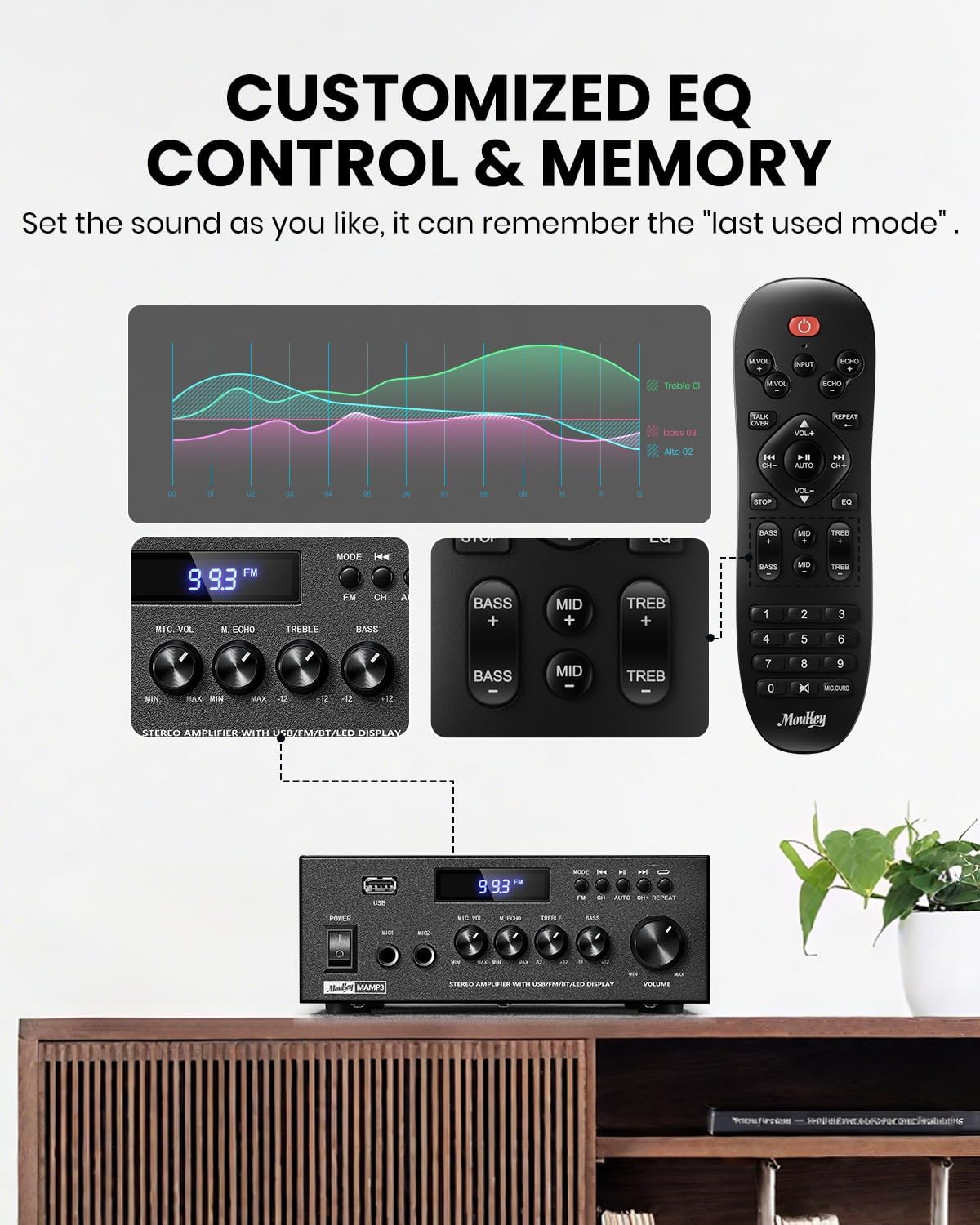
Image 5.1: Customizable EQ Control
5.5 Mikrofoonkontroles
If microphones are connected, use the Mikrofoonvolumeknop to adjust their output level and the Echo Knop to add an echo effect. The remote control also features a 'Talkover' function.
5.6 Bluetooth-werking
- Druk die MODUS button until "BT" appears on the LED display. The ampDie lifier is nou in Bluetooth-paringsmodus.
- On your mobile device, enable Bluetooth and search for "Moukey MAMP3".
- Select "Moukey MAMP3" to pair. Once connected, you will hear a confirmation tone.
- You can now play audio from your device through the amplewendiger.

Image 5.2: Bluetooth Pairing
5.7 FM-radiowerking
- Druk die MODUS knoppie totdat "FM" op die LED-skerm verskyn.
- Outo -skandering: Press the "AUTO" button on the remote to automatically scan and save available FM stations.
- Handmatige instelling: Use the number pad on the remote control to directly enter the desired FM frequency (e.g., for 101.1 MHz, enter 1011).
- Gebruik die Vorige en Volgende buttons to navigate between saved stations or fine-tune frequencies.
5.8 USB-terugspeel
Insert a USB flash drive containing MP3 or WAV audio files in die USB-gleuf. Die amplifier will automatically switch to USB mode and begin playback. Use the Vorige, Speel / Pouse, en Volgende buttons to control playback. The Herhaal button allows you to repeat the current track or all tracks.
5.9 afstandbeheer
The included full-function remote control allows for convenient operation from a distance. It provides control over input selection, volume, EQ settings (treble, midrange, bass), microphone echo, and talkover functions across all input modes.

Image 5.3: Upgraded Remote Control Functionality
6. Onderhoud
- Skoonmaak: Gebruik 'n sagte, droë lap om die buitekant van die ampMoenie vloeibare skoonmaakmiddels of oplosmiddels gebruik nie.
- Ventilasie: Ensure that the ventilation openings are free from dust and debris to prevent overheating.
- Berging: Wanneer dit nie vir lang tye gebruik word nie, bêre die ampVerwyderaar op 'n koel, droë plek, weg van direkte sonlig en uiterste temperature.
7. Probleemoplossing
| Probleem | Moontlike oorsaak | Oplossing |
|---|---|---|
| Geen krag nie | Kragkabel nie gekoppel nie; Kragtoevoer foutief; Kragskakelaar af. | Ensure power cord is securely connected; Test outlet with another device; Turn power switch on. |
| Geen klankuitset nie | Volume too low; Incorrect input selected; Speaker wires loose/incorrectly connected; Audio source issue. | Increase volume; Select correct input mode; Check speaker wire connections and polarity; Verify audio source is playing. |
| Bluetooth verbind nie | Amplifier not in BT mode; Device too far; Device already connected to another unit; Interference. | Skakel oor amplifier to BT mode; Move device closer; Disconnect from other devices; Reduce interference. |
| Swak FM-ontvangs | Antenna not connected or poorly positioned; Weak signal. | Connect and adjust FM antenna position; Try auto-scan or manual tuning for stronger stations. |
| USB-terugspeelprobleme | Ongesteun file format; USB drive not formatted correctly; USB drive capacity too large. | Verseker files are MP3/WAV; Format USB drive to FAT32; Use USB drives 32GB or less. |
8. Spesifikasies
| Kenmerk | Spesifikasie |
|---|---|
| Modelnommer | MAMP3 |
| Uitset krag | 300 XNUMX watt (piek) |
| Kanale | 2.0 Stereo |
| Verbindingstegnologie | Auxiliary, Bluetooth 5.3, FM, USB |
| Versoenbare toestelle | Smartphone, Tablet, Laptop, Computer, Speakers, CD/DVD Player |
| Connector Tipe | RCA, USB, 2 Mic input |
| Klankuitvoermodus | Stereo |
| Produk afmetings | 6.1"D x 7.1"B x 2.8"H (15.5 x 18.0 x 7.1 cm) |
| Item gewig | 2.14 pond (0.97 kg) |
| Kleur | Swart |
8.1 Wat is in die boks
- Moukey MAMP3 Amplewendiger
- Afstandbeheerder
- FM-antenne
- Gebruikershandleiding
- Kragadapter
9. Waarborg en Ondersteuning
9.1 Waarborginligting
Moukey products are designed and manufactured to the highest quality standards. This product is covered by a limited warranty against defects in materials and workmanship. Please refer to the warranty card included with your purchase for specific terms and conditions, or visit the official Moukey webwebwerf vir gedetailleerde waarborginligting.
9.2 Kliëntediens
If you encounter any issues or have questions regarding your Moukey MAMP3 amplifier, please contact our customer support team. You can find contact information on the official Moukey webwebwerf of deur jou aankoopplatform.
Webwebwerf: www.moukey.com (Bvamp(skakel, verwys asseblief na die werklike produkdokumentasie)
E-pos: support@moukey.com (Bvample email, please refer to actual product documentation)