
MOZOTER SP9i
MOZOTER SP9i Wireless Earbuds User Manual
Model: SP9i
Inleiding
Thank you for choosing the MOZOTER SP9i Wireless Earbuds. These earbuds are designed to provide a comfortable and stable audio experience with advanced Bluetooth 5.3 technology, deep bass sound, and extended playtime. This manual will guide you through the setup, operation, and maintenance of your new earbuds to ensure optimal performance.
Wat is in die boks
- MOZOTER SP9i Wireless Earbuds (Left and Right)
- Laaikas
- USB-C-laaikabel
- Eartips (S, M, L sizes)
- Gebruikershandleiding
Produk verbyview
The MOZOTER SP9i earbuds feature an over-ear hook design for secure fit and comfort. Each earbud is equipped with intuitive touch controls for easy management of audio and calls. The compact charging case provides additional battery life and convenient storage.

Image: The MOZOTER SP9i Wireless Earbuds resting in their open charging case, showcasing the over-ear hook design and the charging contacts.
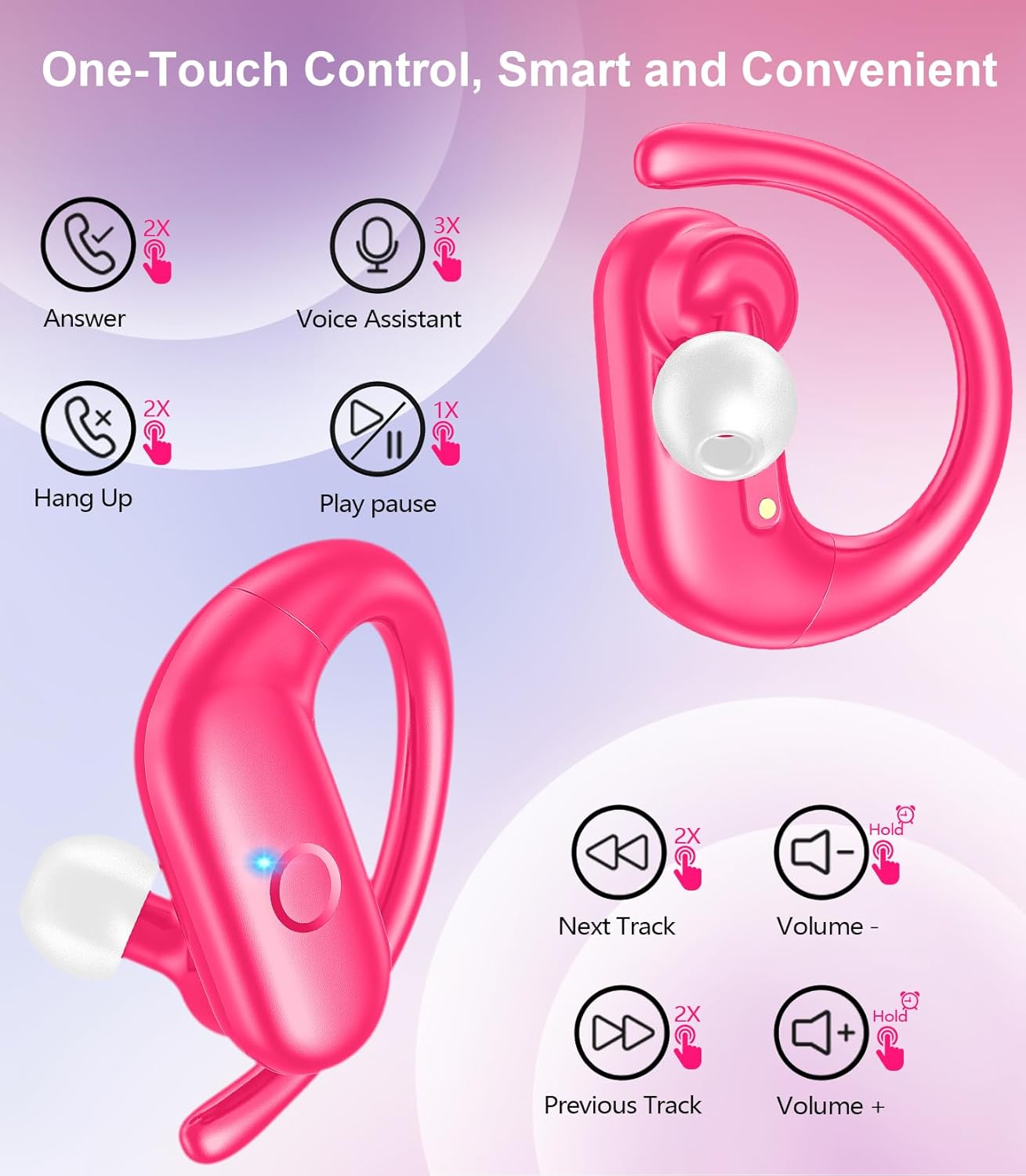
Beeld: 'n Gedetailleerde view of an earbud highlighting the integrated Bluetooth 5.3 technology for stable and efficient wireless connectivity.
Opstelling
1. Laai die oordopjes en houer
Before first use, fully charge the earbuds and the charging case. Connect the provided USB-C cable to the charging port on the case and a power source. The indicator lights on the case will show the charging status.
- Laai tyd: Ongeveer 1.5 uur vir 'n volle lading.
- Oortelefoon Speeltyd: Tot 12 uur op 'n enkele laai.
- Totale speeltyd met omhulsel: Tot 60 uur.

Image: The charging case with earbuds inside, illustrating the 60-hour total playtime, 12-hour single charge, and 48-hour case capacity, along with the USB-C charging port.
2. Koppeling met jou toestel
- Ensure the charging case has power and the earbuds are inside.
- Maak die laaikas oop. Die oorfone sal outomaties aanskakel en in paringsmodus gaan.
- Aktiveer Bluetooth op jou toestel (slimfoon, tablet, skootrekenaar).
- Soek vir beskikbare Bluetooth-toestelle en kies "SP9i" uit die lys.
- Sodra dit gekoppel is, sal jy 'n bevestigingstoon hoor, en die oorfone se aanwyserliggies sal afskakel of stadig flikker.
Die oorfone sal outomaties weer aan die laaste gekoppelde toestel koppel wanneer dit uit die houer verwyder word, indien Bluetooth op die toestel geaktiveer is.

Image: An illustration showing the MOZOTER SP9i earbuds in their open case, with a smartphone screen displaying a successful Bluetooth connection to "SP9i".
Dra-instruksies
For optimal sound quality and comfort, it is important to wear the earbuds correctly and choose the appropriate eartip size.
1. Selecting Eartips
The earbuds come with small (S), medium (M), and large (L) eartips. Experiment with different sizes to find the pair that provides the best seal and comfort for your ears. A good seal enhances bass response and passive noise cancellation.
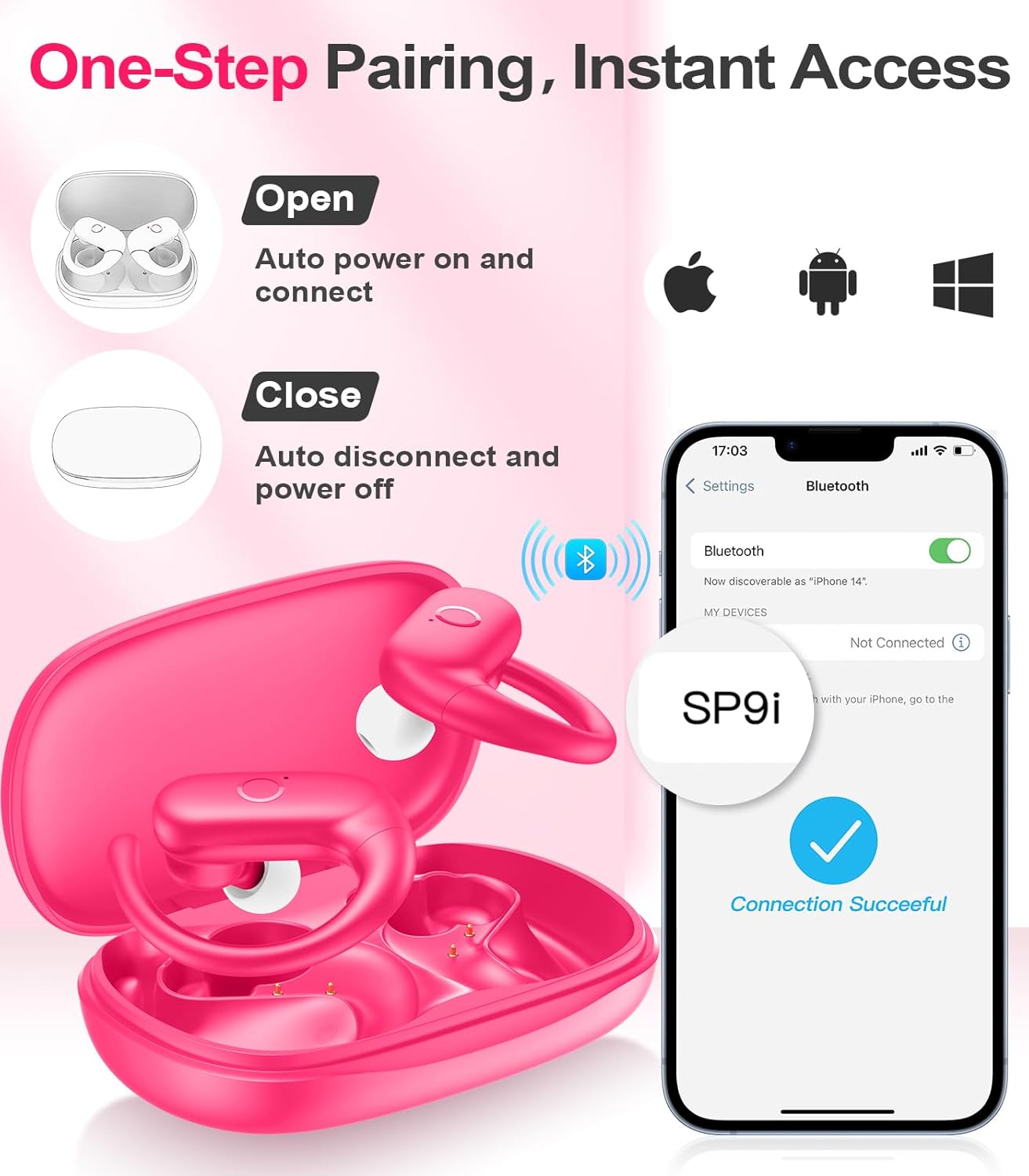
Image: A woman wearing an earbud, with an inset showing the three available eartip sizes (S, M, L) for a customized and comfortable fit.
2. Achieving a Secure Fit
- Stap 1: Plaas die oorhaak oor jou oor.
- Stap 2: Plaas die oorknoppie liggies in jou oorkanaal.
- Stap 3: Rotate the earbud slightly to find a comfortable and secure angle. The flexible ear hooks ensure a stable fit, ideal for sports and active use.

Image: A three-step diagram illustrating the correct method to wear the MOZOTER SP9i earbuds, ensuring a secure and comfortable fit with the ear hook.

Image: A woman wearing the MOZOTER SP9i earbuds, demonstrating the ergonomic design that rests comfortably and securely on the ear.
Bedryfsinstruksies
The MOZOTER SP9i earbuds feature intuitive touch controls on each earbud. The following table outlines the functions:
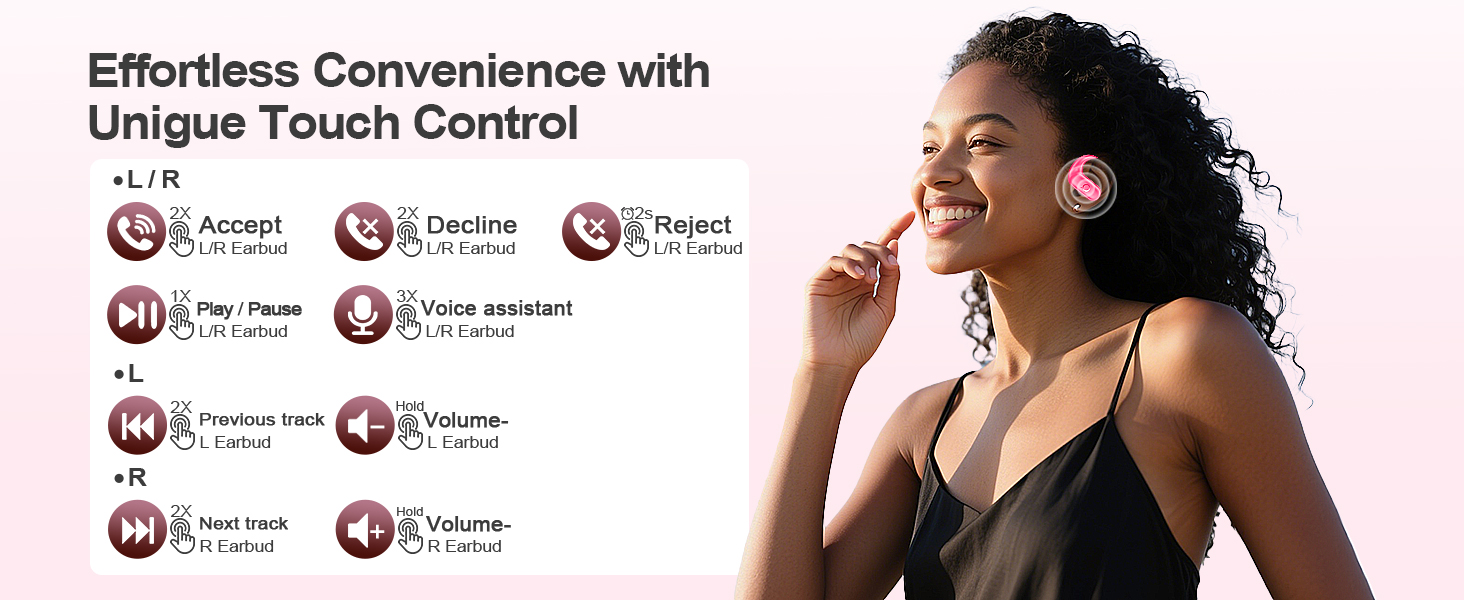
Image: A visual guide detailing the various touch control gestures for the MOZOTER SP9i earbuds, including call management, music playback, and volume adjustments.
| Aksie | Gesture (L/R Earbud) |
|---|---|
| Beantwoord oproep | Double-tap (2X) |
| Hang op | Double-tap (2X) |
| Verwerp oproep | Triple-tap (3X) |
| Speel/Pause Musiek | Single-tap (1X) |
| Aktiveer stemassistent | Triple-tap (3X) |
| Volgende Snit | Double-tap (2X) on Reg oordop |
| Vorige Snit | Double-tap (2X) on Links oordop |
| Volume op | Hou vas Reg oordop |
| Volume af | Hou vas Links oordop |
Onderhoud
Behoorlike onderhoud verseker die lang lewensduur en prestasie van jou oorfone.
- Skoonmaak: Regularly clean the eartips and the charging contacts on both the earbuds and the case with a soft, dry, lint-free cloth. Avoid using harsh chemicals or abrasive materials.
- Berging: Wanneer dit nie gebruik word nie, bêre die oordopjes in hul laaikassie om hulle teen stof en skade te beskerm.
- Waterblootstelling: While designed for sports, avoid submerging the earbuds in water. Wipe off sweat or moisture immediately after use.
Probleemoplossing
If you encounter any issues with your MOZOTER SP9i earbuds, please refer to the following common solutions:
- Oordopjes koppel nie: Ensure both earbuds are charged and removed from the case. Turn off and on your device's Bluetooth. If issues persist, try resetting the earbuds (refer to manufacturer's webwebwerf vir spesifieke herstelinstruksies indien nie in die handleiding nie).
- Slegs een oordoppie werk: Place both earbuds back into the charging case, close the lid, wait a few seconds, then open the lid and remove them. This often resynchronizes them.
- Swak klank kwaliteit: Ensure the eartips provide a good seal in your ear. Clean any debris from the earbud speakers. Check your device's volume and audio settings.
- Laai kwessies: Maak seker dat die laaikabel stewig aan beide die houer en die kragbron gekoppel is. Maak die laaikontakte op die oorfone en binne-in die houer skoon.
- Oorfone val uit: Experiment with different eartip sizes and adjust the ear hooks for a more secure fit as described in the Wearing Instructions section.
Spesifikasies
| Kenmerk | Detail |
|---|---|
| Model Naam | SP9i |
| Verbindingstegnologie | Draadloos (Bluetooth 5.3) |
| Geraasbeheer | Passiewe ruisonderdrukking |
| Impedansie | 4 ohm |
| Oordopjesgewig | Approximately 8g per earbud |
| Oortelefoon Speeltyd | Tot 12 uur |
| Totale speeltyd (met omhulsel) | Tot 60 uur |
| Laaipoort | USB-C |
| Ingesluit komponente | Earbuds, Charging Case, Eartips, User Manual |
Waarborg en Ondersteuning
MOZOTER products are designed and manufactured to the highest quality standards. For warranty information and customer support, please refer to the documentation included with your purchase or visit the official MOZOTER website. If you require further assistance, please contact our customer service team.
Ask a question about this manual
Ask about setup, troubleshooting, compatibility, parts, safety, or missing instructions. Manuals+ will review the question and use this page’s manual context to help answer it.