
1. Inleiding
Thank you for choosing the RORSOU C6 Active Noise Cancelling Headphones. These headphones are designed to provide a superior audio experience with advanced noise-cancelling technology, comfortable wear, and versatile connectivity options. This manual will guide you through the setup, operation, and maintenance of your new headphones.

Image: RORSOU C6 Active Noise Cancelling Headphones, Rose Gold variant.
2. Pakketinhoud
Maak asseblief seker dat alle items in u pakket teenwoordig is:
- RORSOU C6 Active Noise Cancellation Bluetooth Headphones
- 3.5mm Backup Audio Cable
- USB-laaikabel
- Gebruikershandleiding (hierdie dokument)
- Travel Protective Storage Bag
3. Produk verbyview en kontroles
Familiarize yourself with the physical features and control buttons of your RORSOU C6 headphones.

Image: Detailed diagram illustrating the location and function of control buttons and ports on the RORSOU C6 headphones.
- Volume op (+) / Volgende snit: Click for volume up, long press for next track.
- Volume af (-) / Vorige snit: Click for volume down, long press for previous track.
- Aan/af-knoppie / Speel/Pouseer: Long press to power on/off, click to play/pause music.
- ANC-knoppie: Click to activate/deactivate Active Noise Cancelling.
- Tipe C-poort: Vir die laai van die oorfone.
- 3.5 mm oudio-aansluiting: Vir bedrade klankverbinding.
4. Opstelling
4.1. Bluetooth-koppeling
- Maak seker dat die oorfone afgeskakel is.
- Long press the Power Button until the LED indicator flashes blue, indicating pairing mode.
- On your device (smartphone, tablet, PC), enable Bluetooth and search for "RORSOU C6" in the list of available devices.
- Select "RORSOU C6" to connect. The LED indicator will turn solid blue once connected.
4.2. Bedrade verbinding
Om die oorfone met 'n bedrade verbinding te gebruik:
- Connect one end of the provided 3.5mm audio cable to the 3.5mm audio jack on the headphones.
- Connect the other end of the cable to your audio source's 3.5mm port.
- Die oorfone sal outomaties na bedrade modus oorskakel.
5. Bedryfsinstruksies
5.1. Aktiewe ruisonderdrukking (ANC)
The RORSOU C6 features advanced Active Noise Cancelling technology to reduce ambient noise.

Image: Visual representation of Active Noise Cancelling reducing external noise.
- To activate ANC, click the dedicated ANC button. You will hear an audible confirmation.
- To deactivate ANC, click the ANC button again.
5.2. Oudiokwaliteit
Equipped with 40mm dynamic drivers, the C6 headphones deliver high-fidelity audio with deep bass, rich mids, and crisp highs, ensuring every detail of your music is clear.
5.3. Batterylewe en laai
The headphones offer up to 60 hours of playtime on a single charge. A full charge takes approximately 2 hours using the provided USB charging cable.

Image: Close-up of the RORSOU C6 earcups and adjustable headband, emphasizing comfort.
5.4. Comfort and Portability
The RORSOU C6 headphones feature ultra-soft protein leather earcups and an adjustable headband for extended comfortable wear. Their lightweight and foldable design allows for easy storage in the travel protective bag, making them ideal for travel and daily use.
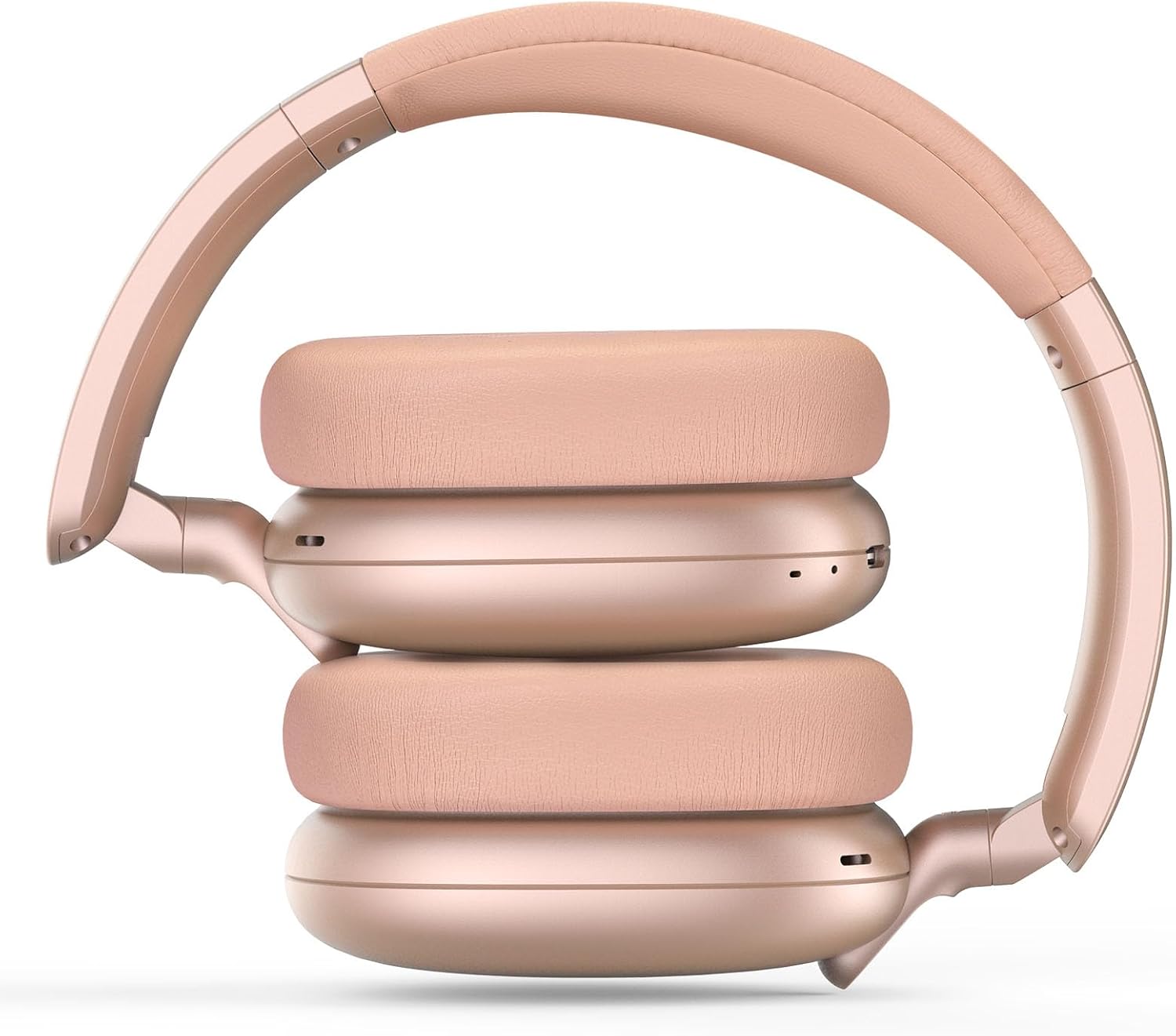
Image: RORSOU C6 headphones shown in their folded configuration, demonstrating portability.
6. Spesifikasies
| Kenmerk | Spesifikasie |
|---|---|
| Model Naam | C6 |
| Handelsmerk | Rorsou |
| Verbindingstegnologie | Bluetooth 5.4, Wired, Wireless |
| Draadlose kommunikasietegnologie | Bluetooth |
| Geraasbeheerfunksies | Aktiewe geraaskansellasie |
| Koptelefoonaansluiting | 3.5 mm-aansluiting |
| Oudiobestuurdergrootte | 40 millimeter |
| Batterylewe | 60 ure |
| Laai tyd | 2 ure |
| Item gewig | 230 gram (8.1 onse) |
| Spesiale kenmerk | Adjustable Headband, Detachable Cable, Foldable, Lightweight, Noise Cancellation |
7. Onderhoud
To ensure the longevity and optimal performance of your RORSOU C6 headphones, follow these maintenance guidelines:
- Skoonmaak: Gebruik 'n sagte, droë lap om die oorfone skoon te maak. Vermy die gebruik van harde chemikalieë of skuurmiddels.
- Berging: When not in use, store the headphones in the provided travel protective storage bag to prevent dust and scratches.
- Vermy uiterste toestande: Moenie die oorfone aan uiterste temperature, humiditeit of direkte sonlig blootstel nie.
- Waterweerstand: These headphones are not water resistant. Avoid contact with liquids.
8. Probleemoplossing
If you encounter any issues with your RORSOU C6 headphones, please refer to the following common solutions:
- Geen krag: Maak seker dat die oorfone volledig gelaai is. Koppel hulle aan 'n kragbron met die USB-laaikabel.
- Kan nie via Bluetooth koppel nie: Make sure the headphones are in pairing mode (flashing blue LED). Ensure Bluetooth is enabled on your device and it is within range (10 meters). Try restarting both the headphones and your device.
- Geen klank: Check the volume levels on both the headphones and your connected device. If using a wired connection, ensure the 3.5mm cable is securely plugged into both ends.
- ANC werk nie: Ensure the ANC function is activated by pressing the ANC button.
- Swak oudiogehalte: Ensure the headphones are within Bluetooth range of your device. If using a wired connection, try a different 3.5mm cable.
9. Waarborg en Ondersteuning
RORSOU is dedicated to providing high-quality products with excellent after-sale service. Your RORSOU C6 headphones come with a 365-day Hassle-Free Limited Protection. If you have any questions or require support, please contact RORSOU customer service. We aim to respond within 12 hours.