
1. Produk verbyview
The PAXA Clipbuds 7 are open-ear wireless earbuds designed for comfort and situational awareness. They feature Bluetooth 5.4 connectivity, a dual LED battery display, touch controls, and IP45 water resistance.
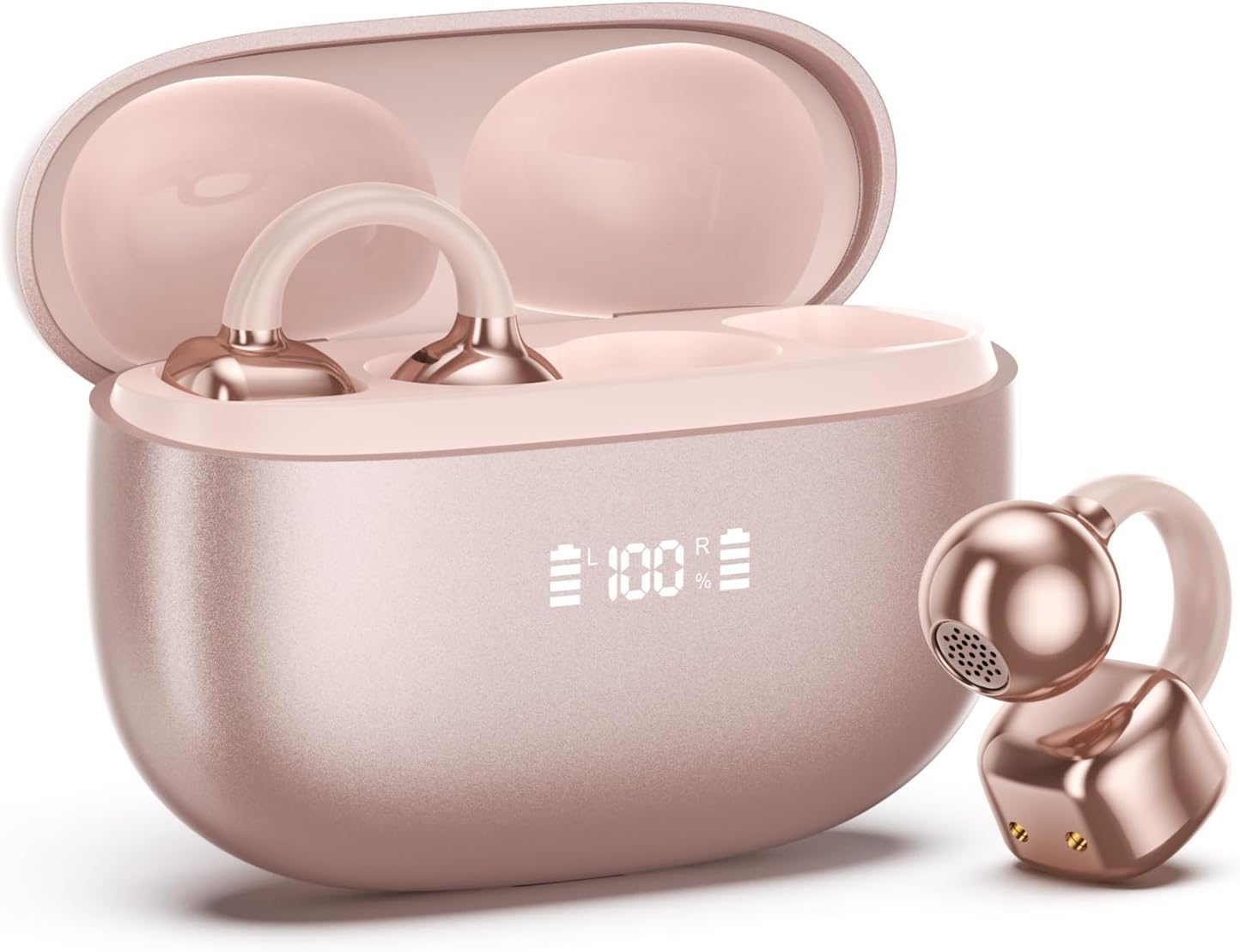
Image 1.1: PAXA Clipbuds 7 Rose Gold Earbuds and Charging Case. The earbuds are shown in their open charging case, which features an LED display indicating battery levels. One earbud is also shown outside the case.
Sleutel kenmerke:
- Oop-oor ontwerp vir gemak en omgewingsbewustheid.
- Bluetooth 5.4 vir stabiele en doeltreffende draadlose verbinding.
- Dual LED display on charging case for battery status.
- Touch controls for music, calls, and voice assistant.
- Tot 44 uur totale speeltyd met laaikas.
- IP45 stof- en waterweerstand.
- Ultra-lightweight design (4.5g per earbud).
2. Pakketinhoud
Maak seker dat alle items in die pakket teenwoordig is:
- Clip on Earbuds (1 pair)
- Wireless Charging Case (1)
- Laaikabel (1)
- Gebruikershandleiding (1)
3. Opstelling en paring
3.1 Aanvanklike laai
Before first use, fully charge the earbuds and the charging case. Connect the provided charging cable to the Type-C port on the charging case and a USB power source. The LED display on the case will indicate the charging status.
3.2 Dra van die oordopjes
The Clipbuds 7 are designed to clip onto the thinnest part of your ear. Adjust the earbud tip to align with your ear canal for optimal sound and comfort.
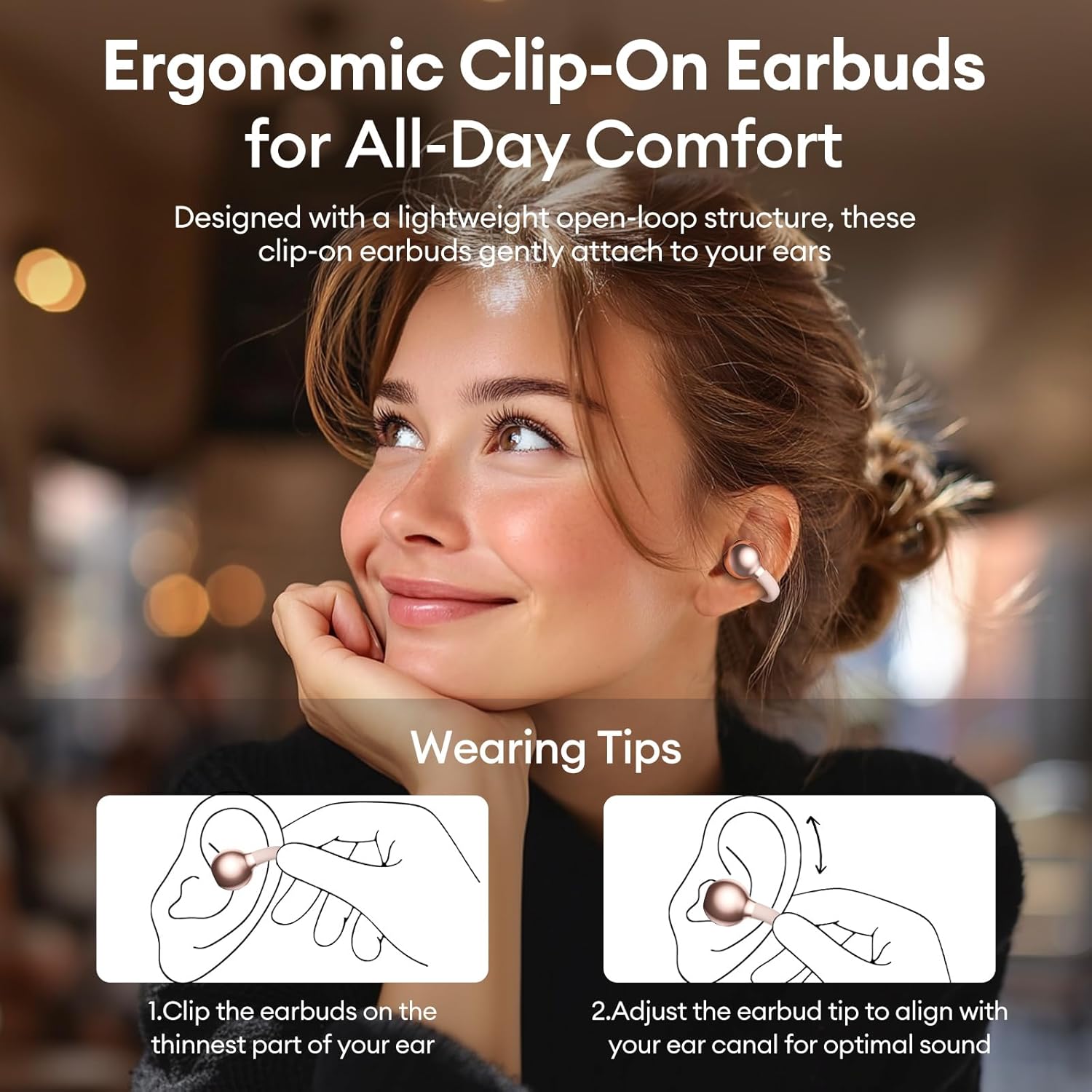
Image 3.2: Wearing instructions for PAXA Clipbuds 7. The diagram illustrates clipping the earbud onto the ear and adjusting for fit.
3.3 Bluetooth -koppeling
- Maak seker dat die oorfone gelaai is en in die laaikas is.
- Maak die laaikas oop. Die oorfone sal outomaties in paringsmodus gaan.
- Gaan na Bluetooth-instellings op jou toestel (slimfoon, tablet, skootrekenaar).
- Soek vir "Clipbuds 7" in the list of available devices and select it to connect.
- Once connected, the earbuds will automatically pair with your device in the future when removed from the case.
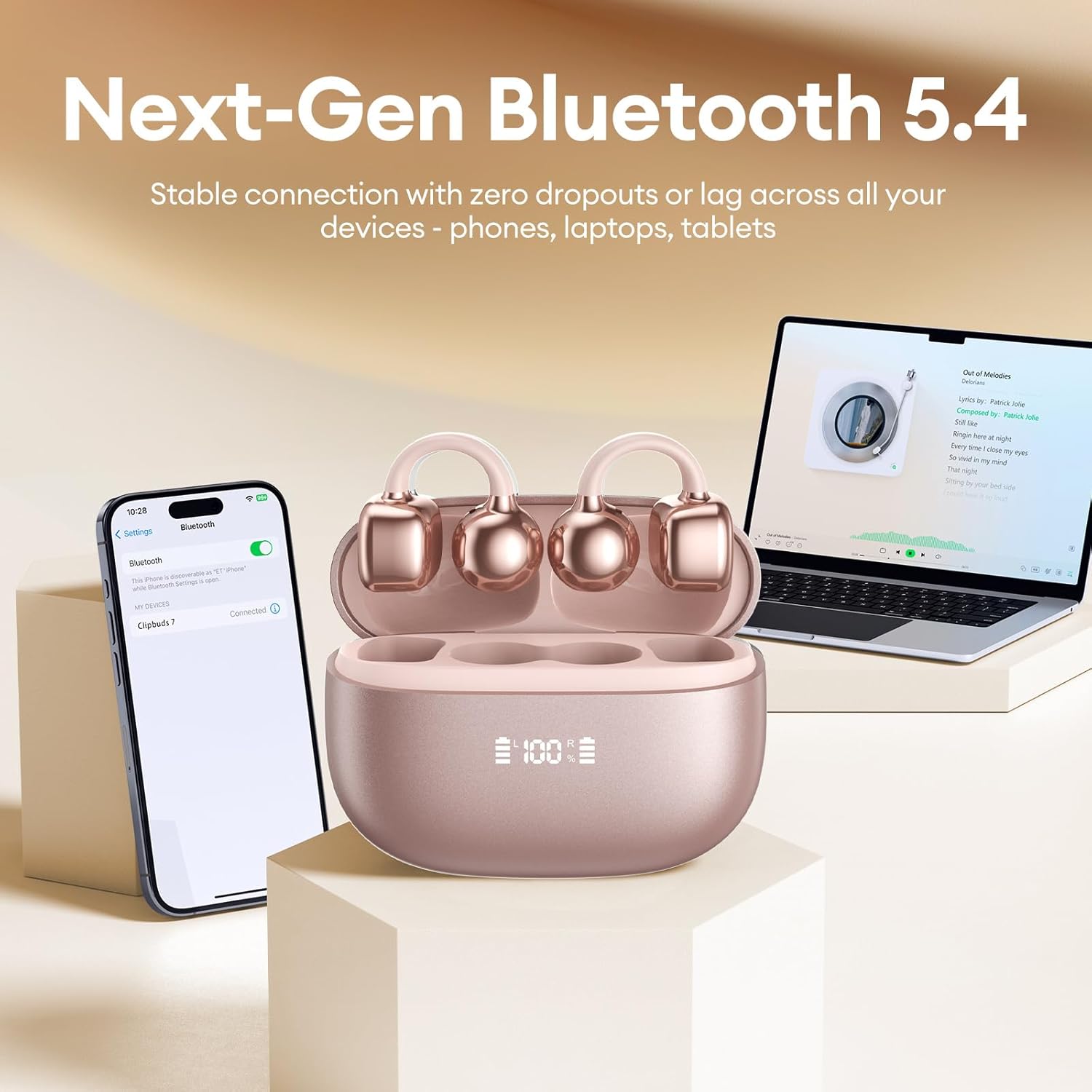
Image 3.3: PAXA Clipbuds 7 connected via Bluetooth to a smartphone and a laptop, demonstrating multi-device compatibility.
4. Bedryfsinstruksies
4.1 Raak kontroles
The Clipbuds 7 feature sensitive touch controls on each earbud. Refer to the following table for functions:

Image 4.1: Visual guide for PAXA Clipbuds 7 touch controls, showing actions for calls, music, and voice assistant.
| Funksie | Aksie |
|---|---|
| Beantwoord/beëindig oproep | Double-click either earbud |
| Verwerp oproep | Druk en hou enige oordopjes vir 2 sekondes |
| Speel / Pouse | Double-click either earbud |
| Vorige Liedjie | Triple-click the left (L) earbud |
| Volgende Liedjie | Triple-click the right (R) earbud |
| Volume + | Click the right (R) earbud |
| Deel - | Click the left (L) earbud |
| Voice Assistant (Siri, Google Assistant) | Hold both earbuds for 2 seconds |
4.2 LED Battery Display
The charging case features a dual LED display that shows the battery percentage of the case and each individual earbud (L and R).
4.3 Open-Ear Awareness
The open-ear design allows you to hear your audio while remaining aware of your surroundings. This feature is beneficial for activities like running, cycling, or commuting where situational awareness is important.

Image 4.3: Individuals using PAXA Clipbuds 7 during work, sports, and social gatherings, highlighting their versatility and open-ear design.
5. Battery en Laai
The Clipbuds 7 offer extended battery life for prolonged use.
- Oortelefoon Speeltyd: Tot 8 uur op 'n enkele laai.
- Totale speeltyd: Tot 44 uur met die laaikas.
- Vinnige laai: 10 minutes of charging provides approximately 3 hours of playtime.

Image 5.1: Illustration of the PAXA Clipbuds 7 charging case, highlighting the 44-hour total battery life and fast charging capability.
6. Onderhoud en versorging
6.1 Water- en stofbestandheid
The Clipbuds 7 have an IP45 rating, making them resistant to dust and splashes of water. This means they can withstand sweat and light rain, making them suitable for workouts and outdoor activities. However, they are not designed for submersion in water.
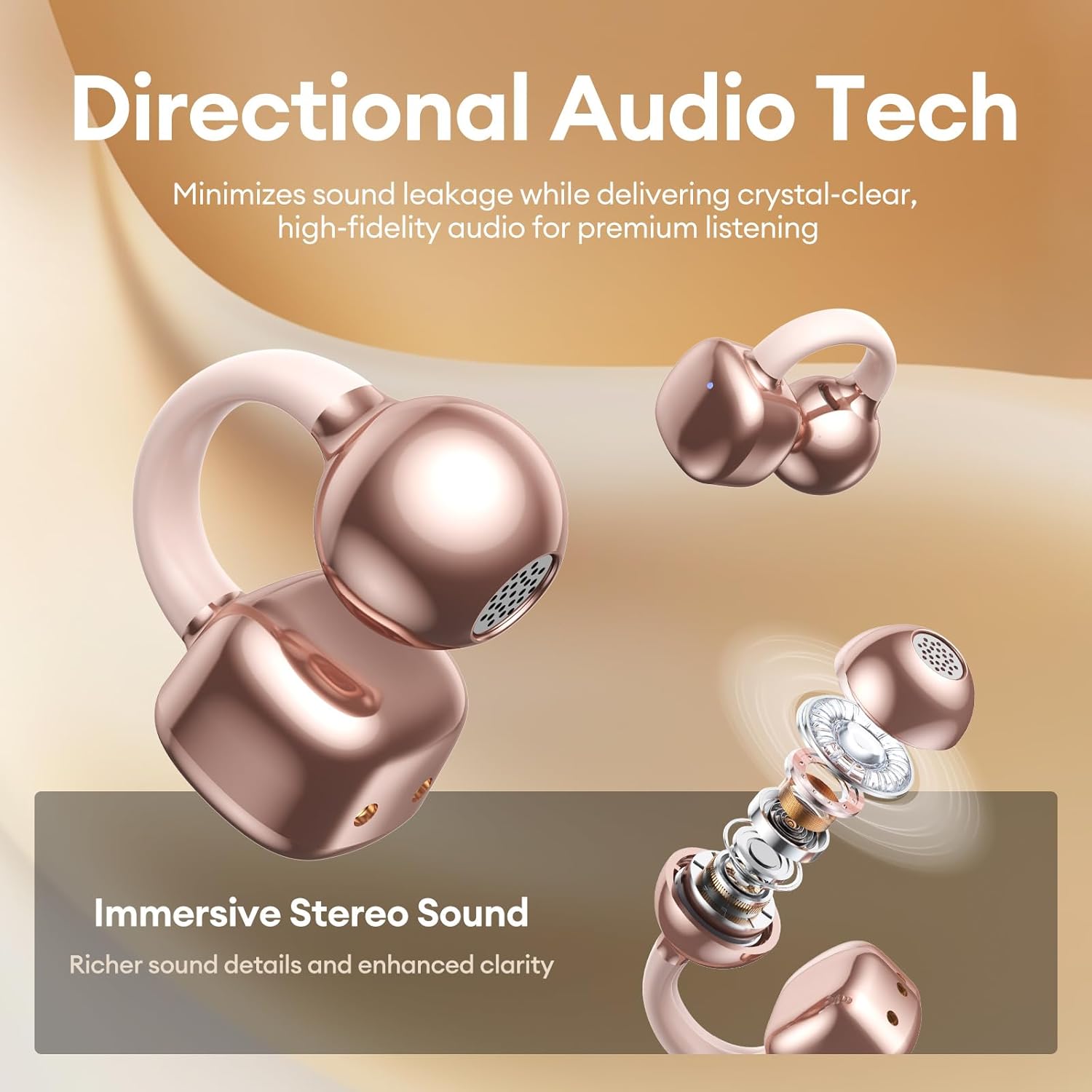
Image 6.1: A person wearing PAXA Clipbuds 7 during light rain, illustrating the IP45 water resistance feature.
6.2 Skoonmaak
Om optimale werkverrigting en higiëne te handhaaf, maak jou oordopjes en laaikas gereeld skoon met 'n sagte, droë, pluisvrye lap. Vermy die gebruik van skuurmiddels of harde chemikalieë.
7. Probleemoplossing
If you encounter issues with your Clipbuds 7, try the following solutions:
- Geen klank-/verbindingsprobleme nie:
- Maak seker dat die oorfone gelaai is.
- Verifieer dat Bluetooth op jou toestel geaktiveer is.
- Forget "Clipbuds 7" from your device's Bluetooth list and re-pair.
- Ensure earbuds are within Bluetooth range (up to 50 feet).
- Oorfone laai nie:
- Kontroleer of die laaikabel stewig aan beide die kas en die kragbron gekoppel is.
- Maak seker dat die laaikas self krag het.
- Maak die laaikontakte op beide die oordopjes en die omhulsel skoon.
- Raakkontroles reageer nie:
- Maak seker dat jou vingers skoon en droog is.
- Restart the earbuds by placing them in the case and closing it, then reopening.
8. Spesifikasies
| Kenmerk | Detail |
|---|---|
| Model Naam | Knipknoppies 7 |
| Handelsmerk | PAXA |
| Verbindingstegnologie | Draadloos (Bluetooth) |
| Bluetooth weergawe | 5.4 |
| Bluetooth-reeks | Tot 50 voet |
| Oorplasing | Oop oor |
| Tipe beheer | Raak Beheer |
| Batterylewe (enkele lading) | 8 ure |
| Totale batterylewe (met omhulsel) | 44 ure |
| Waterweerstandvlak | IP45 (Dust/Water Resistant) |
| Geraasbeheer | Hybrid Noise Cancellation (ENC for calls) |
| Materiaal | Silicone Rubber + Plastic |
| Item gewig | 2.39 onse |
| Ingesluit komponente | Clip on Earbuds, Wireless Charging Case, Charging Cable, User Manual |
9. Waarborg en Ondersteuning
For warranty information and customer support, please refer to the contact details provided with your purchase or visit the official PAXA webwebwerf. Bewaar u bewys van aankoop vir enige waarborgeise.
10. Amptelike produkvideo's
The following videos provide additional information and demonstrations of the PAXA Clipbuds 7.
PAXA Clipbuds7 Open Ear Clip On Earbuds with LED Display
Video 10.1: This video from PAXA Direct showcases the features of the Clipbuds 7, including the LED display and open-ear design. It demonstrates the product's appearance and some functionalities.
PAXA High-Street Jewelry Open Ear Clip On Earbuds
Video 10.2: This video from PAXA Direct highlights the aesthetic and design aspects of the Clipbuds 7, emphasizing their jewelry-like appearance and comfortable fit.