
1. Inleiding
Thank you for choosing the HONOR Choice Over-Ear Bluetooth Headset. This manual provides essential information for setting up, operating, and maintaining your headphones to ensure optimal performance and longevity. Please read this manual thoroughly before use.
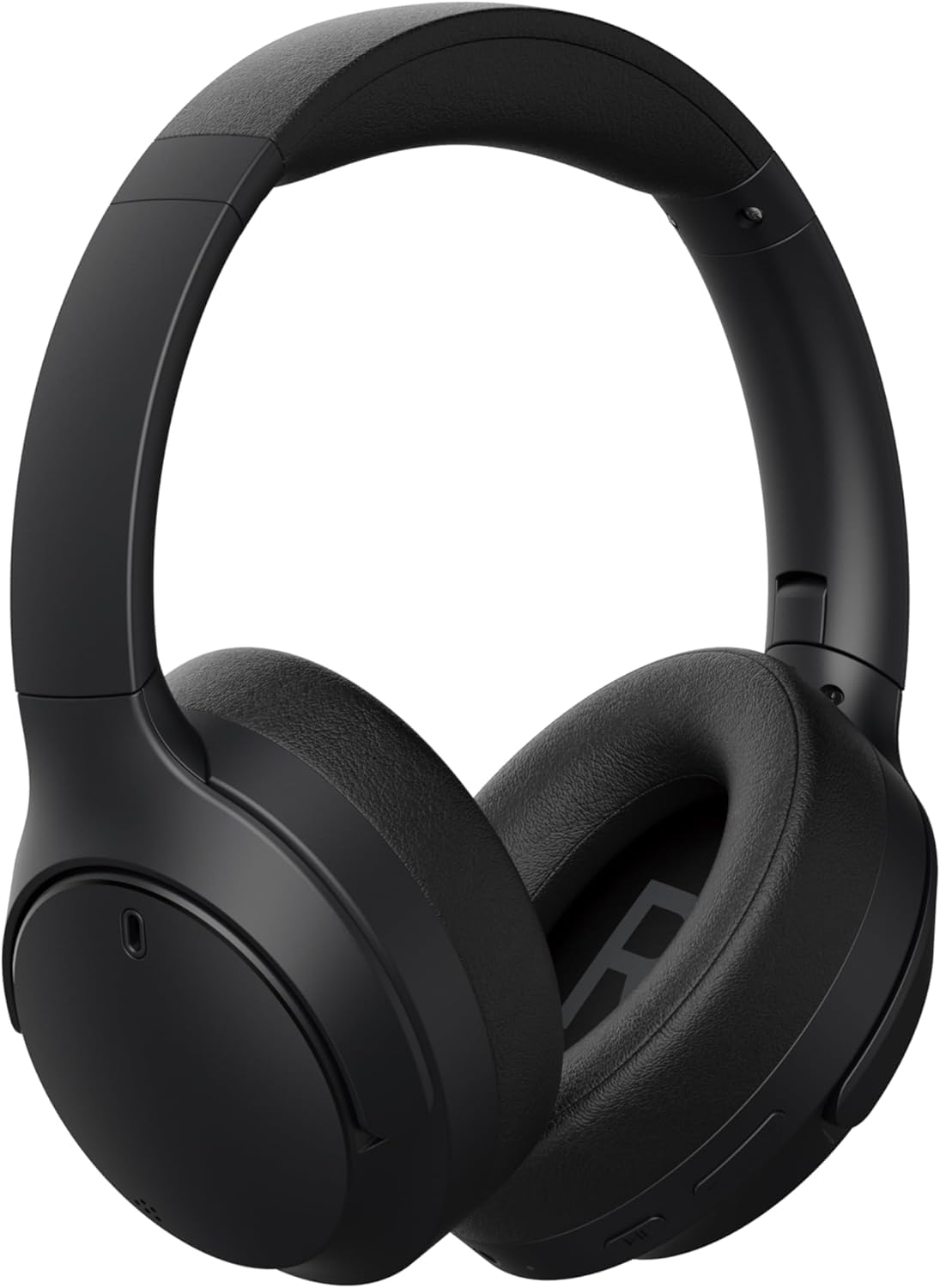
Beeld 1.1: Voorkant view of the HONOR Choice Headphone.
Sleutel kenmerke:
- Hi-Res Audio Certified 40mm Drivers: Delivers high-resolution audio with deep bass and clear vocals.
- Massive 80-Hour Battery Life: Extended listening time on a single charge.
- ENC for Crystal-Clear Calls: Environmental Noise Cancellation reduces background noise for clear voice communication.
- Bluetooth 5.4 & Wired Connectivity: Offers stable wireless connection and a 3.5mm jack for wired use.
- Liggewig en gemaklike ontwerp: Weighs 219g for extended wear comfort.
2. Wat is in die boks
Kontroleer asseblief die inhoud van u pakket. Indien enige items ontbreek of beskadig is, kontak u kleinhandelaar.
- HONOR Choice Headphone
- Slingersak
- AUX Cable (3.5mm audio cable)
- Type-C laaikabel
- Gebruikershandleiding (hierdie dokument)
3. Produk verbyview
Familiarize yourself with the different parts of your HONOR Choice Headphone.

Beeld 3.1: Nabyskoot view of the headphone controls, including power button, volume buttons, and playback controls.

Beeld 3.2: Nabyskoot view of the charging port (USB-C) and 3.5mm audio jack.

Beeld 3.3: Bo view of the headphones, showing the headband and earcups.
4. Opstelling
4.1 Laai die oorfone
Before first use, fully charge your headphones. Use the provided Type-C charging cable.
- Connect the Type-C end of the charging cable to the charging port on the headphone.
- Koppel die USB-A-punt aan 'n versoenbare USB-kragadapter (nie ingesluit nie) of 'n rekenaar se USB-poort.
- Die LED-aanwyser sal die laaistatus wys (bv. rooi vir laai, blou/groen vir volledig gelaai).
- 'n Volle laai neem ongeveer 2-3 uur.
4.2 Krag aan/af
- Om aan te skakel: Druk en hou die aan/af-knoppie vir ongeveer 3 sekondes totdat die LED-aanwyser aanskakel en jy 'n aanskakelprompt hoor.
- Om af te skakel: Druk en hou die aan/af-knoppie vir ongeveer 5 sekondes totdat die LED-aanwyser afskakel en jy 'n afskakelprompt hoor.
4.3 Bluetooth -koppeling
Pair your headphones with a Bluetooth-enabled device (e.g., smartphone, tablet, laptop).
- Maak seker dat die oorfone afgeskakel is.
- Druk en hou die aan/af-knoppie vir ongeveer 5-7 sekondes totdat die LED-aanwyser afwisselend blou en rooi flikker, wat paringsmodus aandui.
- Aktiveer Bluetooth op jou toestel en soek vir beskikbare toestelle.
- Select "HONOR Choice Headphone" from the list of found devices.
- Once connected, the LED indicator will flash blue slowly, and you will hear a connection prompt.
4.4 Bedrade verbinding (AUX-modus)
Use the provided 3.5mm AUX cable for a wired connection, which does not require battery power.
- Plug one end of the 3.5mm AUX cable into the audio jack on the headphone.
- Steek die ander kant in die 3.5 mm-klankuitvoer van jou toestel.
- Die oorfone sal outomaties na bedrade modus oorskakel.
5. Bedryfsinstruksies
The HONOR Choice Headphone features intuitive touch controls and physical buttons for various functions.
5.1 Musiekweergawekontroles
- Speel/pouse: Druk een keer op die Multifunksie-knoppie.
- Volgende snit: Druk en hou die Volume Op-knoppie vir 2 sekondes in.
- Vorige snit: Druk en hou die Volume Af-knoppie vir 2 sekondes in.
- Volume op: Druk kort op die Volume Op-knoppie.
- Volume af: Druk kort op die Volume Af-knoppie.
5.2 Oproepbestuur
- Beantwoord/beëindig oproep: Druk een keer op die Multifunksie-knoppie.
- Verwerp oproep: Druk en hou die multifunksieknoppie vir 2 sekondes in.
- Aktiveer stemassistent: Dubbeldruk die multifunksieknoppie.
5.3 Omgewingsgeraas-kansellasie (ENC)
The ENC feature is automatically active during calls to reduce ambient noise for clearer communication.
6. Onderhoud
6.1 Skoonmaak
- Vee die oorfone af met 'n sagte, droë, pluisvrye lap.
- Moenie harde chemikalieë, skoonmaakmiddels of sterk skoonmaakmiddels gebruik nie.
- Vermy dat vog in enige openinge kom.
6.2 Berging
When not in use, store the headphones in the provided sling bag to protect them from dust and scratches.

Image 6.1: Headphones folded for compact storage in the sling bag.
- Bêre in 'n koel, droë plek weg van uiterste temperature en direkte sonlig.
- Vermy die plasing van swaar voorwerpe op die oorfone.
7. Probleemoplossing
If you encounter issues with your headphones, refer to the following common problems and solutions.
| Probleem | Moontlike Oplossing |
|---|---|
| Oorfone skakel nie aan nie. | Maak seker dat die oorfone gelaai is. Koppel aan 'n kragbron met die Tipe-C-kabel. |
| Kan nie via Bluetooth koppel nie. |
|
| Geen geluid of lae volume nie. |
|
| Die oproepkwaliteit is swak. |
|
8. Spesifikasies
| Kenmerk | Detail |
|---|---|
| Handelsmerk | EER |
| Modelnommer | 5504ABSJ |
| Kleur | Swart |
| Oorplasing | Oor Oor |
| Impedansie | 32 ohm |
| Verbindingstegnologie | Bedraad, draadloos |
| Draadlose Tegnologie | Bluetooth |
| Bluetooth weergawe | 5.4 |
| Koptelefoonaansluiting | 3.5 mm-aansluiting |
| Item gewig | 219 gram |
| Geraasbeheer | Omgewingsgeruisonderdrukking (ENC) |
| Frekwensiereeks | 20 Hz - 40,000 XNUMX Hz |
| Tipe oudiobestuurder | Dinamiese bestuurder |
| Oudiobestuurdergrootte | 40 millimeter |
| Tipe beheer | Raak Beheer |
| Battery Gemiddelde Lewe | 80 ure |
| Omhulselmateriaal | Plastiek |
| Versoenbare toestelle | Cellphones, Laptops |
9. Waarborginligting
This HONOR Choice Headphone comes with a 1-Year Seller Warranty vanaf die aankoopdatum. Hierdie waarborg dek vervaardigingsdefekte en vakmanskap onder normale gebruik.
Die waarborg dek nie:
- Damage caused by misuse, accident, abuse, negligence, or improper operation.
- Damage caused by unauthorized modification or repair.
- Normale slytasie, insluitend kosmetiese skade.
- Damage caused by exposure to extreme temperatures or liquids.
Behou asseblief jou aankoopbewys vir waarborgeise.
10. Ondersteuning
For further assistance, technical support, or warranty inquiries, please contact your retailer or visit the official HONOR support webwebwerf.
You may find additional resources and FAQs online by searching for "HONOR Choice Headphone support" or visiting the HONOR official webwebwerf.