
Produk verbyview
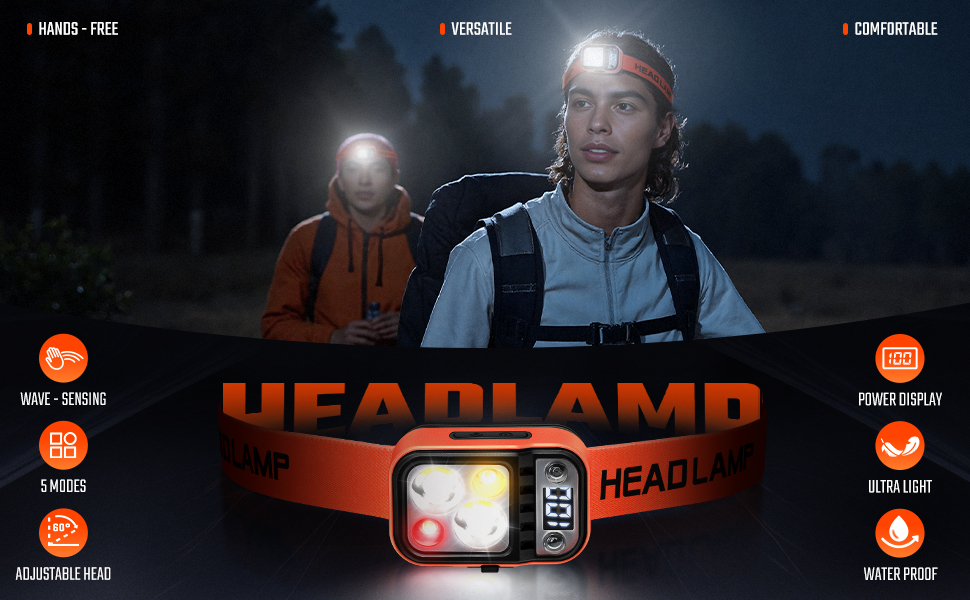
The DARKBEAM F02 LED Headlamp is a powerful, rechargeable lighting solution designed for various activities. Featuring dual white light and a single warm light, it offers high lumens output for clear visibility. Equipped with a motion sensor, digital power display, and 60-degree adjustable head, this headlamp provides hands-free illumination for camping, hiking, car maintenance, and emergency use. Its lightweight and waterproof design ensures reliable performance in diverse conditions.
Wat is in die boks
- Dual-light headlamp with motion sensor x1
- USB A to USB C cable x1
- Clips for hardhat x4
- Gebruikershandleiding x1
Produk Struktuur
Familiarize yourself with the key components of your DARKBEAM F02 Headlamp:
- Elastic Headband: Soft, comfortable, and adjustable for a secure fit.
- Regulation Buckle: Allows for easy adjustment of the headband size.
- Skakel knoppie: Controls power and cycles through main light modes.
- Sensor Mode Button: Activates and deactivates the motion sensor function.
- Wit lig LED's: Provides bright, cool white illumination.
- Yellow Light LED: Offers a warmer light option.
- Red Flash Light: For signaling and emergency situations.
- Tipe C-poort: For convenient USB charging.
- Kragvertoning: Digital display showing real-time battery percentage.
Opstelling en laai
Before first use, fully charge your headlamp. The digital power display will show the battery percentage.
- Laai: Locate the USB Type-C charging port on the side of the headlamp. Connect the provided USB A to USB C cable to the headlamp and a compatible USB power source (e.g., wall adapter, power bank, car charger, laptop). The digital display will show charging progress.
- Verstel van die kopband: Use the regulation buckle to adjust the elastic headband for a snug yet comfortable fit around your head or hardhat.
- Hardhat Clips: If using with a hardhat, attach the four provided clips to secure the headband firmly.
Bedryfsinstruksies
The DARKBEAM F02 Headlamp features two independent function keys for easy operation: a Power Button and a Sensor Mode Button.
Main Light Modes (Power Button)
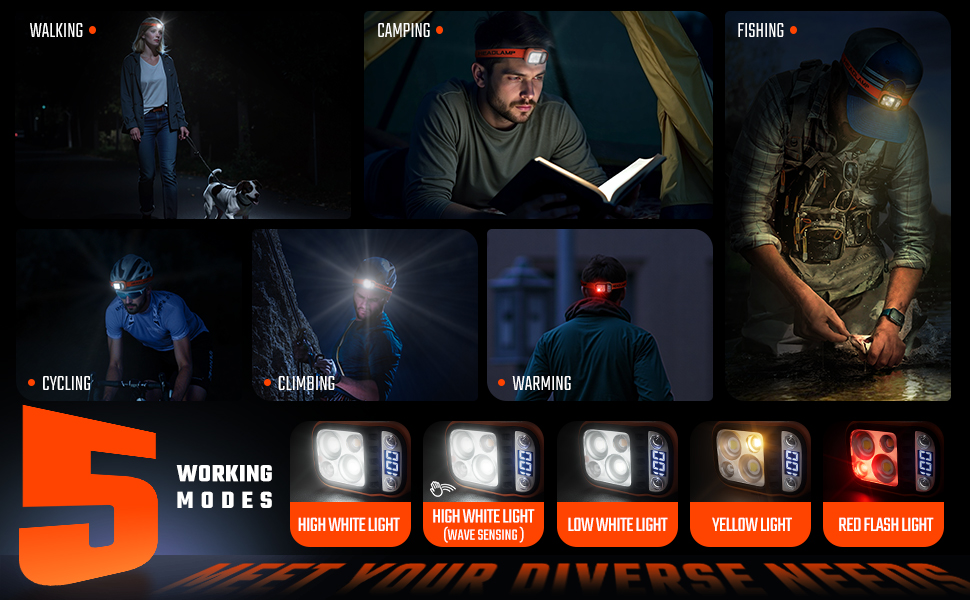
Press the Power Button to cycle through the following main light modes:
- Strong Dual White Light: Maximum brightness for wide illumination.
- Weak Dual White Light: Reduced brightness for extended battery life.
- Single Warm Light: Softer, yellow light for comfortable close-range tasks.
- Rooi flits: For emergency signaling or increased visibility.
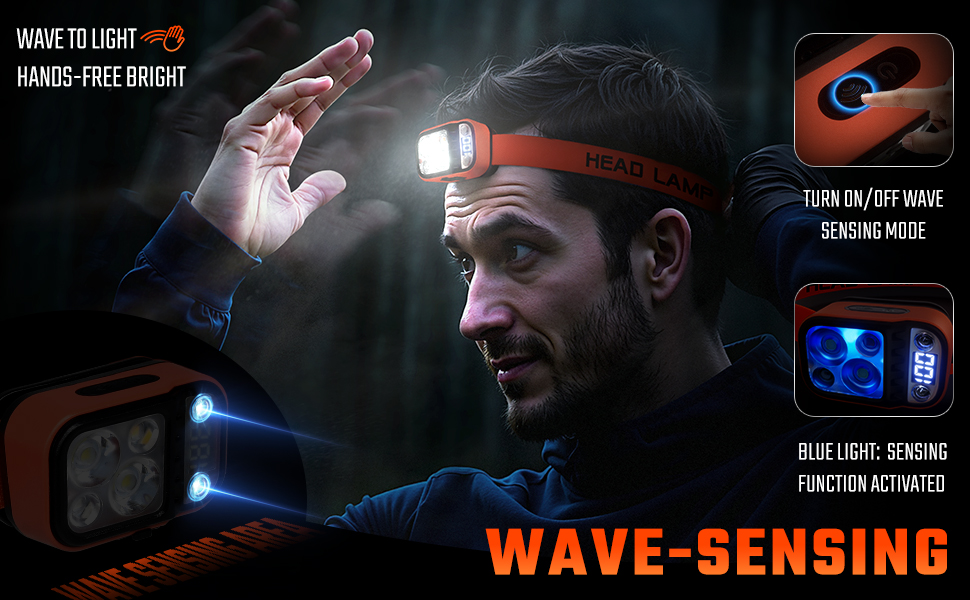
Motion Sensor Mode (Sensor Mode Button)
Press the Sensor Mode Button to activate the motion sensing function. In this mode, the headlamp will operate with strong dual white light and can be turned ON/OFF by simply waving your hand within 20cm of the sensor.
Note: The wave-sensing function only controls the ON/OFF of the high-brightness white light mode.
Sleutel kenmerke
- Hoë Lumen Uitset: Provides powerful illumination with dual white and single warm light options.
- Bewegingsensor: Handvrye werking vir gerief.
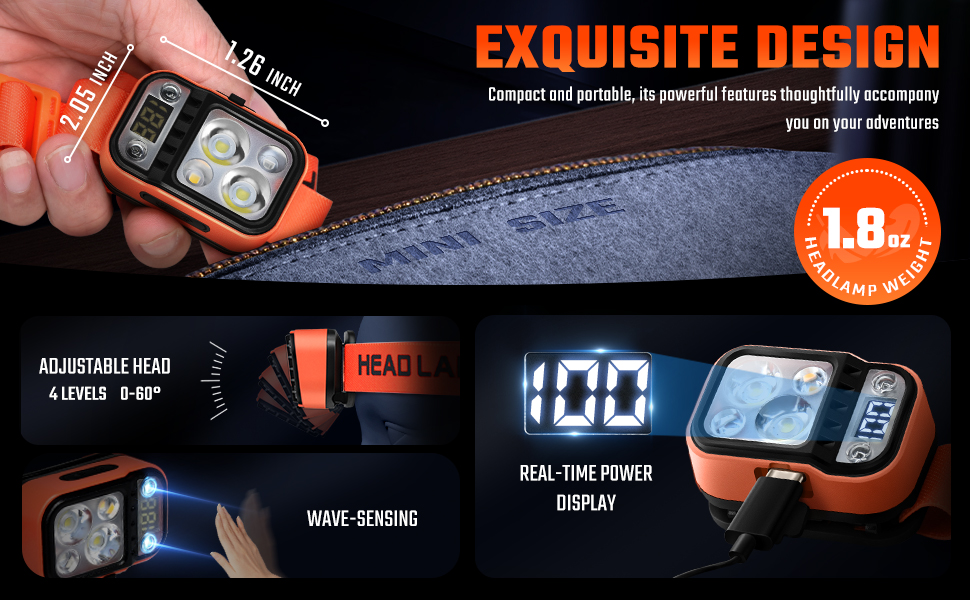
- Digital Power Display: Real-time battery persentasietage shown on the device.
- 60-Degree Adjustable Head: Easily control the illumination angle to direct light where needed.
- USB herlaaibaar: Built-in rechargeable battery with USB-C direct charging.
- IPX4 waterbestand: Designed to withstand splashes and rain, ensuring functionality in wet conditions.
- Liggewig en gemaklik: Weighs only 54g with a high-elastic, breathable headband for long-term wear.


Veelsydige toepassings
The DARKBEAM F02 Headlamp is suitable for a wide range of activities:
- Camping & Stap
- Car Maintenance & Repair
- Fishing & Mountain Climbing
- Running & Dog-Walking
- Night Work & Construction
- Noodgebruik

Amptelike Produkvideo's
DARKBEAM Headlamp Dual White Light & Warm Light F02-1
Knip 1: This video demonstrates the dual white light and warm light functions of the DARKBEAM F02-1 Headlamp, wysasing its various illumination modes.
DARKBEAM Headlamp Dual White Light & Warm Light F02
Knip 2: An official video from Darkness Beam highlighting the dual white and warm light capabilities of the F02 Headlamp, providing a visual guide to its lighting options.
Spesifikasies
| Kenmerk | Detail |
|---|---|
| Modelnommer | F02 |
| Handelsmerk | DONKERSTRAAL |
| Kragbron | Batteryaangedrewe (litiumioon) |
| Ligbrontipe | LED (Dual White Light & Single Warm Light) |
| Spesiale kenmerke | Motion Sensing, Adjustable (60° Up/Down), Rechargeable, Digital Power Display |
| Waterweerstandvlak | IPX4 (waterdig) |
| Runtime (High White Light) | 4 uur |
| Runtime (Low White Light) | 5 uur |
| Runtime (Single Warm Light) | 15 uur |
| Item gewig | 1.87 ons (54g) |
| Materiaal | ABS |
Onderhoud
- Skoonmaak: Vee die kop afamp met 'n sagte, damp lap. Moenie skuur skoonmaakmiddels of oplosmiddels gebruik nie.
- Berging: Bêre die kopamp in 'n koel, droë plek weg van direkte sonlig wanneer dit nie gebruik word nie.
- Batterysorg: Om die batterylewe te verleng, laai die koptelefoon.amp regularly, even if not in frequent use. Avoid fully discharging the battery for extended periods.
Probleemoplossing
- Lig gaan nie aan nie: Ensure the battery is charged. If the motion sensor mode is active, try waving your hand or switch to manual mode.
- Motion Sensor Not Responding: Check for obstructions in front of the sensor. Ensure your hand is within the 20cm detection range.
- Kort batterylewe: Maak seker dat die kopamp is fully charged. Battery performance can decrease in extremely cold temperatures.
Waarborg en Ondersteuning
We stand strongly behind your satisfaction. Any question will be properly resolved if you contact the vendor on Amazon. We provide prompt support with a 180-day money-back & replacement guarantee.