
1. Produk verbyview
The ESR Cyber Series Case is designed to provide robust protection and enhanced functionality for your AirPods Pro 3 (2025) charging case. It features a secure FlickLock mechanism, MagSafe compatibility, and comprehensive drop protection.
Sleutel kenmerke:
- Verenigbaarheid: Specifically designed for AirPods Pro 3 (2025) with USB-C charging. Not compatible with previous AirPods Pro generations or AirPods 4.
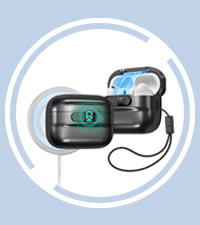
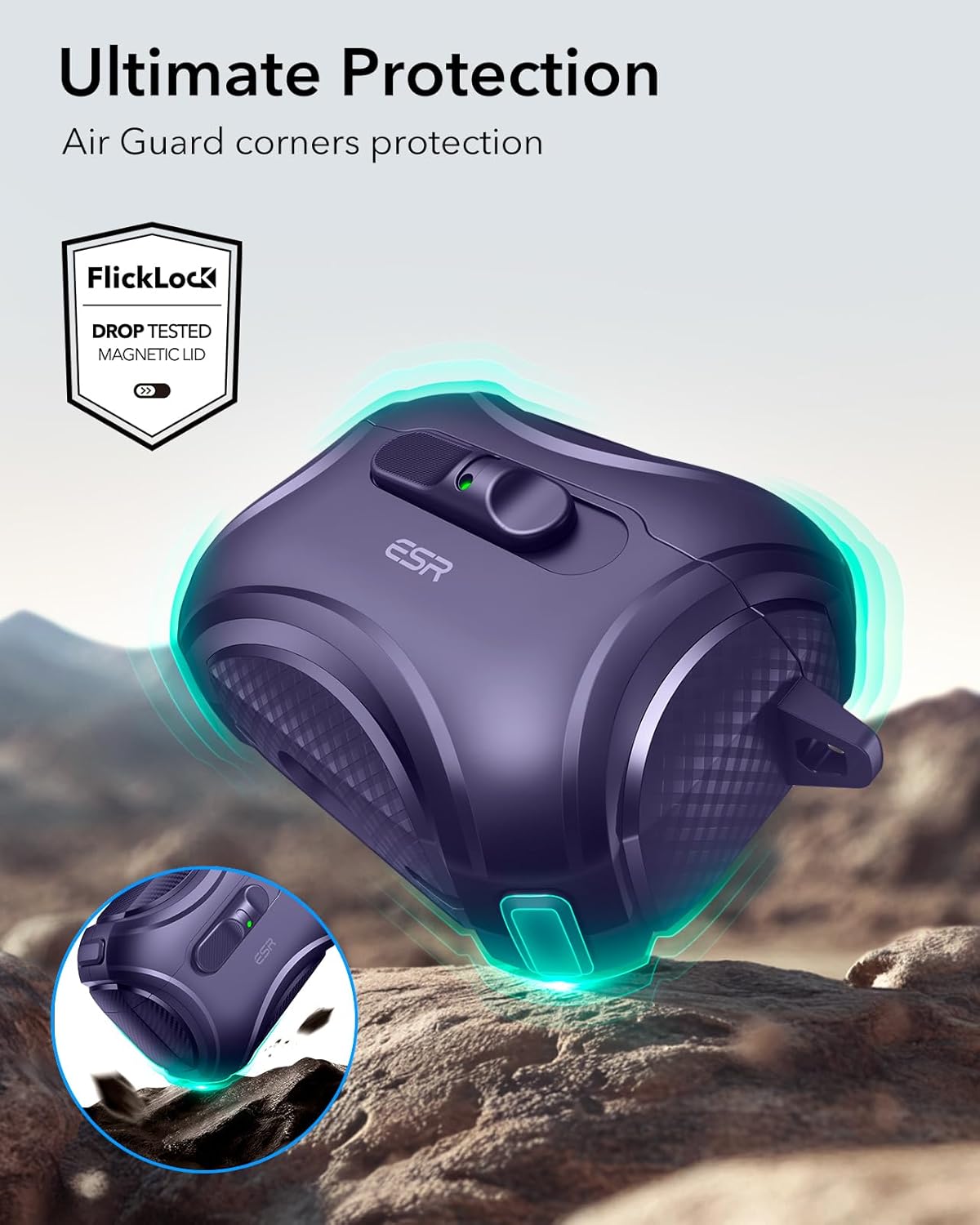
- Secure FlickLock: Integrated magnets and an internal latch ensure the case lid remains securely closed, preventing accidental opening and loss of earbuds.
- Effortless One-Handed Access: A sliding latch mechanism allows for quick and easy opening of the case with a single hand.
- MagSafe-laai: Strong magnets enable secure attachment and efficient wireless charging with MagSafe compatible chargers.
- 360° Drop Protection: Constructed from shock-absorbing polymer with Air Guard corners to protect against drops and impacts.
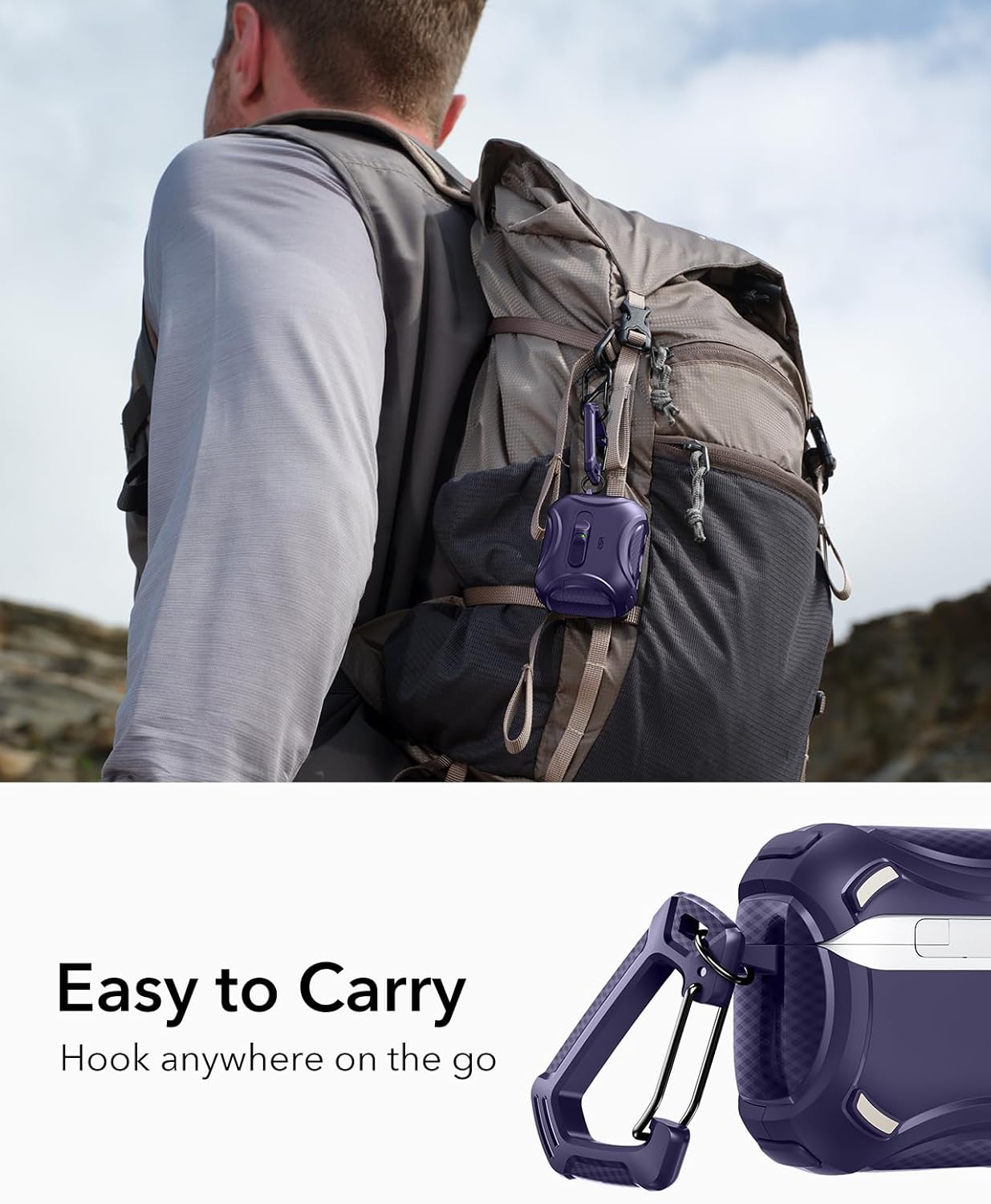
- Draagbare ontwerp: Includes a carabiner for easy attachment to bags or clothing.
- User-Friendly Indicators: Features a visible status light for charging indication and speaker cutouts for clear Find My alerts.
2. Opstelling en installering
Follow these steps to properly install your AirPods Pro 3 charging case into the ESR Cyber Series Case.
- Berei die saak voor: Ensure your AirPods Pro 3 charging case is clean and free of debris.
- Insert Bottom Half: Carefully place the bottom half of your AirPods Pro 3 charging case into the bottom section of the ESR Cyber Series Case. Ensure it fits snugly.
- Attach Top Half: Place the top half of the ESR Cyber Series Case over the lid of your AirPods Pro 3 charging case. Press firmly to ensure it is securely attached. An adhesive strip is included for additional lid security if desired.
- Verifieer Pasvorm: Check that the case is fully enclosed and the FlickLock mechanism operates smoothly.

3. Bedryfsinstruksies
3.1 Opening the Case (FlickLock Mechanism)
The ESR Cyber Series Case features a FlickLock mechanism for secure closure and easy access.
- To open, simply slide the latch located on the front of the case. The internal magnets will assist in springing the lid open, providing instant access to your AirPods Pro 3.
- To close, gently push the lid down until the latch clicks into place, securing your AirPods Pro 3.


3.2 Laai
The ESR Cyber Series Case supports both wired and wireless charging for your AirPods Pro 3.
- Bedraad laai: Connect a USB-C cable to the charging port at the bottom of the case.
- MagSafe Wireless Charging: Align the back of the case with a MagSafe compatible wireless charger. The strong magnets will ensure a secure connection for efficient charging.
- Laai aanwyser: The visible LED status light on the front of the case will indicate the charging status of your AirPods Pro 3.

3.3 Draagbaarheid
The included carabiner allows for convenient portability.
- Attach the carabiner to your backpack, belt loop, or other secure points for easy access and to prevent misplacement.
4. Onderhoud
To ensure the longevity and optimal performance of your ESR Cyber Series Case, follow these maintenance guidelines:
- Skoonmaak: Gebruik 'n sagte, droë of effens damp cloth to wipe down the exterior of the case. For hard-to-reach areas, utilize the included cleaning brush to remove dust and debris. Avoid harsh chemicals or abrasive materials.
- Berging: Bêre die houer op 'n koel, droë plek weg van direkte sonlig en uiterste temperature wanneer dit nie gebruik word nie.
- Vermy oormatige krag: While the FlickLock mechanism is durable, avoid applying excessive force when opening or closing the case to prevent damage.
5. Probleemoplossing
If you encounter any issues with your ESR Cyber Series Case, refer to the following common solutions:
- Case Not Closing Securely:
- Ensure the AirPods Pro 3 charging case is correctly seated within the ESR case.
- Check for any debris obstructing the FlickLock mechanism or the lid's closure.
- If an adhesive strip was used, ensure it is properly aligned and still providing adhesion.
- Probleme met draadlose laai:
- Verify that your wireless charger is MagSafe compatible and functioning correctly.
- Ensure the ESR case is properly aligned with the wireless charger's charging coil.
- Confirm that your AirPods Pro 3 charging case itself supports wireless charging and is not damaged.
- Difficulty Opening the Case:
- Ensure the sliding latch is fully engaged and not obstructed.
- If the case feels stiff, check for any foreign objects.
6. Spesifikasies
| Handelsmerk | ESR |
| Model | AirPods Pro 3 Case |
| Versoenbare toestelle | AirPods Pro 3 (2025) (USB-C Cable) |
| Vormfaktor | Geval |
| Skulp tipe | Geval |
| Bykomende kenmerke | Heavy Duty Protection, MagSafe Compatible, FlickLock Mechanism |
| Materiaal | Polycarbonate, Thermoplastic Polyurethane |
| Itemafmetings (L x B x H) | 2.6 x 2.12 x 1.32 duim |
| Item gewig | 33.7 gram (1.189 ons) |
7. Waarborg en Ondersteuning
ESR is committed to providing excellent customer service and product support.
- Waarborg: This product includes a comprehensive 12-month protection plan.
- Kliëntediens: For detailed setup videos, FAQs, or personalized assistance, please visit the official ESR website or contact their customer support team. Unlimited support is available.
8. Produkvideo's
Video: Official product video demonstrating the ESR Cyber Series Case for AirPods Pro 3, highlighting its drop-proof FlickLock, effortless MagSafe charging, and easy-to-carry design. This video is provided by Minghutech-US (Seller).