
1. Produk verbyview
The Aiandcc M8 MP3 Player is a compact and portable device designed for high-fidelity music playback. It features a 1.77-inch TFT color screen for clear content display and comes with a built-in 32GB memory, expandable via a TF card. Equipped with Bluetooth 5.3, it offers stable and low-latency wireless audio. Its durable design includes a sports clip and an armband, making it suitable for various activities.
- Kompakte ontwerp: Measuring 2.32 x 1.56 x 0.67 inches and weighing 31g, it is highly portable.
- Vertoon: 1.77-inch TFT color screen for easy navigation.
- Berging: 32GB internal memory, supporting over 1,000 songs. Expandable up to 128GB with a TF card (not included).
- Bluetooth 5.3: Provides a stable connection up to 20 meters with low interference, ideal for wireless headphones and speakers.
- Verlengde batterylewe: Up to 34 hours with wired headphones, approximately 11 hours in Bluetooth mode. Charges fully in 2.5 hours.
- Sports-Ready: Features a secure built-in clip and includes an armband for active use.
- Wyd File Ondersteuning: Compatible with mainstream audio formats including MP3, WMA, and APE.
- Aanpasbare klank: Built-in professional equalizer with multiple sound modes.
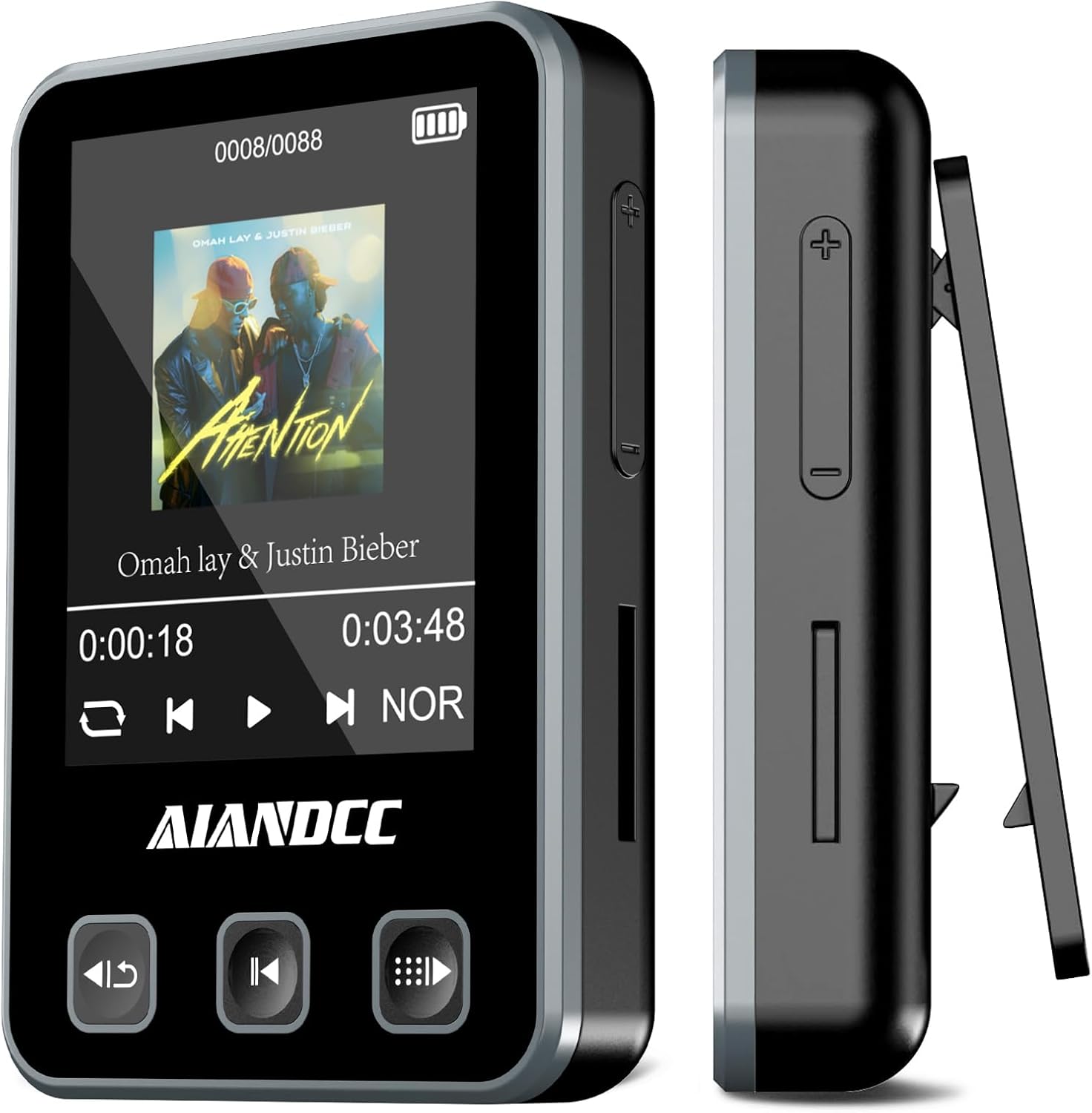
Beeld: Voorkant en sykant view of the Aiandcc M8 MP3 Player, highlighting its compact size and integrated clip.
2. Wat is ingesluit
Kontroleer asseblief die inhoud van die pakket om seker te maak dat alle items teenwoordig is:
- Aiandcc M8 MP3 Player
- Bedrade oorfone
- Tipe C USB-kabel
- Armband

Image: All components included in the Aiandcc M8 MP3 Player package.
3. Toesteluitleg en -kontroles
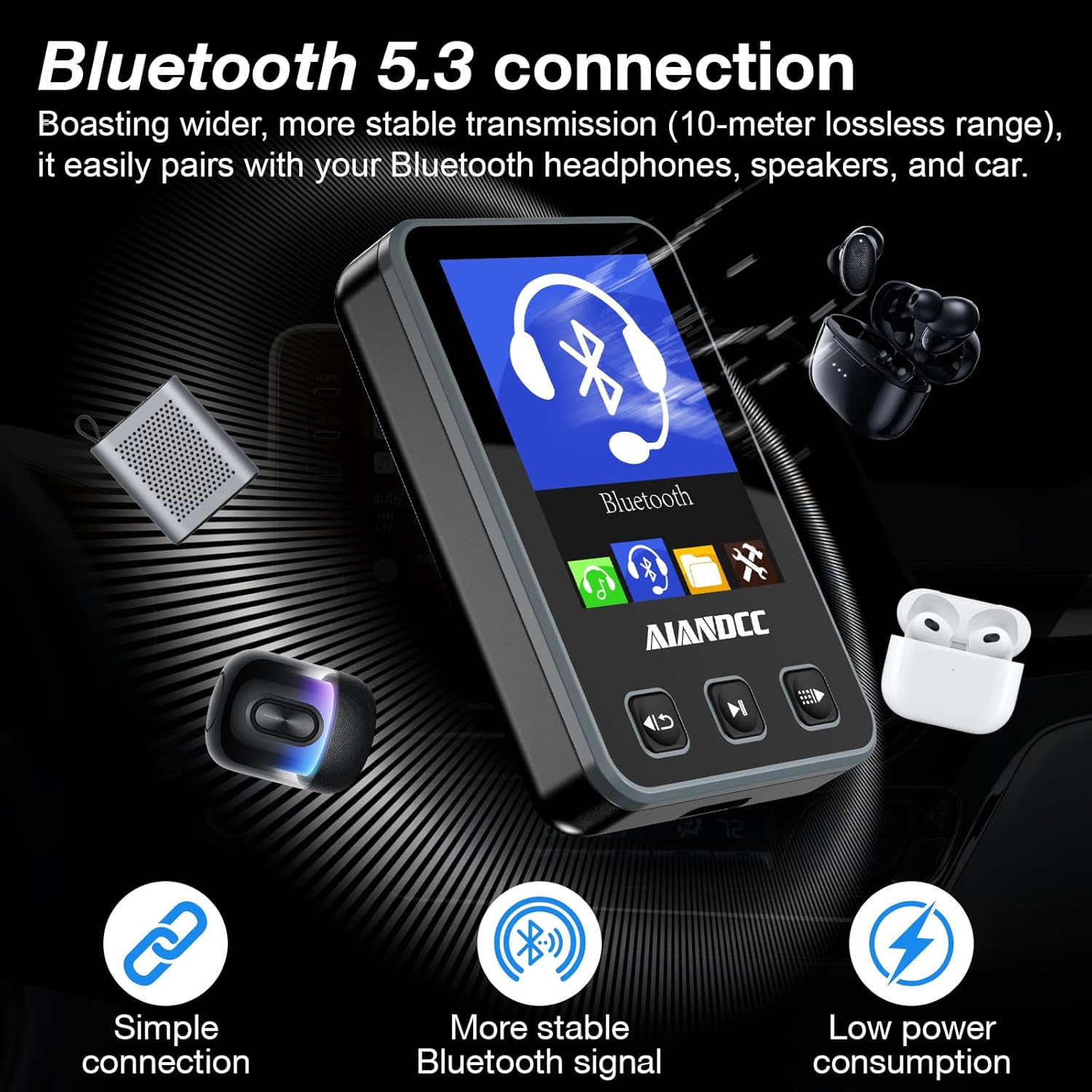
Image: Detailed diagram of the MP3 player's buttons and ports.
Knoppie funksies:
- Linker knoppie: Short press for previous song; long press to return to the previous menu.
- Middelknoppie: Integrates Play/Pause functionality and confirms selections.
- Regter knoppie: Short press for next song; long press to access the submenu.
- Side '+' Button: Short press to increase volume; long press for fast forward during playback.
- Side '-' Button: Short press to decrease volume; long press for fast rewind during playback.
Ports and Features:
- Koptelefoonaansluiting: Standard 3.5mm port for wired headphones.
- Aan / uit-knoppie: Located on the side for device power control.
- USB C-laaipoort: Vir laai en data-oordrag.
- TF-kaartgleuf: Vir die uitbreiding van stoorplek met 'n Micro SD-kaart.
- Ingeboude clip: For attaching the player to clothing or the armband.
4. Opstelgids
4.1 Laai die toestel
Before first use, fully charge your MP3 player. Connect the included Type-C USB cable to the player's charging port and plug the other end into a USB power adapter (not included) or a computer's USB port. The device will fully charge in approximately 2.5 hours.

Image: The MP3 player connected for Type-C charging.
4.2 Krag aan/af
To power on the device, press and hold the Power On/Off button located on the side. To power off, press and hold the same button until the screen shuts down.
4.3 Taalkeuse
Upon first startup or after a factory reset, you may be prompted to select a language. Use the navigation buttons to scroll through the options and the center button to confirm your selection.
4.4 Transferring Music Files
Connect the MP3 player to your computer using the provided USB cable. The device will be recognized as a removable storage drive. You can then drag and drop your compatible audio files (MP3, WMA, APE) directly into the player's internal storage or onto an inserted TF card. No special software is required for file oordra.
5. Bedryfsinstruksies
5.1 Basic Music Playback
- From the main menu, navigate to the 'Music' icon and press the center button to enter.
- Select 'All songs' or browse by 'Artists', 'Albums', 'Genres', or 'Playlists'.
- Use the navigation buttons to select a song and press the center button to play.
- During playback, use the left button for the previous track and the right button for the next track.
- Press the center button to pause or resume playback.
5.2 Volume-aanpassing
Use the side '+' button to increase the volume and the side '-' button to decrease it.
5.3 Bluetooth -koppeling
- From the main menu, select the 'Bluetooth' icon.
- Maak seker dat jou Bluetooth-oorfone of -luidspreker in paringsmodus is.
- The player will scan for available devices. Select your device from the list and confirm to pair.
- Once paired, audio will be routed wirelessly to your connected device.
5.4 Gelykmakerinstellings
The player includes a professional equalizer. Access it through the settings or submenu during playback to choose from various sound modes or customize your audio experience.
5.5 Using the Sports Clip and Armband
The built-in clip allows you to securely attach the MP3 player to your clothing, such as a collar, sleeve, or waistband. For more active use, slide the player into the included armband and wear it on your arm. This ensures the device stays secure during activities like jogging, training, or cycling.

Beeld: Bvamples of wearing the MP3 player using its clip and armband during physical activity.
6. Onderhoud
To ensure the longevity and optimal performance of your Aiandcc M8 MP3 Player, please follow these maintenance guidelines:
- Hou droog: Vermy die blootstelling van die toestel aan water of oormatige vog.
- Skoonmaak: Use a soft, dry cloth to clean the exterior of the player. Do not use harsh chemicals or abrasive materials.
- Temperatuur: Bêre en gebruik die toestel binne die aanbevole temperatuurreekse. Vermy uiterste hitte of koue.
- Hantering: Handle the player with care to prevent drops or impacts.
- demontage: Moenie probeer om die toestel self uitmekaar te haal of te herstel nie, aangesien dit die waarborg ongeldig sal maak.
7. Probleemoplossing
If you encounter any issues with your Aiandcc M8 MP3 Player, please refer to the following common problems and solutions:
- Toestel skakel nie aan nie: Ensure the battery is sufficiently charged. Connect the player to a power source using the USB-C cable and allow it to charge for at least 15 minutes before attempting to power it on again.
- Kan nie oordra nie Files: Verify that the USB cable is securely connected to both the player and your computer. Ensure the audio files you are attempting to transfer are in a compatible format (MP3, WMA, APE). Try restarting both the player and your computer.
- Bluetooth-verbindingsprobleme: Make sure both the MP3 player and your Bluetooth headphones/speaker are in pairing mode and within the effective range (up to 20 meters without obstructions). Try unpairing and re-pairing the devices.
- Swak klankgehalte: Check if your wired headphones are fully plugged into the 3.5mm jack. If using Bluetooth, ensure a stable connection. Adjust the equalizer settings on the player to optimize sound.
- Moeilikheid om deur spyskaarte te navigeer: Refer to the 'Device Layout and Controls' section (Section 3) for a detailed explanation of each button's function. Practice navigating through the menus to become familiar with the interface.
8. Spesifikasies
| Kenmerk | Spesifikasie |
|---|---|
| Produk afmetings | 2.4 x 0.69 x 1.6 duim |
| Item gewig | 1.09 onse (31g) |
| Skerm grootte | 1.77 duim TFT-kleurskerm |
| Geheue berging kapasiteit | 32 GB (expandable up to 128GB via TF Card) |
| Verbindingstegnologie | Bluetooth 5.3 |
| Spesiale kenmerk | Ingeboude knip |
| Versoenbare toestelle | Oorfone |
| Media tipe | Mikro SD |
| Battery Life (Wired) | Tot 34 uur |
| Batterylewe (Bluetooth) | Ongeveer 11 uur |
| Laai tyd | Ongeveer 2.5 uur |

Image: Key specifications including storage capacity and battery performance.
9. Waarborg en Ondersteuning
For warranty information or technical support, please refer to the documentation provided with your purchase or contact Aiandcc customer service through the retailer's platform. Keep your proof of purchase for warranty claims.


