
Zigma Y90
Zigma Solar Powered Robotic Pool Skimmer User Manual
Model: Y90
1. Inleiding
The Zigma Y90 Solar Powered Robotic Pool Skimmer is designed to efficiently clean the surface of your pool, removing leaves, bugs, and pollen. Featuring advanced solar charging, smart obstacle avoidance, and dual cleaning modes, it provides a hassle-free solution for maintaining a pristine pool environment. This manual provides essential information for setup, operation, and maintenance.
2. Produkkenmerke
- All-Day Continuous Cleaning: Upgraded solar charging system provides continuous and optimal cleaning performance. A single full charge via adapter powers the skimmer for up to 12 hours, effective even on rainy or cloudy days.
- Double Comprehensive Cleaning: Offers two cleaning modes: circulation mode and edge mode, for thorough surface cleaning.
- Self-Parking Technology: Automatically parks alongside the pool edge when low on battery or cleaning is finished, allowing for easy retrieval.
- Upgraded Materials: Equipped with salt- and chlorine-tolerant motors, suitable for both saltwater and chlorine pools. Features a UV-resistant coating for durability.
- Intelligente hindernisvermyding: Advanced intelligent navigation and ultrasonic radar detection allow the cleaner to detect and avoid obstacles in real-time, planning optimal cleaning routes without manual intervention.
3. Wat is in die boks
Verifieer dat alle komponente teenwoordig is wanneer u die boks uitpak:
- 1x Robotic Pool Skimmer
- 1x Gebruikershandleiding
- 1x Laai kabel
- 1x User Operating Guide
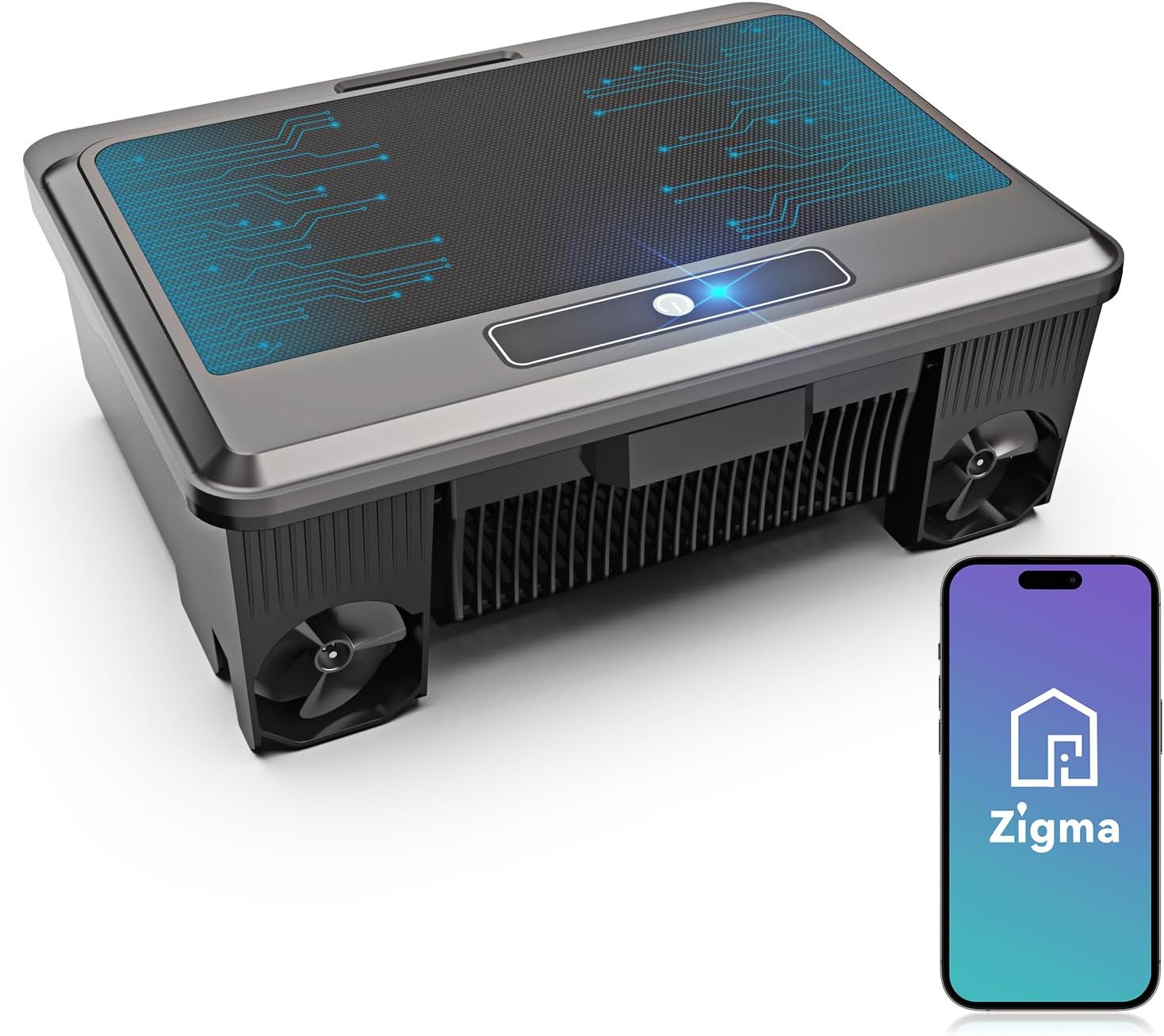
Image: Contents of the Zigma Robotic Pool Skimmer package.
4. Opstelling
- Ontboks: Carefully remove the Zigma Robotic Pool Skimmer and all accessories from its packaging.
- Aanvanklike heffing: Before first use, ensure the device is fully charged using the provided charging cable. Connect the Type-C cable to the charging port on the skimmer and plug the other end into a suitable power adapter. The indicator light will show charging status.
- Plasing: Once charged, place the skimmer gently onto the surface of your pool. Ensure it floats freely and is not obstructed by pool edges or other objects.
- Krag aan: Locate the power button on the top of the skimmer and press it to turn on the device. The skimmer will begin its automatic cleaning cycle.
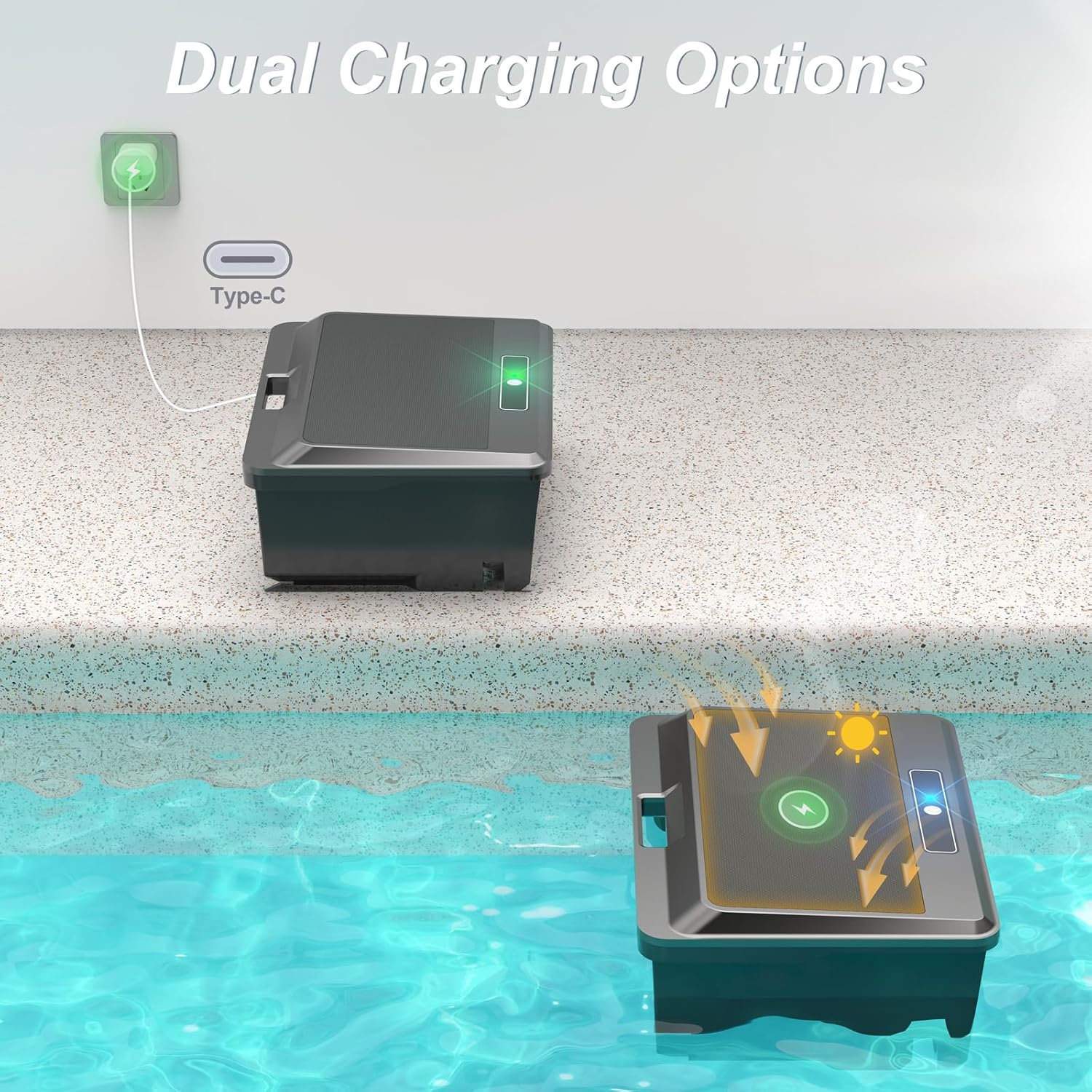
Image: Dual charging options for the Zigma Robotic Pool Skimmer.
5. Bediening van die skimmer
The Zigma Robotic Pool Skimmer operates autonomously, utilizing its intelligent navigation system. It offers continuous cleaning and smart obstacle avoidance.
- Outomatiese werking: Once powered on and placed in the water, the skimmer will automatically begin its cleaning routine, navigating the pool surface to collect debris.
- Skoonmaakmodusse: The skimmer features two primary cleaning modes:
- Sirkulasiemodus: For general surface cleaning across the entire pool.
- Randmodus: Focuses on cleaning along the pool's perimeter.
- Slim obstakelvermyding: Equipped with ultrasonic radar detection, the skimmer intelligently identifies and avoids obstacles, ensuring uninterrupted cleaning.
- Self-Parking: When the battery is low or the cleaning cycle is complete, the skimmer will automatically return to the pool edge for easy retrieval.
- App -ondersteuning: The device supports Bluetooth control via a dedicated Zigma APP, allowing users to monitor work status, charge remaining, cleaning time, and control movement (pause/start, direction, speed).
Video: Demonstration of the Zigma Y90 Solar Robotic Pool Skimmer in operation, highlighting its features and ease of use.
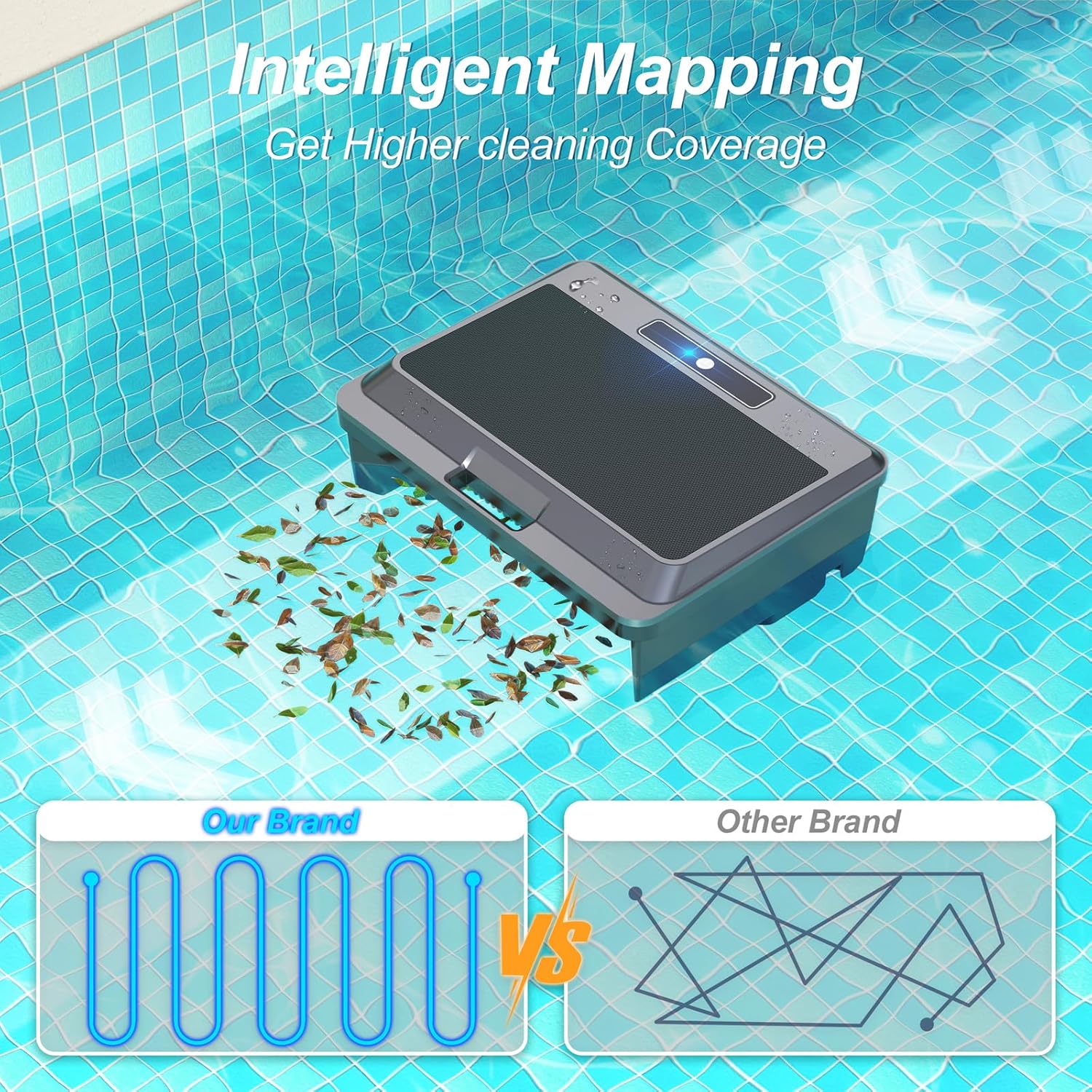
Image: Intelligent mapping feature for optimized cleaning paths.
6. Onderhoud
Regular maintenance ensures optimal performance and longevity of your Zigma Robotic Pool Skimmer.
- Emptying the Debris Basket: The skimmer is equipped with a large capacity debris basket. Periodically remove the basket and empty collected leaves, bugs, and other debris.
- Die skoonmaak van die mandjie: After emptying, rinse the debris basket with clean water to remove any remaining small particles.
- Algemene skoonmaak: Wipe down the exterior of the skimmer with a soft, damp cloth as needed to remove any residue or buildup.
- Berging: When not in use for extended periods, store the skimmer in a cool, dry place away from direct sunlight.
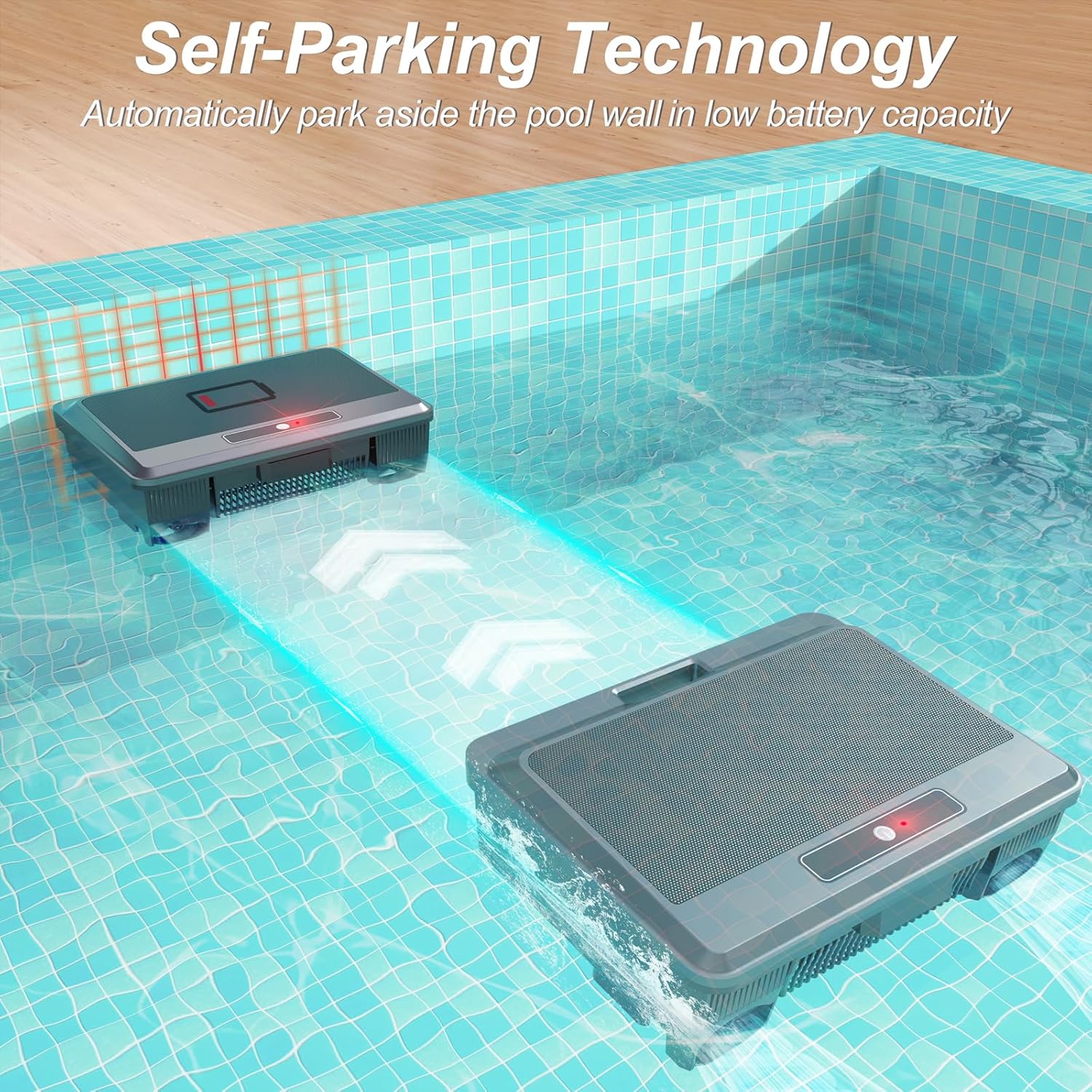
Image: The skimmer's self-parking feature for easy retrieval and maintenance.
7. Probleemoplossing
If you encounter issues with your Zigma Robotic Pool Skimmer, refer to the following common troubleshooting steps:
- Skimmer not moving or unresponsive:
- Check battery level. Ensure the device is fully charged.
- Verify the power button is pressed and the indicator light is on.
- Ensure no debris is obstructing the propellers or internal mechanisms.
- Swak skoonmaakprestasie:
- Empty and clean the debris basket. A full basket reduces efficiency.
- Check for any blockages in the intake area.
- Ensure the pool surface is not excessively turbulent, which can hinder navigation.
- Skimmer getting stuck:
- Confirm the intelligent obstacle avoidance system is functioning (check for indicator lights if applicable).
- Remove any large floating objects from the pool that might be difficult for the skimmer to navigate around.
Vir aanhoudende probleme wat nie hier gedek word nie, kontak asseblief kliëntediens.
8. Spesifikasies
| Kenmerk | Detail |
|---|---|
| Handelsmerk | Zigma |
| Model Naam | Y90 |
| Produk afmetings | 17.32 x 12.95 x 7.83 duim |
| Item gewig | 6.74 pond |
| Kragbron | Sonkrag aangedryf |
| Kleur | Swart Grys |
| Motor Tolerance | Salt- and Chlorine-Tolerant |
| UV Weerstand | Yes (UV-resistant coating) |
| Skoonmaakmodusse | Circulation Mode, Edge Mode |
| Vermyding van hindernisse | Intelligent Navigation, Ultrasonic Radar Detection |
| App Ondersteuning | Yes (Zigma APP via Bluetooth) |
9. Waarborg en Ondersteuning
The Zigma Robotic Pool Skimmer includes a one-year product warranty from the date of purchase. This warranty covers manufacturing defects and ensures reliable operation under normal use conditions.
For technical support, warranty claims, or any inquiries regarding your product, please refer to the contact information provided in the User Operating Guide included in your package or visit the official Zigma webwebwerf.