
1. Inleiding
The Truefree HF10 Hybrid Active Noise Cancelling Headphones are designed to provide an immersive audio experience with advanced noise cancellation technology. This manual provides essential information for setting up, operating, and maintaining your headphones.

Image: Truefree HF10 headphones in black.
2. Wat is in die boks
- HF-10 ANC Headphones
- USB-C-laaikabel
- 3.5 mm oudio kabel
- Gebruikershandleiding

Image: Box contents of the Truefree HF10 headphones.
3. Produk verbyview
The Truefree HF10 headphones feature a foldable design for portability, adjustable headband for comfort, and soft protein leather ear cups with memory foam padding for extended wear. Controls are located on the earcups.

Image: Right earcup controls and ports.

Image: Soft and breathable ear cushions.
4. Opstelling
Bluetooth-koppeling
- Maak seker dat die oorfone gelaai is.
- Power on the headphones to enter pairing mode (indicator light will flash).
- Aktiveer Bluetooth op jou toestel (slimfoon, tablet, rekenaar).
- Select "TRUEFREE HF-10" from the list of available devices to connect.
- Once connected, the indicator light will change, and a voice prompt will confirm.
Dubbele verbinding
The HF10 headphones support simultaneous connection to two devices, allowing seamless switching between audio sources.
Video: Instructions on how to connect Truefree HF10 headphones to two devices simultaneously.
App-verbinding
Enhance your experience by connecting your HF10 headphones to the Truefree App. The app allows for custom EQ settings, ANC mode adjustments, and other features.
Video: Guide on operating the Truefree HF10 headphones via the companion app.
5. Bedryfsinstruksies
Aktiewe Geraaskansellasie (ANC) Modusse
The HF10 headphones feature Hybrid Active Noise Cancellation, reducing external noise by up to 45dB. You can switch between various modes:
- Aanpasbare ANC: Automatically adjusts noise cancellation based on your surroundings.
- Binne-modus: Optimized for indoor environments.
- Buitelugmodus: Optimized for outdoor environments.
- Commute Mode: Optimized for public transport and commuting.
- Deursigtigheidmodus: Allows you to hear your surroundings without removing the headphones.

Image: User experiencing ANC on Truefree HF10 headphones.
Spatial Audio & Deep Bass
Equipped with 40mm dynamic drivers, the headphones deliver rich bass and clear audio. Spatial audio enhances the listening experience with a 360° surround sound effect.
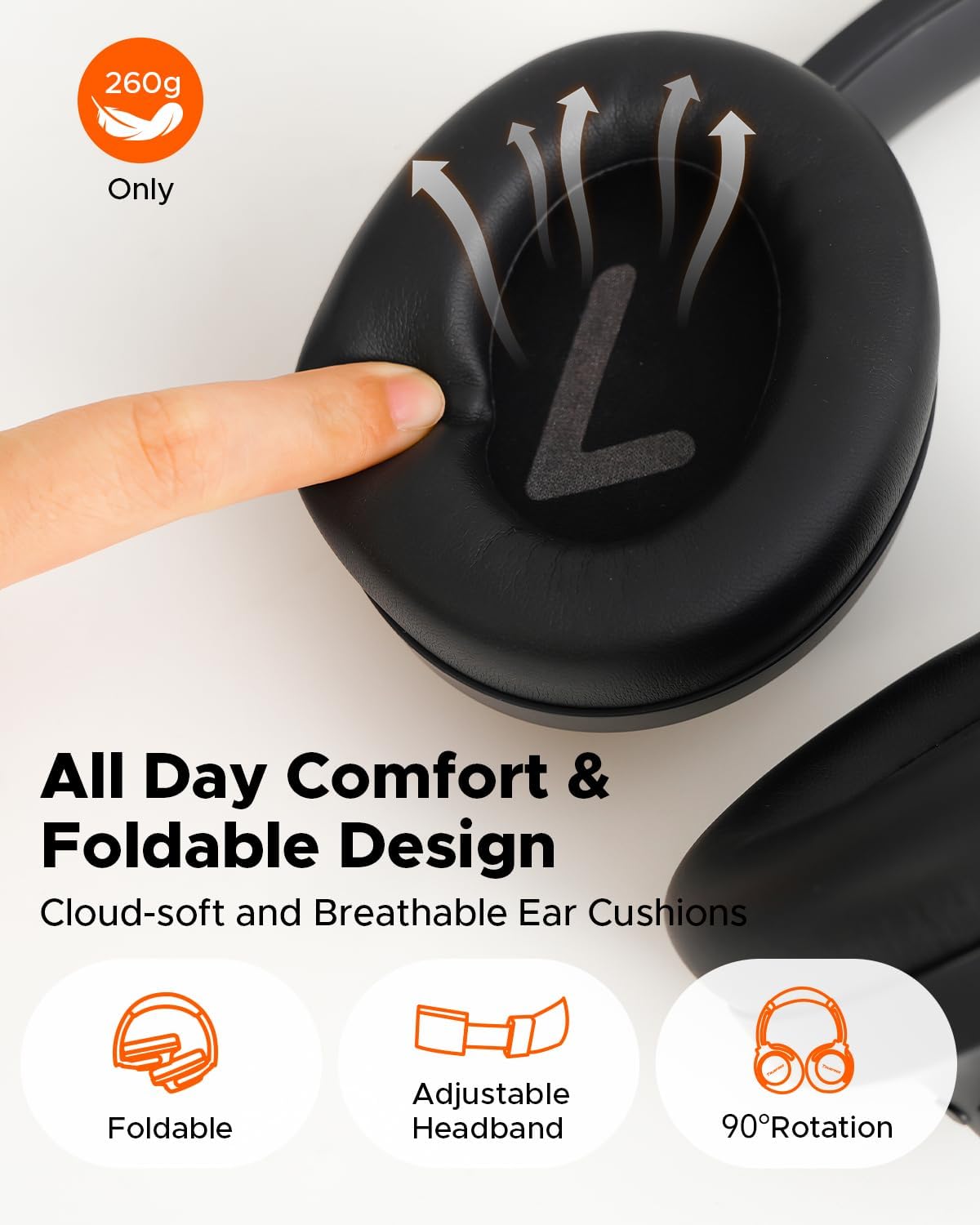
Image: Illustration of 40mm dynamic drivers and spatial audio.
Lae-latensie spelmodus
Activate Game Mode for ultra-low latency (70ms) during wireless use, ensuring synchronized audio for gaming. Wired mode offers zero delay.
AI-Enhanced Calls
Four microphones combined with an AI Environmental Noise Cancellation (ENC) algorithm ensure clear voice capture and reduced background noise during calls.
6. Laai en batterylewe
The HF10 headphones offer extended playtime:
- Up to 125 hours of playback with ANC off.
- Up to 85 hours of playback with ANC on.
A quick 10-minute charge provides up to 8 hours of listening. Recharge via the included USB-C cable or use the 3.5mm AUX cable for continuous audio.

Image: Battery life and rapid charging details.
7. Toepassingsbeheer
The Truefree App provides comprehensive control over your HF10 headphones, including:
- Customizable EQ settings and sound presets.
- Adaptive EQ for personalized sound.
- ANC/Transparency/Normal mode switching.
- Game Mode activation.
- "Find My Earbuds" feature to locate misplaced headphones.
- Voice prompt language selection and volume adjustment.
- Firmware -opdaterings.

Image: Custom sound tuning options via the app.
8. Onderhoud
- Clean earcups regularly with a soft, dry cloth.
- Avoid exposing headphones to extreme temperatures or moisture.
- Berg in 'n koel, droë plek wanneer dit nie gebruik word nie.
- Moenie skuur skoonmaakmiddels of oplosmiddels gebruik nie.
9. Probleemoplossing
Herstel van oorfone
If you experience connectivity issues or other malfunctions, performing a factory reset may resolve the problem.
Video: How to reset the Truefree HF10 headphones.
Algemene kwessies
- Geen krag: Maak seker dat die oorfone volledig gelaai is.
- Kan nie koppel nie: Ensure headphones are in pairing mode and not connected to another device. Delete previous pairing records on your device and try again.
- Swak klankgehalte: Check audio source, adjust EQ settings in the app, or try a different audio cable if using wired mode.
- ANC nie effektief nie: Ensure earcups form a good seal around your ears. Adjust ANC modes in the app.
10. Spesifikasies
| Kenmerk | Detail |
|---|---|
| Model Naam | Truefree HF-10 |
| Geraasbeheer | Hibriede aktiewe geraaskansellasie |
| Verbindingstegnologie | Wireless (Bluetooth 6.0), Wired (3.5mm AUX) |
| Speeltyd (ANC af) | Tot 125 uur |
| Speeltyd (ANC aan) | Tot 85 uur |
| Vinnige laai | 10-minute charge for 8 hours play |
| Bestuurders | 40 mm dinamiese drywers |
| Spesiale kenmerke | Adjustable Headband, Foldable, Multipoint Pairing, Spatial Audio, App Control, Low-Latency Game Mode, AI ENC Calls |
| Gewig | 14.8 onse |
| Materiaal | Plastic, Polyurethane (PU) |
11. Waarborg en Ondersteuning
Truefree offers the following support for the HF10 headphones:
- 12 maande waarborg: Dek vervaardigingsfoute.
- 30 Dae Geld Terug Waarborg: For returns within 30 days of purchase.
- 24 Hours Customer Service: For technical assistance and inquiries.
For further assistance, please refer to the official Truefree webwebwerf of kontak kliëntediens.