
1. Produk verbyview
The SMAJAYU SMA60AR Visual Photogrammetry RTK GNSS Survey System, paired with the SMA20 Pro Base Station, is a high-precision surveying solution. This system integrates advanced GNSS technology with visual measurement capabilities, offering features such as AR stakeout, image measurement, and multi-constellation satellite support. Designed for robust performance in various environments, it provides accurate positioning and data collection for professional applications.
2. Wat is in die boks
Carefully unpack the contents and verify all items are present. The package includes components for both the SMA60AR Rover and the SMA20 Pro Base Station.

Figure 2.1: Components included in the SMA60AR Rover and SMA20 Pro Base Station packages.
SMA60AR Rover List:
- 1x SMA60AR Receiver
- 1x Handbeheerder
- 1x kragadapter
- 1x Laai kabel
- 1x Receiver Charger
- 1x Field Controller Power Adapter
- 1x Handheld Bracket
- 1x Radio-antenna
- 1x Gebruikershandleiding
SMA20 Pro Base Station List:
- 1x SMA20 GNSS Receiver
- 1x Receiver Power Adapter (US Adapter)
- 1x EU-adapter
- 1x UK Adapter
- 1x Antenna Connector
- 1x Extension Pole
- 1x Radio-antenna
- 1x Receiver Charging Cable (USB Data Cable)
- 1x Height Measure Accessory
- 1x Aluminum Dish
- 1x Gebruikershandleiding
3. Opstelgids
3.1 Laai batterye
Ensure all Lithium Ion batteries for both the SMA60AR Rover and SMA20 Pro Base Station are fully charged before initial use. Use the provided power adapters and charging cables. The SMA60AR Rover has a 7000mAh battery with 30W PD fast charge support.
3.2 Komponentsamestelling
Assemble the radio antennas onto both the Rover and Base units. Attach the extension pole to the SMA20 Pro Base Station and secure the handheld bracket to the SMA60AR Rover for field use.
3.3 Aanvanklike aanskakeling en verbinding
Power on both the SMA60AR Rover and SMA20 Pro Base Station. The SMA60AR features a high-visibility OLED screen that displays GNSS status, positioning quality, and system status. Connect the SMA60AR Rover to the handheld controller via Bluetooth, Wi-Fi, or NFC for data management and operation. The NFC feature allows for quick, touch-based connections.

Figure 3.1: SMA60AR GNSS Receiver showing the OLED display and key features.

Figure 3.2: Illustrates the NFC connection process for the SMA60AR.
4. Bedryfsinstruksies
4.1 Visual Measurement and AR Stakeout
The SMA60AR system features dual cameras for advanced visual measurement and AR stakeout. This allows users to capture photos to obtain precise coordinates and receive real-time visual guidance during stakeout operations, significantly improving efficiency.

Figure 4.1: Demonstrates high-precision visual measurement using the SMA60AR.

Figure 4.2: AR video layout on the handheld controller for enhanced measurement convenience.
4.2 High-Precision GNSS Surveying
The SMA60AR receiver supports 1408 channels and multiple GNSS constellations including GPS, BDS, Galileo, and GLONASS. It features no-calibration 60° tilt compensation, allowing for accurate measurements even when the pole is not perfectly vertical. This enhances measurement speed and confidence.
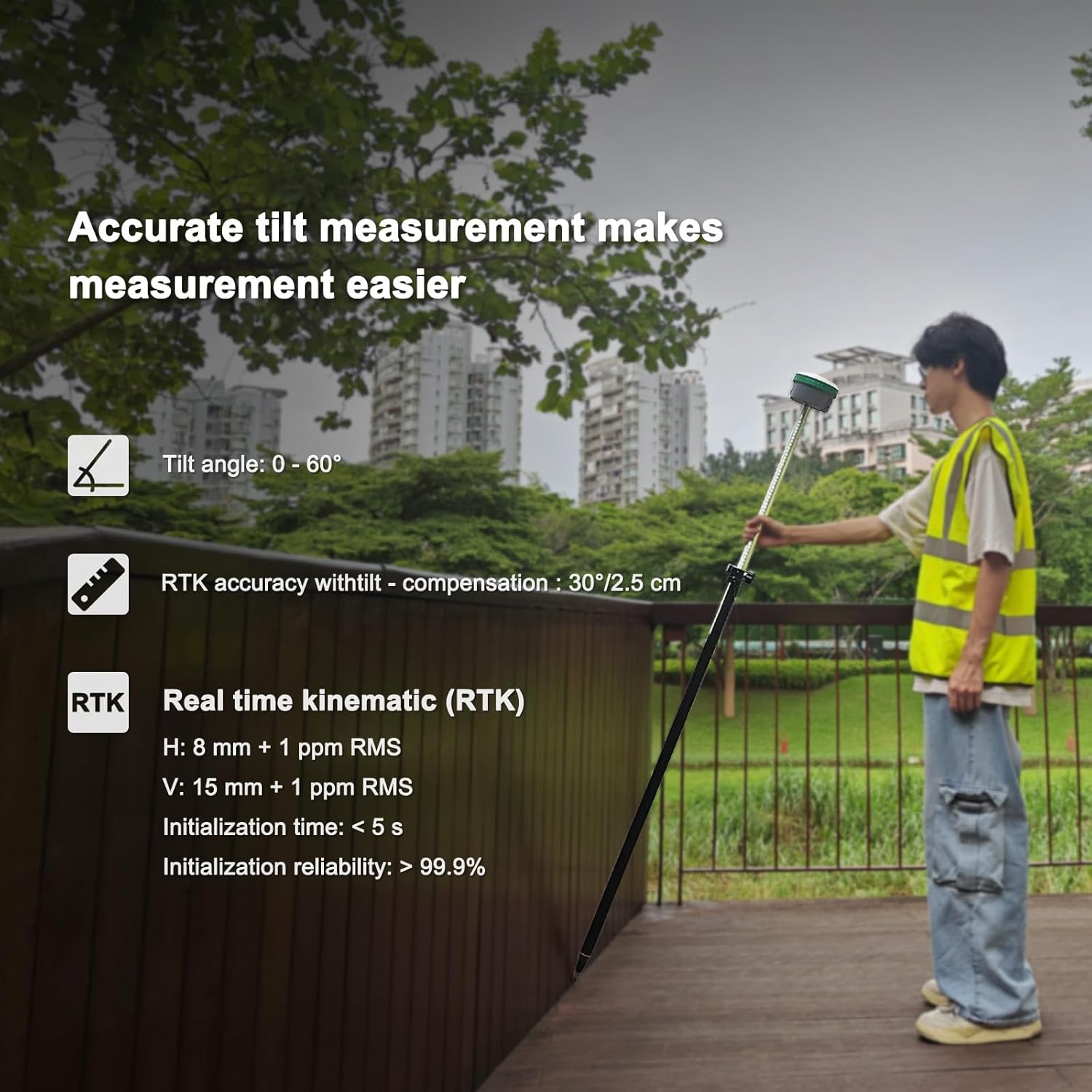
Figure 4.3: Illustration of accurate tilt measurement capability.
4.3 Kommunikasiemodusse
The system offers versatile connectivity options including a built-in 4G modem, Wi-Fi, Bluetooth, NFC, and a UHF radio. The SMA20 Pro Base Station's 2W power radio provides a normal working range of 8-12 km, extending up to 18 km under ideal conditions.

Figure 4.4: Depicts the wide protocol compatibility for receiving and broadcasting GNSS signals.
4.4 Multiple Work Modes
The SMA60AR Photogrammetry GNSS RTK supports various operational modes:
- Static & RTK Base Dual Mode: The SMA20 Pro Base can perform static surveying while simultaneously functioning as an RTK base.
- PPK Enabled: Suitable for challenging environments like forests or canyons, offering long-distance capabilities up to 25 km.
- PPP Method: Utilizes Galileo HAS correction for precise positioning.
- Rinex Logging: Allows direct export of Rinex files na 'n rekenaar.
- CORS Network Connection: Supports connection to CORS networks by logging into a CORS account on the collector.
4.5 Operational Videos
The following videos provide visual guidance on various operational aspects of the SMA60AR and SMA20 Pro systems:
Video 4.5.1: Gedetailleerde oorsigview of the SMA60AR and SMA20 Pro system operation (2:28).
Video 4.5.2: Demonstration of specific features and workflows (1:15).
Video 4.5.3: Further insights into system capabilities and usage (1:24).
Video 4.5.4: Short demonstration of a key function (0:47).
Video 4.5.5: Vertical format video showcasing a quick feature (0:25).
Video 4.5.6: Another vertical format video demonstrating a specific function (0:43).
5. Onderhoud
The SMA60AR and SMA20 Pro units are built with a rugged design, ensuring durability in demanding field conditions. They are IP68 waterproof, resistant to 2-meter drops, and operate within a wide temperature range of -35°C to +65°C (storage: -40°C to +70°C).
- Skoonmaak: Regularly clean the device surfaces with a soft, damp lap. Vermy skuurmiddels of oplosmiddels.
- Berging: When not in use, store the system in its protective hard case in a dry, temperate environment.
- Batterysorg: For prolonged storage, ensure batteries are charged to approximately 50% capacity. Avoid fully discharging or overcharging for extended periods.
- Firmware -opdaterings: Periodically check for and install firmware updates to ensure optimal performance and access to new features.
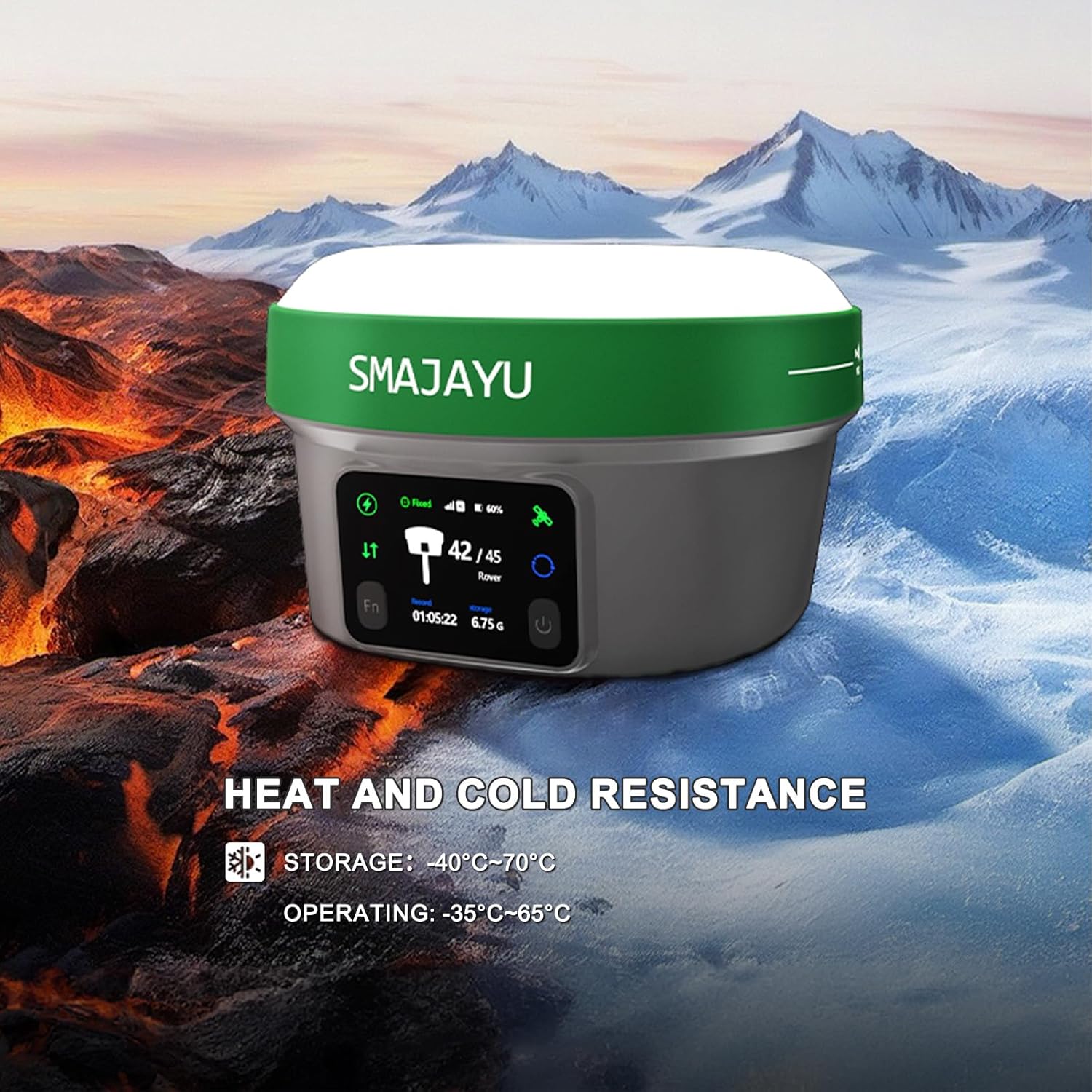
Figure 5.1: Illustrates the heat and cold resistance of the SMA60AR receiver.
6. Probleemoplossing
If you encounter issues with your SMAJAYU GNSS Survey System, refer to the following common troubleshooting steps:
- Geen krag: Ensure batteries are fully charged and correctly inserted. Check power cables and adapters for damage.
- Verbindingskwessies: Verify Bluetooth, Wi-Fi, or NFC is enabled on both the receiver and handheld controller. Ensure devices are within range. Restart both devices.
- Poor GNSS Signal: Operate in an open area with a clear view of the sky. Ensure antennas are securely attached and unobstructed.
- Onakkurate lesings: Confirm the system is properly initialized and calibrated (if applicable). Check for any environmental interference.
- Software Malfunction: Restart the handheld controller and the receiver. If the issue persists, consider reinstalling the surveying software or performing a factory reset (consult the full user manual for detailed instructions).
For persistent issues or advanced troubleshooting, please contact SMAJAYU customer support.
7. Spesifikasies
| Kenmerk | Detail |
|---|---|
| Produk afmetings | 5.12 x 5.12 x 3.27 duim |
| Item gewig | 19.8 pond (totale pakket) |
| Item Modelnommer | SMA60AR Rover&SMA20 Pro Base |
| Batterye | 3 Litium-ioonbatterye benodig (ingesluit) |
| Verbindingstegnologieë | Bluetooth, NFC, Wi-Fi, 4G, UHF Radio |
| Spesiale kenmerke | Dual Visual Measurement, AR Stakeout, OLED Display, 60° Tilt Survey, IP68, 4G Modem, UHF Radio |
| Ander vertoonkenmerke | GPS or Navigation System |
| Menslike koppelvlak-invoer | Touchscreen (Handheld Controller) |
| Kleur | Groen |
| Screen Size (Handheld) | 5.45 duim |
| Kaarttipe | Topografiese |
| Montage tipe | Handheld |
| Geheue berging kapasiteit | 32 GB (intern) |
| Bedryfstemperatuur | -35°C tot +65°C |
| Bergingstemperatuur | -40°C tot +70°C |
| Water/Stof weerstand | IP68 |
| Valweerstand | 2 XNUMX meter |
8. Waarborg en Ondersteuning
SMAJAYU is committed to providing reliable products and excellent customer service. While specific warranty details are not provided in this document, please refer to the warranty card included in your package for comprehensive information regarding coverage and terms.
For any technical assistance, operational queries, or support needs, SMAJAYU offers 24-hour support. Our team is ready to help you at any time to ensure you get the most out of your survey system. Please contact us through the official channels provided in your product documentation or on the SMAJAYU webwebwerf.