
Inleiding
This manual provides comprehensive instructions for the setup, operation, and maintenance of your YIQU Smart Color Changing Christmas Lights. These 66-foot string lights feature 200 RGB LEDs, offering a wide range of colors and dynamic modes controllable via remote or a smartphone application. Designed for both indoor and outdoor use, they include features like music synchronization, timer options, and memory function.
Veiligheidsinligting
Lees en verstaan asseblief alle veiligheidsinstruksies voordat u hierdie produk gebruik. Versuim om hierdie instruksies te volg, kan lei tot elektriese skok, brand of ernstige besering.
- The Christmas lights have passed UL safety certification, ensuring high quality and safety in use.
- Operate with low voltage power to prevent overheating. The LED string lights are safe to touch.
- For outdoor use, ensure the power plug is protected from water or rain. The long leading wire assists in achieving this function.
- Moenie probeer om die produk self te wysig of te herstel nie. Kontak kliëntediens vir hulp.
- Hou buite bereik van kinders en troeteldiere.
Pakketinhoud
Verifieer dat alle items in jou pakket ingesluit is:
- 1 x Kragprop
- 1 x String Lights (66 FT, 200 LED)
- 1 x afstandbeheer
Opstelling
- Pak die ligte uit: Carefully uncoil the string lights from their packaging. Ensure the wires are not tangled.
- Plasing: Determine the desired location for your lights. These lights are suitable for both indoor and outdoor environments. For outdoor use, ensure the power adapter is in a dry, protected area.
- Kragverbinding: Connect the string lights to the provided power plug. Insert the power plug into a standard 110V-120V AC outlet.
- Aanvanklike krag aan: Once plugged in, the lights should illuminate. You can use the remote control or the smartphone app for further customization.
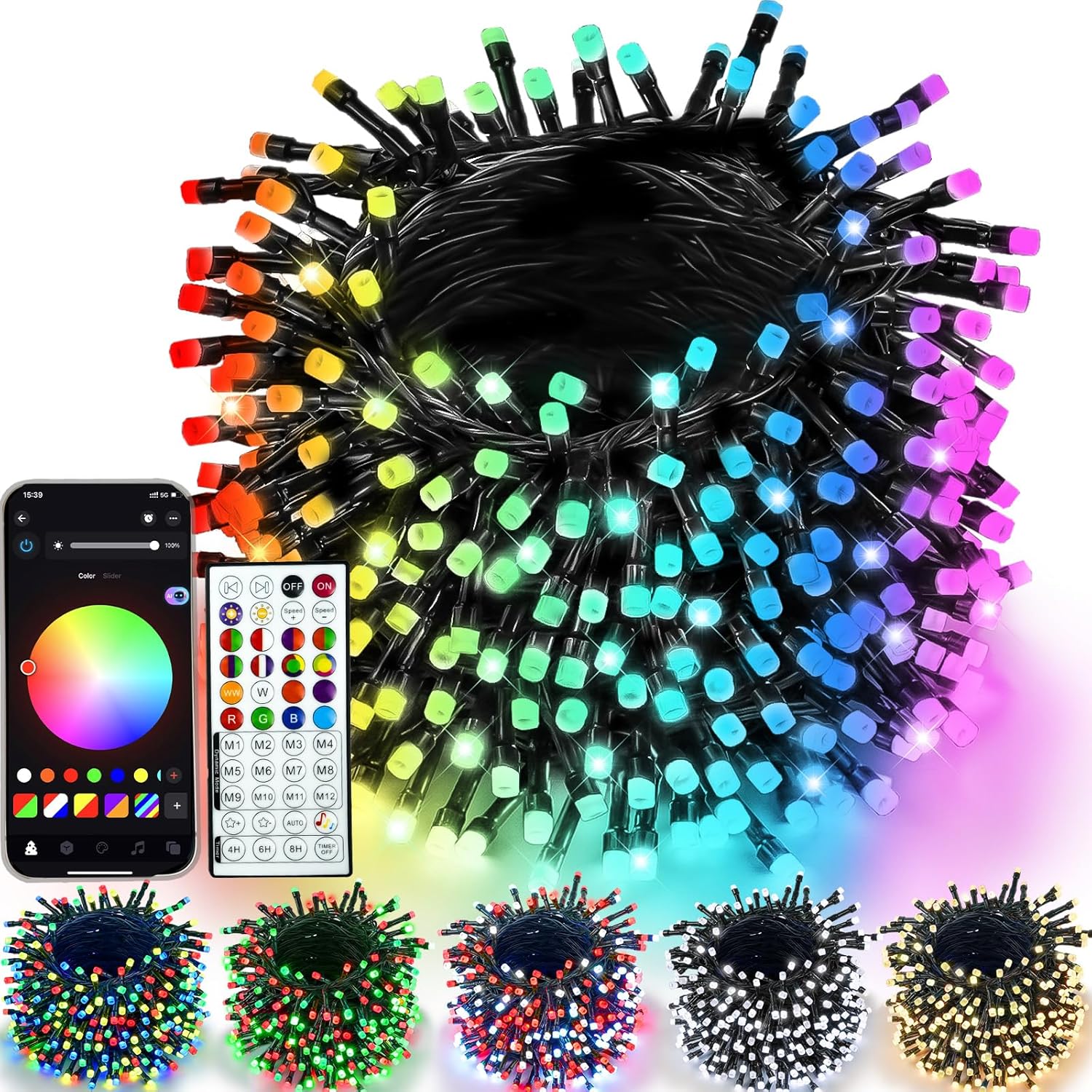
Figure 1: YIQU Smart Color Changing Christmas Lights with remote and app interface.
Bedryfsinstruksies
1. Afstandbeheergebruik
The included 44-key wireless remote allows control of the lights from up to 40 meters away. Ensure the remote has a working battery and is pointed towards the light controller.
- AAN/UIT: Press the 'ON' or 'OFF' buttons to power the lights.
- Kleurkeuse: Choose from 16 million colors using the color palette buttons.
- Dinamiese modusse: Select from various pre-set dynamic modes (M1-M12) to create different lighting effects.
- Helderheid aanpassing: Use the brightness control buttons to increase or decrease light intensity.
- Spoedverstelling: Adjust the speed of dynamic modes using the speed control buttons.
- Afteller: Set the timer for 4H, 6H, or 8H using the dedicated buttons.

Figure 2: Remote control functions for the YIQU Smart Christmas Lights.
2. Slimfoon-appbeheer
Download the dedicated smartphone application to unlock advanced control features and customization options.
- Laai die app af: Scan the QR code provided in the product packaging or search for the "YIQU Lights" app in your device's app store.
- Koppel: Follow the in-app instructions to connect your smartphone to the string lights via Bluetooth.
- App Kenmerke:
- Color & Effect Adjustment: Easily adjust brightness, color, and lighting effects.
- Intelligente Assistent: Use voice commands to control light changes.
- Groepbeheer: Control multiple YIQU devices simultaneously.
- Custom Timer: Set specific on/off times.

Figure 3: Smartphone app interface for controlling YIQU Smart Christmas Lights.
3. Music Synchronization
The lights can synchronize with music, creating a dynamic visual experience. This feature is primarily controlled via the smartphone app.
- Aktiveer Musiekmodus: In the app, select the "Music Mode" option.
- Import Music: Click "Add Music" to import music files from your device or select from the built-in music library.
- Mikrofoonfunksie: The lights can react to music rhythms picked up by your phone's microphone (voice-activated version only). Adjust brightness and sensitivity as needed.

Figure 4: Music synchronization feature in action with the YIQU Smart Christmas Lights.
4. Timer Options & Memory Function
The lights include built-in timer options and a memory function to retain your last settings.
- Pre-set Timers: Use the remote to select 4H (4 hours ON, 20 hours OFF), 6H (6 hours ON, 18 hours OFF), or 8H (8 hours ON, 24 hours OFF).
- Custom Timers: Set custom on/off schedules via the smartphone app.
- Geheue funksie: The lights will automatically recall your last lighting setting when powered on again.

Figure 5: Timer options and memory function for convenient operation.
Kenmerke
- Multiple Colors and Modes: 16 million color options with various lighting effects and adjustable speed/brightness.
- Dubbele beheer: Operate via a 44-key wireless remote or a dedicated smartphone application.
- Musieksinkronisering: Lights change with the rhythm of music, enhancing ambiance.
- Intelligente Assistent: Voice control functionality through the app.
- Timer & Memory: Pre-set and custom timer options, plus memory of last settings.
- Duursaam en veilig: UL certified, low voltage, and IP44 waterproof for indoor/outdoor use.
- Wye toepassing: Suitable for various occasions and holidays, including Christmas, Halloween, and parties.
Spesifikasies
| Kenmerk | Detail |
|---|---|
| Handelsmerk | YIQU |
| Modelnommer | GP-SW290DC0310-IP44(US) |
| Ligte tipe | LED-snaarligte |
| Aantal LED's | 200 |
| Lengte | 66 Voet |
| Kleur Opsies | RGB (16 miljoen kleure) |
| Beheer Metodes | Afstandbeheer, Slimfoon-app |
| Kragbron | Elektries met koord |
| Voltage | 29 Volt |
| Wattage | 6 Watt |
| Waterdigte gradering | IP44 (Suitable for Indoor/Outdoor) |
| Spesiale kenmerke | Music Sync, Timer, Memory Function, Intelligent Assistant |
Onderhoud
- Skoonmaak: Disconnect the power before cleaning. Wipe the lights gently with a soft, dry cloth. Do not use harsh chemicals or abrasive cleaners.
- Berging: When not in use, carefully coil the string lights to prevent tangling. Store them in a cool, dry place away from direct sunlight and extreme temperatures.
- Inspeksie: Periodically inspect the lights and wiring for any damage. If any damage is found, discontinue use and contact customer support.
Probleemoplossing
- Ligte skakel nie aan nie:
- Ensure the power plug is securely connected to a working outlet.
- Kontroleer of die afstandbeheerder se battery vervang moet word.
- Verify the lights are not set to an "OFF" timer mode.
- Afstandbeheer werk nie:
- Ensure there are no obstructions between the remote and the light controller.
- Vervang die afstandbeheerbattery.
- Probleme met programverbinding:
- Maak seker dat Bluetooth op jou slimfoon geaktiveer is.
- Herbegin die toepassing en probeer weer koppel.
- Ensure the lights are within Bluetooth range.
Amptelike Produkvideo's
Watch these official videos for visual guidance and demonstrations of the YIQU Smart Color Changing Christmas Lights.
Video 1: YIQU APP Christmas String Lights - A demonstration of the lights' features and app control.
Waarborg en Ondersteuning
For warranty information, technical support, or any inquiries regarding your YIQU Smart Color Changing Christmas Lights, please refer to the contact information provided in your product packaging or visit the official YIQU webwerf. Hou jou aankoopkwitansie vir waarborgeise.