
Inleiding
Thank you for choosing the AWEI T66 Wireless Earbuds. These earbuds feature Bluetooth 5.3 technology, 13mm dynamic drivers for Hi-Fi sound, and ENC noise cancellation for clear calls. They are designed for comfort with an IPX6 waterproof rating, making them suitable for various activities including sports and daily use. This manual provides detailed instructions on how to set up, operate, maintain, and troubleshoot your earbuds.

Image: AWEI T66 Wireless Earbuds in their open charging case, showcasindie ontwerp.
Opstelling
1. Uitpak en Aanvanklike Lading
Upon opening the package, ensure all components are present: Wireless Earbuds, Charging Case, Eartips, User Manual, and Charging Cable. Before first use, fully charge the earbuds and charging case.
- Plaas die oordopjes in die laaikas.
- Connect the charging cable to the Type-C port on the charging case and to a power source.
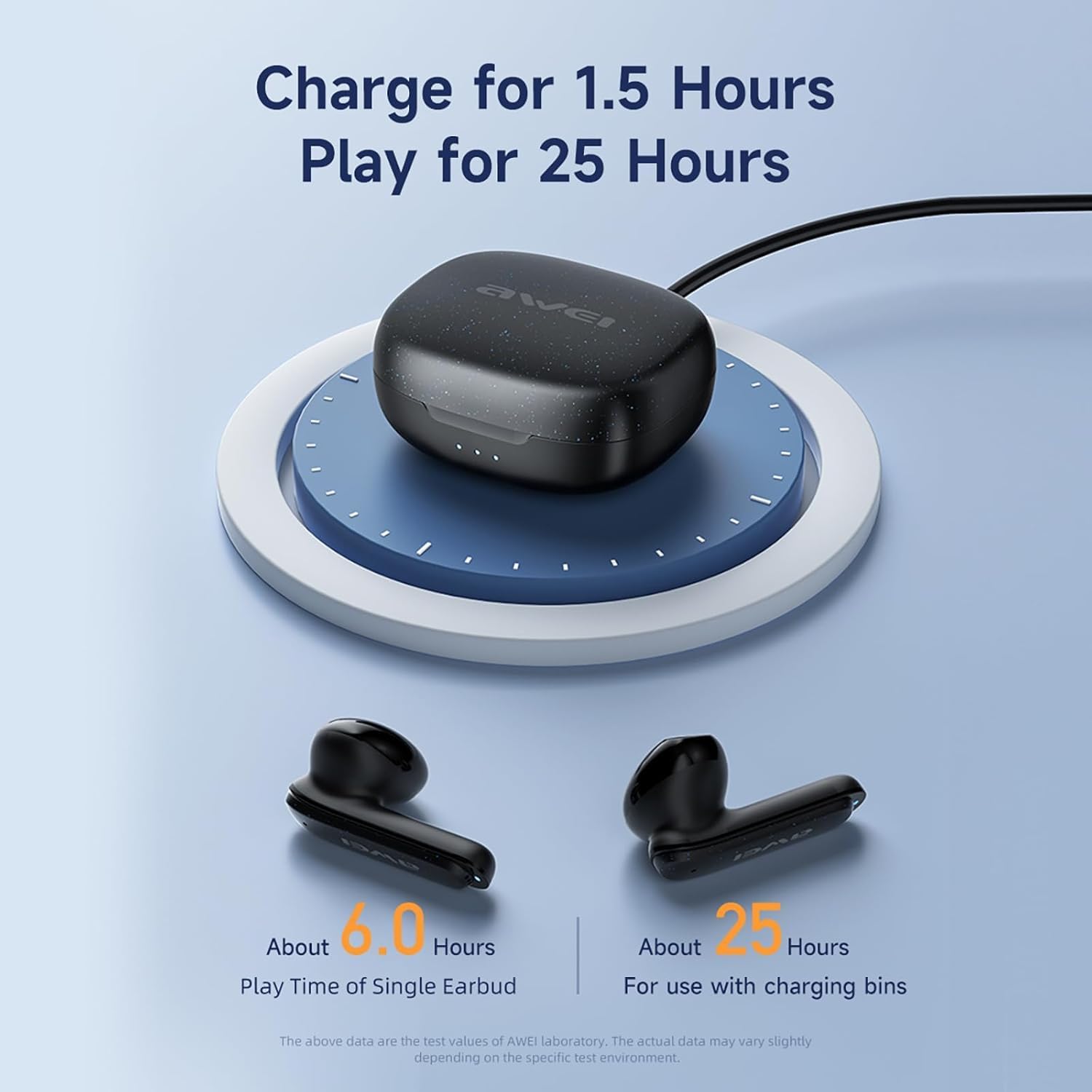
- The charging case takes approximately 1 hour to fully charge.

Image: The AWEI T66 charging case being charged, illustrating the charging process.
2. Koppeling met jou toestel
The AWEI T66 earbuds utilize Bluetooth 5.3 for a stable and efficient connection.
- Maak seker dat die oorfone gelaai is en in die laaikas geplaas is.
- Maak die laaikas oop. Die oorfone sal outomaties in paringsmodus gaan.
- Gaan na die Bluetooth-instellings op jou toestel (slimfoon, tablet, skootrekenaar).
- Soek vir available devices and select "AWEI T66" from the list.
- Sodra dit gekoppel is, sal jy 'n bevestigingstoon hoor, en die oorfone sal gereed wees vir gebruik.
Die oorfone sal outomaties weer aan die laaste gekoppelde toestel koppel wanneer dit uit die houer gehaal word, indien Bluetooth op die toestel geaktiveer is.

Image: A visual representation of Bluetooth 5.3 technology, highlighting stable and smooth transmission.
Bedryfsinstruksies
1. Skakel aan/af
- Krag aan: Maak die laaikas oop en die oordopjes sal outomaties aanskakel.
- Skakel af: Plaas die oorfone terug in die laaikas en maak die deksel toe. Hulle sal outomaties afskakel en begin laai.
2. Slim aanraakkontroles
The AWEI T66 earbuds feature intuitive touch controls on each earbud for easy management of music and calls.
| Funksie | Aksie |
|---|---|
| Speel/Pause Musiek | Enkele tik op enige van die oordopjes |
| Volgende Liedjie | Dubbeltik op die regter oordopje |
| Vorige Liedjie | Dubbeltik op die linker oordopje |
| Beantwoord/beëindig oproep | Enkele tik op enige van die oordopjes |
| Verwerp oproep | Druk en hou enige oordopjes vir 2 sekondes |
| Aktiveer stemassistent | Drie keer tik op enige oordopjes |
| Volume op | Press and hold the right earbud |
| Volume af | Druk en hou die linker oordoppie in |
3. Single and Dual Earbud Mode
You can use both earbuds together for a stereo experience or use a single earbud independently.
- Dubbele modus: Take both earbuds out of the charging case. They will automatically connect to each other and then to your device.
- Enkelmodus: Take only one earbud out of the charging case. It will connect to your device independently. The other earbud can remain in the case or be used later.
4. Calling with ENC Noise Cancellation
The earbuds feature ENC (Environmental Noise Cancellation) technology to ensure clear call quality by reducing background noise.
- Wanneer 'n oproep inkom, tik een keer op enige oordopjes om te antwoord.
- Tap either earbud once to end an ongoing call.
- Druk en hou enige oordopjes vir 2 sekondes in om 'n inkomende oproep te verwerp.

Image: Diagram illustrating the ENC (Environmental Noise Cancellation) feature of the AWEI T66 earbuds.

Image: A woman wearing AWEI T66 earbuds, demonstrating clear voice calls with dual ENC microphone technology.
Onderhoud
1. Laai
To ensure optimal battery life, always charge your earbuds and case when the battery is low. The earbuds provide approximately 6 hours of continuous use per charge. The 300mAh charging case extends total playtime to 30 hours in dual-ear mode, or up to 60 hours in single-ear mode by alternating earbuds.
- Use the provided Type-C cable for charging the case.
- Maak seker dat die laaikontakte op die oordopjes en binne-in die houer skoon is.
2. Skoonmaak
Gereelde skoonmaak help om klankgehalte en higiëne te handhaaf.
- Vee die oorfone en laaikassie versigtig af met 'n sagte, droë, pluisvrye lap.
- Moenie skuurmiddels, alkohol of chemiese oplosmiddels gebruik nie.
- Maak die oorpunte gereeld skoon met adamp lap en laat hulle heeltemal droog word voordat jy dit weer vasmaak.
3. Waterbestandheid (IPX6)
The AWEI T66 earbuds are IPX6 waterproof, meaning they are protected against high-pressure water jets from any direction. This makes them suitable for workouts and use in light rain.
- Moenie die oorfone in water dompel nie.
- Maak seker dat die oordopjes droog is voordat jy dit terug in die laaikas sit om skade te voorkom.
Probleemoplossing
If you encounter issues with your AWEI T66 earbuds, try the following solutions:
- Oorfone koppel nie met toestel nie:
- Maak seker dat Bluetooth op jou toestel geaktiveer is.
- Maak seker die oordopjes is gelaai.
- Skakel Bluetooth op jou toestel af en skakel dit dan weer aan.
- Forget "AWEI T66" in your device's Bluetooth settings and attempt to pair again.
- Place both earbuds back into the charging case, close the lid, wait a few seconds, then open the lid to re-enter pairing mode.
- Slegs een oordoppie werk:
- Maak seker dat beide oordopjes gelaai is.
- Place both earbuds back into the charging case, close the lid, then open it again to allow them to re-sync.
- Indien die probleem voortduur, probeer om die oordopjes terug te stel (verwys na die volledige gebruikershandleiding vir spesifieke terugstelinstruksies indien beskikbaar, of probeer om die toestel te vergeet en weer te koppel).
- Geen geluid of lae volume:
- Kontroleer die volumevlak op beide jou toestel en die oordopjes.
- Maak seker dat die oorfone behoorlik aan jou toestel gekoppel is.
- Maak enige puin van die oorfone se luidsprekermaas skoon.
- Laaikas laai nie:
- Verifieer dat die laaikabel stewig aan beide die kas en die kragbron gekoppel is.
- Probeer 'n ander laaikabel of kragadapter.
- Maak seker dat die laaipoort op die kas skoon en vry van puin is.
Spesifikasies
| Kenmerk | Detail |
|---|---|
| Handelsmerk | AWEI |
| Modelnommer | T66 |
| Bluetooth weergawe | 5.3 |
| Bluetooth-reeks | Tot 10 meter (33 voet) |
| Oorplasing | In Oor |
| Bestuurder grootte | 13 mm |
| Impedansie | 32 ohm |
| Frekwensiereeks | 20 Hz - 20,000 XNUMX Hz |
| Geraasbeheer | Omgewingsgeruisonderdrukking (ENC) |
| Tipe beheer | Raak Beheer |
| Waterweerstand | IPX6 waterdig |
| Oortelefoon Speeltyd | Approx. 6 hours (per charge) |
| Totale speeltyd (met omhulsel) | Approx. 30 hours (dual-ear), 60 hours (single-ear) |
| Laaikas battery | 300mAh |
| Laaityd (kas) | Approx. 1 hour (Type-C) |
| Versoenbare toestelle | Laptops, Tablets, Mobile Phones (iOS/Android) |
Beeld: Nabyskoot view of the 13mm drive unit within the AWEI T66 earbud, highlighting its audio components.
Waarborg inligting
The AWEI T66 Wireless Earbuds come with a 1-jaar waarborg vanaf die aankoopdatum. Hierdie waarborg dek vervaardigingsdefekte en vakmanskap onder normale gebruik.
Die waarborg dek nie:
- Skade veroorsaak deur misbruik, misbruik, ongeluk of nalatigheid.
- Ongemagtigde herstelwerk of wysigings.
- Normale slytasie.
- Damage from liquids beyond the IPX6 rating (e.g., submersion).
Behou asseblief jou aankoopbewys vir waarborgeise.
Kliënte ondersteuning
For further assistance, technical support, or warranty inquiries, please contact AWEI customer service.
- Verwys na die kontakbesonderhede wat in u produkverpakking verskaf word.
- Visit the official AWEI webwebwerf vir ondersteuningsbronne en kontakbesonderhede.
- Jy kan ook die AWEI Store on Amazon vir bykomende produkinligting.