
1. Inleiding
Thank you for choosing the Wulcea Graphene Heated Scarf. This manual provides essential information for the safe and effective use of your heated scarf. Please read it thoroughly before use and retain it for future reference.

'n verbyview of the Wulcea Graphene Heated Scarf, showcasing the main black scarf, available colors (blue, white, pink), and the compact 6000mAh battery pack.
2. Produk verbyview
The Wulcea Graphene Heated Scarf utilizes advanced heating technology to provide warmth and comfort. Key features include:
- Graphene Heating: Built with advanced graphene heating technology, this neck warmer delivers fast, stable, and evenly distributed warmth directly to the neck area, ensuring lasting comfort during cold weather.
- Simple & Practical Design: Designed with ease of use in mind, this neck warmer features a straightforward button control for quick and effortless operation. The clean and minimal design ensures a comfortable wearing experience without extra bulk or complication.
- Groot-kapasiteit battery: Powered by a 6000mAh rechargeable battery, this neck warmer delivers long-lasting warmth on a single charge. The lightweight and compact battery design ensures all-day comfort without adding extra bulk—perfect for commuting, outdoor adventures, or daily use.
- Safe & Reliable Performance: Built with high-quality materials and strict safety standards, this neck warmer offers dependable performance and durability you can trust. Enjoy lasting warmth with confidence and peace of mind.

Gedetailleerd view of the scarf's features, including its soft, skin-friendly fabric, the discreet zippered pocket for the battery, and the integrated control button for heat settings.
3. Veiligheidsinligting
The Wulcea Graphene Heated Scarf incorporates graphene heating panels for enhanced safety and performance. Graphene heating panels are designed to heat evenly, significantly reducing the risk of dangerous hot spots and overheating compared to traditional linear heating elements. This design minimizes fire risks and ensures consistent warmth.

A visual comparison illustrating the safety and even heat distribution of graphene's honeycomb heating structure versus the potential hot spots and fire risk of a linear heating element.
An informational video explaining the benefits of graphene heating technology, including safety, durability, even heat distribution, and natural soothing properties, compared to traditional linear heating elements.
4. Opstelling
- Laai die battery: Before first use, fully charge the 6000mAh battery pack using a compatible USB charger. The battery indicator lights will show the charging status.
- Plaas die battery in: Locate the hidden zippered pocket on the scarf. Carefully insert the charged battery pack into the pocket and connect the scarf's USB cable to the battery's output port. Zip the pocket closed to secure the battery.
- Wear the Scarf: Place the scarf around your neck. You can wear it draped or loop one end through the opening on the opposite end for a secure fit.
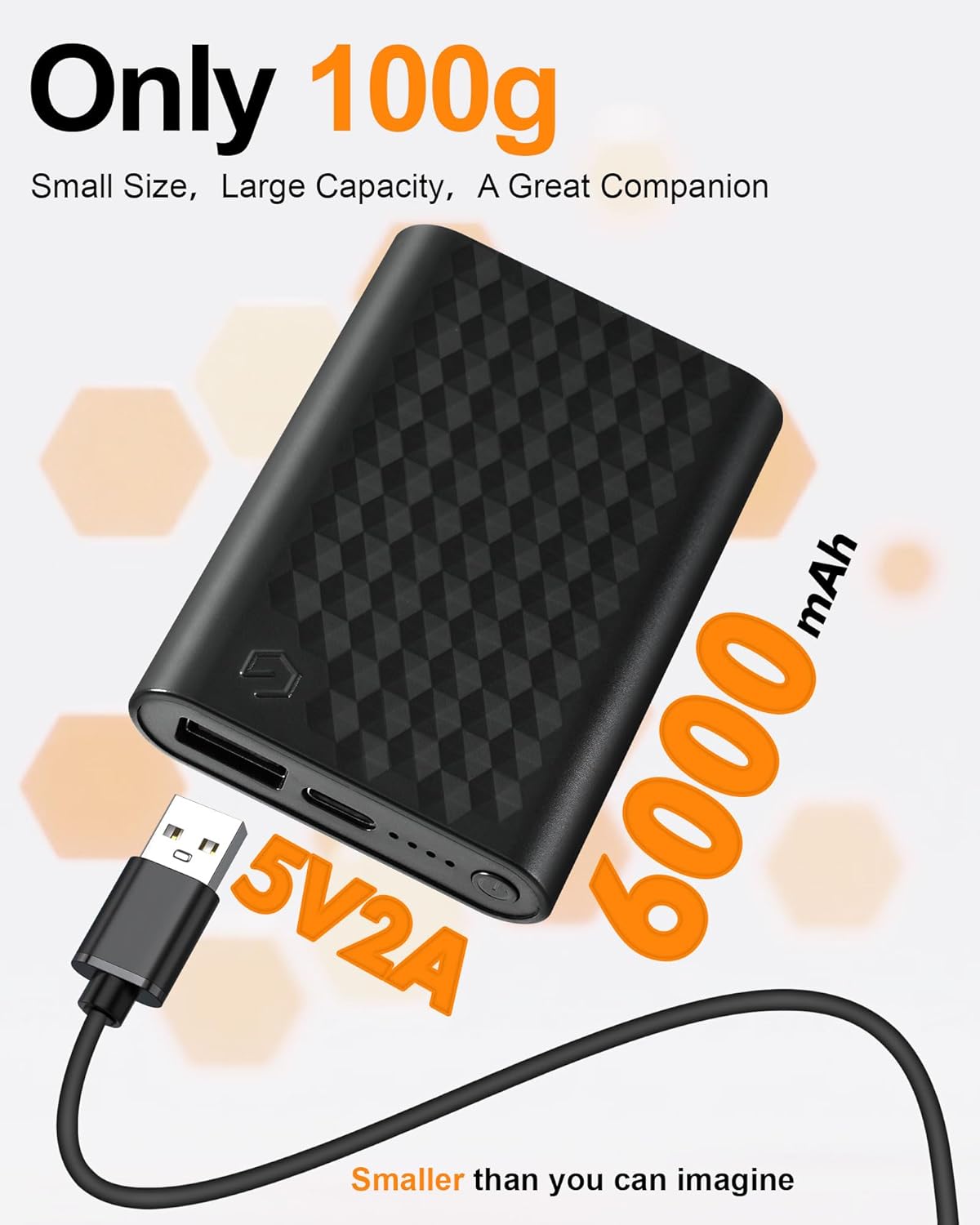
The compact and lightweight 6000mAh battery pack (100g) that powers the scarf, featuring 5V2A output and a USB charging port.
5. Bedryfsinstruksies
To operate your Wulcea Graphene Heated Scarf:
- Krag aan: Press and hold the power button (marked with 'G') on the scarf for 3 seconds until the indicator light illuminates. The scarf will typically start on the highest heat setting (Red light).
- Change Heat Settings: Briefly press the power button to cycle through the heat settings:
- Rooi lig: High Heat (approx. 131°F / 55°C) - Lasts 2-3 hours.
- Blou Lig: Medium Heat (approx. 113°F / 45°C) - Lasts 3-4 hours.
- Wit lig: Gentle Heat (approx. 95°F / 35°C) - Lasts 4-6 hours.
- Skakel af: Druk en hou die kragknoppie vir 3 sekondes totdat die aanwyserliggie afskakel.

A man wearing the Wulcea Graphene Heated Scarf, demonstrating its use in cold weather. The image also displays the three heat settings: High (2-3 hours at 131°F), Medium (3-4 hours at 113°F), and Gentle (4-6 hours at 95°F).

A woman comfortably wearing the Wulcea Graphene Heated Scarf, highlighting the targeted graphene heating for neck comfort and relief, contrasted with an image depicting neck discomfort.
6. Laai die battery
The scarf is powered by a 6000mAh rechargeable battery. To charge:
- Disconnect the battery from the scarf and remove it from the pocket.
- Connect the battery to a standard USB charger using the provided cable.
- The indicator lights on the battery pack will show the charging progress. All lights illuminated indicate a full charge.
7. Sorg en Onderhoud
To ensure the longevity of your heated scarf:
- Was: The scarf is machine washable. Ensure the battery pack is removed before washing. Use a gentle cycle with cold water.
- Droog: Air dry the scarf completely before reinserting the battery and using it. Do not tumble dry or iron.
- Berging: Store the scarf and battery in a cool, dry place when not in use.
8. Probleemoplossing
If you encounter issues with your Wulcea Graphene Heated Scarf, please refer to the following:
- Scarf not heating: Ensure the battery is fully charged and correctly connected to the scarf's cable inside the pocket. Press and hold the power button for 3 seconds to turn it on.
- Aanwyserlig werk nie: Check if the battery has sufficient charge. If the issue persists, ensure the connection is secure.
- Battery laai nie: Verify that the charging cable and adapter are functioning correctly. Ensure the cable is securely plugged into both the battery and the power source.
9. Spesifikasies
| Spesifikasie | Detail |
|---|---|
| Model | B0FF44FL9W |
| Handelsmerk | Wulcea |
| Battery kapasiteit | 6000mAh |
| Invoer/uitvoer | 5V2A |
| Tipe stof | Thermal acrylic |
| Versorgingsinstruksies | Machine Wash (remove battery) |
| Oorsprong | Ingevoer |
10. Waarborg en Ondersteuning
For warranty information or technical support, please refer to the product packaging or contact Wulcea customer service through the retailer where the product was purchased. Keep your proof of purchase for any warranty claims.