
1. Inleiding
This manual provides essential information for the safe and efficient use of your Samsung 55U8072 4K UHD Smart LED TV. Please read it thoroughly before operating the device and retain it for future reference.
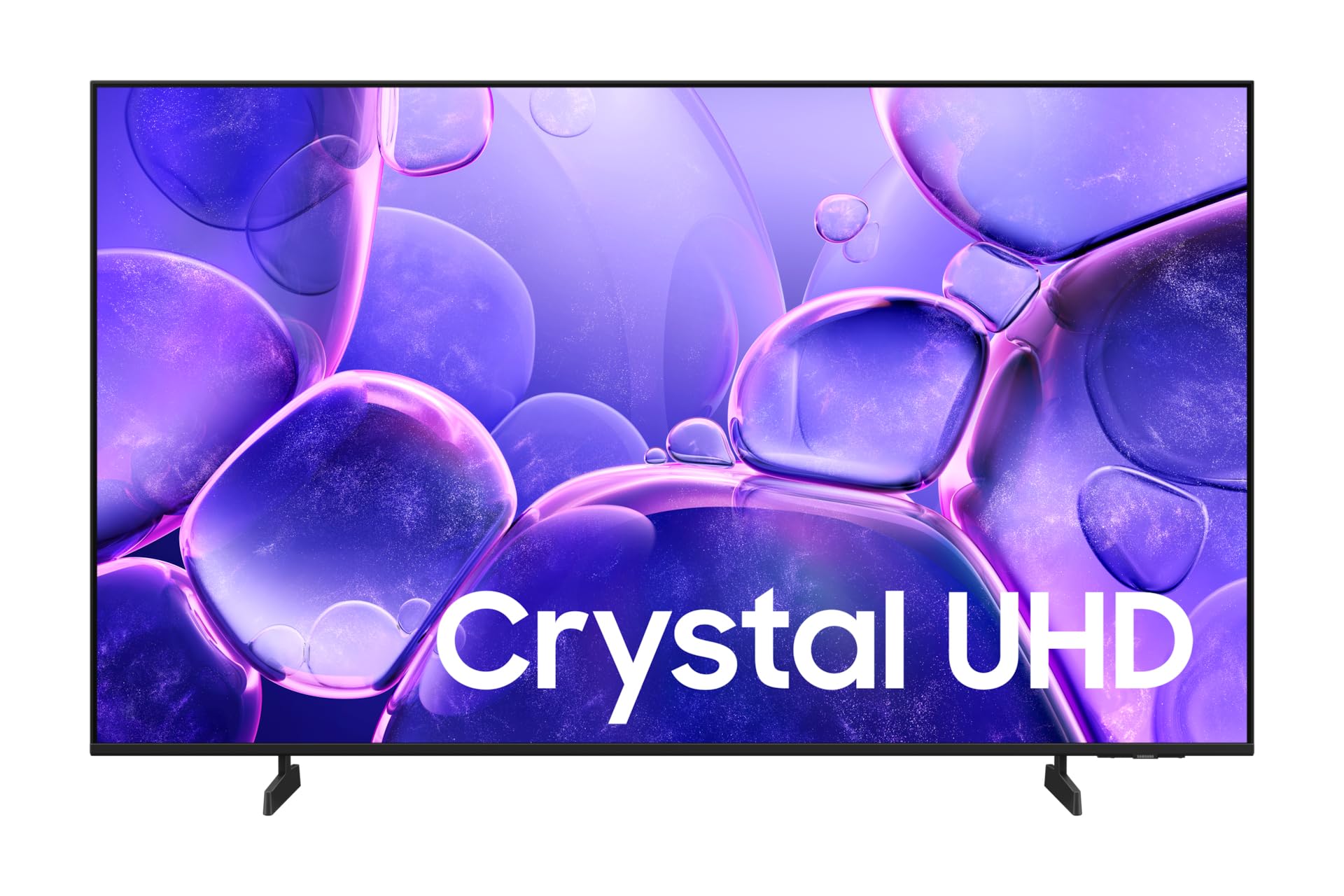
Figuur 1: Voorkant view of the Samsung 55U8072 TV.
The Samsung 55U8072 is a 55-inch (139.70 cm) 4K Ultra HD LED television, offering a resolution of 3840 x 2160 pixels. It features Smart TV capabilities powered by the Tizen operating system, providing access to various streaming applications and internet services. Key features include a Crystal 4K Processor, HDR10 support, and advanced audio technologies like Object Tracking Sound and Q-Symphony.
2. Opstelling
2.1 Uitpak
Carefully remove the TV and all components from the packaging. Ensure all included items are present:
- Samsung 55U8072 TV
- Remote Control (TM2240 A)
- Kragkabel
- Gebruikershandleiding (hierdie dokument)
- TV staander komponente
2.2 Staaninstallasie
If you are not wall-mounting the TV, attach the included stand. Place the TV screen-down on a soft, flat surface to prevent damage. Align the stand components with the designated slots on the TV's bottom edge and secure them with the provided screws. Refer to the diagram below for proper orientation.

Figuur 2: Kant view van die TV met die staander aangeheg.
2.3 Muurmontering
The TV supports VESA wall mounts with dimensions of 200 x 200 mm. Use appropriate wall-mounting hardware (sold separately) and follow the instructions provided with your wall mount. Ensure the wall can support the weight of the TV.
2.4 Eksterne Toestelle Koppel
Connect your external devices (e.g., cable box, Blu-ray player, gaming console) to the TV's input ports. The TV features 3 HDMI ports and 1 USB-A port. Use high-quality HDMI cables for optimal picture and sound.
2.5 Kragverbinding
Plug the power cable into the TV's power input and then into a wall outlet. The TV is designed for 220-240V AC, 50/60Hz power supply.
2.6 Aanvanklike opstelling
Upon first power-on, the TV will guide you through the initial setup process. This includes selecting your language, connecting to a Wi-Fi or Ethernet network, scanning for channels (DVB-T2/C/S2), and agreeing to terms and conditions for Smart TV features.
3. Bediening van die TV
3.1 afstandbeheer
The included remote control (TM2240 A) allows you to access all TV functions. Insert two AAA batteries (not included) into the remote control, observing polarity.
3.2 Basiese Funksies
- Krag: Druk die aan/af-knoppie om die TV aan of af te skakel.
- Volume: Gebruik die volumeknoppies om die klankvlak aan te pas.
- Kanaal: Gebruik die kanaalknoppies om TV-kanale te verander.
- Bron: Press the Source button to switch between connected input devices (HDMI 1, HDMI 2, USB, etc.).
3.3 Slim-TV-funksies (Tizen OS)
Your Samsung TV runs on the Tizen operating system, providing a user-friendly interface for Smart TV functions. Connect to the internet via Wi-Fi or Ethernet to access pre-installed apps like Netflix, Amazon Prime Video, and YouTube, or download new apps from the Samsung App Store.
3.4 Beeld- en klankinstellings
Access the TV's menu to customize picture and sound settings. Adjust brightness, contrast, color, and sharpness for picture quality. For audio, explore options like Object Tracking Sound, Q-Symphony (when paired with compatible Samsung soundbars), and Adaptive Sound for an optimized listening experience.
4. Onderhoud
4.1 Skoonmaak van die TV
Om die skerm skoon te maak, vee dit liggies af met 'n sagte, droë mikrofiberlap. Vir hardnekkige merke, vee dit liggies af.ampen the cloth with water or a specialized screen cleaner. Avoid using harsh chemicals, abrasive materials, or direct spraying of liquids onto the screen or TV body.
4.2 Sagteware-opdaterings
Ensure your TV's software is up to date for optimal performance and security. You can usually check for and install updates through the TV's settings menu (Settings > Support > Software Update). An internet connection is required for this process.
4.3 Veiligheidsmaatreëls
- Moenie ventilasie-openinge blokkeer nie.
- Hou die TV weg van direkte sonlig, hittebronne en vog.
- Do not place heavy objects on the TV or power cable.
- Ontkoppel die TV tydens weerligstorms of wanneer dit vir lang tye nie gebruik word nie.
5. Probleemoplossing
As jy probleme met jou TV ondervind, raadpleeg die volgende algemene probleme en oplossings:
- Geen krag:
Check if the power cable is securely connected to both the TV and the wall outlet. Ensure the outlet is functional. Try pressing the power button on the TV itself, not just the remote. - Geen Beeld/Klank:
Verify that the correct input source is selected. Check all HDMI/AV cable connections. If using an external device, ensure it is powered on and functioning correctly. - Afstandbeheer werk nie:
Vervang die batterye in die afstandbeheerder. Maak seker daar is geen obstruksies tussen die afstandbeheerder en die TV se IR-ontvanger nie. - Netwerkverbindingsprobleme:
Restart your router and modem. Check the TV's network settings to ensure Wi-Fi is enabled or the Ethernet cable is connected. Try reconnecting to the network. - Probleme met beeldkwaliteit:
Adjust picture settings (brightness, contrast, sharpness). If the issue persists, try resetting picture settings to default.
For more complex issues, consult the full e-manual available through your TV's settings or visit the Samsung support webwebwerf.
6. Spesifikasies
Detailed technical specifications for the Samsung 55U8072 4K UHD Smart LED TV:
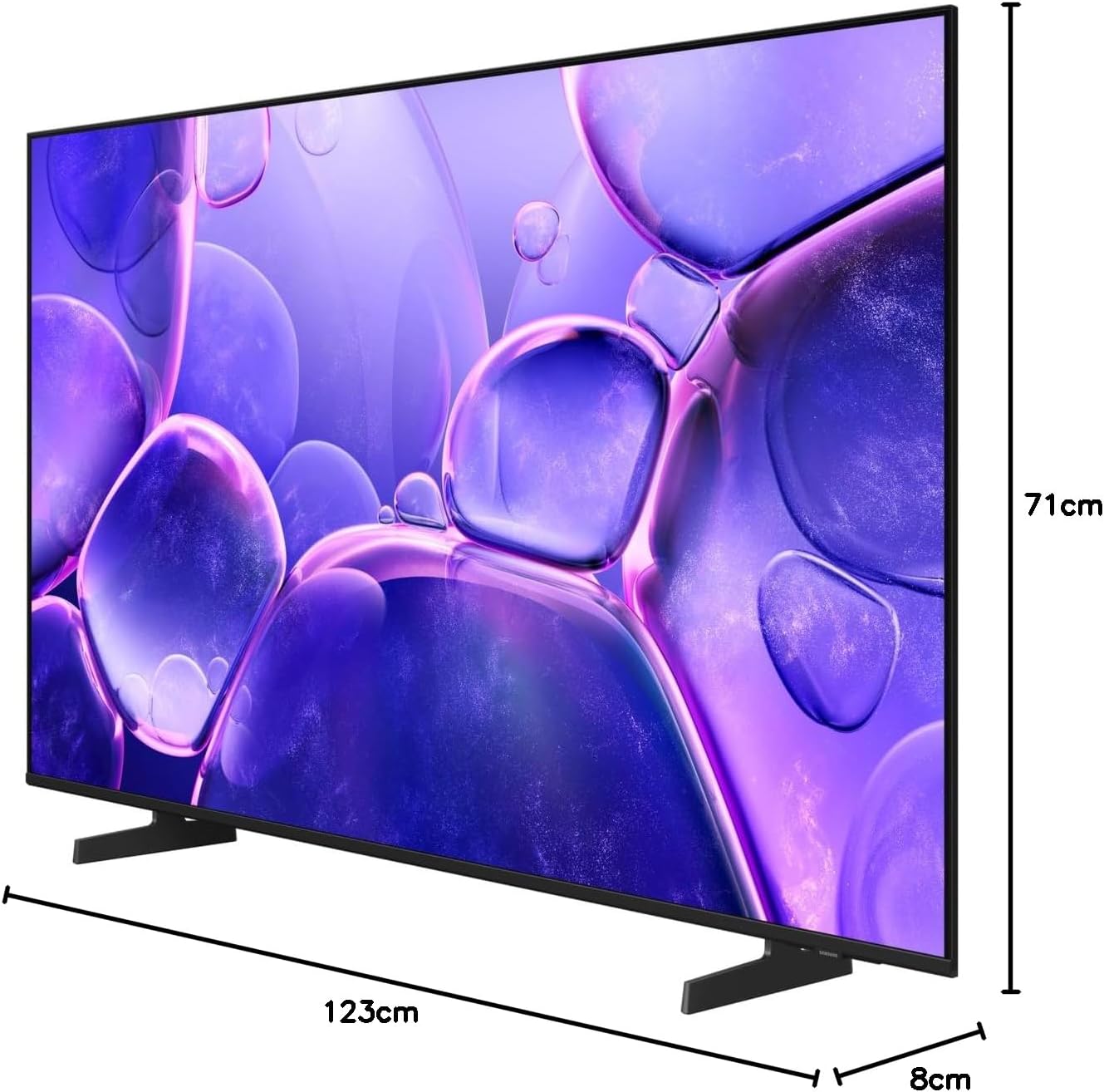
Figure 3: TV dimensions (Depth x Width x Height).
| Kenmerk | Detail |
|---|---|
| Model Naam | Samsung U8072 |
| Item Modelnommer | 55U8072 |
| Skerm grootte | 55 duim (139.70 cm) |
| Vertoon tegnologie | LED |
| Skerm tipe | Plat |
| Resolusie | 4K Ultra HD (3840 x 2160 piksels) |
| Aspekverhouding | 16:9 |
| Herlaaitempo | 50 Hz (Native), 120 Hz (Motion Enhancement) |
| Dinamiese kontras | Mega kontras |
| HDR Ondersteuning | HDR10 |
| Verwerker | Kristal 4K |
| Bedryfstelsel | Tizen |
| Verbindingstegnologie | Bluetooth, HDMI, USB, Wi-Fi, Ethernet |
| HDMI-poorte | 3 |
| USB-poorte | 1 (USB-A) |
| Tuner Tipe | DVB-C, DVB-S2, DVB-T2 |
| Oudio-uitset | 20 W, 2 Channels |
| Oudio-kenmerke | Object Tracking Sound, Q-Symphony, Adaptive Sound |
| VESA-monteringsstandaard | 200 x 200 mm |
| Afmetings (met staander) | 123.2 x 22.8 x 74.7 cm (W x D x H) |
| Itemafmetings (D x B x H) | 8P x 123L x 71H sentimeter |
| Kleur | Swart |
| Jaarlikse Energieverbruik | 79 kWh/1000h |
| Energieklas | G |
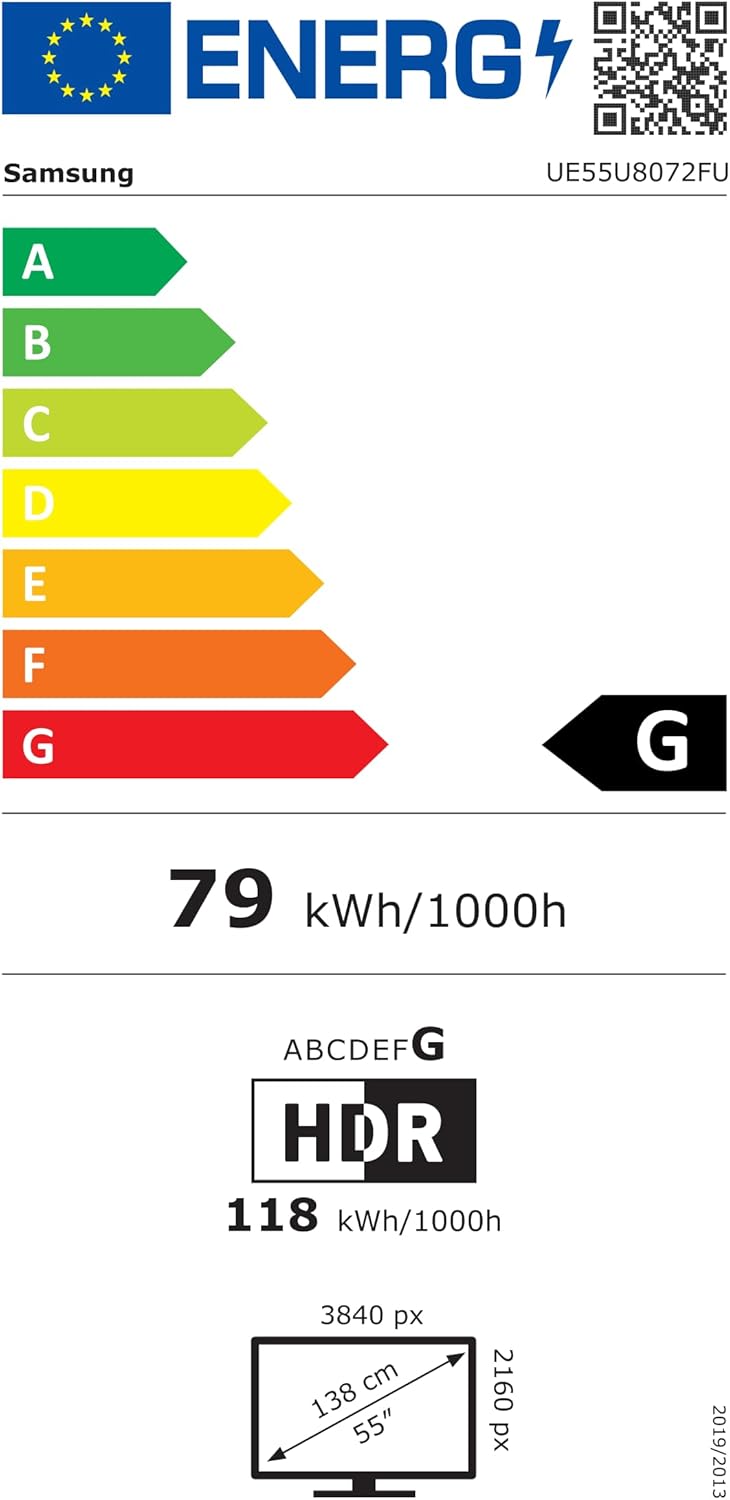
Figure 4: EU Energy Label for model UE55U8072FUXXH. For more details, visit the EPREL-databasis.
7. Waarborg en Ondersteuning
7.1 Waarborginligting
Specific warranty details for your Samsung 55U8072 TV are typically provided with your purchase documentation or can be found on the official Samsung website for your region. Information regarding spare parts availability and guaranteed software updates is not available in this document.
7.2 Kliëntediens
For further assistance, technical support, or service requests, please contact Samsung Customer Service. You can find contact information and support resources on the official Samsung webwerf (www.samsung.com/support).