
Inleiding
This manual provides detailed instructions for the setup, operation, and maintenance of your AJAZZ AF98Plus Tri-Mode Office Keyboard. Please read this manual thoroughly before using the product to ensure optimal performance and longevity.
Produk verbyview
The AJAZZ AF98Plus is a versatile 98-key office keyboard designed for efficiency and comfort. It features tri-mode connectivity, a high-capacity 4000mAh battery, ergonomic design, customizable RGB lighting, and dedicated multimedia function keys.
Sleutel kenmerke
- 98-sleutel uitleg: Compact yet functional, designed to improve posture and reduce wrist strain.
- Drie-modus-verbinding: Supports wired (USB-C), 2.4GHz wireless, and Bluetooth connectivity.
- 4000mAh battery: High-capacity battery for extended use with low power consumption.
- Volume-aanpassingsknop: Convenient control for audio levels.
- Adjustable Foot Support: Dual-position feet for ergonomic typing angles.
- RGB-verligting: 8 distinct RGB lighting effects with adjustable brightness and speed.
- Multimedia funksie sleutels: 15 FN key combinations for quick access to common functions.
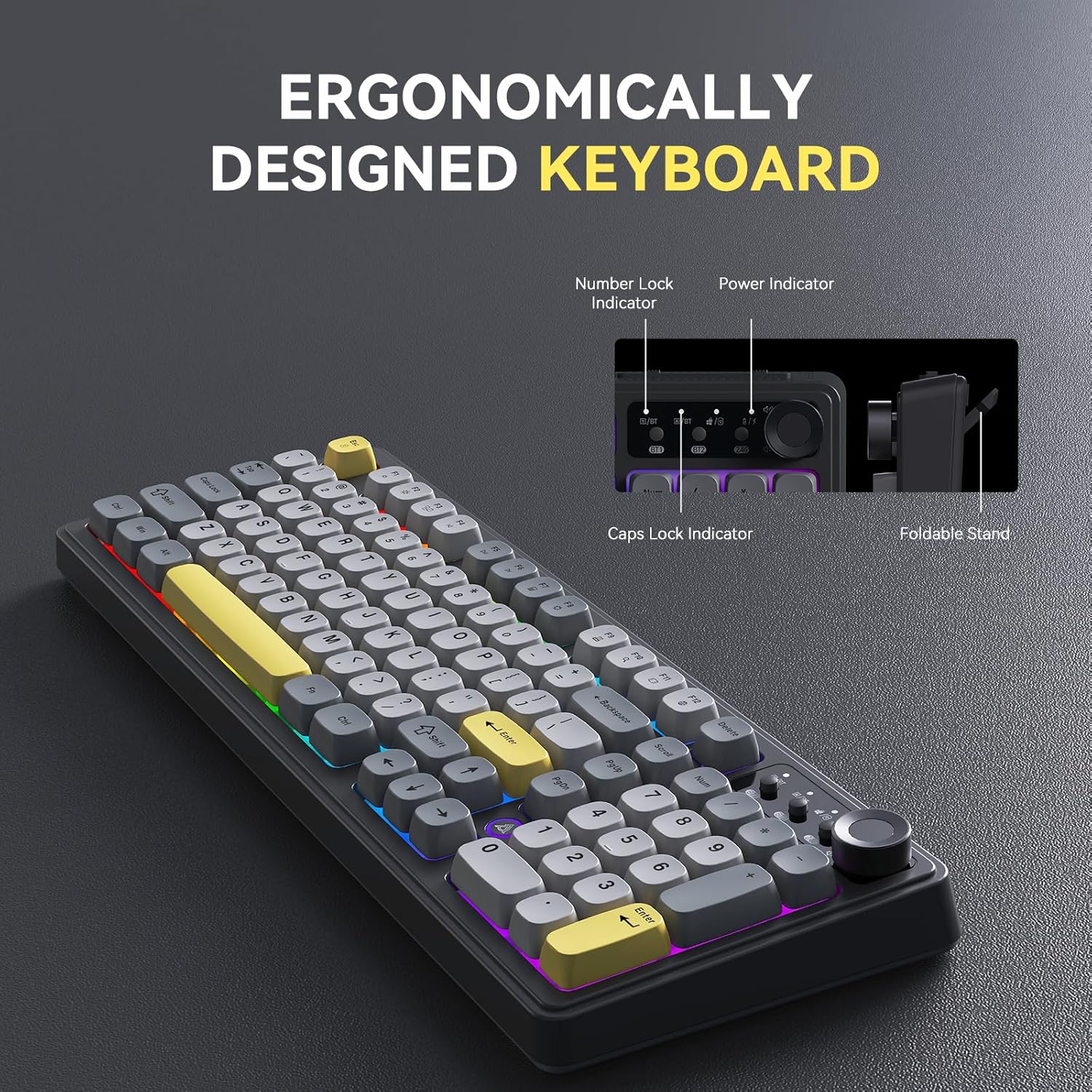
Image: The AJAZZ AF98Plus keyboard highlighting its ergonomic design, including indicators for Number Lock, Power, and Caps Lock, and a foldable stand for adjustable height.

Image: The AJAZZ AF98Plus keyboard positioned on a desk alongside a laptop and notebook, showcasing its full-size ergonomic design for a comfortable typing experience.
Opstelling
Pakketinhoud
- AJAZZ AF98Plus Keyboard
- USB-C-kabel
- Gebruikershandleiding
Aanvanklike verbinding
To begin using your keyboard, connect it to your device using one of the available tri-modes: wired, 2.4GHz wireless, or Bluetooth.
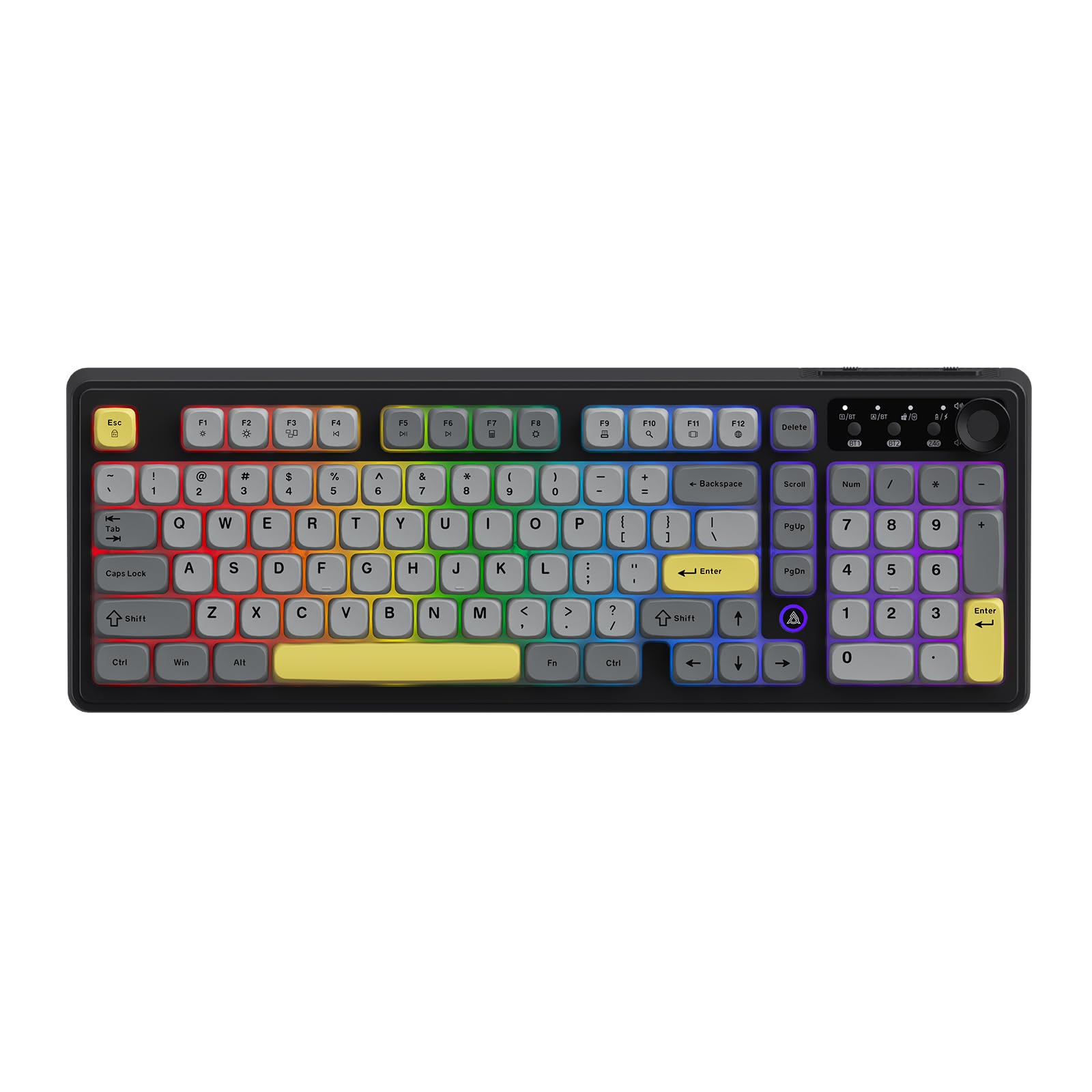
Image: The AJAZZ AF98Plus keyboard in its Black Gray Yellow color scheme, displaying the complete key layout.
Bedryfsinstruksies
Verbindingsmodusse
The AF98Plus keyboard supports three connection modes:
- Bedrade modus: Connect the keyboard to your device using the provided USB-C cable. The keyboard will automatically switch to wired mode.
- 2.4GHz draadlose modus: Insert the 2.4GHz USB receiver into your device. Switch the keyboard to 2.4G mode using the mode switch located near the volume knob.
- Bluetooth-modus: The keyboard supports two Bluetooth connections (BT1 and BT2). Switch the keyboard to BT1 or BT2 mode using the mode switch. On your device, search for "AF98Plus" in Bluetooth settings and pair.

Beeld: 'n Gedetailleerde view of the keyboard's upper right area, featuring the mode switching keys for BT1, BT2, and 2.4G, along with four indicator lights and the volume adjustment knob.
Volumeverstellingsknop
The dedicated knob on the top right of the keyboard allows for quick and easy volume control. Turn the knob clockwise to increase volume, counter-clockwise to decrease volume. Press the knob to mute/unmute.
Verstelbare voetsteun
The keyboard features dual-position adjustable feet on the underside. Extend these feet to raise the keyboard to a more angled position for improved typing comfort.

Image: A close-up of the keyboard's underside, showing the foldable kickstand that allows for adjusting the typing angle for enhanced comfort.
RGB Illumination Effects
The AF98Plus keyboard features 8 types of RGB illumination effects. Use the following FN key combinations to control the lighting:
- FN + ↑: Verhoog lighelderheid
- FN + ↓: Decrease light brightness
- FN + →: Increase light speed
- FN + ←: Decrease light speed
- FN + 0: Verander agtergrondligkleur
- FN + P: Skakel die lig af/aan
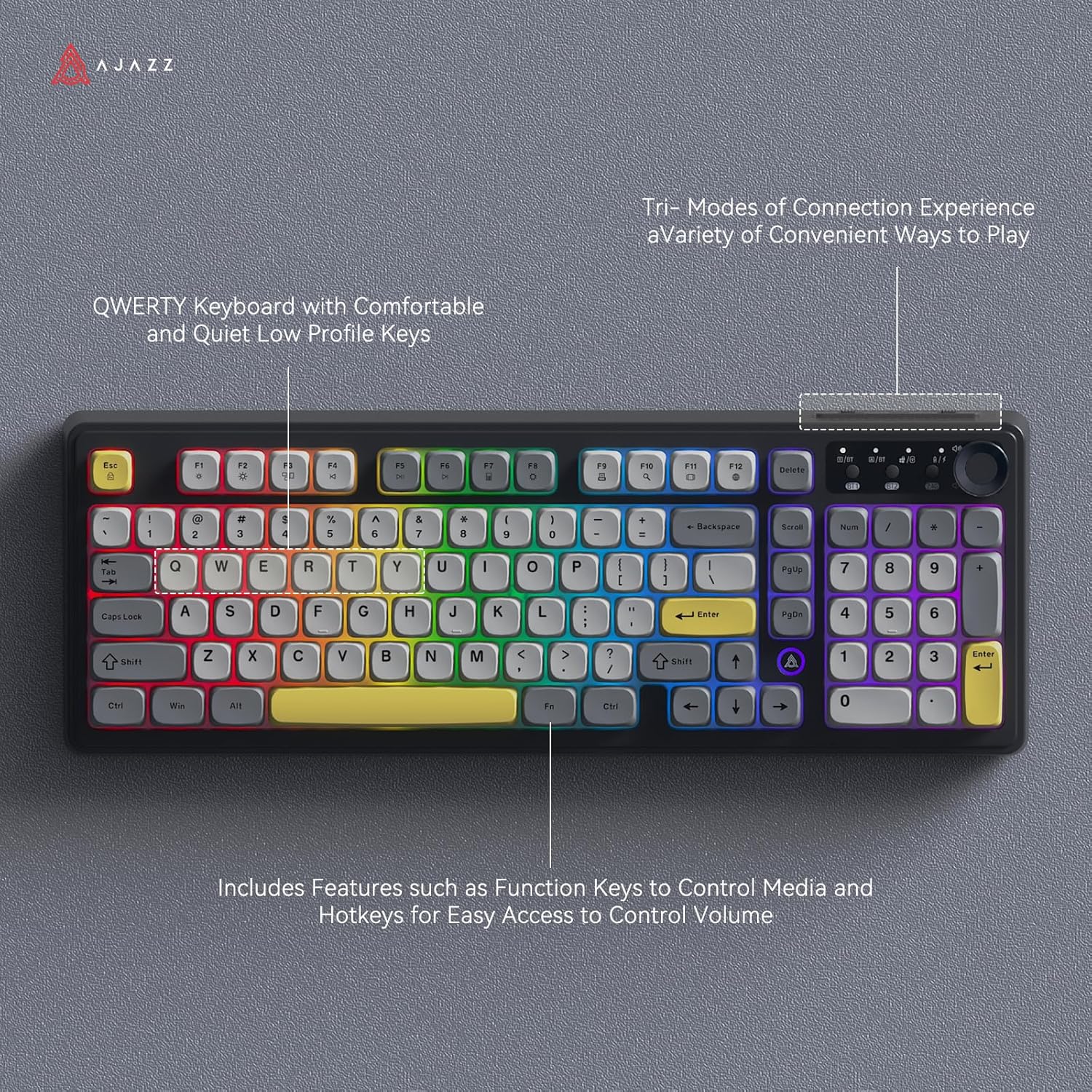
Image: The AJAZZ AF98Plus keyboard illuminated with colorful RGB lighting, showcasing its QWERTY layout and various function keys.

Image: The AJAZZ AF98Plus keyboard showcasing its dynamic RGB lighting effects with keys illuminated in a spectrum of colors.
Multimedia funksie sleutels
The keyboard includes 15 multimedia function key combinations for enhanced productivity:
- FN+F1: Brightness- / Volume-
- FN+F2: Brightness+ / Volume+
- FN+F3: Multi-skerm vertoon
- FN+F4: Vorige Liedjie
- FN+F5: Speel / Pouse
- FN+F6: Volgende Liedjie
- FN+F7: Sakrekenaar
- FN+F8: Instellings
- FN+F9: Drukwerk
- FN+F10: Soek tans
- FN+F11: Toepassingskakeling
- FN+F12: Taalwisseling
- FN+DEL: TUIS
- FN+Scrl: INS
- FN+S: Toggle WASD and Arrow Keys

Image: A table detailing the FN key combinations for various multimedia functions, displayed alongside the AJAZZ AF98Plus keyboard.
Battery inligting
The AJAZZ AF98Plus keyboard is equipped with a 4000mAh high-capacity battery, providing extended usage time. It features a low power consumption chip and an energy-saving design to maximize battery life.

Image: The AJAZZ AF98Plus keyboard, emphasizing its 4000mAh battery, large capacity, low power consumption chip, and energy-saving design.

Image: The underside of the AJAZZ AF98Plus keyboard, with a large "4000mAh" graphic, signifying its battery capacity.
Onderhoud
Skoonmaak
To clean your keyboard, disconnect it from your device. Use a soft, dry cloth to wipe the keycaps and chassis. For deeper cleaning, you may use a can of compressed air to remove dust and debris from between the keys. Avoid using liquid cleaners directly on the keyboard.
Berging
Bêre die sleutelbord op 'n koel, droë plek weg van direkte sonlig en uiterste temperature.
Probleemoplossing
Sleutelbord reageer nie
- Bedrade verbinding: Maak seker dat die USB-C-kabel stewig aan beide die sleutelbord en jou toestel gekoppel is. Probeer 'n ander USB-poort of kabel.
- 2.4GHz Draadloos: Ensure the USB receiver is properly inserted and the keyboard is switched to 2.4G mode. Check battery level.
- Bluetooth: Ensure Bluetooth is enabled on your device and the keyboard is in BT1 or BT2 mode. Re-pair the keyboard if necessary. Check battery level.
RGB Lights Turn Off
The RGB lighting is designed to turn off after a period of inactivity to conserve battery. It will automatically reactivate when you resume typing.
Sleutels werk nie korrek nie
If specific keys are not working, try cleaning around the keycap. If the issue persists, ensure the keyboard's firmware is up to date (check the manufacturer's webwebwerf vir opdaterings).
Spesifikasies
| Kenmerk | Detail |
|---|---|
| Handelsmerk | AJAZZ |
| Modelnommer | AF98 |
| Verbindingstegnologie | Bluetooth, USB-C, 2.4GHz draadloos |
| Sleutelbordbeskrywing | Membraan |
| Aantal sleutels | 98 |
| Sleutelborduitleg | QWERTY |
| Sleutelbord agtergrondbeligting | RGB |
| Kragbron | Battery-aangedrewe (4000mAh) |
| Produk afmetings | 6 cm L x 18 cm B x 1.37 cm H |
| Versoenbare toestelle | Gaming Console, Laptop, PC, Tablet (Windows Vista/XP/7/8/10/11, Mac, Android) |
Waarborg en Ondersteuning
The product comes with a 1-year warranty. For warranty claims or technical support, please contact the retailer or manufacturer directly. Refer to your purchase documentation for specific contact details.
Return Policy: This product is eligible for a refund/replacement within 30 days of purchase, subject to the retailer's return policy.