
1. Inleiding
This manual provides detailed instructions for the installation, operation, and maintenance of your Girafit GRF-T350SW 3K 5MP Indoor/Outdoor Pan/Tilt/Zoom Wi-Fi Security Camera. Please read this manual thoroughly before using the product to ensure proper functionality and safety. Keep this manual for future reference.
2. Produk verbyview
Sleutel kenmerke
- 3K 5MP Resolution with 4X Digital Zoom: Verskaf duidelike en gedetailleerde video footage.
- 360° Pan and 180° Tilt: Offers comprehensive coverage of your monitoring area.
- AI Person/Pet/Vehicle Detection: Advanced artificial intelligence for accurate identification of subjects, reducing false alerts.
- Auto Motion Tracking: Automatically follows detected subjects within the camera's field of view.
- Sterligkleur Nagvisie: Enhanced low-light performance for vivid color images at night.
- Tweerigting-klank: Ingeboude mikrofoon en luidspreker vir kommunikasie intyds.
- Auto Alert Siren: Deters intruders with an audible alarm.
- IP65 Weerbestande Gradering: Geskik vir buiteluggebruik in verskillende weersomstandighede.
- Buigsame bergingsopsies: Supports encrypted US cloud storage and local Micro SD card storage (up to 256GB).
- 2.4GHz/5GHz Wi-Fi Connectivity: Dual-band Wi-Fi support for stable connection.
Wat is in die boks
- Girafit GRF-T350SW Camera Body
- Kragadapter
- Monteer skroewe en ankers
- Montagesjabloon
- Gebruikershandleiding

Figure 2.1: Girafit GRF-T350SW camera showing its pan and tilt capabilities.

Figure 2.2: The Girafit GRF-T350SW camera operating reliably in both rainy and sunny conditions, highlighting its IP65 weatherproof design.
3. Opstelling
3.1 Fisiese installasie
- Kies 'n ligging: Select a suitable outdoor or indoor location that provides the desired viewing angle and is within range of your Wi-Fi network. Ensure the power outlet is accessible.
- Monteer die kamera: Use the provided mounting template to mark drill holes. Secure the mounting bracket to the wall or ceiling using the screws and anchors. Attach the camera to the bracket.
- Koppel krag: Plug the power adapter into the camera and then into a power outlet. The camera will power on and initiate its startup sequence.
3.2 App-installasie en rekeningskepping
- Download the Girafit App: Soek vir 'Girafit' in your smartphone's app store (iOS or Android) and download the official application.
- Skep 'n rekening: Maak die toepassing oop en volg die instruksies op die skerm om 'n nuwe rekening te registreer.
3.3 Netwerkverbinding
- Voeg toestel by: In the Girafit app, tap the '+' icon to add a new device. Select your camera model.
- Volg die instruksies in die toepassing: The app will guide you through connecting the camera to your 2.4GHz or 5GHz Wi-Fi network. This typically involves scanning a QR code displayed on your phone with the camera lens.
- Voltooiing: Once connected, the camera's status indicator will change, and you will see the live feed in the app.
4. Bedryf
4.1 Pan-, Kantel- en Zoembeheer
Uit die lewendige view in the Girafit app, use the on-screen controls to remotely adjust the camera's viewing angle. The camera supports 360° horizontal pan and 180° vertical tilt. You can also digitally zoom in up to 4X to view besonderhede.

Figure 4.1: Visual comparison demonstrating the clarity of 3K 5MP resolution with 4X zoom compared to standard 3MP resolution.
4.2 Motion Detection and Auto Tracking
The camera features advanced AI detection capabilities to identify humans, pets, and vehicles. When motion is detected, the camera can automatically track the subject, zoom in, record the event, and send push notifications to your smartphone.
- Aktiveer opsporing: Navigate to the camera settings in the app to enable AI Person/Pet/Vehicle Detection.
- Stel Deteksiesones: Definieer spesifieke areas binne die kamera se view where you want motion detection to be active.
- Activate Auto Tracking: Enable auto tracking in the settings to allow the camera to follow detected subjects.
- Auto Alert Siren: Configure the camera to trigger an audible siren upon detection to deter unwanted visitors.

Figure 4.2: Illustration of the camera's automatic tracking feature, showing a person being followed with a 4X zoom.

Figure 4.3: The camera's AI accurately detecting a human, a pet, and a vehicle in a home environment.

Figure 4.4: The camera detecting activity in a defined hexagonal area and issuing an auto voice alert.
4.3 Nagvisie
The GRF-T350SW offers multiple night vision modes for clear surveillance in low-light conditions.
- Sterligkleur Nagvisie: Utilizes a Starlight Sensor and f/1.6 aperture to capture more light, providing full-color video even in very dim environments.
- Infrarooi modus: Standard black and white night vision using infrared LEDs.
- Kolligmodus: Activates built-in spotlights to illuminate the area and capture color video when motion is detected at night.
You can switch between these modes or set them to automatic in the app settings.

Figure 4.5: Visual representation of the camera's Starlight Color Night Vision, Infrared Mode, and Spotlight Mode capabilities.
4.4 Tweerigting-klank
The integrated microphone and speaker allow for two-way communication. You can speak through the camera to visitors or deter intruders directly from your smartphone via the Girafit app.
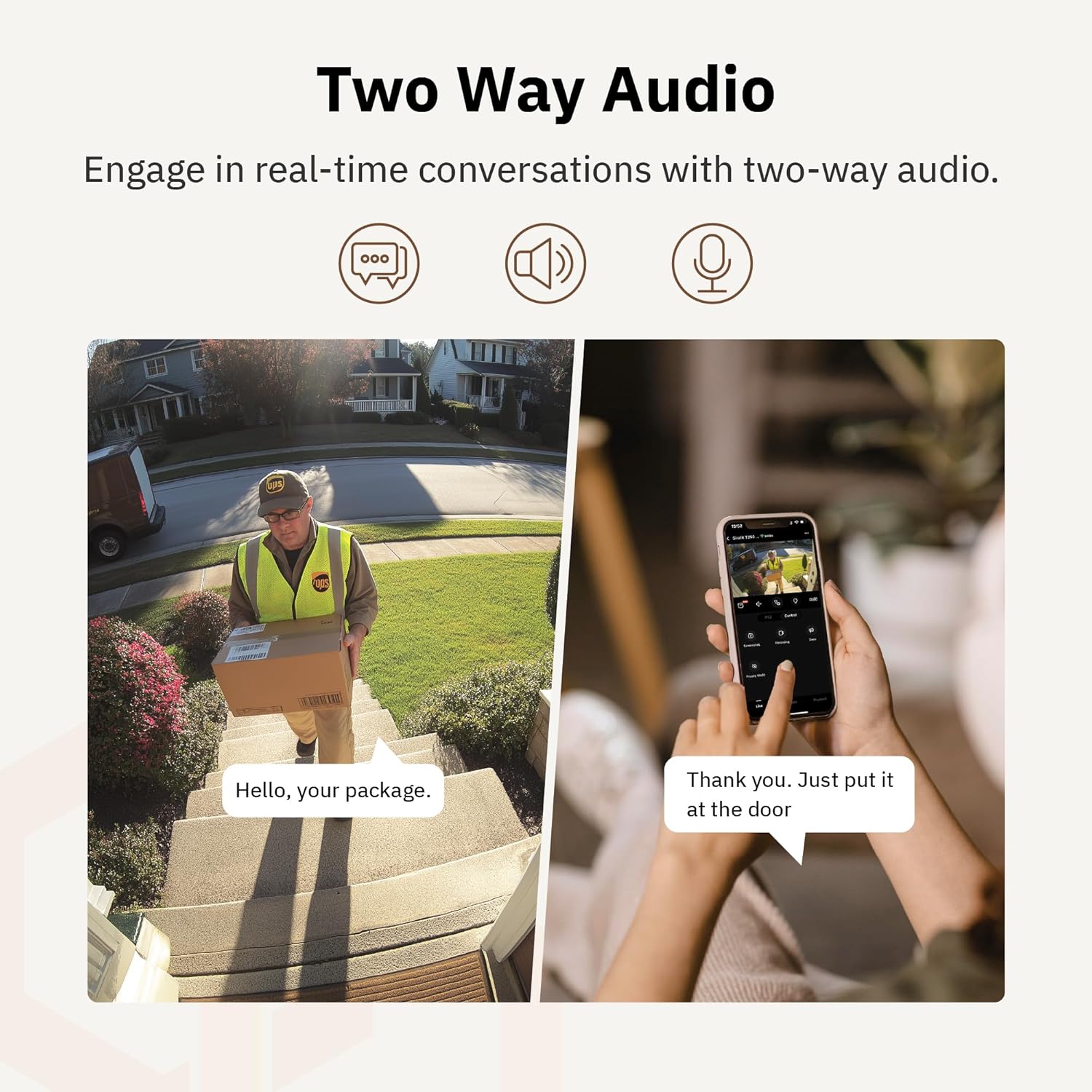
Figuur 4.6: 'n Example of using two-way audio to communicate with a delivery person at the door.
4.5 Privaatheidsmodus
For enhanced privacy, the camera features a privacy mode. When activated, the camera lens physically tilts down by 180°, ensuring no live feed is captured or transmitted. This provides 100% privacy protection when needed.

Figure 4.7: The camera in privacy mode, with the lens tilted downwards to ensure no recording or live view.
4.6 Video stoor
The camera supports two primary methods for video storage:
- Mikro-SD-kaart: Insert a Micro SD card (up to 256GB, not included) into the designated slot on the camera for local storage of recordings.
- Wolkberging: Girafit offers encrypted cloud storage services in the US. Refer to the app for subscription options and details.
5. Onderhoud
5.1 Skoonmaak
To maintain optimal performance, periodically clean the camera lens and housing. Use a soft, damp lap om stof en vuiligheid af te vee. Vermy die gebruik van harde chemikalieë of skuurmiddels wat die lens of afwerking kan beskadig.
5.2 Firmware-opdaterings
Girafit regularly releases firmware updates to improve camera performance, add new features, and enhance security. Check the Girafit app periodically for available updates and follow the in-app instructions to install them. Ensure the camera has a stable power supply during updates.
6. Probleemoplossing
- Kamera koppel nie aan Wi-Fi nie:
- Ensure your Wi-Fi network is 2.4GHz or 5GHz and the password is correct.
- Beweeg die kamera nader aan jou Wi-Fi-router.
- Herbegin jou router en die kamera.
- Swak videogehalte:
- Kontroleer jou internetverbindingspoed.
- Maak die kameralens skoon.
- Maak seker dat die kamera voldoende krag ontvang.
- Bewegingsopsporing werk nie:
- Verifieer dat bewegingsopsporing in die toepassinginstellings geaktiveer is.
- Adjust detection sensitivity and detection zones.
- Maak seker dat daar geen obstruksies is wat die kamera se view.
- Tweerigting-oudio-kwessies:
- Check microphone and speaker permissions for the Girafit app on your phone.
- Maak seker dat die kamera se mikrofoon en luidspreker nie geblokkeer word nie.
For further assistance, please contact Girafit customer support.
7. Spesifikasies
| Kenmerk | Beskrywing |
|---|---|
| Model Naam | GRF-T350SW |
| Video-opname-resolusie | 3K (5MP) |
| Binne/buiteluggebruik | Buitelug |
| Verbindingstegnologie | Wi-Fi (2.4GHz/5GHz), Wired |
| Kragbron | Elektries met koord |
| Montage tipe | Muurmontering |
| Spesiale kenmerk | 2-Way Audio, AI Detection (Human/Pet/Vehicle), Auto Tracking, Color Night Vision, IP65 Weatherproof |
| Versoenbare toestelle | Desktop, Laptop, Smartphone (Android/iOS) |
| Itemafmetings (L x B x H) | 2.63 x 2.63 x 4.76 duim |
| Item gewig | 14.7 onse |
| Bergingsopsies | Mikro SD-kaart (tot 256 GB), Wolkberging |
| UPC | 764742517881 |
8. Waarborg en Ondersteuning
Girafit products are designed for reliability and performance. For warranty information, please refer to the warranty card included with your product or visit the official Girafit website. For technical support, troubleshooting assistance, or any inquiries regarding your Girafit GRF-T350SW camera, please contact Girafit customer service through the contact information provided on the official website or within the Girafit app.