
1. Inleiding
This manual provides essential information for the safe and efficient use of your realme 14x 5G Smartphone, Model RMA2306. Please read this manual thoroughly before using your device to ensure optimal performance and longevity.
The realme 14x 5G Smartphone features a 6.67-inch 120Hz display, a 50MP AI camera, a 5000mAh battery, and is powered by the MediaTek Dimensity 6300 5G chipset. It also includes ArmorShell Protection and IP64 water and dust resistance.

Image: The realme 14x 5G Smartphone in Carbon Black and Peridot Green, showcasing sy slanke ontwerp.

Beeld: 'n Oorview of the realme 14x 5G's key features, including Dimensity 6300 5G Chipset, 18GB Dynamic RAM, 120Hz Eye Comfort Display, Military-Grade Shock Resistance, NEXT AI, and 50MP AI Camera.
2. Wat is in die boks
Upon unboxing your realme 14x 5G Smartphone, verify that all the following items are included:
- realme 14x 5G Smartphone (Model RMA2306)
- Telefoonkas
- SIM Skinkbord Ejector
- USB-kabel (tipe-C)
- Vinnige Begingids (hierdie dokument)
- Waarborgkaart
3. Toestelopstelling
3.1. Plaas die SIM-kaart
The realme 14x 5G supports Dual Nano SIM cards.
- Vind die SIM-kaartlaai aan die kant van jou toestel.
- Plaas die SIM-laai se uitwerpgereedskap in die klein gaatjie langs die laai en druk stewig totdat die laai uitspring.
- Plaas jou Nano SIM-kaart(e) in die aangewese gleuwe op die laai en maak seker dat die goue kontakte na onder wys.
- Plaas die SIM-kaartlaai versigtig terug in die foon totdat dit vasklik.
3.2. Aanvanklike aanskakeling en opstelling
- Druk en hou die aan/af-knoppie in totdat die realme-logo verskyn.
- Volg die instruksies op die skerm om jou taal te kies, aan Wi-Fi te koppel en jou Google-rekening op te stel.
- Configure security features such as fingerprint recognition and a screen lock (PIN, pattern, or password). The device features a side-mounted fingerprint sensor for quick and secure unlocking.
4. Bedien jou toestel
4.1. Vertoonkenmerke
Your realme 14x 5G features a 6.67-inch display with a 120Hz refresh rate for smooth visuals. It includes various visual comfort modes to protect your eyes.
- 120Hz opdateringsfrekwensie: Provides a fluid scrolling and gaming experience.
- Visual Protection Modes: Access settings for Black and White Display, Paper-like Display, Scheduled Dark Mode, Scheduled Eye Comfort, Color Temperature Adjustment, and Auto Brightness to optimize your viewondervinding en verminder oogspanning.

Image: The realme 14x 5G display showcasing 120Hz refresh rate and various visual comfort options like Black and White Display, Paper-like Display, Scheduled Dark Mode, Scheduled Eye Comfort, Color Temperature Adjustment, and Auto Brightness.
4.2. Kamera-kenmerke
The device is equipped with a 50MP AI main camera and an 8MP front camera.
- 50MP AI Camera: Captures detailed photos, especially in complex scenes.
- AI Clear Face: Enhances portrait shots for clearer results.
- Portretmodus: Focuses on subjects with a blurred background for professional-looking photos.

Image: Visual representation of the realme 14x 5G's 50MP AI Camera capabilities, highlighting AI Clear Face for portraits and detailed landscape photography.
4.3. NFC-funksionaliteit
The realme 14x 5G supports NFC (Near Field Communication) for convenient transactions and data exchange.
- Mobile Payments: Use your phone for contactless payments where supported.
- Card Emulation: Store multiple digital cards for various uses.
- Data-oordrag: Deel files with other NFC-enabled devices by tapping them together.

Image: A visual demonstrating the 360° NFC feature on the realme 14x 5G, allowing the phone to act as multiple cards in one device.
4.4. realme UI 6.0 (Based on Android 15)
Your device runs on realme UI 6.0, based on Android 15, offering an optimized user experience.
- New Icon Design: Enjoy a refreshed visual interface.
- Wallpaper Depth: Skillfully separates the background from the subject for dynamic wallpapers.
- Separation of Notifications & Quick Settings: Provides a larger notification display area and more shortcut controls for improved accessibility.

Image: An illustration of realme UI 6.0 features, including new icon designs, wallpaper depth, and separated notification and quick settings panels.
5. Battery en Laai
The realme 14x 5G is equipped with a 5000mAh battery, designed for extended usage.
- Battery kapasiteit: 5000 miljoenamp Ure (mAh).
- Laai: Use the provided USB Type-C cable for charging. The device supports fast charging.
- Estimated Usage: Up to 37.6 hours of call time, 15.3 hours of Instagram use, or 11.8 hours of YouTube playback on a full charge.

Image: A visual representation of the realme 14x 5G's 5000mAh battery capacity and its fast charging capability, showing estimated usage times for various activities.
6. Prestasie en Konnektiwiteit
The realme 14x 5G delivers robust performance and connectivity options.
- Verwerker: Powered by the MediaTek Dimensity 6300 5G chipset, an advanced 6nm octa-core CPU with clock speeds up to 2.4GHz.
- RAM: 6GB RAM installed, with dynamic RAM expansion for enhanced multitasking.
- Berging: 128GB internal storage capacity.
- 5G-verbinding: Supports 5G cellular technology for faster data speeds.
- Draadlose konneksie: Includes Bluetooth, Wi-Fi, and USB for versatile connections.

Image: An illustration of the MediaTek Dimensity 6300 5G Chipset, highlighting its 6nm advanced process, 50% GPU performance increase, 8-core architecture, and 11% power-efficiency enhancements.

Image: A graphic illustrating the dynamic RAM and ROM configuration, showing 8GB of dynamic RAM and 256GB of ROM for fast multitasking.
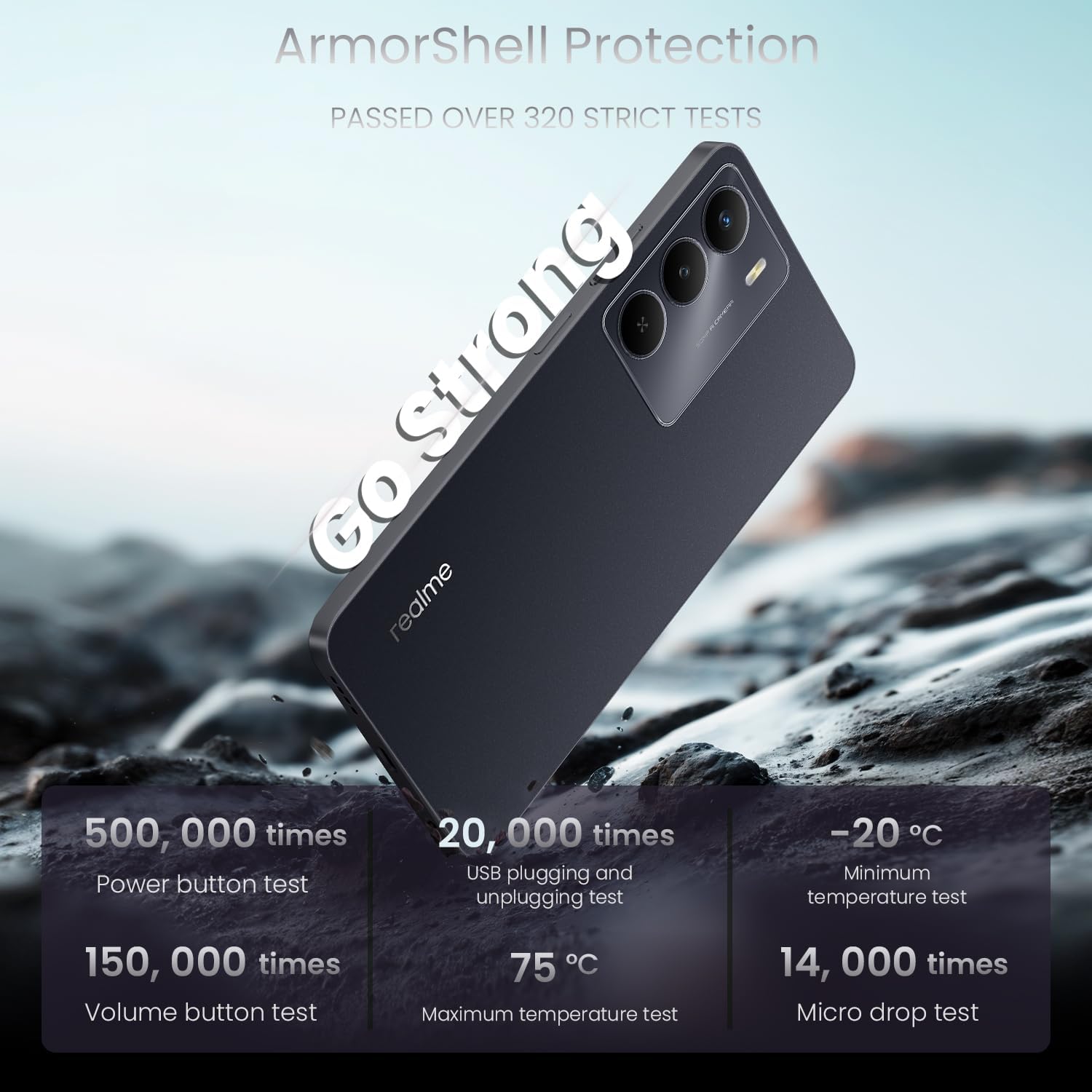
Image: A visual emphasizing the 'Go Fast' feature of the realme 14x 5G, highlighting its Dimensity 6300 5G Chipset for faster and further-reaching 5G connectivity.
7. Duursaamheid en Beskerming
The realme 14x 5G is built with enhanced durability features.
- ArmorShell Protection: The device has passed military-grade impact resistance tests, providing significant fall protection.
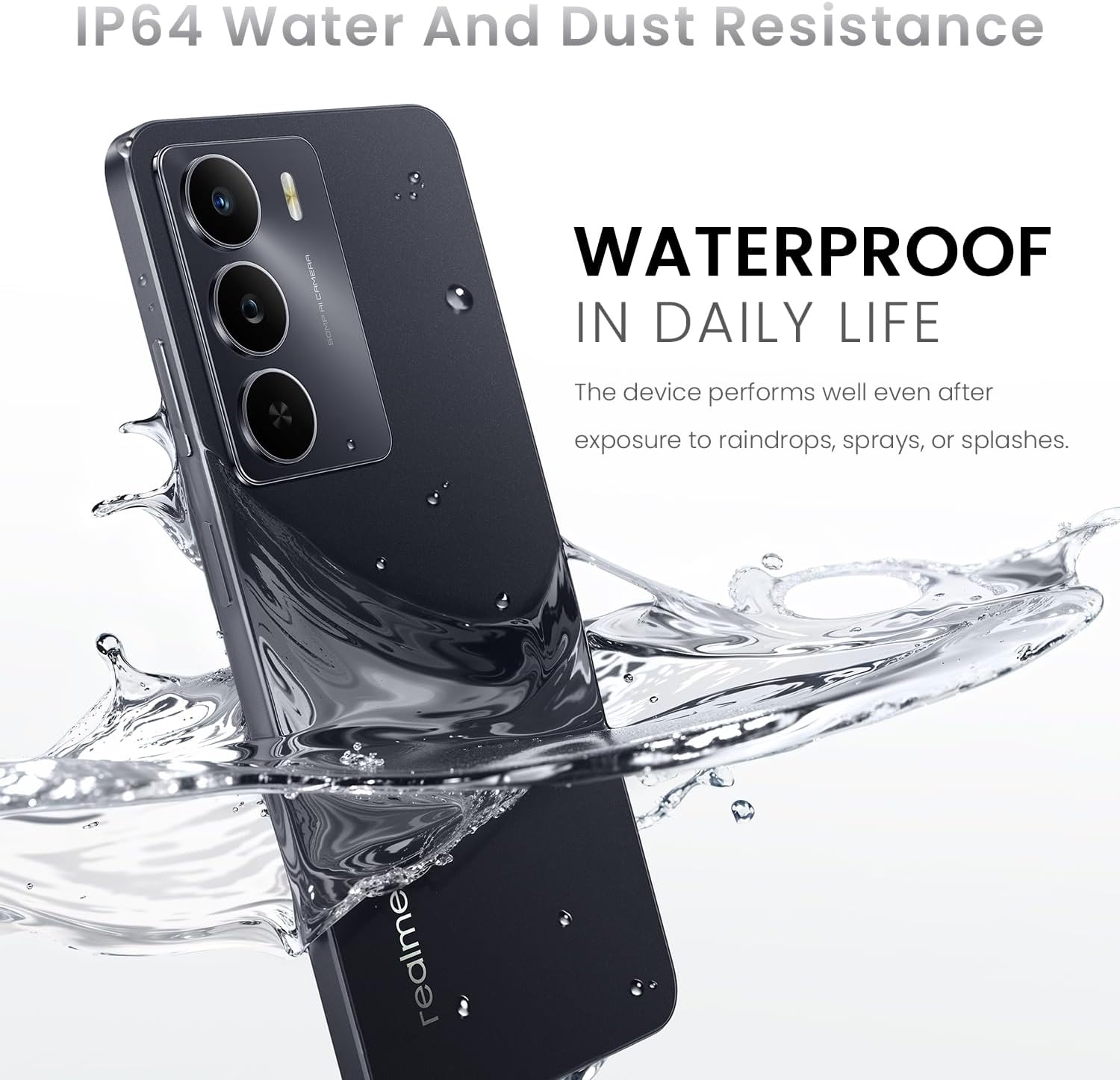
- IP64 Water- en Stofbestandheid: Designed to withstand exposure to raindrops, sprays, or splashes, making it suitable for daily use.

Image: The realme 14x 5G Smartphone being splashed with water, illustrating its IP64 water and dust resistance for daily life.

Image: A graphic detailing the ArmorShell Protection, showing the phone undergoing over 320 strict tests including power button, volume button, USB plugging, temperature, and micro drop tests.
Beeld: 'n Ontplofte view of the realme 14x 5G, illustrating its military-grade shock resistance with features like tough corner protection, airbag protection, and a reinforced aluminum structure.
8. Onderhoud
- Skoonmaak: Gebruik 'n sagte, pluisvrye lap om die skerm en liggaam van die foon skoon te maak. Vermy harde chemikalieë of skuurmiddels.
- Sagteware-opdaterings: Kontroleer gereeld vir stelselopdaterings en installeer dit om optimale werkverrigting, sekuriteit en toegang tot nuwe funksies te verseker.
- Batterysorg: Avoid extreme temperatures. Do not fully discharge the battery frequently.
- Bergingbestuur: Maak gereeld onnodige dinge skoon files en programme om toestelspoed te handhaaf en stoorplek vry te maak.
9. Probleemoplossing
9.1. Algemene probleme en oplossings
| Kwessie | Oplossing |
|---|---|
| Toestel skakel nie aan nie | Maak seker dat die battery gelaai is. Druk en hou die aan/af-knoppie vir ten minste 10 sekondes in. |
| Programme wat vasval of vries | Close the app and reopen it. Clear the app's cache. Restart the device. |
| Swak batterylewe | Reduce screen brightness, close background apps, disable unnecessary features like GPS or Bluetooth when not in use. Check for power-intensive apps. |
| Netwerkverbindingsprobleme | Check SIM card insertion. Toggle Airplane Mode on and off. Restart the device. Reset network settings. |
| Vingerafdruksensor werk nie | Maak seker dat jou vinger skoon en droog is. Registreer jou vingerafdrukke weer in instellings. |
9.2. Fabrieksterugstelling
If persistent issues occur, a factory reset may be necessary. This will erase all data on your phone. Rugsteun jou data voordat jy voortgaan.
- Gaan na Instellings > Stelsel > Stel opsies terug.
- Kies Vee alle data uit (fabriekterugstelling).
- Bevestig jou besluit en voer jou PIN/wagwoord in indien gevra.
10. Spesifikasies
| Kenmerk | Detail |
|---|---|
| Handelsmerk | ryk |
| Model Naam | realme 14X (RMA2306) |
| Bedryfstelsel | Android 15 (realme UI 6.0) |
| Verwerker | MediaTek Dimensity 6300 5G Octa-Core (up to 2.4 GHz) |
| RAM | 6 GB |
| Interne berging | 128 GB |
| Skerm grootte | 6.67 duim |
| Vertoon resolusie | 1600 x 720 Pixels (HD+) |
| Herlaaitempo | 120 Hz |
| Agterste kamera | 50 MP |
| Voorste kamera | 8 MP |
| Battery kapasiteit | 5000 mAh |
| Laaipoort | USB Tipe C |
| SIM-kaartgleuf | Dual SIM (Nano) |
| Sellulêre Tegnologie | 5G |
| Konnektiwiteit | Bluetooth, USB, Wi-Fi, NFC |
| Biometriese sekuriteit | Vingerafdrukherkenning |
| Waterweerstandvlak | IP64 Water- en stofbestand |
| Afmetings | 1.28 x 0.83 x 0.81 duim (ongeveer) |
| Gewig | 41.8 Grams (approximate) |

Image: The realme 14x 5G Smartphone highlighting its slim design with a thickness of 7.94mm and a weight of 197g.
11. Waarborg en Ondersteuning
11.1. Waarborginligting
Your realme 14x 5G Smartphone comes with a 1 Jaar Vervaardigerswaarborg. Please refer to the warranty card included in your product box for detailed terms and conditions.
11.2. Kliëntediens
For technical assistance, troubleshooting, or warranty claims, please contact realme customer support. You can find contact information on the official realme website or through the support section within your device settings.
Vervaardiger: ryk