
1. Inleiding
This manual provides detailed instructions for the operation and maintenance of your KEPLUG MX9 Sunrise Alarm Clock. This device combines a digital alarm clock, a sunrise simulation wake-up light, a dimmable bedside night light, and a white noise machine with 30 soothing sounds. Please read this manual thoroughly before use to ensure proper functionality and safety.
2. Veiligheidsinligting
- Maak seker dat die toestel op 'n stabiele, plat oppervlak geplaas word.
- Moenie die toestel aan water of oormatige vog blootstel nie.
- Gebruik slegs die meegeleverde kragadapter en kabel.
- Hou buite bereik van kinders en troeteldiere.
- Moenie probeer om die toestel self uitmekaar te haal of te herstel nie. Kontak gekwalifiseerde personeel vir diens.
- Ontkoppel die toestel tydens weerligstorms of wanneer dit vir lang tye ongebruik word.
3. Pakketinhoud
Verifieer dat alle items in die pakket teenwoordig is:
- KEPLUG MX9 Sunrise Alarm Clock
- Kragadapter
- Kragkabel
- Gebruikershandleiding (hierdie dokument)
4. Produk verbyview
Familiarize yourself with the main components and control buttons of your KEPLUG MX9 Sunrise Alarm Clock.

Beeld 1: Voorkant view of the KEPLUG MX9 Sunrise Alarm Clock, showing the main light dome, digital time display, and control buttons at the base.
The device features a large light dome, a digital time display, and several touch-sensitive buttons for control:
- Alarmknoppie: Used to set and activate alarms.
- Tydknoppie: Used to set the current time and 12/24-hour format.
- Sluimer/lig-knoppie: Activates snooze during an alarm, or turns on/off and adjusts the night light.
- Plus (+) knoppie: Increases values (time, volume, brightness) or navigates options.
- Minus (-) knoppie: Decreases values (time, volume, brightness) or navigates options.
- Music Note Button: Selects soothing sounds or white noise.
5. Opstelling
5.1 Kragverbinding
- Connect the power cable to the DC input port on the back of the alarm clock.
- Steek die kragadapter in 'n standaard elektriese aansluiting.
- The digital display will illuminate, indicating the device is powered on.
5.2 Instelling van die huidige tyd
- Druk en hou die Tyd knoppie for 3 seconds to enter time setting mode. The hour digits will flash.
- Gebruik die Plus (+) or Minus (-) Buttons om die uur aan te pas.
- Druk die Tyd knoppie druk weer om die uur te bevestig en na die minuutinstelling oor te skakel. Die minuutsyfers sal flikker.
- Gebruik die Plus (+) or Minus (-) Buttons om die minuut aan te pas.
- Druk die Tyd knoppie a third time to confirm the minutes and select 12-hour or 24-hour format.
- Gebruik die Plus (+) or Minus (-) Buttons om jou voorkeurtydformaat te kies.
- Druk die Tyd knoppie one last time to exit time setting mode.
6. Bedryfsinstruksies
6.1 Setting an Alarm (Sunrise Simulation & Sound)
The KEPLUG MX9 allows you to set multiple alarms with customizable sunrise simulation and sound options.

Image 2: Illustration of the sunrise simulation feature, where the light gradually brightens over a set period, mimicking a natural sunrise.
- Druk die Alarmknoppie to select an alarm slot (e.g., Alarm 1, Alarm 2).
- Druk en hou die Alarmknoppie for 3 seconds to enter alarm setting mode. The alarm hour digits will flash.
- Gebruik die Plus (+) or Minus (-) Buttons om die gewenste wekkeruur te stel.
- Druk die Alarmknoppie to confirm the hour and set the minutes.
- Gebruik die Plus (+) or Minus (-) Buttons om die gewenste alarmminuut in te stel.
- Druk die Alarmknoppie to confirm minutes and set the sunrise duration (15-120 minutes). This is the time before the alarm sound when the light will gradually brighten.
- Gebruik die Plus (+) or Minus (-) Buttons to select the sunrise duration.
- Druk die Alarmknoppie to confirm duration and select the wake-up sound.
- Gebruik die Plus (+) or Minus (-) Buttons to cycle through the available wake-up sounds (e.g., nature sounds, melodies).
- Druk die Alarmknoppie to confirm the sound and set the alarm volume.
- Gebruik die Plus (+) or Minus (-) Buttons to adjust the alarm volume (7 levels).
- Druk die Alarmknoppie one last time to save the alarm settings and activate the alarm. An alarm icon will appear on the display.
6.2 Snooze -funksie
Wanneer 'n alarm afgaan, druk die Sluimer/lig-knoppie to activate the snooze function. The alarm will pause for 9 minutes and then sound again. You can snooze multiple times.
6.3 Turning Off an Alarm
To turn off a sounding alarm, press any button other than the Sluimer/lig-knoppie. To deactivate an alarm completely, press the Alarmknoppie until the alarm icon disappears from the display.
6.4 Night Light / Bedside Lamp Funksie
The device can function as a dimmable night light with various colors.

Image 3: The alarm clock used as a bedside lamp, displaying various solid colors and mood lighting options.
- Druk die Sluimer/lig-knoppie once to turn on the light.
- Druk die Sluimer/lig-knoppie repeatedly to cycle through different solid colors (8 options) and RGB mood lights (4 options).
- To adjust the brightness of the selected light, press and hold the Sluimer/lig-knoppie, gebruik dan die Plus (+) or Minus (-) Buttons to increase or decrease brightness. Release the Sluimer/lig-knoppie wanneer klaar is.
- Druk en hou die Sluimer/lig-knoppie weer om die lig af te skakel.
6.5 White Noise Machine & Soothing Sounds
The device offers 30 soothing sounds for relaxation or sleep aid.

Image 4: Visual representation of the 30 smooth sounds for sleep, including white noise, nature sounds, and lullabies.
- Druk die Music Note Button to turn on the sound machine. It will start playing the last selected sound.
- Druk die Music Note Button repeatedly to cycle through the 30 available sounds.
- Gebruik die Plus (+) or Minus (-) Buttons om die volume van die klank aan te pas.
- To set a timer for the sound playback, press and hold the Music Note Button. The timer options (e.g., 15 min, 30 min, 60 min, continuous) will appear. Use the Plus (+) or Minus (-) Buttons to select a duration. The sound will automatically turn off after the selected time.
- Druk en hou die Music Note Button weer om die klankmasjien af te skakel.
6.6 Sunset Simulation (Sleep Aid)
The sunset simulation feature gradually dims the light and can play soothing sounds to help you fall asleep.
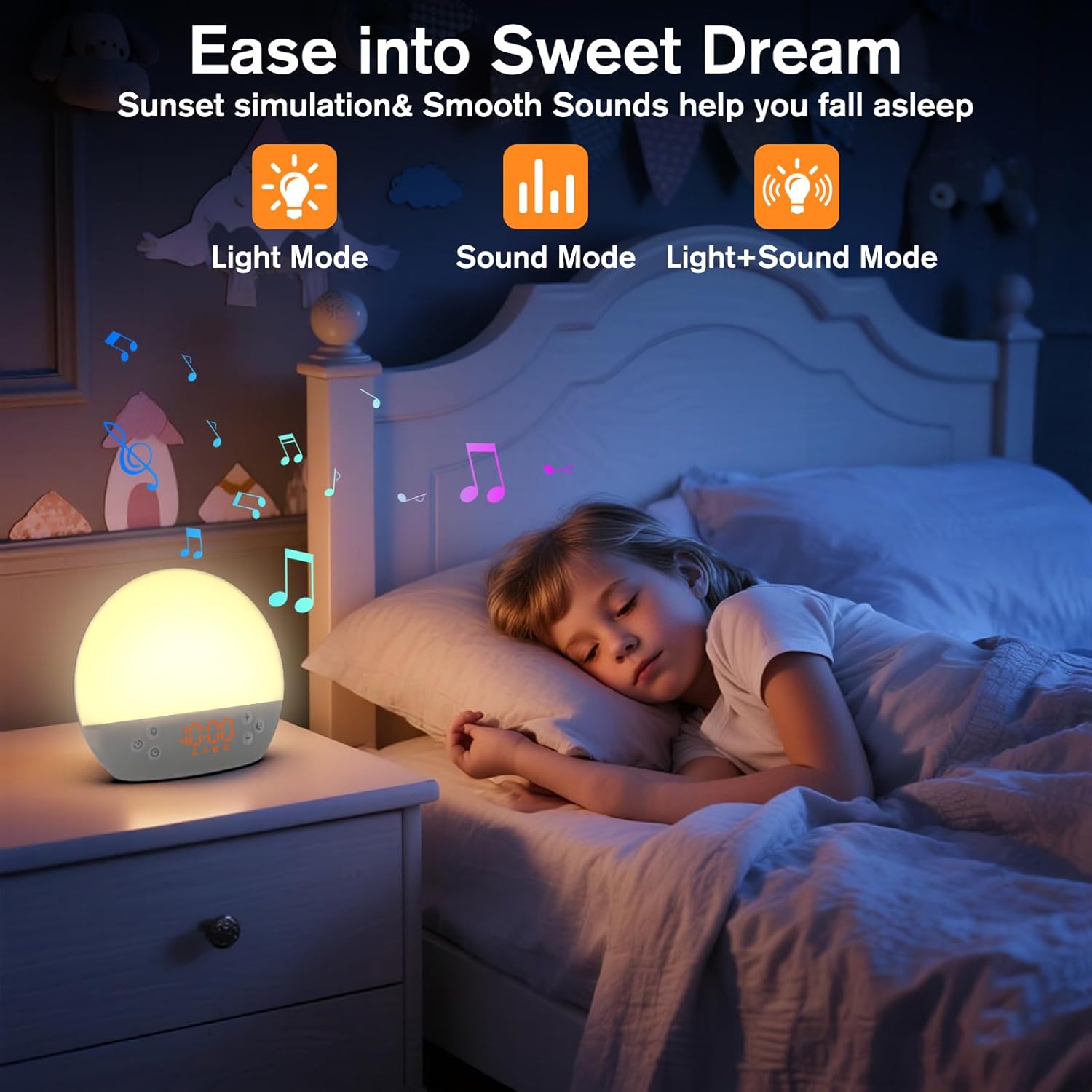
Image 5: The alarm clock in sunset simulation mode, providing a calming light and sound environment to aid sleep.
- To activate sunset simulation, press and hold the Tyd knoppie until the sunset icon appears.
- Gebruik die Plus (+) or Minus (-) Buttons to set the duration of the sunset simulation (e.g., 15, 30, 60 minutes).
- Druk die Tyd knoppie to confirm the duration. You can then choose to have light only, sound only, or both light and sound.
- Gebruik die Plus (+) or Minus (-) Buttons to select the desired mode (Light Mode, Sound Mode, Light+Sound Mode).
- If Light+Sound Mode is selected, you can choose a specific soothing sound and adjust its volume.
- Druk die Tyd knoppie again to start the sunset simulation. The light will gradually dim, and sounds will fade out over the set duration.
6.7 Verstelling van die helderheid van die skerm
The brightness of the digital time display can be adjusted to your preference.
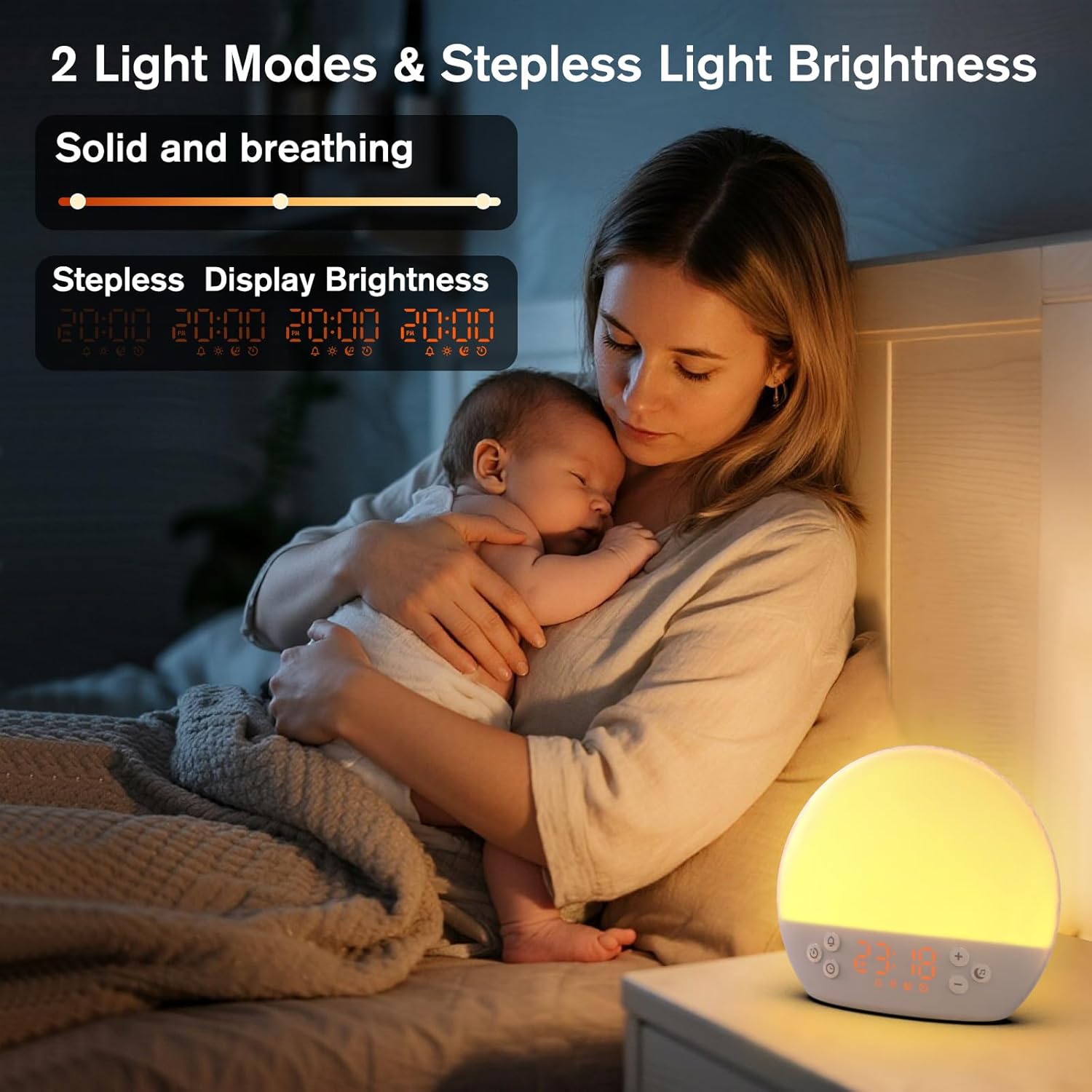
Image 6: The alarm clock demonstrating stepless display brightness adjustment, from very dim to bright.
Om die skermhelderheid aan te pas, druk kortliks die Tyd knoppie (do not hold). Each press will cycle through different brightness levels (e.g., bright, medium, dim, off). Select the level that suits your environment.
7. Onderhoud
- Skoonmaak: Unplug the device before cleaning. Use a soft, dry cloth to wipe the surface. Do not use abrasive cleaners or solvents.
- Berging: If not in use for an extended period, unplug the device and store it in a cool, dry place.
8. Probleemoplossing
| Probleem | Moontlike oorsaak | Oplossing |
|---|---|---|
| Toestel skakel nie aan nie. | Power cable not connected properly or power outlet is faulty. | Kontroleer die kragkabelverbinding. Probeer 'n ander kragaansluiting. |
| Die alarm lui nie. | Alarm not activated or volume is too low. | Ensure the alarm icon is visible on the display. Increase alarm volume during setup. |
| Lig skakel nie aan nie. | Light function is off or brightness is set to minimum. | Druk die Sluimer/lig-knoppie to turn on. Adjust brightness using Plus (+) or Minus (-) Buttons while holding the Sluimer/lig-knoppie. |
| Sounds are not playing. | Sound machine is off or volume is too low. | Druk die Music Note Button to turn on. Increase volume using Plus (+) Knoppie. |
| Time display is too bright/dim. | Die helderheid van die skerm moet aangepas word. | Druk kortliks die Tyd knoppie to cycle through display brightness levels. |
9. Spesifikasies
| Kenmerk | Detail |
|---|---|
| Model Naam | MX9 |
| Handelsmerk | KEPLUG |
| Materiaal | Plastiek |
| Kleur | Wit |
| Kragbron | Elektries met koord |
| Item gewig | 258 gram (9.1 onse) |
| Produk afmetings | 2.36 x 5.59 x 6.3 duim (6 x 14.2 x 16 cm) |
| Aantal ligbronne | 2 |
| Spesiale kenmerk | Verstelbare Volume |
| Sunrise Simulation Duration | 15-120 minute |
| Strelende Klanke | 30 opsies |
| Alarm Volume Levels | 7 vlakke |
10. Waarborg en Ondersteuning
Your KEPLUG MX9 Sunrise Alarm Clock is covered by a standard manufacturer's warranty. For specific warranty details, please refer to the product packaging or contact KEPLUG customer support. If you encounter any issues not covered in the troubleshooting section, or require further assistance, please reach out to our customer service team through the retailer where you purchased the product or visit the official KEPLUG webwebwerf vir ondersteuning kontak inligting.