
1. Inleiding
This manual provides detailed instructions for the proper use and maintenance of your OnePlus Buds 4 Wireless Earbuds. Please read this manual thoroughly before using the product to ensure optimal performance and longevity.
Pakketinhoud
Verifieer dat alle items in die pakket teenwoordig is:
- OnePlus Buds 4 Earbuds (Left and Right)
- Laaikas
- USB-C-laaikabel
- Verskeie oorpuntgroottes (S, M, L)
- Gebruikershandleiding (hierdie dokument)

Image: Contents of the OnePlus Buds 4 retail package, showing the earbuds, charging case, USB-C cable, and various ear tip sizes.
2. Opstelling
2.1 Aanvanklike laai
Before first use, fully charge the OnePlus Buds 4 and their charging case. Connect the provided USB-C charging cable to the charging port on the case and a power source. The indicator light on the case will show charging status.
- A full charge provides extended playback time.
- Die laaikas het 'n batterykapasiteit van 530mAh.

Image: OnePlus Buds 4 earbuds in their open charging case, highlighting the extended battery life capability.
2.2 Koppeling met 'n Toestel
- Maak seker dat die oorfone in die laaikas is en dat die deksel oop is.
- Druk en hou die funksieknoppie op die laaikas in totdat die aanwyserliggie wit flikker, wat paringsmodus aandui.
- On your device (smartphone, tablet, etc.), go to Bluetooth settings and select "OnePlus Buds 4" from the list of available devices.
- Once connected, the indicator light will turn solid white or off.
The OnePlus Buds 4 utilize Bluetooth 5.4 for stable connectivity and support Fast Pair for quick setup with compatible Android devices.

Image: OnePlus Buds 4 earbuds and charging case with a Bluetooth signal icon, illustrating stable connectivity via Bluetooth 5.4.
2.3 Dra van die oordopjes
Choose the ear tips that provide the best seal and comfort for your ears. A proper fit is crucial for optimal sound quality and effective Active Noise Cancellation.
- Gently insert the earbuds into your ear canal.
- Rotate them slightly until they feel secure and comfortable.
3. Bedryfsinstruksies
3.1 Raak kontroles
The OnePlus Buds 4 feature intuitive touch controls on the stem of each earbud.
| Aksie | Funksie |
|---|---|
| Enkele kraan | Speel/pouse musiek, beantwoord/beëindig oproep |
| Dubbeltik | Volgende snit, Verwerp oproep |
| Drievoudige Tik | Vorige snit |
| Druk en hou (links/regs) | Switch Noise Control Mode (ANC/Transparency) |
| Swipe Up/Down (Stem) | Pas volume aan |

Image: Close-up of OnePlus Buds 4 earbuds showing the area for volume swipe control on the stem.
3.2 Aktiewe Geraaskansellasie (ANC) en Deursigtigheidsmodus
The earbuds feature advanced Active Noise Cancellation to reduce ambient noise and a Transparency Mode to allow you to hear your surroundings.
- Aktiewe geraaskansellasie: Reduces external sounds for an immersive listening experience.
- Deursigtigheidmodus: Amplifies ambient sounds, allowing you to stay aware of your environment without removing the earbuds.
- Aanpasbare modus: Intelligently switches between ANC and Transparency modes based on your environment.
Switch between these modes by pressing and holding the touch area on either earbud.

Image: A person wearing OnePlus Buds 4 earbuds outdoors, illustrating the effect of Active Noise Cancellation.
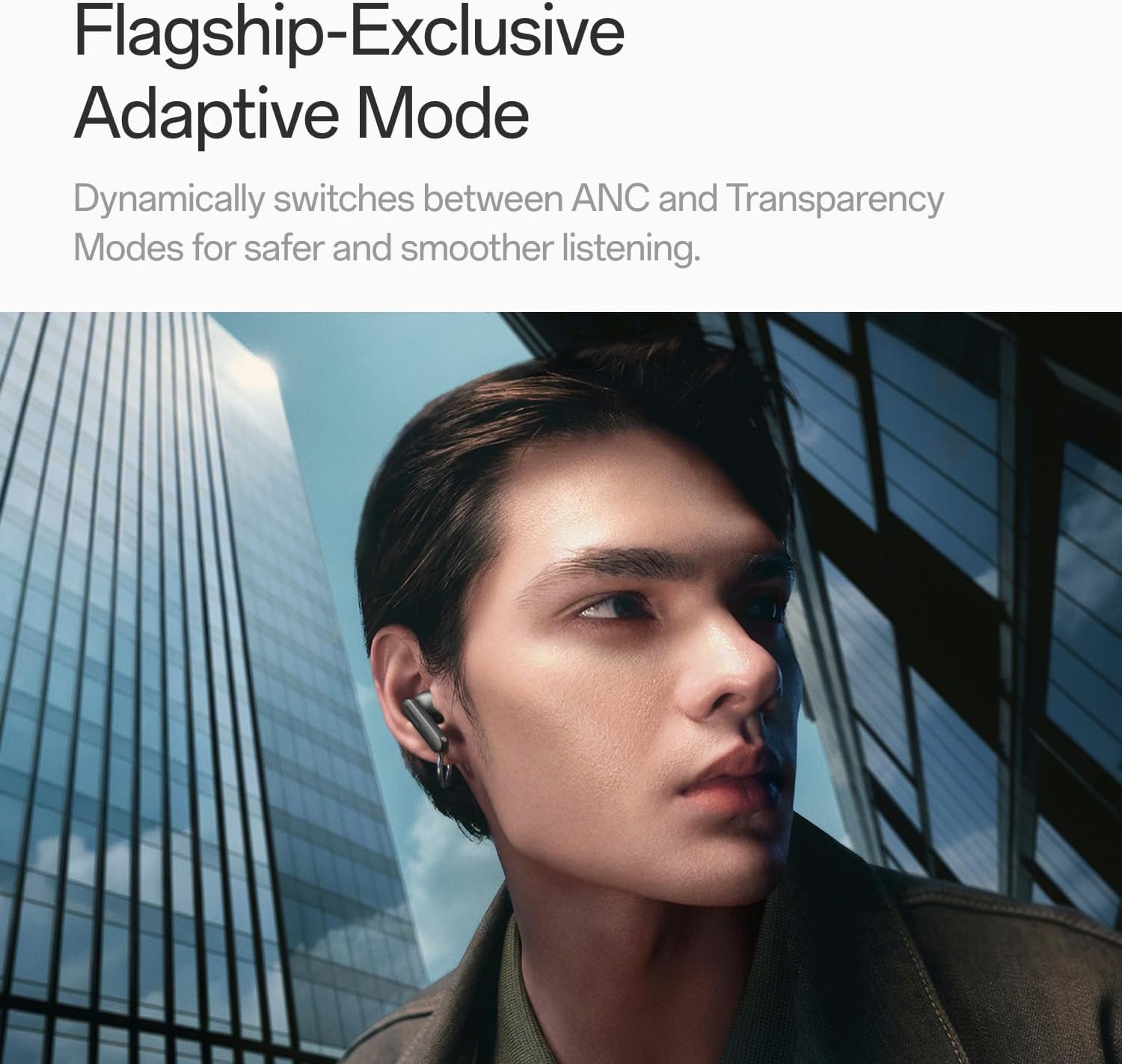
Image: A person wearing OnePlus Buds 4 earbuds in a city setting, highlighting the Adaptive Mode feature.
3.3 Oudio-kenmerke
The OnePlus Buds 4 deliver high-quality audio with advanced technologies.
- 11mm-klankdrywers: Provide balanced, true-to-life acoustics.
- Hi-Res Audio & LHDC 5.0: For detailed, studio-grade sound reproduction.
- Immersive 3D Spatial Audio: Creates a richer, surrounding sound experience.

Image: OnePlus Buds 4 earbuds with Hi-Res Audio and LHDC 5.0 branding, emphasizing advanced audio capabilities.

Image: OnePlus Buds 4 earbuds depicted with a visual effect suggesting immersive 3D Spatial Audio.

Beeld: 'n Ontplofte view diagram of a OnePlus Buds 4 earbud, highlighting its internal sound components and drivers.
3.4 Oproepfunksies
The earbuds are equipped with features to enhance call clarity.
- 3-mic AI Call Noise Cancellation: Filters out noise and wind for clear calls in various environments.
- 3x Voice Cancellation: Reduces vocal distractions in noisy settings like cafes or trains.

Image: A person lying down with OnePlus Buds 4 earbuds, representing the effect of voice cancellation for undisturbed listening.
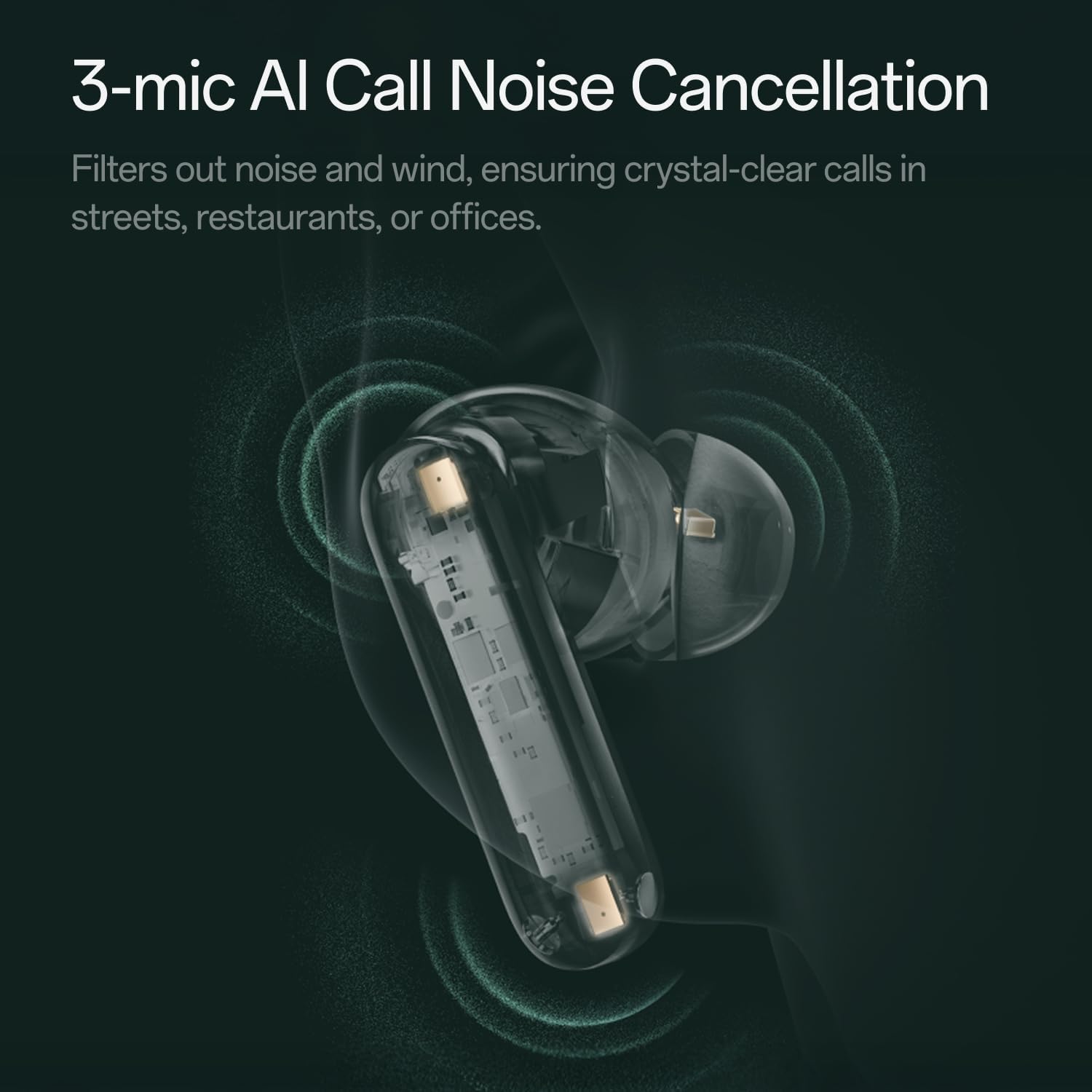
Beeld: 'n Deursigtige view of a OnePlus Buds 4 earbud, highlighting the 3-mic system for AI Call Noise Cancellation.
3.5 AI Translation
With a compatible OnePlus phone, the earbuds can facilitate real-time conversations in multiple languages.

Image: OnePlus Buds 4 earbuds alongside a smartphone screen demonstrating AI translation functionality.
4. Onderhoud
4.1 Skoonmaak
- Maak die oordopjes en laaikas gereeld skoon met 'n sagte, droë, pluisvrye lap.
- Verwyder die oordoppe en maak dit skoon met water en sagte seep indien nodig, en maak seker dat hulle heeltemal droog is voordat jy dit weer vasmaak.
- Moenie skuurmiddels of harde chemikalieë gebruik nie.
4.2 Waterweerstand
The OnePlus Buds 4 are water resistant. This means they can withstand splashes and sweat, making them suitable for workouts. However, they are not waterproof and should not be submerged in water.
4.3 Berging
Wanneer dit nie gebruik word nie, bêre die oorfone in hul laaikassie om hulle te beskerm en te verseker dat hulle gelaai bly.
5. Probleemoplossing
If you encounter issues with your OnePlus Buds 4, refer to the following common solutions:
5.1 Paringsprobleme
- Ensure the earbuds are charged and in pairing mode (flashing white light).
- Skakel Bluetooth op jou toestel af en aan.
- Vergeet die toestel in jou Bluetooth-instellings en probeer weer koppel.
- Probeer om die oordopjes terug te stel (verwys na die volledige gebruikershandleiding vir spesifieke terugstelinstruksies).
5.2 Klankprobleme
- Check the earbud fit and try different ear tip sizes.
- Clean the ear tips and speaker meshes to remove any debris.
- Ensure the volume on both your device and earbuds is adjusted correctly.
5.3 Laaikwessies
- Verify the charging cable is securely connected to both the case and power source.
- Maak seker dat die laaikontakte op die oordopjes en binne-in die houer skoon en vry van obstruksies is.
- Probeer 'n ander USB-C-kabel of kragadapter.
6. Spesifikasies
| Kenmerk | Detail |
|---|---|
| Model Naam | OnePlus Buds 4 |
| Modelnommer | E513A |
| Handelsmerk | OnePlus |
| Kleur | Zen Green |
| Oorplasing | In Oor |
| Vormfaktor | In Oor |
| Geraasbeheer | Aktiewe geraaskansellasie |
| Oudiobestuurdergrootte | 11 millimeter |
| Tipe oudiobestuurder | Dinamiese bestuurder |
| Frekwensierespons | 40 Hz |
| Sensitiwiteit | 100 dB |
| Impedansie | 18 ohm |
| Verbindingstegnologie | Bluetooth |
| Draadlose kommunikasietegnologie | Bluetooth |
| Bluetooth weergawe | 5.4 |
| Bluetooth-reeks | 33 Voet |
| Beheer metode | Raak |
| Tipe beheerder | Raak kontroles |
| Laaikas kapasiteit | 530mAh |
| Waterweerstandvlak | Waterbestand |
| Item gewig | 0.15 kilogram (5.3 onse) |
| Ingesluit komponente | Cable, Charging Case, Eartip, User Manual |
7. Waarborg en Ondersteuning
7.1 Vervaardiger se waarborg
The OnePlus Buds 4 are backed by a one-year manufacturer warranty. This warranty covers defects in materials and workmanship under normal use. For specific terms and conditions, please refer to the warranty card included in your product packaging or visit the official OnePlus support webwebwerf.
7.2 Kliëntediens
For further assistance, technical support, or warranty claims, please contact OnePlus customer service through their official webwebwerf of die kontakinligting wat in u produkdokumentasie verskaf word.
Official OnePlus Store: OnePlus Store on Amazon