
1. Inleiding
This manual provides essential information for the proper setup, operation, and maintenance of your Kalobee H9 Smart Watch. Please read these instructions carefully before using your device to ensure optimal performance and longevity.
The Kalobee H9 Smart Watch features a 49mm clear case design with an orange and black band, offering a blend of style and functionality. It includes a digital display with chronograph-style complications and wireless charging capability.
2. Pakketinhoud
Verifieer dat alle items in die pakket teenwoordig is:
- Kalobee H9 Smart Watch Unit
- Laai kabel
- Gebruikershandleiding (hierdie dokument)
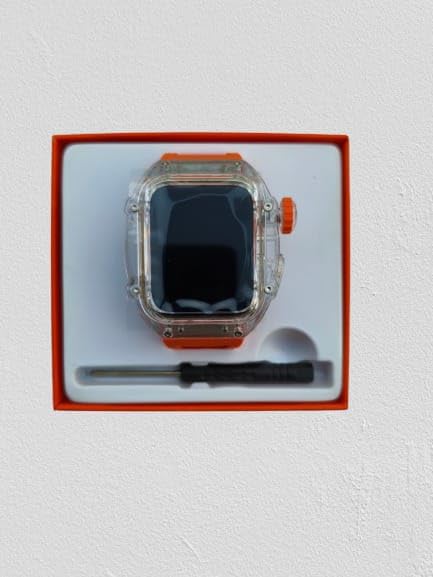
Image: The Kalobee H9 Smart Watch, charging cable, and a small tool are neatly arranged within its retail packaging.
3. Produk verbyview
Familiarize yourself with the components of your Kalobee H9 Smart Watch:

Image: An exploded diagram illustrating the main components of the Kalobee H9 Smart Watch, including the face cover, non-slip crown, function key, middle frame, rear cover, and liquid silicone strap.
- Face Cover: The transparent protective layer over the display.
- Non-slip Crown: A rotating and pressable button for navigation and selection.
- Funksie sleutel: An additional button for specific functions.
- Middle Frame: The central housing of the watch.
- Agterblad: The back panel of the watch, typically housing sensors and charging contacts.
- Liquid Silicone Strap: The comfortable and durable watch band.
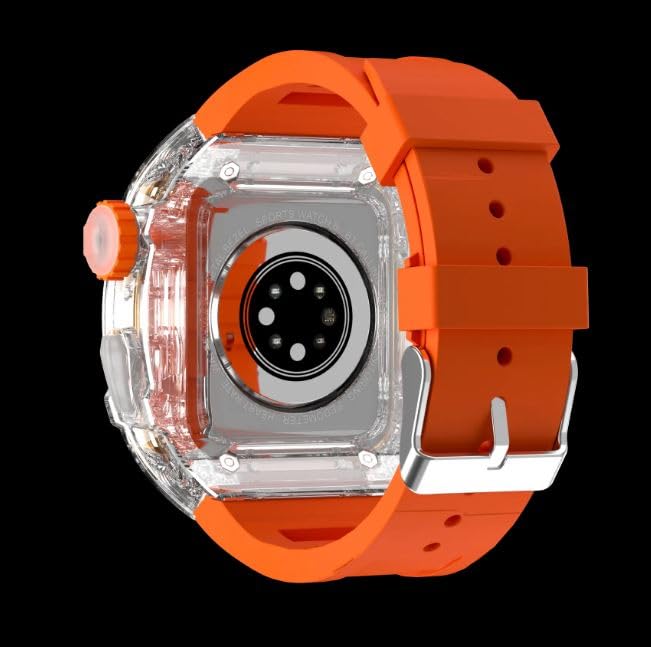
Beeld: Die agterkant view of the Kalobee H9 Smart Watch, highlighting the sensor array and wireless charging area on the back panel.
4. Opstelling
4.1 Laai die slimhorlosie
The Kalobee H9 Smart Watch supports wireless charging. Before initial use, fully charge the device.
- Connect the provided charging cable to a compatible USB power adapter (not included).
- Place the rear cover of the watch onto the wireless charging pad. Ensure the watch is centered on the pad for proper contact.
- The watch display will indicate charging status. Allow sufficient time for a full charge.
4.2 Aan-/afskakel
- Om aan te skakel: Press and hold the Non-slip Crown until the Kalobee logo appears on the screen.
- Om af te skakel: Press and hold the Non-slip Crown, then select the 'Power Off' option on the screen.
4.3 Koppeling met 'n slimfoon
To access all smart features, pair your H9 Smart Watch with a compatible smartphone via Bluetooth.
- Maak seker dat jou slimfoon se Bluetooth geaktiveer is.
- On your H9 Smart Watch, navigate to the Bluetooth settings (refer to Section 5.1 for navigation).
- On your smartphone, open the dedicated Kalobee companion app (if available) or go to Bluetooth settings to search for devices.
- Select 'Kalobee H9' from the list of available devices on your smartphone.
- Bevestig die paringsversoek op beide jou horlosie en slimfoon.
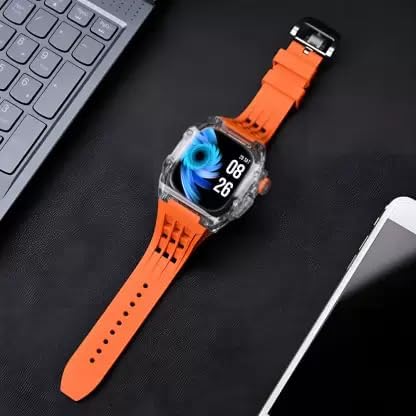
Image: The Kalobee H9 Smart Watch displayed on a desk alongside a smartphone and laptop, illustrating its connectivity with other devices.
5. Bedryfsinstruksies
5.1 Basiese navigasie
The H9 Smart Watch features both touchscreen and physical button controls:
- Raakskerm: Veeg links, regs, op of af om deur spyskaarte en skerms te navigeer. Tik om items te kies.
- Non-slip Crown: Rotate to scroll through lists or adjust settings. Press to return to the home screen or confirm selections.
- Funksie sleutel: Typically used for quick access to a specific feature or as a back button. Refer to the on-screen prompts for its exact function in different contexts.
5.2 Sleutelkenmerke
The Kalobee H9 Smart Watch offers several features to enhance your daily activities:
- Aktiwiteitspoorder: Monitors steps, distance, and calories burned.
- Wekker: Stel alarms direk vanaf jou horlosie.
- Daaglikse oefensessie geheue: Records and stores your workout data.
- Digitale skerm: Provides clear time, date, and other information.
- Kennisgewings: Receive alerts for calls, messages, and app notifications from your paired smartphone.
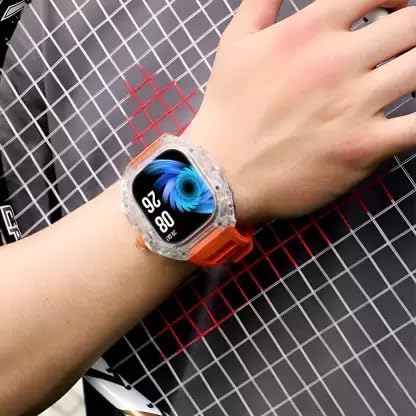
Image: The Kalobee H9 Smart Watch worn on a wrist, displaying the current time and date on its digital interface.
6. Onderhoud
To ensure the longevity and proper functioning of your Kalobee H9 Smart Watch, follow these maintenance guidelines:
- Skoonmaak: Vee die horlosie en bandjie gereeld af met 'n sagte, droë lap. Vir hardnekkige vuilgoed, gebruik 'n effens droë lap.amp lap en sagte seep, en droog dan deeglik af. Vermy harde chemikalieë of skuurmiddels.
- Waterweerstand: While the watch features a robust construction, avoid prolonged submersion in water or exposure to high-pressure water jets. Dry the watch thoroughly if it gets wet.
- Laai: Gebruik slegs die meegeleverde laaikabel. Vermy die blootstelling van die laaikontakte aan vog of korrosiewe stowwe.
- Temperatuur: Do not expose the watch to extreme temperatures (hot or cold) or direct sunlight for extended periods.
- Berging: Wanneer dit nie vir 'n lang tydperk gebruik word nie, bêre die horlosie op 'n koel, droë plek.
7. Probleemoplossing
If you encounter issues with your Kalobee H9 Smart Watch, refer to the following common problems and solutions:
| Probleem | Moontlike oorsaak | Oplossing |
|---|---|---|
| Horlosie skakel nie aan nie | Lae battery; toestelwanfunksie | Charge the watch fully. If the issue persists, contact customer support. |
| Kan nie met slimfoon koppel nie | Bluetooth off; watch not in pairing mode; interference | Ensure Bluetooth is enabled on both devices. Restart both devices. Try pairing again. |
| Kennisgewings nie ontvang nie | Not paired; app permissions; notification settings | Verify successful pairing. Check notification permissions in your smartphone's settings for the companion app. Ensure notifications are enabled on the watch. |
| Onakkurate aktiwiteitsopsporing | Improper wear; software glitch | Ensure the watch is worn snugly on your wrist. Restart the watch. |
8. Spesifikasies
Detailed technical specifications for the Kalobee H9 Smart Watch:
- Handelsmerk: Generic (Manufactured by Kalobee)
- Model: H9
- Item Modelnommer: H9
- Pakket afmetings: 15 x 8 x 3.5 cm
- Item gewig: 85 g
- Geheue berging kapasiteit: 32 MB
- Bedryfstelsel: Eiendomsbedryfstelsel
- Versoenbare toestelle: Slimfoon
- Spesiale kenmerke: Activity Tracker, Alarm Clock, Daily Workout Memory, Digital Display, Notifications
- Monteer hardeware: Charging Cable, Smart Watch, User Manual
- Vertoon grootte van die staande skerm: 49 millimeter
- Vertoon tipe: Digitaal
- Battery kapasiteit: 10000 Amp Ure
- Draadlose tipe: Bluetooth
- Connector Tipe: Bluetooth, Draadloos
- Device Interface - Primary: Knoppe, Aanraakskerm
- Land van oorsprong: China
9. Waarborg en Ondersteuning
Vir waarborginligting en kliëntediens, verwys asseblief na die dokumentasie wat by die aankooppunt verskaf is of kontak u kleinhandelaar. Bewaar u bewys van aankoop vir enige waarborgeise.
For further assistance, you may also visit the manufacturer's official webwebwerf of kontak hul kliëntediensafdeling.