
1. Inleiding
This manual provides essential information for the safe and efficient use of your Azeyou M17QF27A Android Tablet. Please read this manual thoroughly before operating the device and retain it for future reference.
The Azeyou M17QF27A is an 11.97-inch Android tablet featuring a Unisoc T616 processor, 20GB RAM (8GB physical + 12GB virtual), 256GB internal storage expandable up to 1TB, a 1920x2000 FHD touch screen, dual cameras, Wi-Fi 5, Bluetooth 5.0, and an 8000mAh battery.
2. Pakketinhoud
Verifieer dat alle items in u produkpakket teenwoordig is:
- Azeyou M17QF27A Android Tablet
- Beskermende saak
- USB-C-laaikabel
- Kragadapter
- Gebruikershandleiding (hierdie dokument)
- SIM Ejector Tool (if applicable for cellular models)
3. Toestel oorview
Maak jouself vertroud met die fisiese komponente van jou tablet.
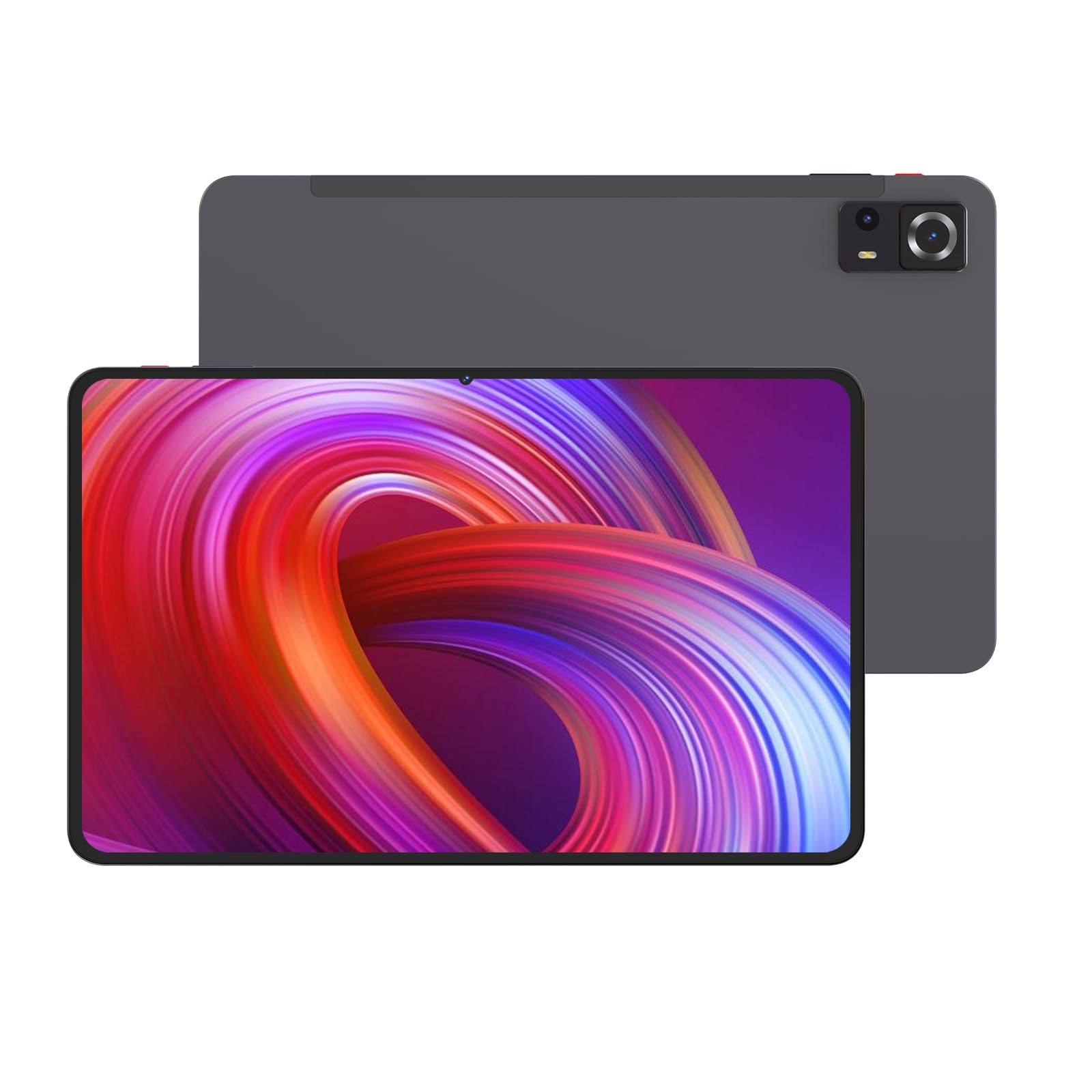
Beeld 1: Voor en agter view of the Azeyou M17QF27A Android Tablet, showcasing the screen, cameras, and the included protective case.
3.1. Fisiese Komponente
- Voorste kamera: Located at the top center when held vertically.
- Vertoon: 11.97-inch FHD Touch Screen.
- Kragknoppie: Typically on the side, used to power on/off or wake/sleep the device.
- Volume knoppies: Adjacent to the power button, for adjusting audio levels.
- USB-C-poort: Vir laai en data-oordrag.
- Luidsprekerroosters: Vir oudio-uitvoer.
- Agterste kamera: Located on the back of the tablet.
- MicroSD -kaartgleuf: For storage expansion up to 1TB.
4. Opstelling
4.1. Laai die battery
Before first use, fully charge your tablet. Connect the USB-C charging cable to the tablet's USB-C port and the power adapter to a wall outlet. The battery indicator on the screen will show charging progress. A full charge typically takes several hours.
The tablet is equipped with an 8000mAh battery, providing an average battery life of approximately 6 hours under typical usage conditions.
4.2. Skakel aan/af
- Om aan te skakel: Press and hold the Power button until the Azeyou logo appears on the screen.
- Om af te skakel: Press and hold the Power button until a power menu appears. Select "Power off" and confirm.
- Om te slaap/wakker te word: Druk kortliks die aan/af-knoppie om die tablet aan die slaap te maak of wakker te maak.
4.3. Aanvanklike Opstelling
Wanneer die tablet vir die eerste keer aangeskakel word, sal dit jou deur die aanvanklike opstellingsproses lei:
- Kies jou voorkeurtaal.
- Koppel aan 'n Wi-Fi-netwerk. Dit is noodsaaklik vir die aflaai van opdaterings en toegang tot aanlyndienste.
- Sign in with your Google account or create a new one. This is required for accessing the Google Play Store and other Google services.
- Review en aanvaar die bepalings en voorwaardes.
- Stel skermslot op (PIN, patroon, wagwoord of gesigsherkenning).
- Herstel data vanaf 'n vorige toestel (opsioneel).
5. Bedryfsinstruksies
5.1. Basiese navigasie
Your Azeyou tablet uses an Android 14 operating system with a touch-sensitive screen. Common gestures include:
- Tik: Om 'n item te kies, maak 'n toepassing oop of druk 'n knoppie.
- Tik en hou: Om toegang tot kontekstuele kieslyste te verkry of ikone te skuif.
- Swiep: Om deur lyste te blaai, tussen tuisskerms te wissel of binne programme te navigeer.
- Knyp-om-te-Zoem: Om in of uit te zoem op beelde, kaarte of web bladsye.
5.2. Wi-Fi-konneksie
Om aan 'n Wi-Fi-netwerk te koppel:
- Gaan na Instellings > Netwerk en internet > Wi-Fi.
- Wi-Fi wissel On.
- Kies jou verlangde netwerk uit die lys.
- Voer die wagwoord in indien gevra en tik Koppel.
The tablet supports Wi-Fi 5 (802.11ac) for fast wireless connections.
5.3. Bluetooth-verbinding
To pair with a Bluetooth device (e.g., headphones, keyboard):
- Gaan na Instellings > Gekoppelde toestelle > Bluetooth.
- Wissel Bluetooth On.
- Maak seker dat jou Bluetooth-toestel in paringsmodus is.
- Select the device from the list of available devices and follow any on-screen prompts to complete pairing.
The tablet supports Bluetooth 5.0 for stable and efficient wireless connections.
5.4. Bergingbestuur
Your tablet comes with 256GB of internal storage. You can expand this storage up to 1TB using a microSD card. To insert a microSD card:
- Vind die microSD-kaartgleuf aan die kant van die tablet.
- Use the provided SIM ejector tool (or a paperclip) to open the tray.
- Plaas die microSD-kaart in die laai met die goue kontakte na onder.
- Druk die skinkbord versigtig terug in die gleuf totdat dit in plek klik.
To manage storage, go to Instellings > Berging.
5.5. Die gebruik van die kameras
The tablet features dual cameras. To use the camera:
- Maak die oop Kamera toepassing vanaf jou tuisskerm of toepassinglaai.
- Tik die sluiterknoppie om 'n foto te neem.
- Tik die video-ikoon om oor te skakel na video-opnamemodus.
- Gebruik die kameraskakelaar-ikoon om tussen die voor- en agterkameras te wissel.
6. Onderhoud
6.1. Skoonmaak van die tablet
To clean your tablet, power it off and disconnect all cables. Use a soft, lint-free cloth slightly dampened with water or a screen cleaner specifically designed for electronics. Avoid using harsh chemicals, abrasive materials, or excessive moisture.
6.2. Sagteware-opdaterings
Kontroleer gereeld vir sagteware-opdaterings en installeer dit om optimale werkverrigting en sekuriteit te verseker. Gaan na Instellings > Stelsel > Stelselopdatering.
6.3. Batteryversorging
Om die batterylewe te verleng:
- Vermy uiterste temperature.
- Moenie die battery gereeld heeltemal laat leegloop nie.
- Ontkoppel die laaier sodra die battery vol is.
- Reduce screen brightness and disable unnecessary features (e.g., Bluetooth, Wi-Fi) when not in use.
7. Probleemoplossing
| Probleem | Moontlike Oplossing |
|---|---|
| Tablet skakel nie aan nie. | Maak seker dat die battery gelaai is. Koppel die laaier aan en wag 'n paar minute voordat jy weer probeer aanskakel. |
| Wi-Fi-verbindingsprobleme. | Check if Wi-Fi is enabled in settings. Restart your router and the tablet. Ensure you are entering the correct Wi-Fi password. |
| Programme stort vas of vries. | Maak die toepassing toe en heropen dit. Maak die toepassing se kasgeheue skoon (Instellings > Toepassings > kies toepassing > Berging en kasgeheue > Vee kas uitHerbegin die tablet. |
| Stadige werkverrigting. | Maak onnodige agtergrondprogramme toe. Maak kasgeheue en tydelike programme skoon. files. Consider uninstalling unused apps. Check for system updates. |
| Battery raak vinnig leeg. | Reduce screen brightness. Disable Wi-Fi, Bluetooth, and GPS when not in use. Close background apps. Check battery usage in settings to identify power-hungry apps. |
8. Spesifikasies
| Kenmerk | Detail |
|---|---|
| Model Naam | M17QF27A |
| Handelsmerk | Azeyou |
| Bedryfstelsel | Android 14 |
| Verwerker | Unisoc T616 |
| RAM | 20GB (8GB fisies + 12GB virtueel) |
| Interne berging | 256 GB |
| Uitbreidbare berging | Tot 1 TB via microSD-kaart |
| Skerm grootte | 11.97 duim |
| Maksimum skermresolusie | 1920x2000 Pixels FHD |
| Kameras | Dual Camera (Front and Rear) |
| Draadlose konneksie | Wi-Fi 5 (802.11ac), Bluetooth 5.0 |
| Battery kapasiteit | 8000mAh |
| Gemiddelde batterylewe | Ongeveer 6 uur |
| Afmetings (LxBxH) | 10.94 x 6.81 x 0.3 duim |
| Item gewig | 2.36 pond |
| Kleur | Metal-Grey |
9. Waarborg en Ondersteuning
For warranty information and technical support, please refer to the warranty card included in your package or visit the official Azeyou webwebwerf. Bewaar u aankoopbewys as bewys van aankoop vir waarborgeise.
For further assistance, you may contact Azeyou customer service through the contact details provided on their official support page.