
Inleiding
Thank you for choosing the Fisher Pro Active Noise Cancelling Headphones. This manual provides essential information for setting up, operating, and maintaining your headphones. Please read it thoroughly to ensure optimal performance and longevity of your device.
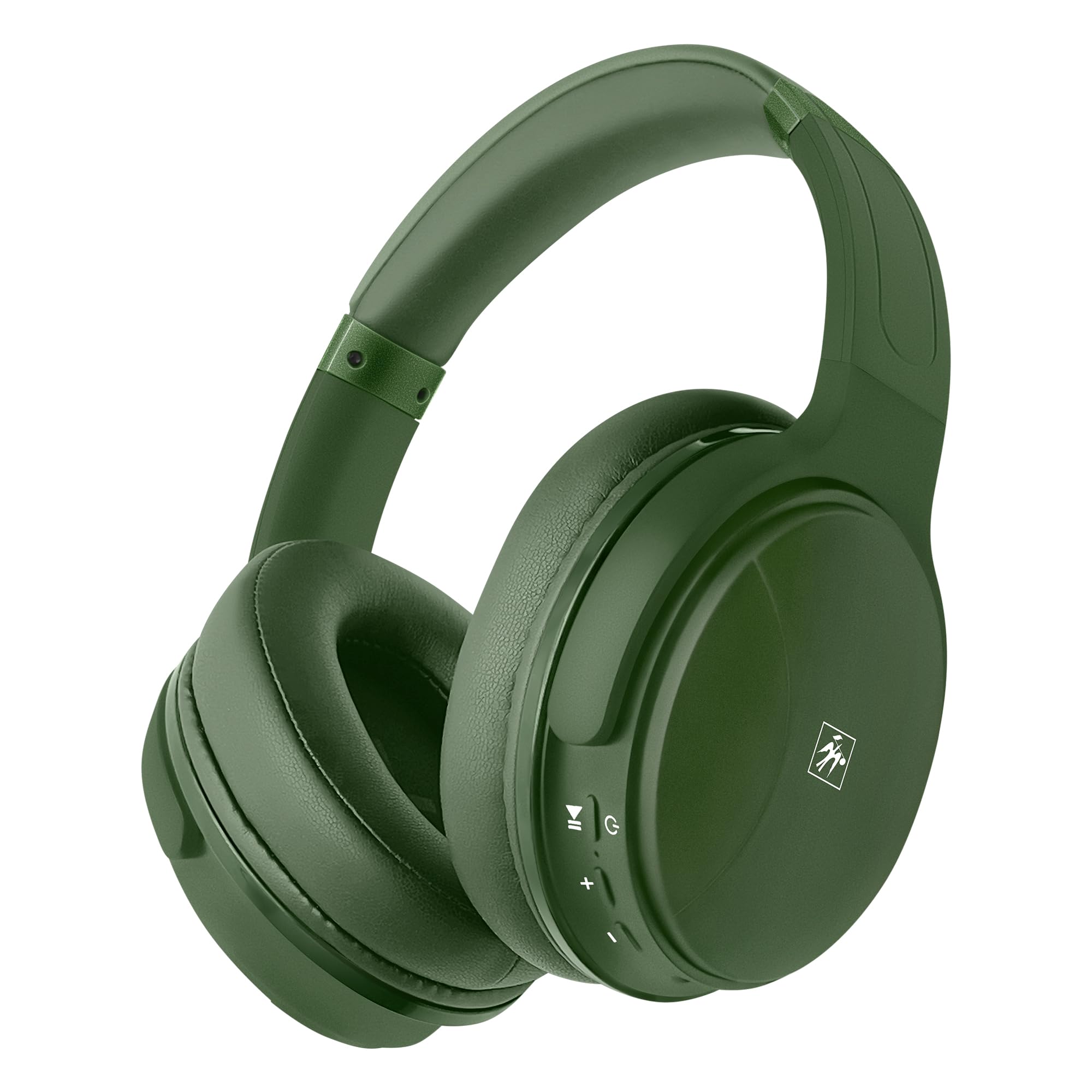
Beeld: Voorkant view of the Fisher Pro Active Noise Cancelling Headphones in dark green.
Pakketinhoud
Maak seker dat alle items in die pakket teenwoordig is:
- Fisher Pro Active Noise Cancelling Headphones
- USB-C-laaikabel
- 3.5mm Stereo AUX Cable
- Gebruikershandleiding (hierdie dokument)
- Waarborgkaart
Kontroles en kenmerke
Familiarize yourself with the headphone controls and key features:

Image: Right earcup showing control buttons for power, volume, and ANC.
- Kragknoppie: Druk en hou om aan/af te skakel.
- Volume op/Volgende snit: Druk kort vir volume op, druk lank vir die volgende snit.
- Volume af/vorige snit: Druk kort om volume te verlaag, druk lank vir die vorige snit.
- Multifunksieknoppie (MFB): Speel/onderbreek musiek, beantwoord/beëindig oproepe, aktiveer stemassistent.
- ANC-knoppie: Skakel Aktiewe Geraaskansellasie aan/af.
- USB-C-poort: Vir die laai van die oorfone.
- 3.5 mm oudio-aansluiting: Vir bedrade verbinding.
- Mikrofoon: Vir handvrye oproepe.

Beeld: Oorview of headphone features including Active Noise Cancellation, 16-hour battery life, voice assistant support, premium sound, device compatibility, foldable design, adjustable headband, easy-access buttons, hands-free microphone, and comfort cushions.
Opstelling
1. Laai die oorfone
Laai die oorfone volledig voor die eerste gebruik.
- Connect the provided USB-C charging cable to the headphone's USB-C port.
- Koppel die ander kant van die kabel aan 'n USB-kragbron (bv. muuradapter, rekenaar se USB-poort).
- Die LED-aanwyser sal die laaistatus wys (bv. rooi vir laai, blou vir volledig gelaai).
A full charge provides up to 16 hours of playback. Quick charging is supported.

Image: Visual representation of the 16-hour battery life feature.
2. Skakel aan/af
- Om aan te skakel: Press and hold the Power button for approximately 3 seconds until the LED indicator flashes blue.
- Om af te skakel: Druk en hou die aan/af-knoppie vir ongeveer 3 sekondes totdat die LED-aanwyser afskakel.
3. Bluetooth-koppeling
Pair your headphones with a Bluetooth-enabled device:
- Maak seker dat die oorfone afgeskakel is.
- Press and hold the Power button for 5-7 seconds until the LED indicator flashes red and blue alternately, indicating pairing mode.
- Aktiveer Bluetooth op jou toestel (slimfoon, skootrekenaar, tablet) en soek vir beskikbare toestelle.
- Select "Fisher Pro" from the list of devices.
- Sodra dit gekoppel is, flits die LED -aanwyser stadig blou.
Die oorfone sal outomaties probeer om weer aan die laaste gekoppelde toestel te koppel wanneer dit aangeskakel word.

Image: Illustration showing the headphones' compatibility with various devices via Bluetooth 5.3.
4. Bedrade verbinding (AUX-modus)
Use the included 3.5mm AUX cable for a wired connection:
- Plug one end of the 3.5mm AUX cable into the headphone's audio jack.
- Plug the other end into your audio source's 3.5mm audio output.
- The headphones will automatically switch to AUX mode. Bluetooth functionality is disabled in this mode.
Bedryfsinstruksies
1. Aktiewe Geraasdemping (ANC)
The Fisher Pro headphones feature Active Noise Cancellation to reduce ambient sounds.
- To Activate/Deactivate ANC: Press the dedicated ANC button. The LED indicator for ANC will illuminate when active.

Image: Diagram illustrating how Active Noise Cancellation works by generating anti-phase sound waves to cancel ambient noise.
2. Musiekweergawe
- Speel/pouse: Druk een keer op die MFB.
- Volgende snit: Druk die Volume Op-knoppie lank.
- Vorige snit: Druk die Volume Af-knoppie lank.
- Volume op: Druk kort op die Volume Op-knoppie.
- Volume af: Druk kort op die Volume Af-knoppie.
3. Oproepbestuur
- Beantwoord/beëindig oproep: Druk een keer op die MFB.
- Verwerp oproep: Druk en hou die MFB vir 2 sekondes.
- Herbel laaste nommer: Dubbeldruk die MFB.

Image: Icon indicating the presence of a hands-free microphone for calls.
4. Stemassistent
Activate your device's voice assistant (Siri, Google Assistant, etc.):
- Aktiveer stemassistent: Triple-press the MFB.
Onderhoud
Om die lang lewensduur en optimale werkverrigting van jou oorfone te verseker, volg hierdie onderhoudsriglyne:
- Skoonmaak: Gebruik 'n sagte, droë lap om die oorfone skoon te maak. Moenie skuurmiddels of oplosmiddels gebruik nie.
- Berging: Wanneer dit nie gebruik word nie, bêre die oorfone op 'n koel, droë plek, weg van direkte sonlig en uiterste temperature. Die opvoubare ontwerp maak kompakte berging moontlik.
- Vermy vog: Moenie die oorfone aan water of oormatige vog blootstel nie.
- Hanteer versigtig: Vermy om die oorfone te laat val of aan harde impakte bloot te stel.

Image: Detail of the earcup, showing the comfortable memory foam cushions and foldable design for easy storage.
Probleemoplossing
As jy probleme met jou oorfone ondervind, raadpleeg die volgende algemene oplossings:
| Probleem | Moontlike Oplossing |
|---|---|
| Oorfone sal nie aanskakel nie. | Ensure the headphones are fully charged. Connect to a power source using the USB-C cable. |
| Kan nie via Bluetooth koppel nie. | Ensure headphones are in pairing mode (flashing red/blue). Turn off and on Bluetooth on your device. Move closer to the device. |
| Geen geluid of lae volume nie. | Check volume levels on both headphones and connected device. Ensure headphones are properly paired or AUX cable is fully inserted. |
| Die ANC werk nie effektief nie. | Ensure ANC is activated via the ANC button. Adjust headphone fit to ensure a good seal around your ears. |
| Mikrofoon werk nie. | Ensure headphones are connected via Bluetooth (microphone functionality is not available in AUX mode). Check device settings for microphone input. |
Spesifikasies
| Kenmerk | Detail |
|---|---|
| Model Naam | SBHP550ADG |
| Verbindingstegnologie | Wireless (Bluetooth 5.3), Wired (3.5mm AUX) |
| Bluetooth weergawe | 5.3 |
| Geraasbeheer | Aktiewe ruisonderdrukking (ANC) |
| Tipe oudiobestuurder | Dynamic Driver, 40mm |
| Frekwensierespons | 15Hz – 20kHz |
| Impedansie | 32 ohm |
| Batterylewe | Tot 16 uur |
| Laaipoort | USB-C |
| Mikrofoon | Ingebou vir handvrye oproepe |
| Beheer metode | Aanraking/Knoppie |
| Oorstukvorm | Oor-oor |
| Afmetings | 8.1 x 7.5 x 3.15 duim |
| Item gewig | 6.6 onse |
| Materiaal | Plastiek |

Beeld: Gedetailleerd view of the 40mm Hi-Res Audio driver, responsible for clear and immersive sound.
Waarborg en Ondersteuning
Waarborg inligting
Your Fisher Pro Active Noise Cancelling Headphones come with a limited warranty. Please refer to the included Warranty Card for detailed terms and conditions, including coverage period and how to make a claim.
Kliënte ondersteuning
For technical assistance, troubleshooting beyond this manual, or warranty inquiries, please contact Fisher customer support. Contact details can be found on the Warranty Card or the official Fisher webwebwerf.