
Inleiding
Thank you for choosing the LOBKIN X18 Bone Conduction Headphones. These open-ear sport earphones are designed to provide a comfortable and safe listening experience, allowing you to enjoy audio while remaining aware of your surroundings. Featuring IPX8 waterproofing, Bluetooth 5.4 connectivity, and 32GB of internal memory for offline MP3 playback, the X18 is ideal for various activities including swimming, running, hiking, and cycling.
Wat is in die boks
- 1 x LOBKIN X18 Bone Conduction Headphones
- 1 x Laaikabel
- 1 x Gebruikershandleiding
Produk Kenmerke
- Oop-oor ontwerp: Delivers sound through bone conduction, keeping your ear canals open for situational awareness.
- IPX8 waterdig: Fully submersible, suitable for swimming and other water sports.
- 32GB interne geheue: Store thousands of songs for offline listening, especially useful for swimming where Bluetooth signals are limited.
- Bluetooth 5.4: Provides stable and efficient wireless connection to your devices.
- 8 uur speeltyd: Geniet uitgebreide luistersessies met 'n enkele lading.
- Ingeboude mikrofoon: Vir handvrye oproepe.
- Liggewig en veilige pasvorm: Designed for comfort and stability during active use.
Opstelling
1. Laai die oorfone
Before first use, fully charge the headphones. Connect the magnetic charging cable to the charging port on the headphones and the USB-A end to a standard USB power adapter (not included) or a computer's USB port. The LED indicator will show charging status.

Image: The LOBKIN X18 headphones with an illustration of magnetic charging and an 8-hour battery life indicator.
2. Skakel aan/af
- Krag aan: Druk en hou die aan/af-knoppie vir 3 sekondes in totdat die LED-aanwyser blou flikker.
- Skakel af: Druk en hou die aan/af-knoppie vir 5 sekondes totdat die LED-aanwyser rooi flikker en dan afskakel.
3. Bluetooth-koppeling
- Maak seker dat die oorfone afgeskakel is.
- Press and hold the Power button for 5-7 seconds until the LED indicator flashes red and blue alternately, indicating pairing mode.
- Aktiveer Bluetooth op jou toestel (slimfoon, tablet, ens.) en soek vir beskikbare toestelle.
- Select "LOBKIN X18" from the list. Once connected, the LED indicator will flash blue slowly.
4. Switching Between Bluetooth and MP3 Mode
The headphones support both Bluetooth streaming and local MP3 playback from the 32GB internal memory. To switch modes, press the Mode button (usually indicated by an 'M' or a specific icon) once. The headphones will announce the current mode.
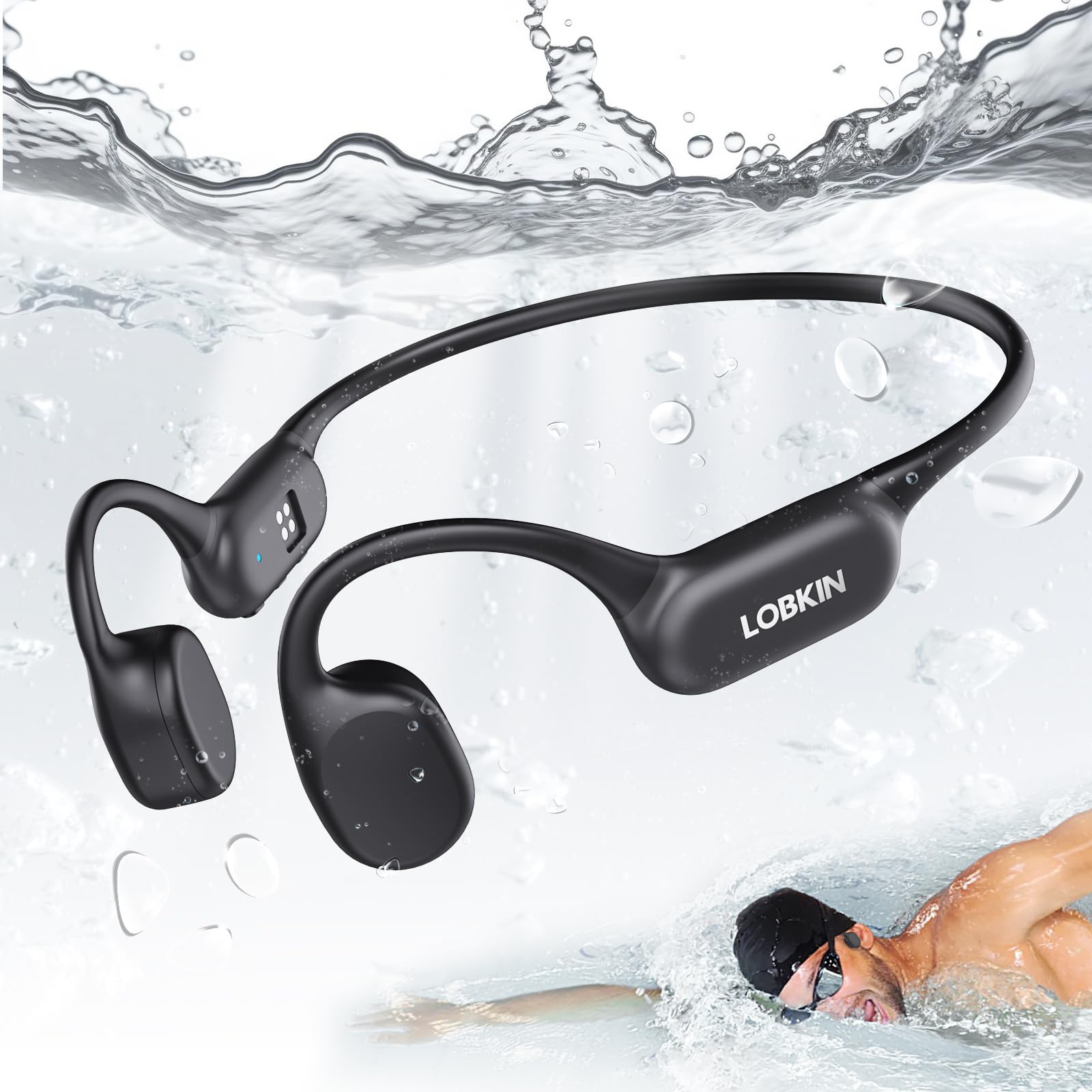
Image: A swimmer wearing LOBKIN X18 headphones underwater, highlighting the IPX8 waterproof rating and 32GB offline MP3 mode. Note: Switch to MP3 mode when swimming.
5. Loading Music to 32GB Internal Memory
Om musiek oor te dra files (MP3, WAV, FLAC, APE formats are typically supported), connect the headphones to your computer using the charging cable. The headphones will appear as a removable disk drive. Drag and drop your audio files into the drive folder. Disconnect safely after transfer.
Bedryfsinstruksies
Basiese kontroles
| Knoppie/aksie | Funksie |
|---|---|
| Kragknoppie (lang druk) | Krag aan/af |
| Aan/uit-knoppie (kort druk) | Speel/Pouseer (Musiek), Beantwoord/Beëindig Oproep |
| Volume + Knoppie (Kort Druk) | Verhoog volume |
| Volume + Knoppie (Lang Druk) | Volgende Snit |
| Volume - Knoppie (Kort Druk) | Verminder volume |
| Volume - Knoppie (Lang Druk) | Vorige Snit |
| Mode Button (Short Press) | Switch between Bluetooth Mode and MP3 Mode |
| Power Button (Double Press) | Herbel laaste nommer |
Using for Swimming
When using the headphones for swimming, it is essential to switch to MP3 -modus. Bluetooth signals do not transmit effectively through water, so streaming music via Bluetooth will not work reliably underwater. Ensure your desired music is loaded onto the 32GB internal memory before entering the water.

Image: Various usage scenarios for the LOBKIN X18 headphones, including running, driving, swimming, and working, demonstrating their versatility.
Onderhoud
- Skoonmaak: After use, especially after swimming or heavy sweating, rinse the headphones with clean fresh water and wipe them dry with a soft cloth. Do not use harsh chemicals or abrasive cleaners.
- Berging: Bêre die oorfone op 'n koel, droë plek weg van direkte sonlig en uiterste temperature.
- Laaipoort: Ensure the magnetic charging contacts are clean and dry before charging to prevent corrosion.
- Vermy impak: Do not drop or subject the headphones to strong impacts, as this may damage internal components.
Probleemoplossing
| Probleem | Moontlike Oplossing |
|---|---|
| Oorfone sal nie aanskakel nie. | Ensure the headphones are fully charged. Connect to the charging cable and check the LED indicator. |
| Kan nie via Bluetooth koppel nie. | Ensure headphones are in pairing mode (flashing red/blue). Turn off and on your device's Bluetooth. Move closer to your device. |
| Geen klank in Bluetooth-modus nie. | Check volume levels on both headphones and connected device. Ensure headphones are correctly paired and selected as the audio output. |
| No sound in MP3 mode. | Verseker musiek files are loaded correctly onto the internal memory. Check volume levels. |
| Poor sound quality underwater. | Ensure you are in MP3 mode. Bluetooth does not work effectively underwater. |
| Headphones not recognized by computer. | Try a different USB port or cable. Ensure the headphones are powered on when connecting to the computer. |
Spesifikasies
| Kenmerk | Detail |
|---|---|
| Modelnommer | X18 |
| Konnektiwiteit | Bluetooth 5.4 |
| Waterweerstand | IPX8 |
| Interne geheue | 32 GB |
| Speeltyd | Tot 8 uur |
| Laai tyd | Approximately 2 hours (Fast Charging) |
| Tipe oudiobestuurder | Beengeleidingsdrywer |
| Frekwensiereeks | 20 Hz - 20 000 Hz |
| Tipe beheer | Media Control (Push Button) |
| Oorplasing | Oop oor |
Waarborg en Ondersteuning
The LOBKIN X18 Bone Conduction Headphones come with a 1 jaar waarborg vanaf die aankoopdatum. Hierdie waarborg dek vervaardigingsdefekte en vakmanskap onder normale gebruik. Dit dek nie skade wat veroorsaak word deur misbruik, ongelukke, ongemagtigde wysigings of normale slytasie nie.
For technical support, warranty claims, or any questions regarding your product, please contact LOBKIN customer service through the retailer where you purchased the product or visit the official LOBKIN webwebwerf vir kontakinligting.