
1. Inleiding
Welcome to the user manual for your Gracioso Bluetooth Cassette Player Model 311. This device combines the classic experience of cassette playback with modern Bluetooth connectivity, allowing you to enjoy your favorite tapes through wireless headphones or speakers. This manual provides detailed instructions for setup, operation, maintenance, and troubleshooting to ensure optimal use of your player.
Lees asseblief hierdie handleiding deeglik deur voordat u die toestel gebruik en bewaar dit vir toekomstige verwysing.
2. Produk verbyview
The Gracioso Model 311 is a compact and portable cassette player featuring Bluetooth 5.2 for audio output, a 3.5mm headphone jack, and an integrated 1100 mAh rechargeable battery. Its transparent casing allows you to view the cassette in operation, and a rear clip provides convenient portability.
Sleutel kenmerke:
- Kassette speel: Enjoy your classic audio cassette collection.
- Bluetooth 5.2 Output: Wirelessly stream audio to Bluetooth headphones or speakers.
- 3.5 mm oudio-uitvoer: Connect standard wired headphones.
- Herlaaibare battery: Built-in 1100 mAh battery provides up to 10 hours of playback.
- Kompak en draagbaar: Lightweight design with a rear clip for easy carrying.
- Let wel: This device does not have an integrated speaker and Bluetooth is for output only. It cannot connect to mobile phones or car systems for input.

The Gracioso Bluetooth Cassette Player Model 311, shown with included earphones, highlighting its compact design and transparent cassette window.
3. Opstelling
3.1 Uitpak en Aanvanklike Inspeksie
Verwyder alle komponente versigtig uit die verpakking. Maak seker dat die volgende items teenwoordig is:
- Gracioso Bluetooth Cassette Player Model 311
- Oorfone
- USB Type-C laaikabel
- Gebruikershandleiding (hierdie dokument)
Inspect the device for any visible damage. If any components are missing or damaged, please contact customer support.
3.2 Laai die battery
Before first use, fully charge the device. The integrated 1100 mAh lithium polymer battery takes approximately 2 hours to fully charge and provides up to 10 hours of playback.
- Connect the small end of the USB Type-C charging cable to the DC 5V port on the side of the cassette player.
- Koppel die standaard USB-punt van die kabel aan 'n USB-kragadapter (nie ingesluit nie) of 'n rekenaar se USB-poort.
- The charging indicator light will illuminate during charging and turn off or change color when fully charged (refer to device for specific indicator behavior).

Visual guide for charging the Gracioso Cassette Player. It shows connection via a Type-C cable to a power adapter, with indicators for charging time (2 hours) and usage duration (10 hours).
4. Bedryfsinstruksies
4.1 Inserting a Cassette Tape
- Locate the cassette compartment door on the player.
- Gently slide the release latch or press the 'OPEN' button (if present) to open the compartment door.
- Insert your cassette tape with the open magnetic tape side facing downwards and the desired side (A or B) facing you.
- Close the compartment door firmly until it clicks into place.
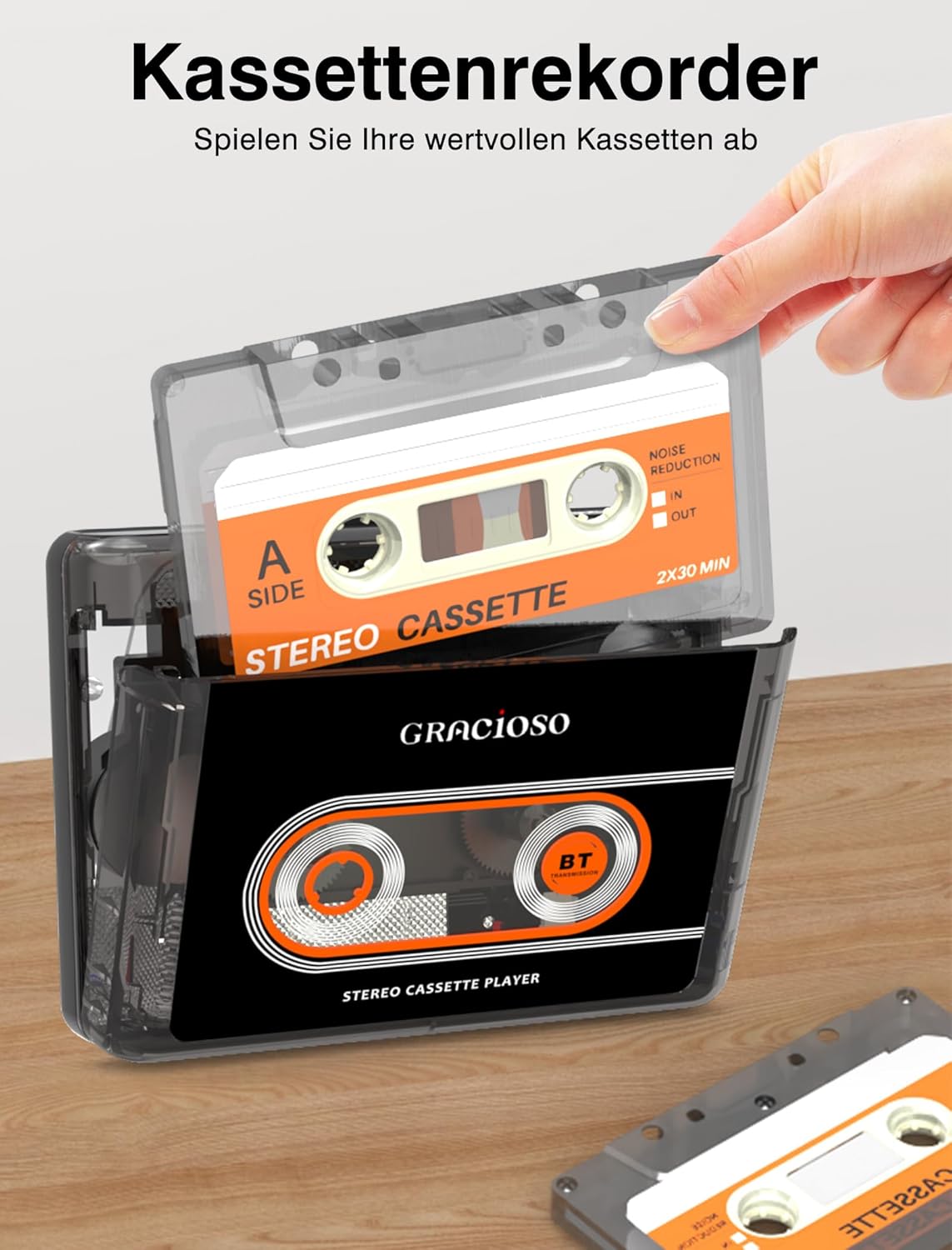
A hand inserting a cassette tape into the Gracioso Cassette Player, demonstrating the loading process.
4.2 Kassetteweergawe
Once a cassette is inserted and the device is powered on:
- Druk die SPEEL knoppie om die afspeel te begin.
- Gebruik die STOP knoppie om die terugspeel te stop.
- Druk die FF (Vinnig Vorentoe) button to quickly advance the tape.
- Druk die REW (Terugspoel) button to quickly rewind the tape.
- Adjust the volume using the dedicated volume control dial/buttons on the player.
4.3 Connecting Bluetooth Devices (Output Only)
The Gracioso Model 311 can transmit audio to Bluetooth headphones or speakers. It cannot receive audio from other devices (e.g., smartphones) via Bluetooth.
- Ensure your Bluetooth headphones or speaker are in pairing mode. Refer to your Bluetooth device's manual for instructions.
- Turn on the Gracioso Cassette Player. The Bluetooth indicator light will begin to flash, indicating it is searching for devices.
- Sodra dit gekoppel is, sal die Bluetooth-aanwyserliggie aanhou brand.
- Start cassette playback. Audio will now be transmitted to your paired Bluetooth device.

Illustration demonstrating the Gracioso Cassette Player's Bluetooth sender function, allowing connection to external Bluetooth headphones or speakers. Note: Cannot connect to mobile phones or car systems.
4.4 Using Wired Headphones
For a direct audio experience, use the included 3.5mm earphones or any standard 3.5mm headphones.
- Plug the 3.5mm jack of your headphones into the headphone port on the side of the player.
- Start cassette playback.
- Verstel die volume na 'n gemaklike vlak.

A user enjoying music from the Gracioso Cassette Player using standard 3.5mm wired headphones, emphasizing comfortable listening.
4.5 Using the Rear Clip
The Gracioso Model 311 features a convenient rear clip for attaching the player to your belt, pocket, or bag, enhancing its portability.
- To attach, simply slide the clip onto the edge of your clothing or bag strap.
- Ensure the clip is securely fastened to prevent the player from falling.

The Gracioso Cassette Player attached to a belt using its integrated rear clip, illustrating its portability and ease of transport.
5. Onderhoud
5.1 Die skoonmaak van die toestel
To maintain the appearance and functionality of your player:
- Vee die buitekant af met 'n sagte, droë lap.
- Do not use abrasive cleaners, solvents, or strong chemicals, as these can damage the finish.
- Keep the device away from dust and moisture.
5.2 Batterysorg
Om die batterylewe te verleng:
- Vermy om die battery gereeld heeltemal te ontlaai.
- Charge the device regularly, even if not in use for extended periods (e.g., once every 3 months).
- Berg die toestel op 'n koel, droë plek.
5.3 Skoonmaak van kassetkop
Over time, dust and tape residue can accumulate on the playback head, affecting sound quality. It is recommended to clean the playback head periodically:
- Maak die kassetkompartement oop.
- Gently clean the playback head and pinch rollers with a cotton swab lightly dampgeëindig met isopropylalkohol.
- Allow components to dry completely before inserting a cassette.
6. Probleemoplossing
| Probleem | Moontlike oorsaak | Oplossing |
|---|---|---|
| Geen klank tydens afspeel nie. | Volume too low; headphones/speakers not connected; cassette inserted incorrectly; dirty playback head. | Increase volume; ensure headphones are plugged in or Bluetooth device is paired; re-insert cassette correctly; clean playback head. |
| Bluetooth-toestel koppel nie. | Bluetooth device not in pairing mode; too far from player; player's Bluetooth off. | Ensure Bluetooth device is in pairing mode; bring devices closer; ensure player's Bluetooth indicator is flashing. |
| Battery laai nie. | Charging cable not connected properly; faulty cable/adapter; power source issue. | Check cable connections; try a different USB cable or power adapter; ensure power source is active. |
| Swak klankgehalte. | Dirty playback head; worn-out cassette tape; low battery. | Clean playback head; try a different cassette; charge the battery. |
Indien u probleme ondervind wat nie hier gelys word nie, of indien die voorgestelde oplossings nie die probleem oplos nie, kontak asseblief kliëntediens vir verdere hulp.
7. Spesifikasies
| Kenmerk | Spesifikasie |
|---|---|
| Handelsmerk | Gracioso |
| Model | 311 |
| Vervaardiger | Dingmi |
| Bluetooth weergawe | 5.2 (Output only) |
| Battery Tipe | Litium polimeer |
| Battery kapasiteit | 1100 mAh |
| Laai tyd | Ongeveer. 2 uur |
| Speeltyd | Tot 10 uur |
| Laaipoort | USB Tipe-C (GS 5V) |
| Oudio-uitset | 3.5 mm koptelefoonaansluiting |
| Produk afmetings | 16.31 x 9.8 x 5 cm (6.42 x 3.86 x 1.97 duim) |
| Produk Gewig | 213.19 gram (0.47 lbs) |
8. Waarborg en Ondersteuning
This Gracioso product is covered by a manufacturer's warranty. For specific warranty terms and conditions, please refer to the documentation provided with your purchase or contact the seller directly.
For technical support, troubleshooting assistance, or inquiries regarding your product, please contact the retailer or manufacturer's customer service department. Please have your model number (311) and purchase information ready when contacting support.