
1. Inleiding
The Generic Smart Automatic Curtain Opener (Model LY1668) is designed to automate your existing curtains, providing convenience through remote, app, timer, and voice control. This device is compatible with various curtain track types, including Roman rods, U-shaped rails, and I-shaped rails, making it a versatile solution for smart home integration.
Key features include a high-performance motor, easy installation without track modification, and a long-lasting 4000mAh rechargeable battery.

Image 1.1: The Smart Automatic Curtain Opener device and its accompanying remote control.
2. Pakketinhoud
Verifieer asseblief dat alle items in u pakket teenwoordig is:
- Smart Automatic Curtain Opener (Main Unit)
- Afstandbeheer
- Mounting Accessories for Roman Rods
- Mounting Accessories for U-shaped Rails
- Mounting Accessories for I-shaped Rails
- USB-laaikabel
- Gebruikershandleiding (hierdie dokument)

Beeld 2.1: verbyview of the Smart Automatic Curtain Opener, remote, and adapters for different track types.
3. Spesifikasies
| Parameter | Waarde |
|---|---|
| Produk Model | LY1668 |
| Product Speed | 10m/s |
| Produk Kleur | Wit |
| Battery kapasiteit | 4000mAh |
| Batterylewe | Up to 6 months (180+ days) per charge |
| Laai tyd | Ongeveer 8 uur |
| Volg verenigbaarheid | Roman Rods (diameter 13-38mm), U-shaped Rails (bottom slot width 0-15mm, bottom ring width 0-5mm), I-shaped Rails (bottom width 5-40mm, bottom ring width 0-5mm) |
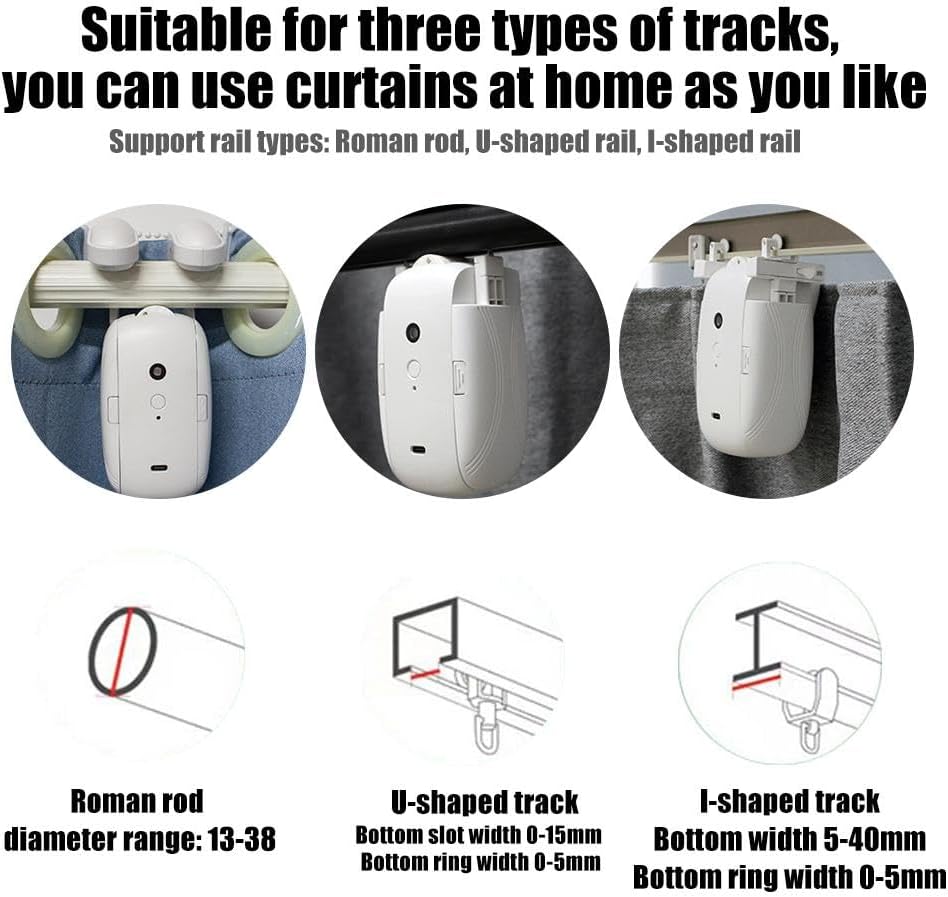
Image 3.1: Detailed compatibility information for Roman rods, U-shaped, and I-shaped curtain tracks.
4. Opstelling en installering
The Smart Automatic Curtain Opener is designed for quick and easy installation without the need for professional tools or track modifications. Follow these steps based on your curtain track type.
4.1. Roman Rod Installation
- Ensure your Roman rod diameter is between 13-38mm.
- Attach the appropriate Roman rod adapters to the main unit.
- Hang the device onto the Roman rod, ensuring it is securely clipped between two curtain rings.
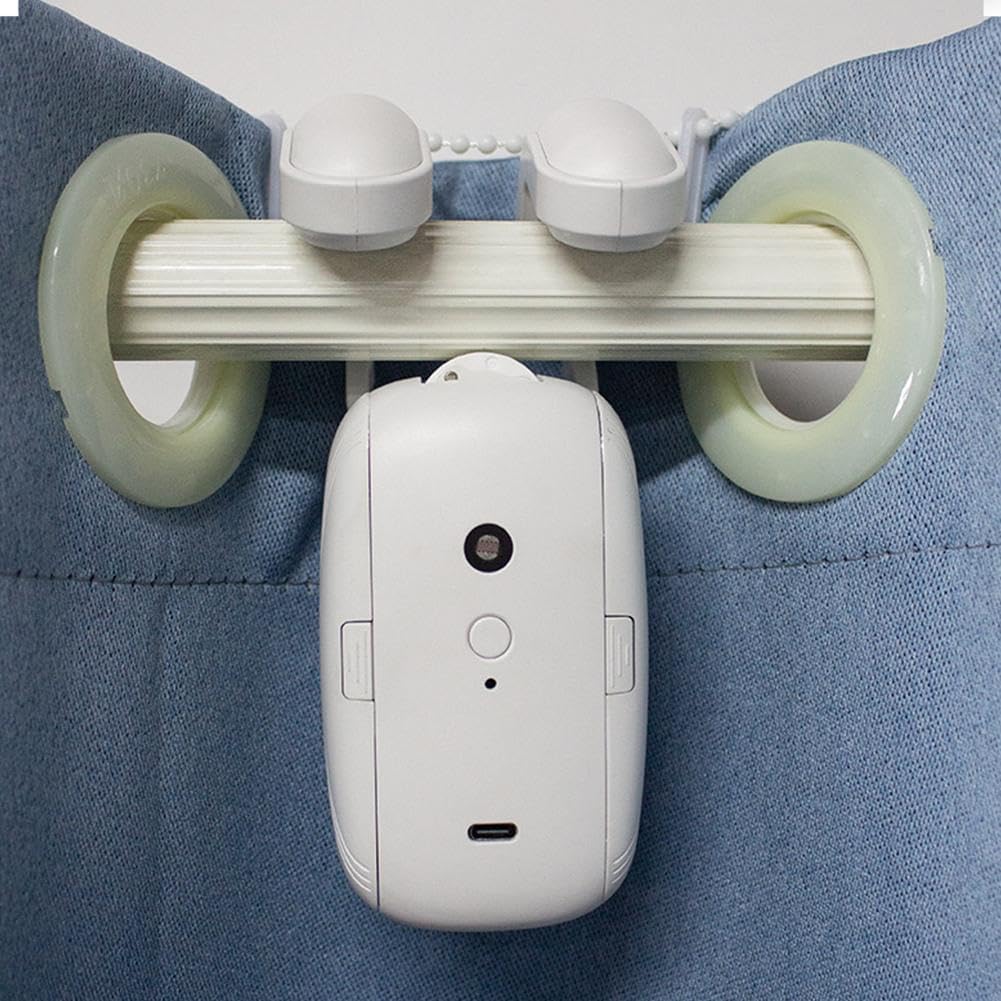
Image 4.1: The curtain opener installed on a Roman rod, demonstrating how it clips onto the rod.
4.2. U-shaped Rail Installation
- Verify your U-shaped rail's bottom slot width is 0-15mm and bottom ring width is 0-5mm.
- Attach the U-shaped rail adapters to the main unit.
- Clip the device onto the U-shaped rail.

Image 4.2: The curtain opener installed on a U-shaped curtain track.
4.3. I-shaped Rail Installation
- Confirm your I-shaped rail's bottom width is 5-40mm and bottom ring width is 0-5mm.
- Attach the I-shaped rail adapters to the main unit.
- Clip the device onto the I-shaped rail.

Image 4.3: The curtain opener installed on an I-shaped curtain track.
5. Bedryfsinstruksies
The Smart Automatic Curtain Opener offers multiple control methods for your convenience.
5.1. Afstandsbediening
Use the provided remote control to manually open, close, or stop your curtains.
- Maak oop knoppie: Press to open the curtains.
- Maak toe-knoppie: Press to close the curtains.
- Stopknoppie: Press to stop the curtains at any desired position.

Image 5.1: Demonstrating the use of the handheld remote control to operate the curtains.
5.2. App Control (Smart Home Integration)
For advanced control, download the compatible smart home app (refer to product packaging or manufacturer's website for specific app details). The app allows you to:
- Open and close curtains remotely from your smartphone.
- Set schedules and timers for automatic opening and closing.
- Adjust curtain position to a specific percentage.
5.3. Tydfunksie
Utilize the timer function via the smart home app to automate your curtain movements. For example, set curtains to open at 7:00 AM and close at 11:00 PM daily.
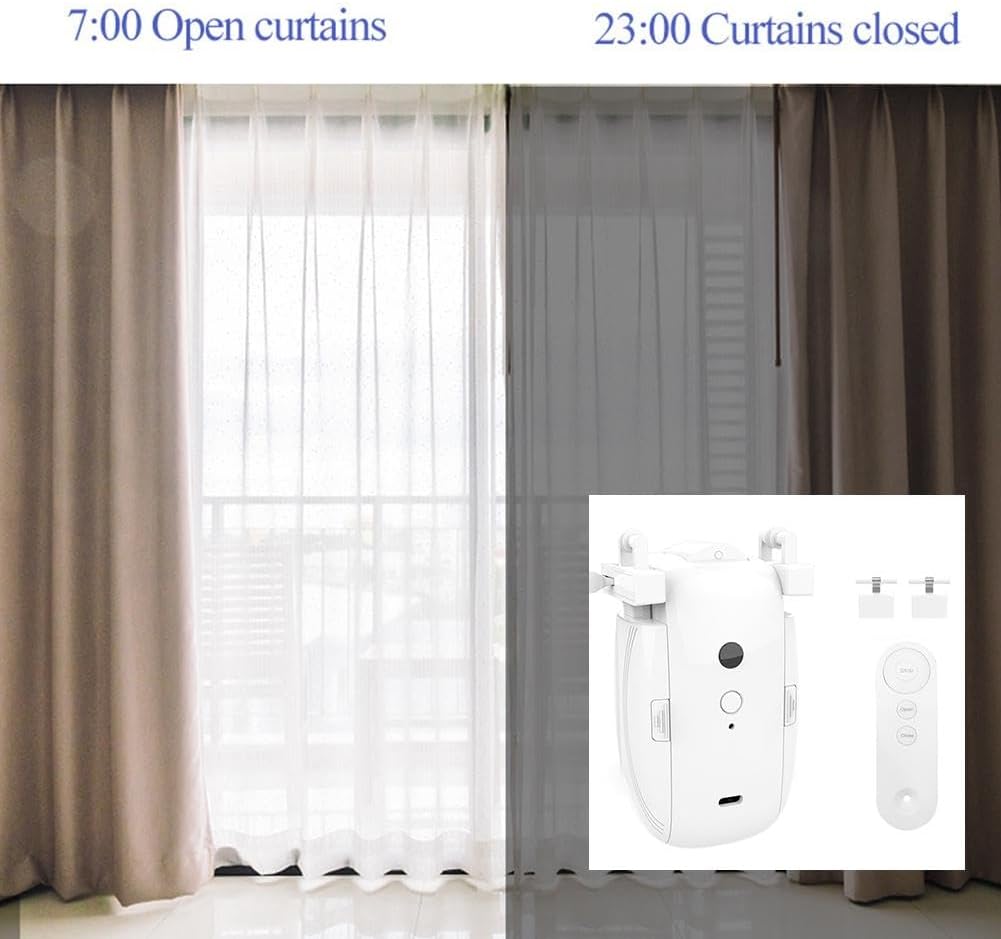
Beeld 5.2: Voorbeeldample of setting a timer for curtains to open in the morning and close at night.
5.4. Stembeheer
Integrate the device with compatible voice assistants (e.g., Amazon Alexa, Google Assistant) through the smart home app. Once configured, you can use voice commands such as:
- "Alexa, open the living room curtains."
- "Hey Google, close the bedroom curtains."
6. Onderhoud
To ensure optimal performance and longevity of your Smart Automatic Curtain Opener, follow these maintenance guidelines:
- Laai: The device has a 4000mAh battery with a life of up to 6 months. When the battery indicator shows low power, charge the device using the provided USB cable. A full charge takes approximately 8 hours.
- Skoonmaak: Vee die toestel af met 'n sagte, droë lap. Moenie skuurmiddels gebruik of die toestel in water dompel nie.
- Berging: If storing the device for an extended period, ensure it is fully charged and stored in a cool, dry place.
7. Probleemoplossing
If you encounter issues with your Smart Automatic Curtain Opener, refer to the following common problems and solutions:
| Probleem | Moontlike oorsaak | Oplossing |
|---|---|---|
| Device not moving curtains | Low battery; Obstruction on track; Incorrect installation; Device not paired with remote/app. | Charge the device; Clear any obstructions; Re-install according to instructions; Re-pair the device. |
| Afstandbeheer werk nie | Remote battery depleted; Remote not paired with device; Out of range. | Replace remote battery; Re-pair remote with device; Ensure remote is within operating range. |
| Programbeheer reageer nie | Device not connected to Wi-Fi; App requires update; Device offline. | Check Wi-Fi connection; Update the app; Restart the device and app. |
| Gordyne stop halfpad | Obstruction; Low battery; Track limits not set correctly. | Clear obstructions; Charge battery; Refer to app instructions for setting open/close limits. |
8. Waarborg en Ondersteuning
For warranty information and technical support, please refer to the documentation included with your purchase or contact the retailer where the product was acquired. Keep your proof of purchase for warranty claims.
If you require further assistance, please reach out to the manufacturer's customer service through their official website or contact details provided in the product packaging.