
1. Inleiding
This manual provides essential information for the safe and efficient use of your Azeyou A733 Android 15 Tablet. Please read this manual thoroughly before operating the device to ensure proper functionality and to prevent damage. Keep this manual for future reference.

Image: The Azeyou A733 Android 15 Tablet, showcasing its 12-inch display and core specifications.
2. Veiligheidsinligting
- Moenie die tablet blootstel aan uiterste temperature, direkte sonlig of hoë humiditeit nie.
- Vermy om die tablet te laat val of aan ernstige impakte bloot te stel.
- Gebruik slegs laaiers en bykomstighede wat deur die vervaardiger goedgekeur is.
- Do not attempt to disassemble or repair the tablet yourself. Refer to authorized service personnel.
- Keep the tablet away from children and pets to prevent accidental damage or injury.
3. Pakketinhoud
Verifieer dat alle items in u produkpakket teenwoordig is:
- Azeyou A733 Android 15 Tablet
- USB Type-C laaikabel
- Kragadapter (20W vinnige laaier)
- Gebruikershandleiding (hierdie dokument)
- SIM Ejector Tool (if applicable for models with cellular support)
4. Toestel oorview
Maak jouself vertroud met die fisiese komponente van jou tablet.

Beeld: Sykant view of the Azeyou A733 tablet, illustrating the placement of buttons and ports.
- Kragknoppie: Geleë aan die kant, word gebruik om die tablet aan/af te skakel of die skerm wakker te maak/slaap te maak.
- Volume knoppies: Pas die klankvolume aan.
- USB Tipe C-poort: Vir laai en data-oordrag.
- Luidsprekerroosters: Located on the sides for audio output.
- Voorste kamera: For video calls and selfies (5MP).
- Agterste kamera: For taking photos and videos (13MP).
- Mikrofoon: Vir steminvoer.
- TF-kaartgleuf: For expandable storage up to 1TB.
5. Opstelling
5.1 Aanvanklike laai
Before first use, fully charge your tablet. Connect the provided USB Type-C cable to the tablet's Type-C port and the power adapter, then plug the adapter into a wall outlet. The tablet supports 20W fast charging.
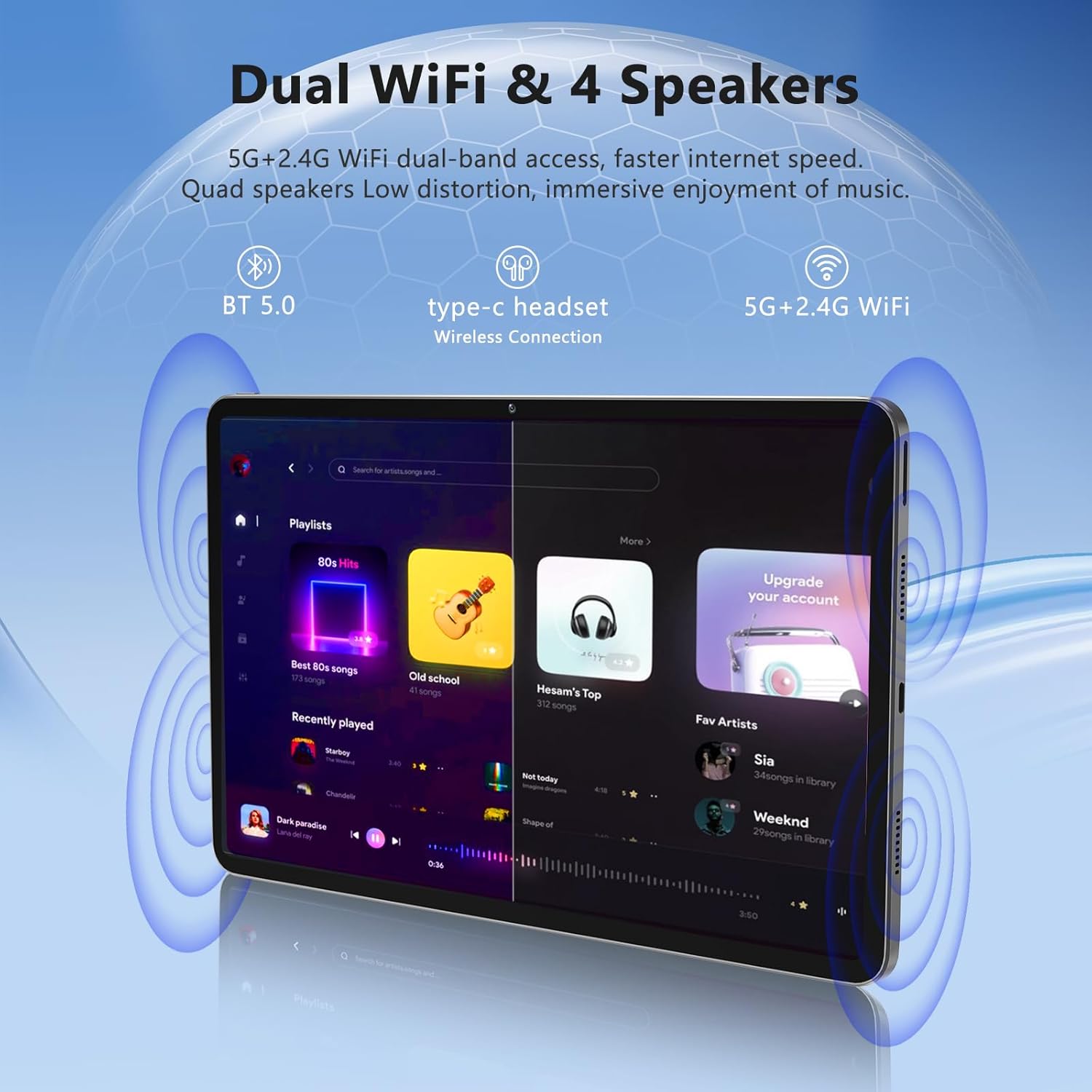
Image: The Azeyou A733 tablet connected to a charger, illustrating its fast charging feature.
5.2 Krag aan/af
- Om aan te skakel: Press and hold the Power button until the Azeyou logo appears.
- Om af te skakel: Press and hold the Power button until the power options appear on screen, then select "Power off."
- Om weer te begin: Press and hold the Power button until the power options appear, then select "Restart."
5.3 Aanvanklike Opstellingsassistent
Upon first power-on, the tablet will guide you through an initial setup process:
- Kies jou voorkeurtaal.
- Koppel aan 'n Wi-Fi-netwerk.
- Meld aan met jou Google-rekening of skep 'n nuwe een.
- Review en aanvaar die bepalings en voorwaardes.
- Stel skermslot op (PIN, patroon of wagwoord).
5.4 Expandable Storage
To expand storage, insert a TF (microSD) card into the designated slot. The tablet supports up to 1TB expansion.

Image: Visual representation of the tablet's memory configuration, including 20GB RAM, 128GB ROM, and 1TB expandable storage.
6. Bediening van die tablet
6.1 Basiese navigasie
The Azeyou A733 tablet uses touch gestures for navigation:
- Tik: Kies 'n item of maak 'n toepassing oop.
- Swiep: Blaai deur skerms of lyste.
- Knyp: Zoem in of uit op beelde en web bladsye.
- Lang pers: Kry toegang tot kontekstuele spyskaarte of skuif ikone.
6.2 Wi-Fi-verbinding
Om aan 'n Wi-Fi-netwerk te koppel:
- Gaan na Instellings > Netwerk en internet > Wi-Fi.
- Wi-Fi wissel On.
- Kies jou verlangde netwerk uit die lys.
- Voer die wagwoord in indien gevra, en tik dan Koppel.
The tablet supports Wi-Fi 6 for faster and more stable connections.

Image: The tablet showcasing its dual Wi-Fi capabilities and quad speakers for enhanced audio experience.
6.3 Bluetooth-verbinding
To pair with a Bluetooth device (e.g., headphones, keyboard, mouse):
- Gaan na Instellings > Gekoppelde toestelle > Bluetooth.
- Wissel Bluetooth On.
- Maak seker dat jou Bluetooth-toestel in paringsmodus is.
- Kies die toestel uit die lys en volg enige aanwysings op die skerm om die paring te voltooi.
6.4 Toepassingsbestuur
Your Azeyou A733 tablet is GMS certified, allowing full access to the Google Play Store for downloading and managing applications.
- Installeer toepassings: Open the Play Store app, search for your desired app, and tap Installeer.
- Deïnstalleer toepassings: Long-press an app icon on the home screen or app drawer, then drag it to "Uninstall" or select "App info" and choose "Uninstall."
6.5 Kameragebruik
The tablet features a 5MP front camera and a 13MP rear camera.
- Maak die oop Kamera app.
- Tik die kameraskakelaar-ikoon om tussen die voorste en agterste kameras te wissel.
- Tik die sluiterknoppie om 'n foto te neem of video-opname te begin/stop.
Beeld: Gedetailleerd view of the tablet's 13MP rear camera and 5MP front camera, illustrating their positions and use.
6.6 Split-Screen Function
To use two apps simultaneously:
- Maak die eerste toepassing oop.
- Tap the recent apps button (usually a square icon).
- Long-press the icon of the first app at the top of its card.
- Select "Split screen."
- Choose the second app from the recent apps list or app drawer.
6.7 AI Air Gesture
The tablet supports AI Air Gesture for hands-free control. Specific gestures and their functions can be configured in Instellings > Slim kontroles (or similar menu name).
6.8 Sitting Posture Detection
This feature helps users maintain a healthy sitting posture by providing alerts or guidance. Access and configure this feature in Instellings > Digitale welstand en ouerkontroles or a dedicated health/posture app.

Image: Demonstrations of AI air gesture for tablet control and the sitting posture detection system.
6.9 Media Playback (Widevine L1)
The tablet is Widevine L1 certified, enabling high-definition (HD) content streaming on platforms such as Netflix, Amazon Prime Video, Hulu, and HBO.

Image: The tablet displaying logos of popular streaming services, signifying its Widevine L1 certification for HD playback.
7. Onderhoud
7.1 Skoonmaak
Use a soft, lint-free cloth to clean the tablet screen and body. Avoid using harsh chemicals or abrasive materials.
7.2 Batterysorg
Die 8000mAh-battery bied langer gebruik. Om die batterylewe te verleng:
- Vermy om die battery gereeld heeltemal te ontlaai.
- Moenie die tablet vir te lang tye laat laai nadat dit vol is nie.
- Keep the tablet within a moderate temperature range.

Image: An infographic detailing the 8000mAh battery and its estimated performance across various activities.
7.3 Sagteware-opdaterings
Kontroleer gereeld vir sagteware-opdaterings en installeer dit om optimale werkverrigting en sekuriteit te verseker. Gaan na Instellings > Stelsel > Stelselopdatering.
7.4 Bergingbestuur
To manage your 128GB internal storage (expandable to 1TB):
- Gaan na Instellings > Berging aan view gebruik en maak spasie vry.
- Regularly clear cache data from apps.
- Skuif groot files na 'n ingevoegde TF-kaart.
8. Probleemoplossing
8.1 Algemene kwessies
- Tablet skakel nie aan nie: Maak seker dat die battery gelaai is. Koppel dit vir ten minste 30 minute aan die laaier voordat jy probeer om dit aan te skakel.
- Programme wat vasval of vries: Close and reopen the app. If the issue persists, clear the app's cache (Settings > Apps > [App Name] > Storage & cache > Clear cache). Restart the tablet.
- Wi-Fi-verbindingskwessies: Restart your Wi-Fi router and the tablet. Forget the network in tablet settings and reconnect.
- Stadige werkverrigting: Maak onnodige agtergrondprogramme toe. Maak kasgeheue en tydelike programme skoon. files. Consider performing a factory reset if performance issues persist after other troubleshooting steps.
8.2 Fabrieksterugstelling
’n Fabrieksherstel sal alle data van jou tablet uitvee en dit na sy oorspronklike fabrieksinstellings herstel. Rugsteun belangrike data voordat jy voortgaan.
- Gaan na Instellings > Stelsel > Stel opsies terug.
- Kies Vee alle data uit (fabriekterugstelling).
- Bevestig jou besluit en volg die instruksies op die skerm.
9. Spesifikasies

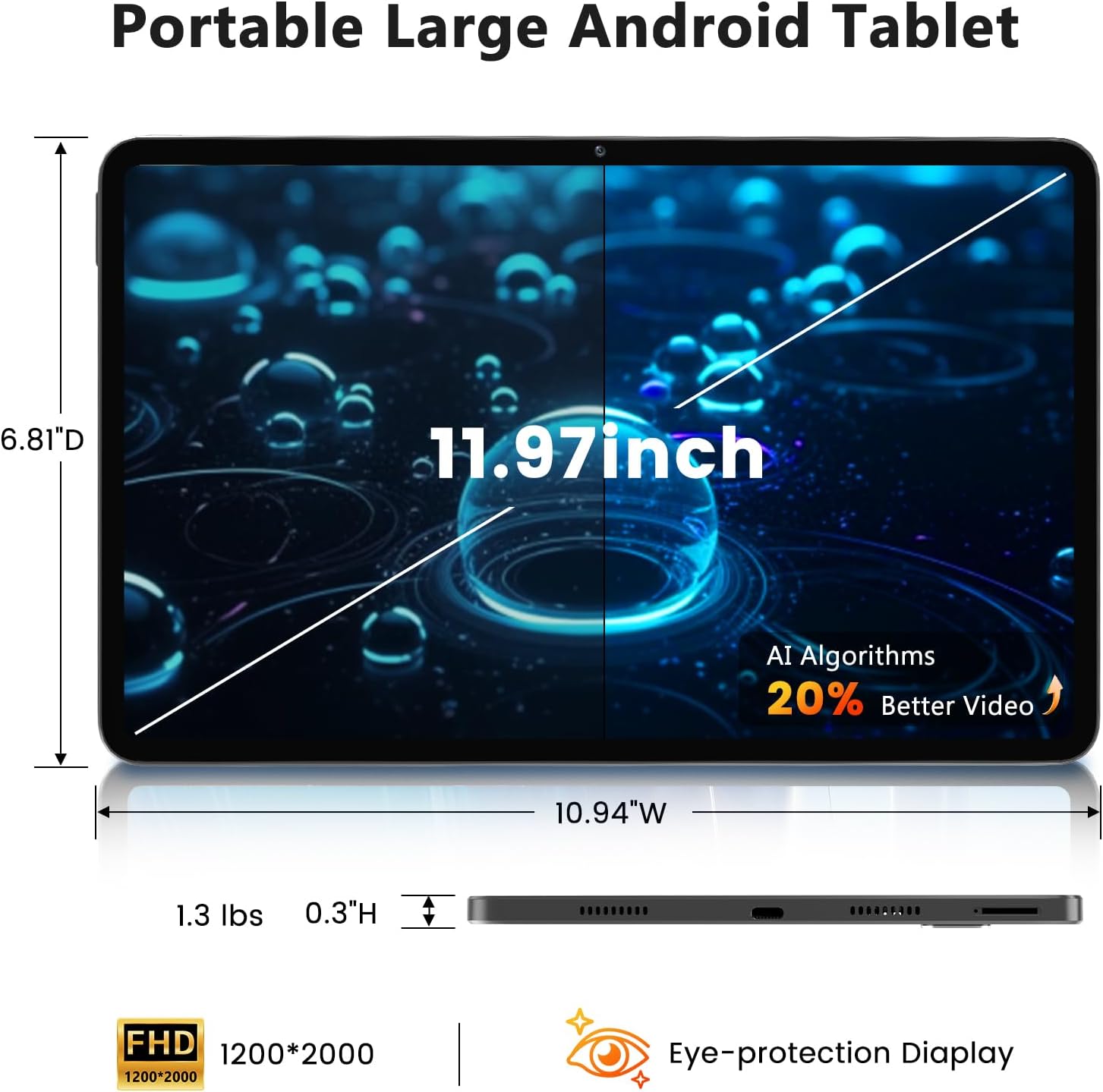
Image: A visual representation of the tablet's physical dimensions and weight.
| Kenmerk | Spesifikasie |
|---|---|
| Handelsmerk | Azeyou |
| Model | A733 |
| Bedryfstelsel | Android 15 |
| Verwerker | A733 Octa-Core |
| RAM | 20GB (6GB Physical + 14GB Virtual) |
| Interne berging (ROM) | 128 GB |
| Uitbreidbare berging | Tot 1 TB via TF-kaart (nie ingesluit nie) |
| Skerm grootte | 11.97 duim |
| Skermresolusie | 1200 x 2000 Pixels (2K Display) |
| Agterste kamera | 13 MP |
| Voorste kamera | 5 MP |
| Battery kapasiteit | 8000mAh |
| Laai | 20W Fast Charge, Type-C Port |
| Draadlose konneksie | WiFi 6 (802.11ax), Bluetooth 5.0 |
| Afmetings (LxBxH) | 11.97 x 6.81 x 0.3 duim |
| Item gewig | 3.15 pond |
| Spesiale kenmerke | GMS Certified, Widevine L1, Dual Speakers, AI Air Gesture, Sitting Posture Detection, Split-screen function |
10. Waarborg en Ondersteuning
Your Azeyou A733 Tablet comes with a standard manufacturer's warranty. Please refer to the warranty card included in your package for specific terms and conditions, including warranty duration and coverage details.
For technical support, troubleshooting assistance, or warranty claims, please contact Azeyou customer service through the retailer where the product was purchased or visit the official Azeyou support webwebwerf (indien beskikbaar).
Please have your product model number (A733) and purchase information ready when contacting support.