
1. Inleiding
The Amazon Echo Studio (2025 Model) is a smart speaker designed to deliver immersive spatial audio and Dolby Atmos sound. It features a compact design, a built-in smart home hub, and is powered by the AZ3 Pro chip for advanced performance. This device also includes early access to Alexa+, offering a smarter and more proactive AI assistant experience.

Image 1.1: The Amazon Echo Studio (2025 Model) in Glacier White, showcasing its compact, spherical design with control buttons on top.
2. Wat is in die boks
Before you begin, ensure all items are present in the packaging:
- Echo Studio (2025 release)
- Kragadapter (50W)
- Vinnige begingids
3. Opstelling
3.1 Aanvanklike aanskakeling
- Connect the provided power adapter to the Echo Studio and then to a wall outlet.
- The light ring on your Echo Studio will turn blue, then orange, indicating it is ready for setup.
3.2 Alexa App Installation and Connection
- Download the Alexa app on your mobile device (compatible with Fire OS, Android, and iOS).
- Open the Alexa app and sign in with your Amazon account.
- Follow the on-screen instructions to add a new device. Select "Amazon Echo" then "Echo Studio".
3.3 Wi-Fi-opstelling
The Alexa app will guide you through connecting your Echo Studio to your Wi-Fi network. The device supports 1x1 Wi-Fi 6E (11a/b/g/n/ac/ax). Amazon Wi-Fi simple setup is available to streamline this process.
3.4 Room Adaptation
After initial setup, Echo Studio analyzes the acoustics of your room to fine-tune playback for optimal sound. This process occurs automatically.
3.5 Pairing for Enhanced Audio
- Multi-kamer musiek: Play music across multiple Echo devices by grouping them in the Alexa app.
- Tuis teater: Pair your Echo Studio with compatible Fire TV devices for an immersive home theater experience. This can be done through the Fire TV settings.
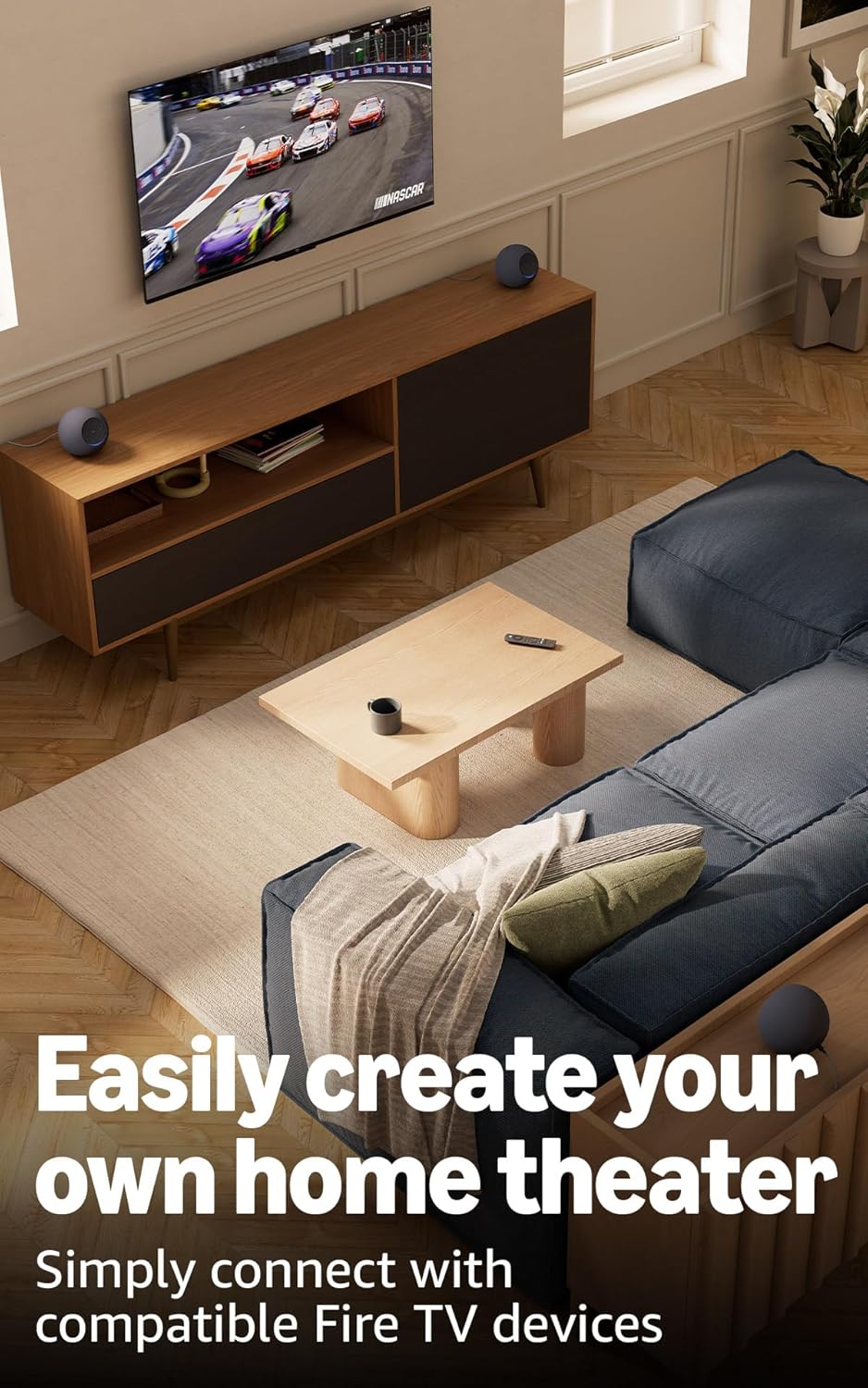
Image 3.1: Two Echo Studio devices positioned to create a home theater setup with a television, demonstrating multi-speaker audio.
4. Operating Your Echo Studio
4.1 Stembeheer met Alexa
Your Echo Studio is primarily controlled by voice commands using the wake word "Alexa". Speak clearly and directly to the device.

Image 4.1: A graphic introducing the updated Alexa+ assistant, highlighting its smarter and more proactive capabilities.
4.2 Alexa+ Early Access
This device provides early access to Alexa+. Upon setup, you can upgrade to this enhanced AI assistant for a more natural and conversational experience, capable of handling a wider range of tasks.
4.3 Slimhuisbeheer
The Echo Studio includes a built-in smart home hub supporting Zigbee, Matter, and Thread Border Router protocols. This allows you to connect and control compatible smart lights, locks, and other devices directly without a separate hub.
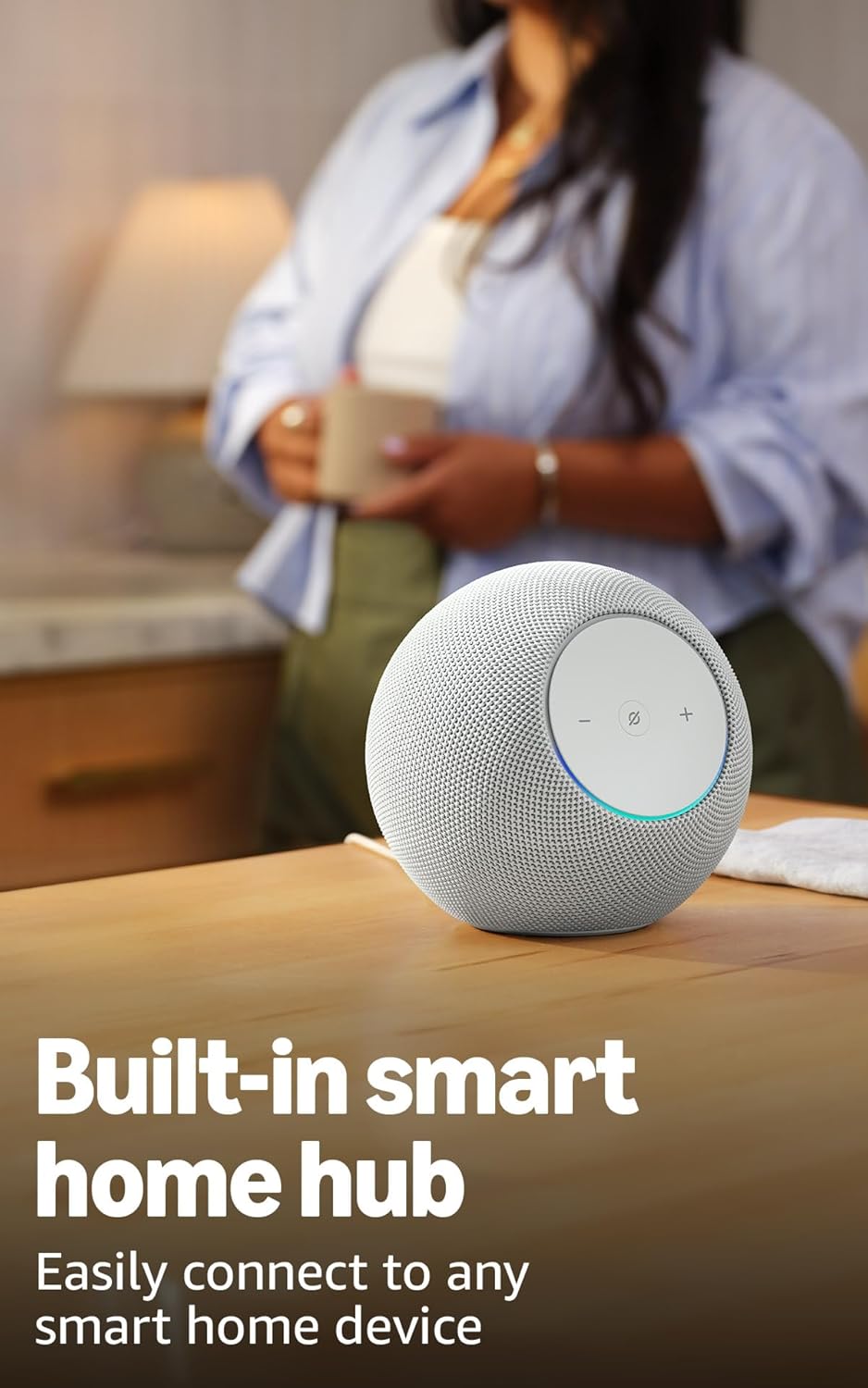
Image 4.2: The Echo Studio on a table, emphasizing its function as a built-in smart home hub for easy device connectivity.
4.4 Bluetooth-konnektiwiteit
Echo Studio supports Bluetooth wireless technology/Bluetooth Low Energy 5.3. You can stream audio from your mobile device to Echo Studio (A2DP) or from Echo Studio to a Bluetooth speaker (A2DP). AVRCP is supported for voice control of connected mobile devices. Bluetooth speakers requiring PIN codes are not supported.
4.5 Omnisense Technology
Omnisense technology enables proactive and personalized experiences through features like presence detection, ambient temperature sensing, and accelerometer-based tap gestures. For example, you can activate routines based on temperature changes or detected presence.
4.6 eero Built-in
If you have a compatible eero router, your Echo Studio can extend Wi-Fi coverage. Link your eero and Amazon accounts and manage this feature through the eero mobile application. This feature supports up to 1,000 sq. ft. of additional coverage, speeds up to 100 Mbps, and 10 or fewer connected devices in the 5GHz band.
5. Onderhoud
To ensure the longevity and optimal performance of your Echo Studio:
- Keep the device dry and away from direct sunlight or heat sources.
- Clean the exterior with a soft, dry, lint-free cloth. Do not use abrasive cleaners or solvents.
- Ensure the device is placed on a stable surface to prevent accidental falls.
6. Probleemoplossing
If you encounter issues with your Echo Studio, consider the following steps:
- Geen krag: Maak seker dat die kragadapter stewig aan beide die toestel en 'n werkende muurprop gekoppel is.
- Geen Wi-Fi-verbinding nie: Check your router and internet connection. Verify that your Echo Studio is within range of your Wi-Fi network. Re-attempt Wi-Fi setup through the Alexa app.
- Alexa reageer nie: Ensure the microphone is not muted (the light ring will be red if muted). Try saying the wake word more clearly or adjusting your proximity to the device.
- Kwessies met oudiogehalte: Confirm the device is placed optimally for room adaptation. Check audio settings in the Alexa app.
- Algemene kwessies: Try restarting your Echo Studio by unplugging it from the power outlet for a few seconds and then plugging it back in.
For further assistance, refer to the help section within the Alexa app or visit the Amazon support webwebwerf.
7. Spesifikasies
| Kenmerk | Detail |
|---|---|
| Grootte | 6.1”W x 5.6”D x 5.8”H (155mm W x 142.2mm D x 147.3mm H) |
| Gewig | 57.56 oz (1632 grams) 3.6 lbs |
| Oudiobandwydte | 30 Hz - 18 kHz (volume 6) |
| Luidsprekerbestuurders | 1x 3.75” high excursion woofer, 3x 2.25” full-range drivers |
| Afspeel kanale | 3.1.1 (left, center, right, height, subwoofer) |
| Oudioverwerking | Distortion reduction, Lossless High Definition, Automatic Room Adaptation, Amazon Spatial Audio, Dolby Atmos |
| Wi-Fi konneksie | 1x1 Wi-Fi 6E 11a/b/g/n/ac/ax |
| Bluetooth-verbinding | Bluetooth wireless technology/Bluetooth Low Energy 5.3 (A2DP, AVRCP) |
| Smart Home Hub | Zigbee + Matter + Draadgrensrouter |
| Verwerker | AZ3 Pro with AI Accelerator |
| Sensors | Ambient temperature, Ambient light, Presence Detection, Accelerometer for Tap Gestures |
| Omnisense Technology | Custom technology for ambient AI, enabling proactive and personalized experiences |
| eero Ingeboude | Extends Wi-Fi coverage with compatible eero routers (up to 1,000 sq. ft. additional coverage) |
| Taal | Alexa praat Engels en Spaans |
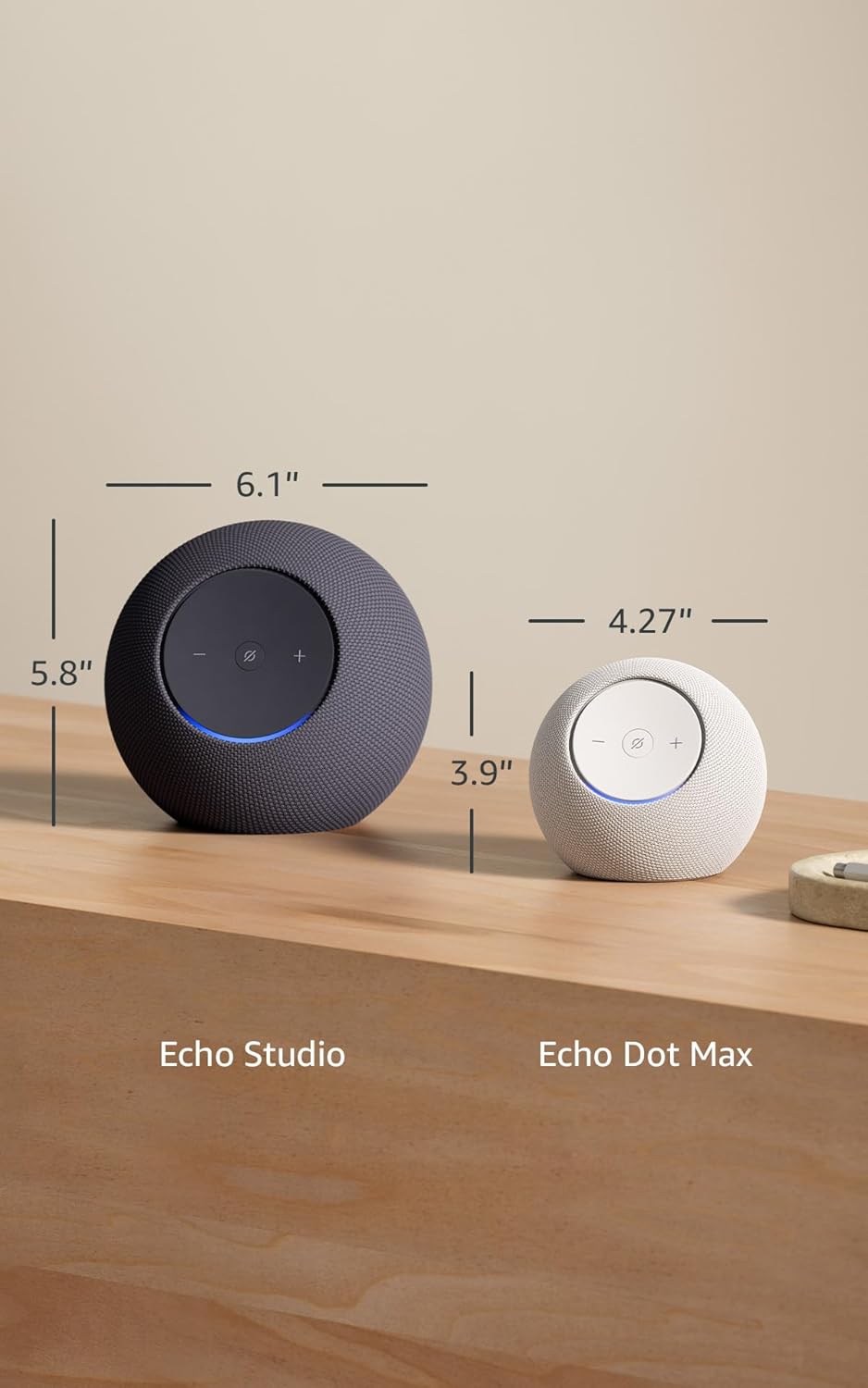
Image 7.1: A visual comparison showing the dimensions of the Echo Studio next to an Echo Dot Max.
8. Veiligheid en nakoming
8.1 Privaatheidskenmerke
The Echo Studio is designed with multiple layers of privacy controls:
- Microphones Enable/Disable Button: A physical button allows you to electronically disconnect the microphones. When disabled, the light ring will turn red.
- Wake Word-tegnologie: Die toestel begin eers opneem en klank na die wolk stuur nadat die wekwoord (bv. "Alexa") opgespoor is.
- Stemopnamebestuur: Jy het die vermoë om view en verwyder jou stemopnames deur die Alexa-app.

Beeld 8.1: 'n Nabyskoot view of the Echo Studio's control panel, highlighting the microphone enable/disable button for privacy control.
8.2 Toeganklikheidskenmerke
Alexa offers various accessibility features to personalize your experience. These can be enabled in the Alexa App under Settings → Accessibility:
- Aanpasbare Luister: Bied meer tyd om klaar te praat voordat Alexa reageer.
- Voorkeur Praatspoed: Beheer hoe vinnig of stadig Alexa praat (bv. "Alexa, praat stadiger").
- Versoek klank: Plays an audible tone when you speak to Alexa.
- Kindle Lees Hardop: Laat Alexa jou Kindle-boeke hardop lees.
- Stel in kennis wanneer naby: Speel kennisgewingklanke wanneer jy naby jou Echo-toestel bespeur word.
9. Waarborg en Ondersteuning
Your Echo Studio comes with a 1-year limited warranty and service. Optional 1-year, 2-year, and 3-year extended warranties are available for U.S. customers, sold separately. For detailed warranty terms and conditions, please refer to the documentation provided with your device or visit the Amazon support webwebwerf.
For customer support, visit the Amazon Help & Customer Service pages or contact Amazon customer service directly.