
Inleiding
This manual provides essential information for setting up, operating, maintaining, and troubleshooting your Acer Aspire 14 AI Copilot+ PC. This high-performance laptop features an Intel Core Ultra 7 Processor, 32GB LPDDR5X RAM, a 1TB PCIe Gen 4 SSD, and a 14-inch WUXGA Touchscreen Display, designed for enhanced productivity and AI-powered experiences.
Opstelgids
1. Uitpak en aanvanklike inspeksie
Carefully remove your Acer Aspire 14 PC and its accessories from the packaging. Ensure all components, including the AC Adapter, are present and undamaged.

Figure 1: Acer Aspire 14 AI Copilot+ PC, open and ready for setup.
2. Die kragadapter koppel
Connect the AC Adapter to the power port on your laptop and then plug it into a power outlet. It is recommended to fully charge the battery before initial use.
3. Aanvanklike aanskakeling en Windows-opstelling
Press the power button to turn on your PC. Follow the on-screen instructions to complete the Windows 11 Home setup, including language selection, network connection, and user account creation.
4. Aansluiting van randapparatuur
Your PC supports various compatible devices. Use the available ports to connect external displays via HDMI, mice, keyboards, storage devices, printers, or wireless headphones. For wireless connectivity, utilize Wi-Fi 6E and Bluetooth 5.3.

Figuur 2: Kant view illustrating available ports for peripheral connections.
Bedryfsinstruksies
Basiese werking
- Krag aan/af: Press the power button located on the keyboard deck to turn the device on or off.
- Raakskerm: The 14-inch WUXGA (1920 x 1200) display is multi-touch enabled. Interact directly with the screen using your fingers for navigation and input.
- Raakblad: Use the integrated touchpad for cursor control and gesture-based navigation.
- Verligte sleutelbord: The keyboard features backlighting for comfortable typing in various lighting conditions.

Figuur 3: Bo-na-onder view van die agterbeligte sleutelbord en raakvlak.
AI Copilot+ Features
Leverage the integrated AI Copilot+ capabilities for enhanced productivity and creative tasks. The Intel Core Ultra 7 Processor with its Neural Processing Unit (NPU) and Intel Arc 140V GPU accelerates AI workloads, providing faster performance for AI-driven applications.
Vertoning en grafika
The 14-inch WUXGA (1920 x 1200) IPS LED-Backlit display offers vibrant visuals with 300-Nits brightness and a 120Hz refresh rate. The integrated Intel Arc 140V GPU handles graphics processing efficiently for both work and entertainment.
Webkamera gebruik
The integrated FHD Webcam (1920 x 1080) with Blue Glass supports 1080p FHD video, ideal for video conferencing and online communication.
Konnektiwiteit
The device supports Wi-Fi 6E (2.4GHz, 5GHz, and 6GHz bands with 2x2 MU-MIMO Technology) and Bluetooth 5.3 for robust wireless connections.
Onderhoud
Cleaning Your PC
Use a soft, lint-free cloth to clean the screen and exterior surfaces. For stubborn smudges, slightly dampMaak die lap skoon met water of 'n skermveilige skoonmaakmiddel. Vermy harde chemikalieë of skuurmiddels.
Sagteware-opdaterings
Regularly check for and install operating system and driver updates to ensure optimal performance and security. Windows 11 Home will prompt you for necessary updates.
Battery sorg
Om die batterylewe te verleng, vermy uiterste temperature en laat die battery gedeeltelik ontlaai voordat dit herlaai word. Vir langtermynberging, laai die battery tot ongeveer 50%.
Bergingsbestuur
The 1TB PCIe Gen 4 Solid State Drive provides ample storage. Regularly back up important data and manage files om stelselprestasie te handhaaf.
Probleemoplossing
Algemene kwessies en oplossings
- PC not powering on: Maak seker dat die WS-adapter stewig gekoppel is en dat die kragaansluiting funksioneel is. Probeer 'n ander aansluiting.
- Vertoonprobleme: If the screen is blank or flickering, try restarting the PC. Check external display connections if applicable.
- Geen Wi-Fi-verbinding nie: Verify that Wi-Fi is enabled in Windows settings. Restart your router and PC.
- Stadige werkverrigting: Close unnecessary applications. Check for background processes and ensure sufficient free storage space.
Vir meer komplekse probleme, verwys na die Acer-ondersteuning webwebwerf of kontak kliëntediens.
Produkspesifikasies
| Kenmerk | Spesifikasie |
|---|---|
| Handelsmerk | Acer |
| Model Naam | Aspireer 14 |
| Modelnommer | A14-52mt-701k |
| Verwerker | Intel Core Ultra 7 Processor 258V (up to 4.8 GHz) |
| RAM | 32 GB LPDDR5X |
| Berging | 1 TB PCIe Gen 4 SSD |
| Vertoon | 14" WUXGA (1920 x 1200) Multi-Touch IPS LED-Backlit, 300 Nits, 120Hz Refresh Rate |
| Grafika | Intel Arc 140V GPU (Integrated) |
| Bedryfstelsel | Windows 11 Tuis |
| Konnektiwiteit | Wi-Fi 6E, Bluetooth 5.3 |
| Hawens | 3x USB Ports, 1x Thunderbolt Port, HDMI |
| Webnok | Integrated FHD (1920 x 1080) with Blue Glass |
| Spesiale kenmerke | AI Copilot+, Enhanced Webcam, Backlit Keyboard |
| Dimensions (L x W x Thickness) | 13"L x 1"B x 9"D |
| Item gewig | 1.8 kilogram |
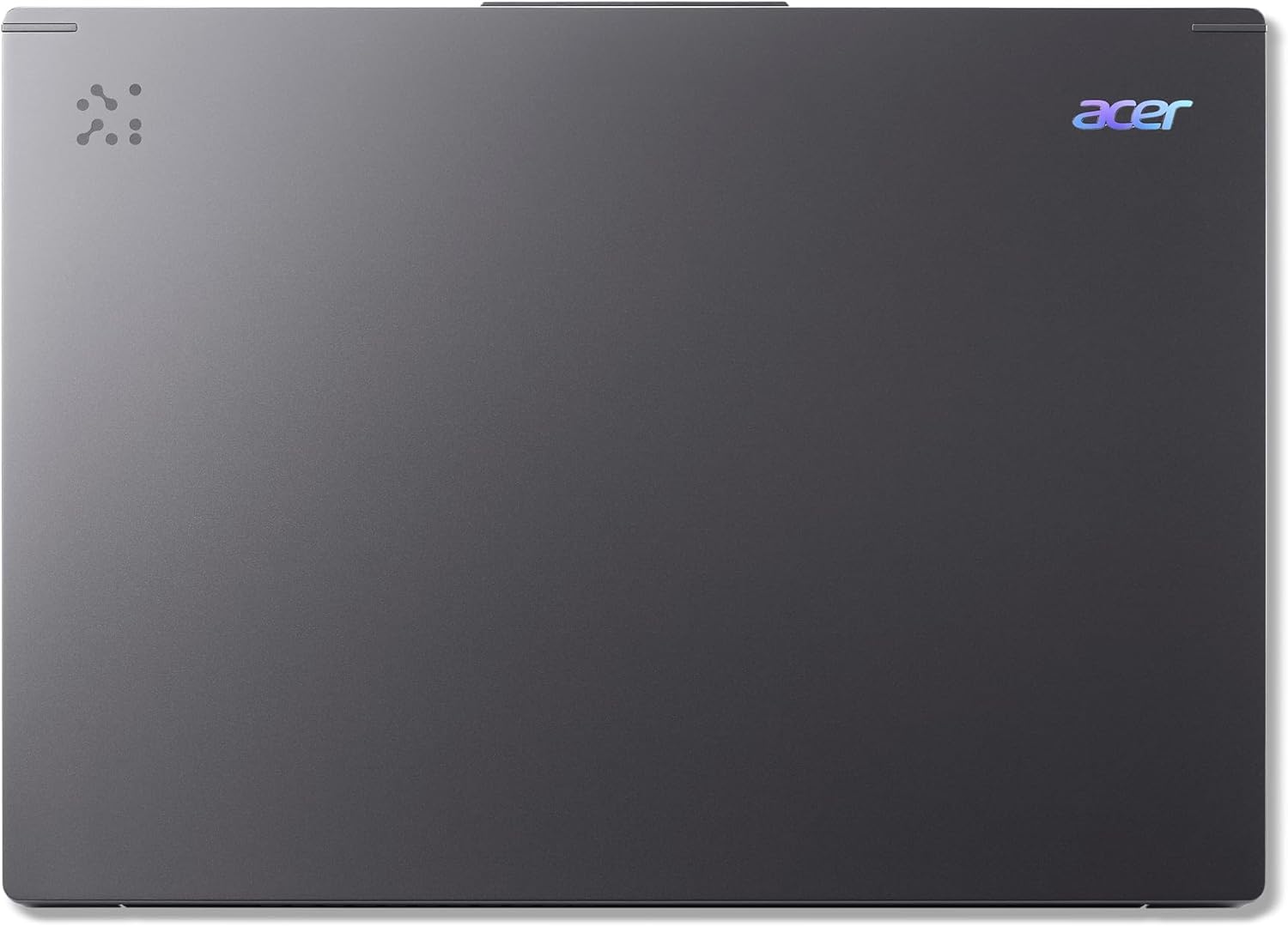
Figure 4: The Acer Aspire 14 AI Copilot+ PC in a closed state.
Waarborg inligting
Your Acer Aspire 14 AI Copilot+ PC comes with a 1 Jaar Vervaardigerswaarborg. Please retain your proof of purchase for warranty claims. For detailed terms and conditions, refer to the warranty card included with your product or visit the official Acer webwebwerf.
Kliënte ondersteuning
For further assistance, technical support, or service inquiries, please visit the official Acer support website or contact their customer service hotline. You can find contact information and resources on the Acer webwebwerf: www.acer.com/support.