
eKids 115
eKids Dora Karaoke Microphone with Boombox Instruction Manual
Model: 115 | Brand: eKids
1. Inleiding
Welcome to the eKids Dora Karaoke Microphone with Boombox. This device is designed to provide an interactive and engaging musical experience. It features a wired microphone, built-in music, and Bluetooth connectivity for streaming audio from compatible devices. This manual provides essential information for setup, operation, maintenance, and troubleshooting to ensure optimal performance and enjoyment.
2. Produk verbyview
The eKids Dora Karaoke Microphone with Boombox is a portable audio device shaped like Dora's backpack, designed for children aged 3 and up. It combines a speaker with a wired microphone, allowing users to sing along to pre-loaded songs or music streamed via Bluetooth.
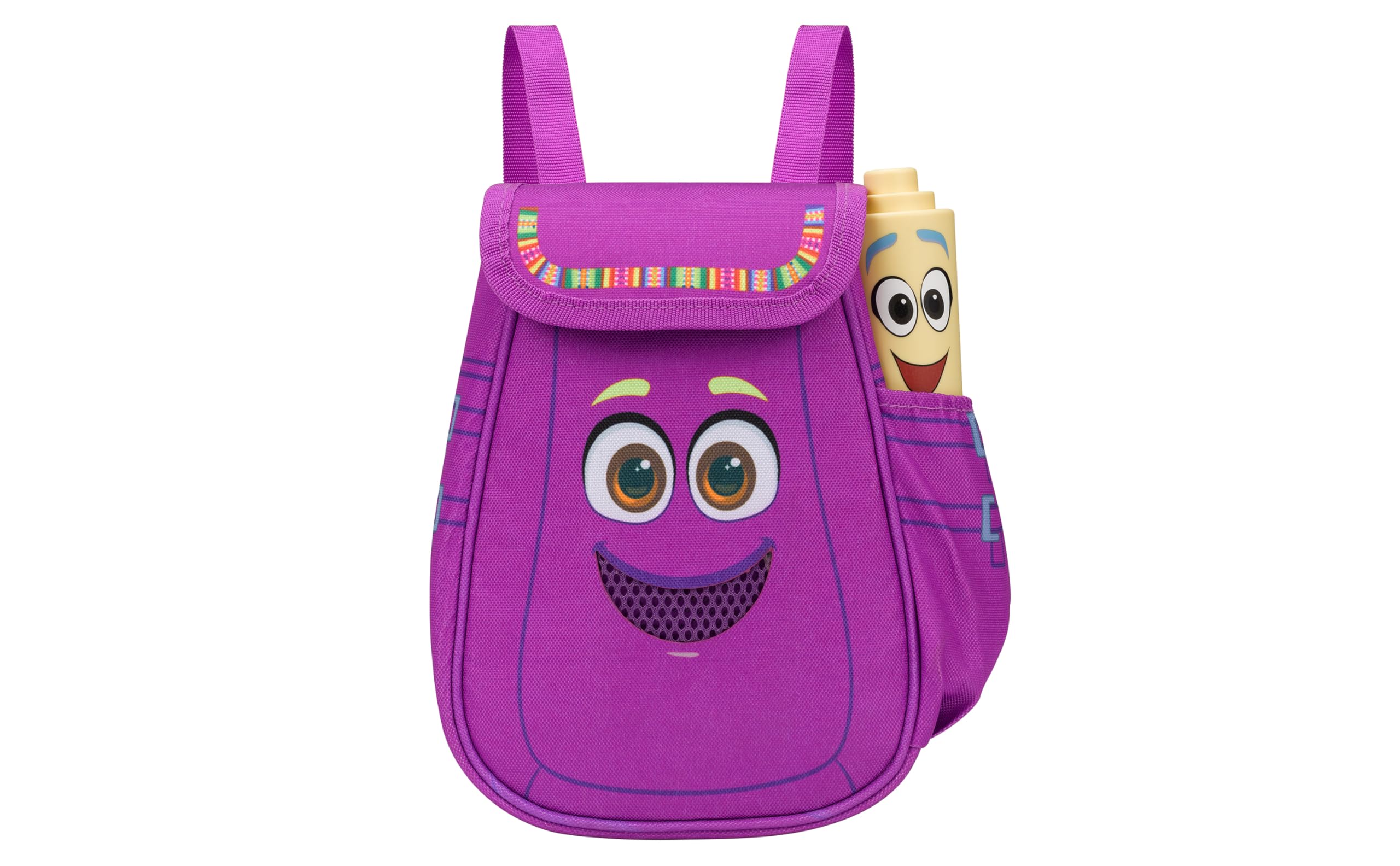
Figure 1: eKids Dora Karaoke Microphone with Boombox.
Sleutel kenmerke:
- Bluetooth-luidspreker: Connects to any music device via Bluetooth to stream popular karaoke playlists and more. Lightweight and portable, this karaoke boombox is designed for kids aged 3 and up.
- Karaoke mikrofoon: Includes a wired microphone to amplify your voice for singing.
- Dora Backpack Design: Features cute and colorful graphics inspired by the popular Nickelodeon series.
- Ingeboude musiek: Contains extended clips of the songs ‘Rainforest Ritmo’, ‘Cake’, and ‘Empanada’.
- Draagbaarheid: Lightweight design with a built-in handle for easy transport.
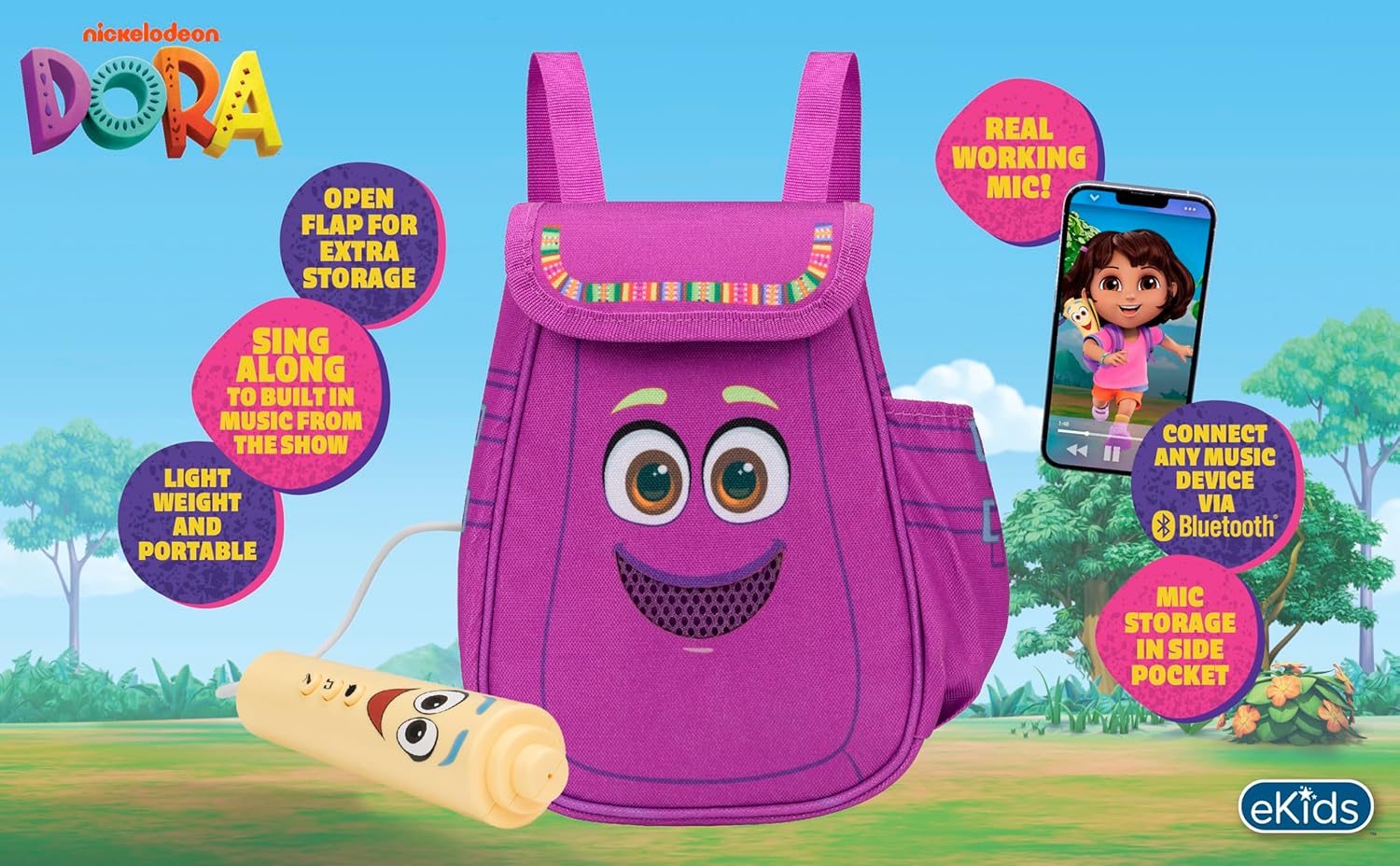
Figuur 2: Visuele oorsigview of the product's key features.
3. Pakketinhoud
Maak seker dat alle items teenwoordig is wanneer u dit uitpak:
- Dora Karaoke Microphone with Boombox (main unit)
- Bedrade mikrofoon
- Instructiehandleiding (hierdie dokument)
- 3 x 'AA' Batteries (included)

Figure 3: Product as packaged, showing the boombox and microphone.
4. Opstelling
4.1 Battery installasie
- Locate the battery compartment on the back or bottom of the boombox unit.
- Gebruik 'n Phillips-kopskroewedraaier (nie ingesluit nie) om die batteryklep oop te maak.
- Insert 3 'AA' batteries, ensuring correct polarity (+/-).
- Plaas die deksel van die batterykompartement terug en maak dit met die skroef vas.
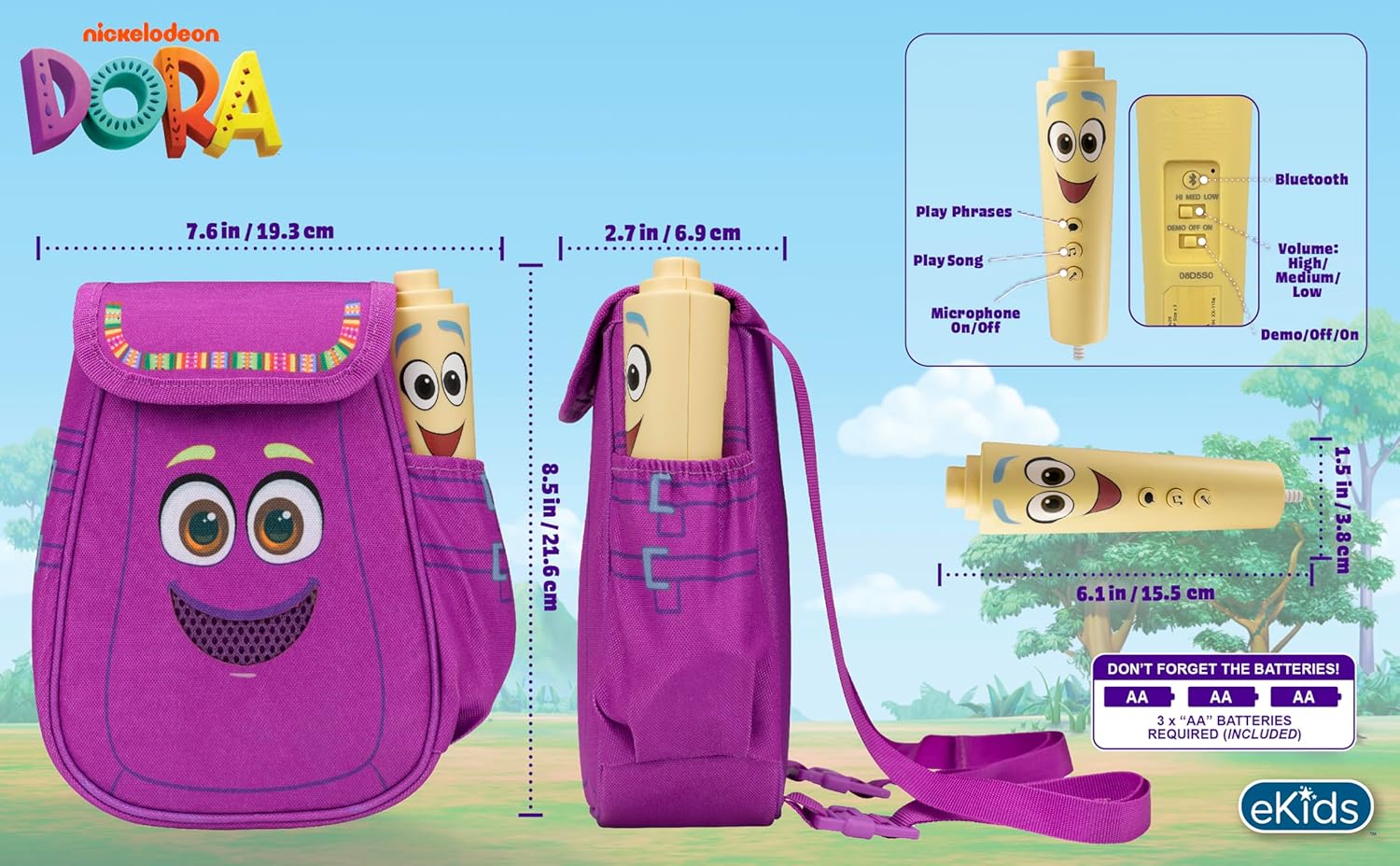
Figuur 4: Agter view of the boombox, indicating battery compartment and control buttons.
4.2 Mikrofoonverbinding
The wired microphone is typically pre-connected or plugs into a dedicated port on the boombox. Ensure the microphone cable is securely plugged in.
5. Bedryfsinstruksies
5.1 Krag aan/af
Locate the Power switch (often labeled ON/OFF or with a power symbol) on the unit. Slide it to the 'ON' position to power on the device. Slide it to 'OFF' to power off.
5.2 Playing Built-in Music
Press the designated 'Play Song' button (refer to Figure 4 for button layout) to cycle through the pre-loaded songs. The unit includes extended clips of 'Rainforest Ritmo', 'Cake', and 'Empanada'.
5.3 Gebruik van die mikrofoon
To use the microphone, ensure the 'Microphone On/Off' switch (refer to Figure 4) is in the 'On' position. Speak or sing into the microphone to amplify your voice through the boombox speaker.
5.4 Bluetooth-konnektiwiteit
To stream music from an external device:
- Ensure the boombox is powered on.
- Activate Bluetooth on your external music device (e.g., smartphone, tablet, computer).
- Soek vir available Bluetooth devices and select "eKids Dora" or a similar name.
- Sodra dit gekoppel is, kan jy klank vanaf jou toestel na die boombox stroom.

Figure 5: Bluetooth connectivity allows streaming from various compatible devices.
5.5 Volumebeheer
Adjust the volume using the 'Volume: High/Medium/Low' switch on the unit (refer to Figure 4).
5.6 Demomodus
The unit may include a 'Demo/Off/On' switch (refer to Figure 4). Set it to 'Demo' for a brief demonstration of features, or 'On' for full functionality.
6. Onderhoud
- Skoonmaak: Vee die eenheid af met 'n sagte, droë lap. Moenie skuurmiddels gebruik of die eenheid in water dompel nie.
- Batterysorg: Verwyder batterye as die eenheid nie vir 'n lang tydperk gebruik gaan word om lekkasie te voorkom.
- Berging: Bêre die eenheid op 'n koel, droë plek weg van direkte sonlig en uiterste temperature.
7. Probleemoplossing
| Probleem | Oplossing |
|---|---|
| Geen krag nie | Check battery installation and ensure batteries are fresh. Confirm the power switch is in the 'ON' position. |
| Geen klank van luidspreker nie | Increase the volume. Ensure the microphone is switched 'ON' if using it. If using Bluetooth, check device volume and connection. |
| Mikrofoon werk nie | Ensure the microphone is securely plugged in and its 'On/Off' switch is in the 'On' position. |
| Bluetooth verbind nie | Ensure the boombox is in Bluetooth pairing mode (if applicable, check manual for specific instructions). Turn off and on Bluetooth on your external device. Move devices closer together. |
8. Spesifikasies
- Handelsmerk: eKids
- Model Naam: 115
- Kleur: Dora
- Kragbron: Battery Powered (3 x 'AA' batteries)
- Sprekertelling: 1
- Verbindingstegnologie: Bluetooth, 3.5mm audio jack (for wired microphone)
- Item gewig: 0.52 kilogram
- Itemafmetings (D x B x H): 10.63" D x 2.24" B x 8.17" H
- UPC: 092298961934
- Vervaardiger: KIDontwerpe
9. Waarborg en Ondersteuning
Hierdie produk kom met 'n 1-jaar beperkte waarborg from the manufacturer, KIDdesigns. For warranty claims or technical support, please refer to the contact information provided with your purchase documentation or visit the eKids official webwebwerf.
For additional product information or to explore other eKids products, visit the eKids Brand Store.
Ask a question about this manual
Ask about setup, troubleshooting, compatibility, parts, safety, or missing instructions. Manuals+ will review the question and use this page’s manual context to help answer it.