
1. Inleiding
The EDIFIER MP330 is a portable Bluetooth speaker designed to deliver a high-quality audio experience with its retro aesthetic and advanced features. It supports Hi-Res audio and offers versatile connectivity options.

Image: The EDIFIER MP330 portable Bluetooth speaker, showcasing its brown finish and integrated leather handle.
2. Pakketinhoud
Merk asseblief die blokkie vir die volgende items:
- EDIFIER MP330 Speaker x 1
- USB-C na USB-C-kabel x 1
- Vinnige aanvangsgids x 1
- Important Safety Information x 1

Image: A visual representation of the EDIFIER MP330 speaker and its included accessories: USB-C cable, quick start guide, and safety information.
3. Produk verbyview
3.1 Kontroles en Poorts
The EDIFIER MP330 features intuitive controls and essential ports for various audio sources.
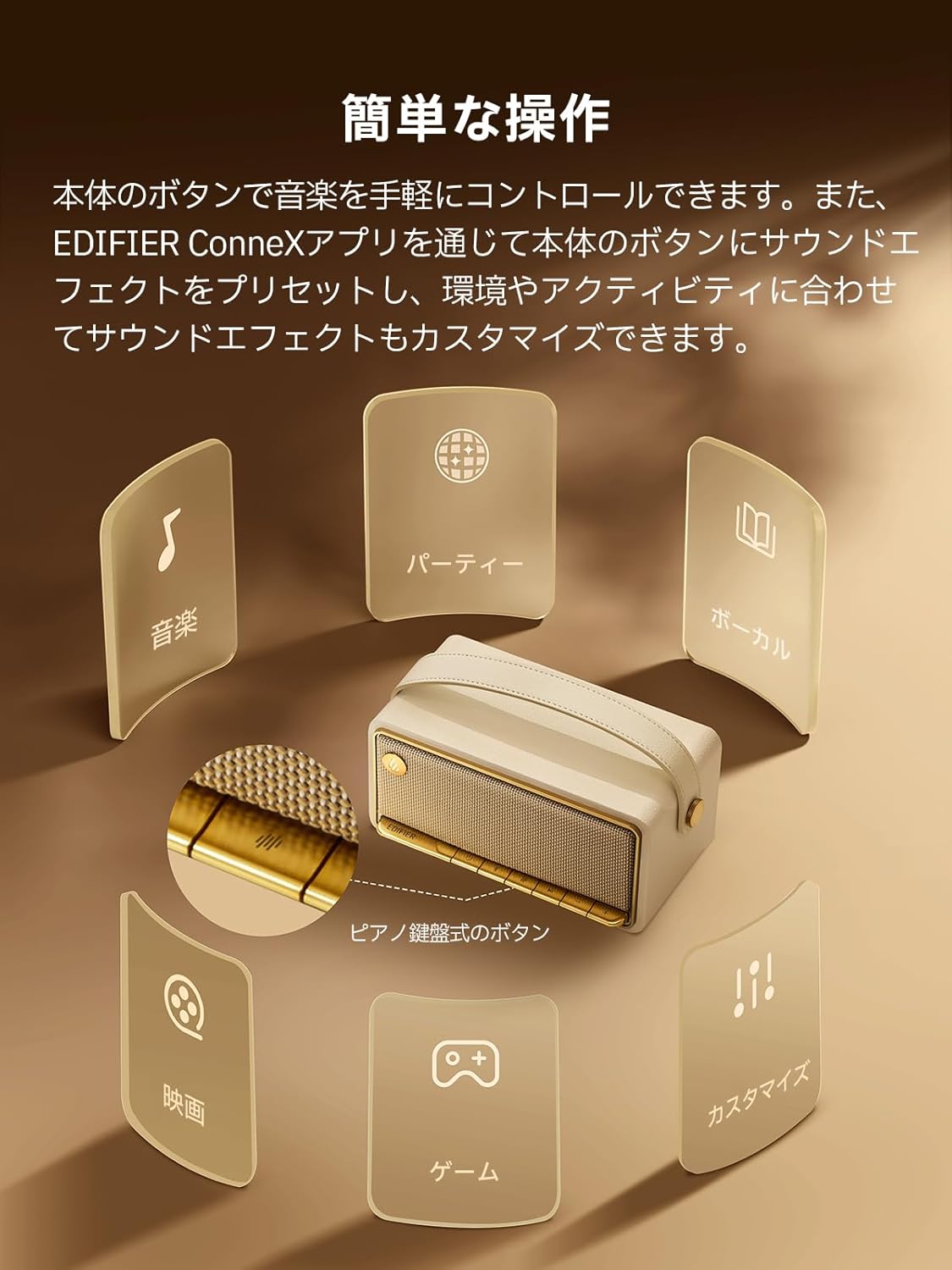
Image: A diagram illustrating the control buttons and indicator lights on the EDIFIER MP330 speaker, showing their functions for power, mode selection, playback, and volume.
- Kragknoppie: Druk en hou om aan/af te skakel.
- Modusknoppie: Short press to cycle through Bluetooth, USB-C, and microSD card input modes.
- Speel/Pause-knoppie: Druk kort om klank te speel of te onderbreek.
- Volume op/Volgende snit-knoppie: Druk kort vir volume op, druk lank vir die volgende snit.
- Volume Verlaag/Vorige Liedjie Knoppie: Druk kort om volume te verlaag, druk lank vir die vorige snit.
- USB-C-poort: For charging and audio input.
- microSD-kaartgleuf: Vir die speel van klank files directly from a microSD card.
4. Opstelling
4.1 Laai die luidspreker
Before first use, fully charge the speaker using the provided USB-C cable and a compatible power adapter (not included). The indicator light will show charging status.
4.2 Krag aan/af
- Om aan te skakel: Druk en hou die aan/uit-knoppie in totdat die aanwyserliggie brand.
- Om af te skakel: Druk en hou die aan/af-knoppie in totdat die aanwyserliggie afskakel.
4.3 Bluetooth -koppeling
Om jou toestel via Bluetooth te koppel:
- Power on the MP330 speaker. The Bluetooth indicator will flash, indicating it is in pairing mode.
- Aktiveer Bluetooth op jou toestel (slimfoon, tablet, ens.) en soek vir beskikbare toestelle.
- Select "EDIFIER MP330" from the list of devices.
- Sodra dit gekoppel is, sal die Bluetooth-aanwyser konstant bly.
4.4 Meerpuntverbinding
The MP330 supports connecting to two Bluetooth devices simultaneously. After connecting the first device, put the speaker back into pairing mode and connect the second device. You can then switch between audio sources by pausing playback on one device and starting it on the other.

Image: Two mobile phones displaying music playback interfaces, indicating a multipoint Bluetooth connection to the EDIFIER MP330 speaker.
4.5 Stereo Pairing (TWS)
For an enhanced stereo sound experience, you can pair two MP330 speakers together:
- Ensure both MP330 speakers are powered on and not connected to any Bluetooth device.
- On one speaker, press and hold the Bluetooth button until it enters TWS pairing mode (indicator light will flash a specific pattern).
- The two speakers will automatically connect to each other. One speaker will become the left channel and the other the right.
- Once paired, connect your device to the primary speaker via Bluetooth as described in section 4.3.

Image: Two EDIFIER MP330 speakers, one black and one ivory, positioned to illustrate stereo pairing, with a Bluetooth logo and arrows indicating connection.
5. Bedryfsinstruksies
5.1 Skakel tussen invoermodusse
Short press the Mode button to switch between Bluetooth, USB-C, and microSD card input modes. The indicator light will change color to reflect the active mode.
5.2 USB-C Audio Playback
Connect the MP330 to your computer using the provided USB-C cable. The speaker will automatically switch to USB-C audio mode. Select "EDIFIER MP330" as the audio output device on your computer.

Image: A diagram showing the EDIFIER MP330 speaker connected to a computer via a USB-C cable, indicating USB-C audio playback.
5.3 microSD Card Playback
Plaas 'n microSD-kaart wat oudio bevat files into the microSD card slot. The MP330 will automatically switch to microSD card mode and begin playback.

Image: A diagram illustrating how to insert a microSD card into the dedicated slot on the EDIFIER MP330 speaker.
5.4 Using the EDIFIER Connex App
Download the EDIFIER Connex app to unlock extended features and customize your listening experience. The app allows you to:
- Wissel invoerbronne.
- Beheer afspeel.
- Customize sound effects (equalizer presets or custom settings).
- Access the electronic user manual and other settings.

Image: Multiple smartphone screens displaying the EDIFIER Connex app interface, highlighting various control and customization options for the speaker.
6. Onderhoud
To ensure the longevity and optimal performance of your EDIFIER MP330 speaker, follow these maintenance guidelines:
- Skoonmaak: Use a soft, dry cloth to clean the speaker's surface. Avoid using abrasive cleaners, solvents, or strong chemicals, as they may damage the finish.
- Berging: Bêre die luidspreker op 'n koel, droë plek weg van direkte sonlig, uiterste temperature en hoë humiditeit.
- Waterblootstelling: The speaker is not waterproof. Avoid exposing it to water, rain, or excessive moisture.
- Hantering: Hanteer die luidspreker versigtig. Vermy om dit te laat val of aan harde impakte bloot te stel.
- Batterysorg: Vir optimale batterylewe, vermy om die battery gereeld volledig te ontlaai. As dit vir 'n lang tydperk gestoor word, laai die battery elke paar maande tot ongeveer 50%.
7. Probleemoplossing
If you encounter issues with your EDIFIER MP330 speaker, refer to the following common troubleshooting steps:
- Geen krag:
- Maak seker dat die luidspreker ten volle gelaai is.
- Check if the power button is pressed and held correctly to turn on the device.
- Geen klank:
- Verify the volume level on both the speaker and your connected device.
- Ensure the correct input mode (Bluetooth, USB-C, microSD) is selected.
- If using Bluetooth, ensure the speaker is properly paired and connected to your device.
- If using a microSD card, ensure the card is inserted correctly and contains playable audio files.
- Probleme met Bluetooth-paring:
- Make sure the speaker is in Bluetooth pairing mode (flashing indicator light).
- Deaktiveer en heraktiveer Bluetooth op jou toestel.
- Move the speaker closer to your device and away from potential interference sources.
- Probeer om die luidspreker te ontkoppel en weer te koppel vanaf jou toestel se Bluetooth-instellings.
- Stereo Pairing Not Working:
- Ensure both speakers are not connected to any other Bluetooth device before initiating TWS pairing.
- Follow the TWS pairing steps carefully (Section 4.5).
- Programverbindingskwessies:
- Ensure Bluetooth is enabled and the speaker is connected to your device.
- Update the EDIFIER Connex app to the latest version.
- Herbegin beide die luidspreker en jou toestel.
If the problem persists after trying these steps, please contact Edifier customer support for further assistance.
8. Spesifikasies
Detailed technical specifications for the EDIFIER MP330 speaker:

Image: A comparison chart highlighting key specifications of the EDIFIER MP330 and MP230 models, including output power, Bluetooth version, battery capacity, playback time, and Hi-Res audio support.
| Kenmerk | Spesifikasie |
|---|---|
| Model Naam | MP330 |
| Tipe luidspreker | Draagbare luidspreker |
| Materiaal | Hout (MDF) |
| Kleur | Bruin |
| Uitset krag | 40W RMS |
| Bluetooth weergawe | 6.0 |
| Battery kapasiteit | 4800mAh |
| Speeltyd | Tot 19 uur (teen 50% volume) |
| Frekwensierespons | 53Hz-40kHz |
| Hi-Res oudio | Supported (up to 24bit/96kHz) |
| Konnektiwiteit | Bluetooth, USB-C, microSD card |
| Afmetings (B x D x H) | 20.7 x 11.6 x 10.1 cm |
| Gewig | 1.13 kg |
| Beheer metode | Toepassing, Drukknop |
| Sein-tot-geraas-verhouding (S/N) | 85 dB |

Image: A technical drawing showing the dimensions (width, depth, height) and weight of the EDIFIER MP330 speaker.
9. Waarborg en Ondersteuning
For warranty information, please refer to the warranty card included in your product packaging or visit the official Edifier website. If you require technical support or have questions about your EDIFIER MP330 speaker, please contact Edifier customer service through their official channels.
Edifier Amptelik Webwebwerf: www.edifier.com


