
Picun F5
Picun F5 Active Noise Cancelling Headphones User Manual
Model: F5
1. Inleiding
This manual provides essential information for the proper use and maintenance of your Picun F5 Active Noise Cancelling Headphones. Please read it thoroughly before operating the device.
2. Pakketinhoud
Verifieer dat alle items in jou pakket teenwoordig is:
- 1 x Picun F5 Headphone
- 1 x 3.5 mm oudiokabel
- 1 x USB-laaikabel
- 1 x Gebruikershandleiding

3. Produkkenmerke
- Aktiewe ruisonderdrukking (ANC): Advanced technology to reduce ambient noise for an immersive audio experience.
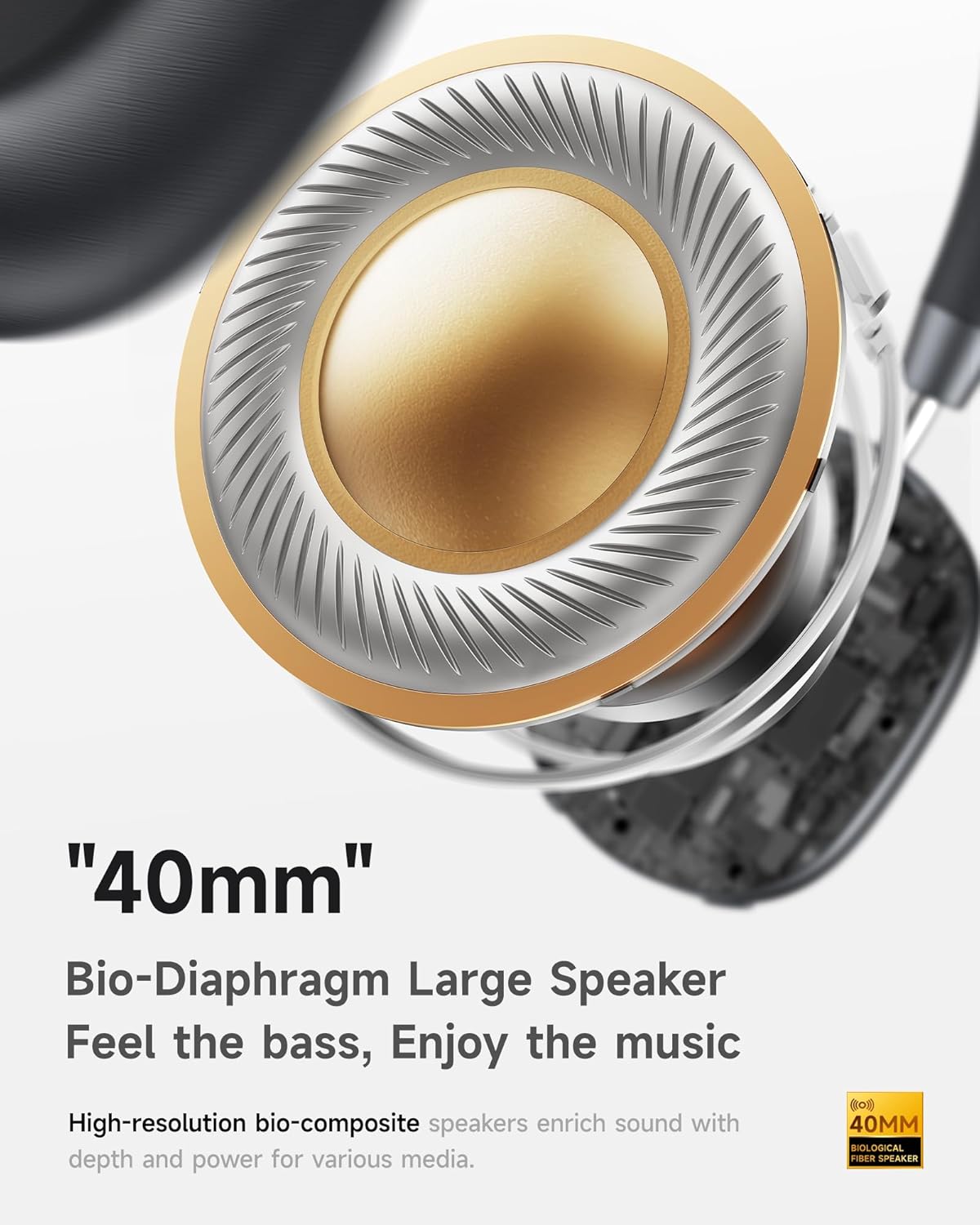
- Hi-Fi Audio with Deep Bass: Delivers clear sound with enhanced bass.
- App-Controlled EQ: Customize audio settings via a dedicated companion application.
- Ingeboude mikrofoon: Ensures clear voice calls.
- Multi-punt verbinding: Allows seamless switching between two connected Bluetooth devices.
- Ergonomiese ontwerp: Lightweight build with soft memory-foam earcups for extended comfort.
- Long Playtime & Fast Charging: Up to 30 hours of playback on a single charge, with quick recharge capabilities.



4. Opstelling
4.1 Laai die oorfone
Before first use, fully charge your Picun F5 headphones. Connect the provided USB charging cable to the headphone's charging port and a compatible USB power source. The charging indicator light will show the charging status.
4.2 Bluetooth -koppeling
- Maak seker dat die oorfone afgeskakel is.
- Press and hold the Power button until the indicator light flashes, indicating pairing mode.
- Aktiveer Bluetooth op jou toestel (slimfoon, tablet, rekenaar) en soek vir beskikbare toestelle.
- Select "Picun F5" from the list of devices to connect.
- Once connected, the indicator light will change to a steady blue or turn off, depending on the model.
4.3 Meerpuntverbinding
The Picun F5 supports connecting to two Bluetooth devices simultaneously. After pairing with the first device, disable Bluetooth on that device. Pair the headphones with the second device. Then, re-enable Bluetooth on the first device. The headphones should now be connected to both devices, allowing seamless audio switching.

5. Operasie
5.1 Basiese kontroles
The headphones feature intuitive controls for managing audio and calls:
- Krag aan/af: Druk en hou die Power-knoppie.
- Volume aanpassing: Use the dedicated volume knob/buttons on the earcup.
- Speel/pouse: Druk die multifunksieknoppie een keer.
- Volgende snit: Double press the Multi-function button.
- Vorige snit: Druk drie keer op die multifunksieknoppie.
- Beantwoord/beëindig oproep: Single press the Multi-function button during an incoming call.
- Verwerp oproep: Press and hold the Multi-function button during an incoming call.
5.2 Active Noise Cancelling (ANC) Modes
The ANC feature can be toggled or adjusted using a dedicated button on the headphones. Refer to the specific button layout on your device for exact functionality. Some models may offer different ANC levels or transparency modes.
5.3 App Control and Custom EQ
Download the companion app for your Picun F5 headphones to unlock personalized features. The app allows you to:
- Customize Equalizer (EQ) settings to match your audio preferences.
- Adjust ANC levels or switch between different noise control modes.
- Access additional smart features and settings.


6. Onderhoud
To ensure the longevity and optimal performance of your Picun F5 headphones, follow these maintenance guidelines:
- Skoonmaak: Gebruik 'n sagte, droë lap om die oorskelpe en kopband skoon te maak. Vermy die gebruik van harde chemikalieë of skuurmiddels.
- Berging: Store the headphones in a cool, dry place, away from direct sunlight and extreme temperatures. When not in use, consider storing them in a protective case.
- Vermy vog: Moenie die oorfone aan water of oormatige vog blootstel nie.
- Hanteer versigtig: Vermy om die oorfone te laat val of aan harde impakte bloot te stel.

7. Probleemoplossing
If you encounter issues with your Picun F5 headphones, refer to the following common solutions:
- Geen krag: Maak seker dat die oorfone volledig gelaai is. Koppel hulle aan 'n kragbron en kyk na die laai-aanwyser.
- Kan nie koppel nie: Make sure the headphones are in pairing mode (indicator flashing). Disable and re-enable Bluetooth on your device, then try pairing again. Ensure the headphones are not already connected to another device.
- Geen klank: Check the volume levels on both the headphones and your connected device. Ensure the headphones are properly paired. If using a wired connection, ensure the 3.5mm audio cable is securely plugged in.
- Swak klankgehalte: Move closer to your connected device to avoid interference. Check for any obstructions between the headphones and the device. Ensure the audio source is of good quality.
- ANC werk nie: Ensure the ANC feature is activated. Check for any physical obstructions around the microphones.
If the issue persists, try resetting the headphones (refer to the full user manual for specific reset instructions) or contact customer support.
8. Spesifikasies
| Handelsmerk | Picun |
| Model Naam | F5 |
| Verbindingstegnologie | Draadloos (Bluetooth 4.0) |
| Geraasbeheer | Sound Isolation (Active Noise Cancelling) |
| Frekwensierespons | 20 KHz |
| Sensitiwiteit | 42 dB |
| Koptelefoonaansluiting | 3.5 mm-aansluiting |
| Batterylewe | 30 ure |
| Tipe oudiobestuurder | Dinamiese bestuurder |
| Oorstukvorm | Ronde |
| Impedansie | 32 ohm |
| Item gewig | 14 onse (0.4 kilogram) |
| Materiaal | Akrielnitril Butadieen Styreen (ABS) |
9. Waarborg en Ondersteuning
Picun products are designed for reliability and performance. For warranty information, product support, or technical assistance, please refer to the warranty card included in your package or visit the official Picun webwerf. Hou jou aankoopkwitansie vir waarborgeise.