
1. Inleiding
This manual provides instructions for the Altec Lansing HYDRABLAST 2.0 Portable Bluetooth Speaker, model IMW1302. This device is designed for portable audio playback with features including Bluetooth connectivity, waterproof design, and versatile mounting options.
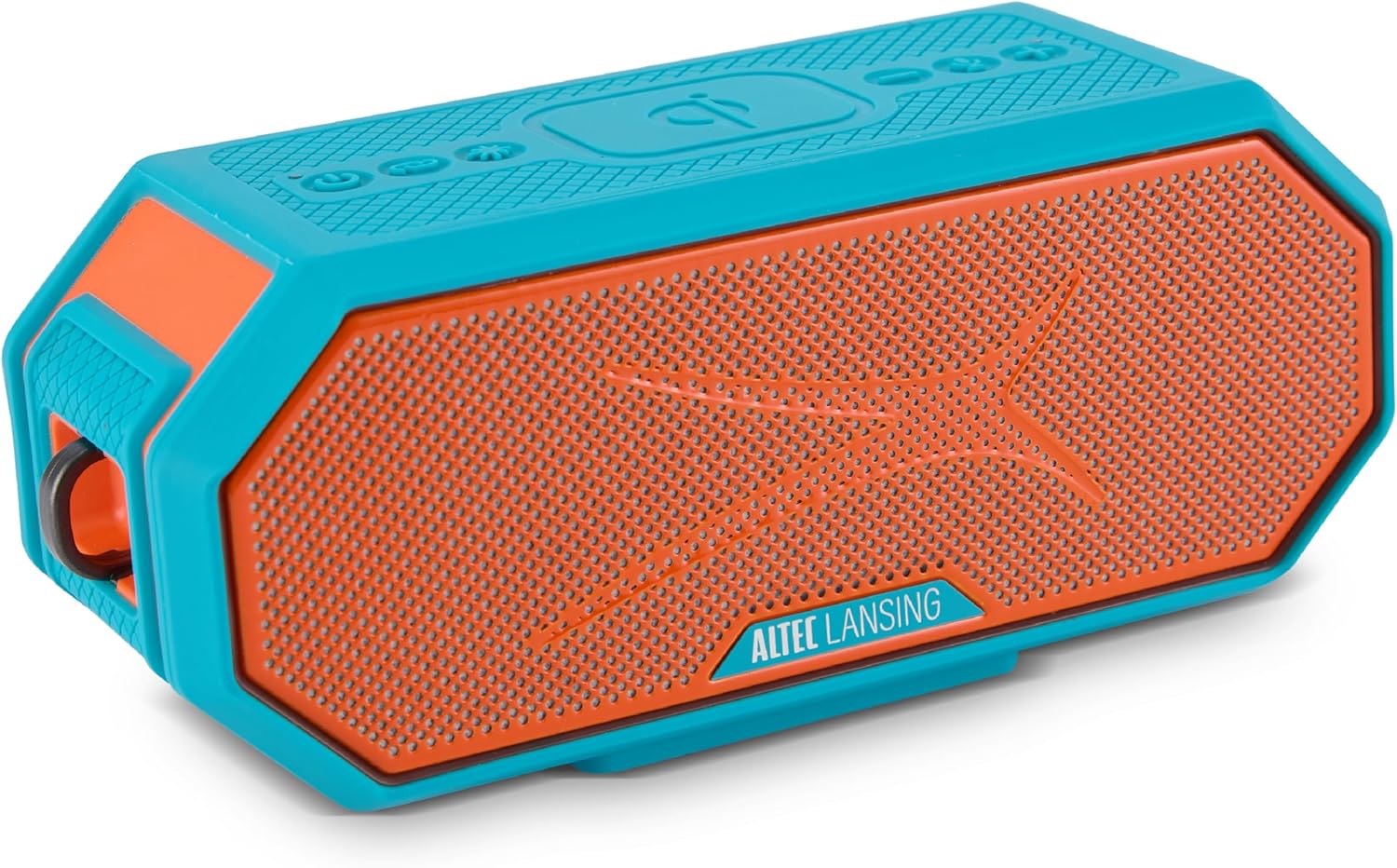
Image 1.1: Altec Lansing HYDRABLAST 2.0 Portable Bluetooth Speaker (Red/Turquoise).
Key features of the HYDRABLAST 2.0 include:
- IP67 Waterdigte Gradering: Designed to withstand immersion in water and float.
- 20W uitsetkrag: Provides audio output through full-range ferrite drivers and passive radiators.
- Magnetiese Montering: Integrated magnets allow attachment to metal surfaces.
- Verlengde speeltyd: Tot 24 uur se klankweergawe op 'n enkele lading.
- USB-C Laai: Supports quick charging.
- Multi-luidspreker sinchronisasie: Ability to connect up to 100 HYDRA Bluetooth speakers wirelessly.
- Wireless Phone Charging (Qi): Integrated charging pad for compatible devices.
2. Pakketinhoud
Verifieer dat die volgende items in jou pakket ingesluit is:
- Altec Lansing HYDRABLAST 2.0 Speaker
- USB-C Charging Cable (power adapter not included)
- Mountable Carabiner Clip
- Mount (for attachment to various surfaces)
- Gebruikershandleiding (hierdie dokument)
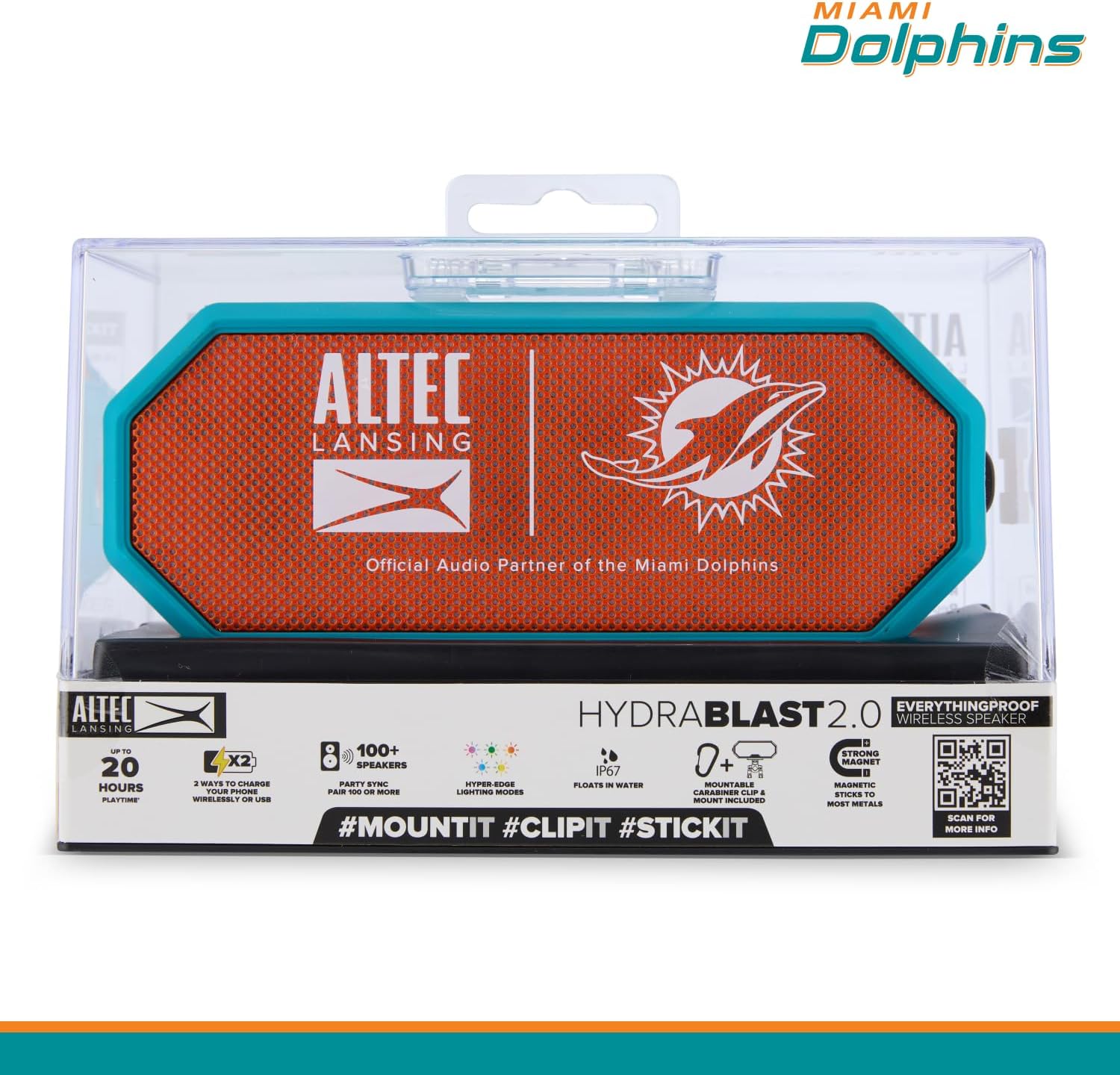
Image 2.1: Speaker in retail packaging highlighting key features.
3. Kontroles en aanwysers
Familiarize yourself with the speaker's control buttons and indicators located on the top panel.

Image 3.1: Top panel controls and their functions.
- Aan/af-knoppie: Druk en hou in om die luidspreker aan of af te skakel.
- Koppelknoppie: Begin Bluetooth-paringsmodus.
- LED Light Modes Button: Cycles through available lighting effects.
- Wireless Phone Charger (Qi): Indicates the area for wireless charging.
- Volume af-knoppie: Verlaag klankvolume.
- Stemassistent-knoppie: Aktiveer jou toestel se stemassistent.
- Volume op-knoppie: Verhoog klankvolume.
4. Opstelling
4.1 Laai die luidspreker
Before initial use, fully charge the speaker. Connect the provided USB-C cable to the speaker's charging port and to a compatible USB power adapter (not included).
- 'n Volle lading bied tot 24 uur speeltyd.
- The speaker supports USB-C quick charging.
4.2 Aan-/afskakel
- Om aan te skakel: Druk en hou die Kragknoppie totdat die aanwyserliggie aanskakel.
- Om af te skakel: Druk en hou die Kragknoppie totdat die aanwyserliggie afskakel.
4.3 Bluetooth -koppeling
To connect the speaker to your Bluetooth-enabled device:
- Maak seker dat die luidspreker aangeskakel is en binne 100 voet van jou toestel is.
- Druk die Koppelknoppie on the speaker. The indicator light will flash, indicating pairing mode.
- On your device, navigate to Bluetooth settings and select "HYDRABLAST 2.0" from the list of available devices.
- Once connected, the speaker will emit an audible confirmation, and the indicator light will become solid.
5. Bedryfsinstruksies
5.1 Oudio-terugspeel
- Volumebeheer: Gebruik die Volume op en Volume af buttons on the speaker, or adjust volume directly on your connected device.
- Speel/pouse: 'N Enkele druk op die Kragknoppie (when powered on) typically functions as play/pause for audio.
5.2 Stemassistent
Druk die Stemassistent-knoppie to activate the voice assistant on your connected smartphone or tablet.
5.3 LED-ligmodusse
Druk die LED Light Modes Button to cycle through various lighting effects. The speaker features "Hyper-Edge Lighting Modes."

Image 5.1: Speaker with active LED lighting.
5.4 Multi-Speaker Sync
To create a larger audio experience, you can wirelessly sync up to 100 HYDRA Bluetooth speakers. Refer to the Altec Lansing Connect app or the speaker's full manual for detailed instructions on initiating multi-speaker sync.
5.5 Versatile Mounting Options
The HYDRABLAST 2.0 offers multiple ways to position the speaker:
- Magnetiese aanhegting: The speaker has built-in magnets to attach to most metal surfaces.
- Karabinerklem: Use the included carabiner clip to hang the speaker.
- Monteer: Utilize the included mount for attachment to handlebars, poles, or other compatible structures.
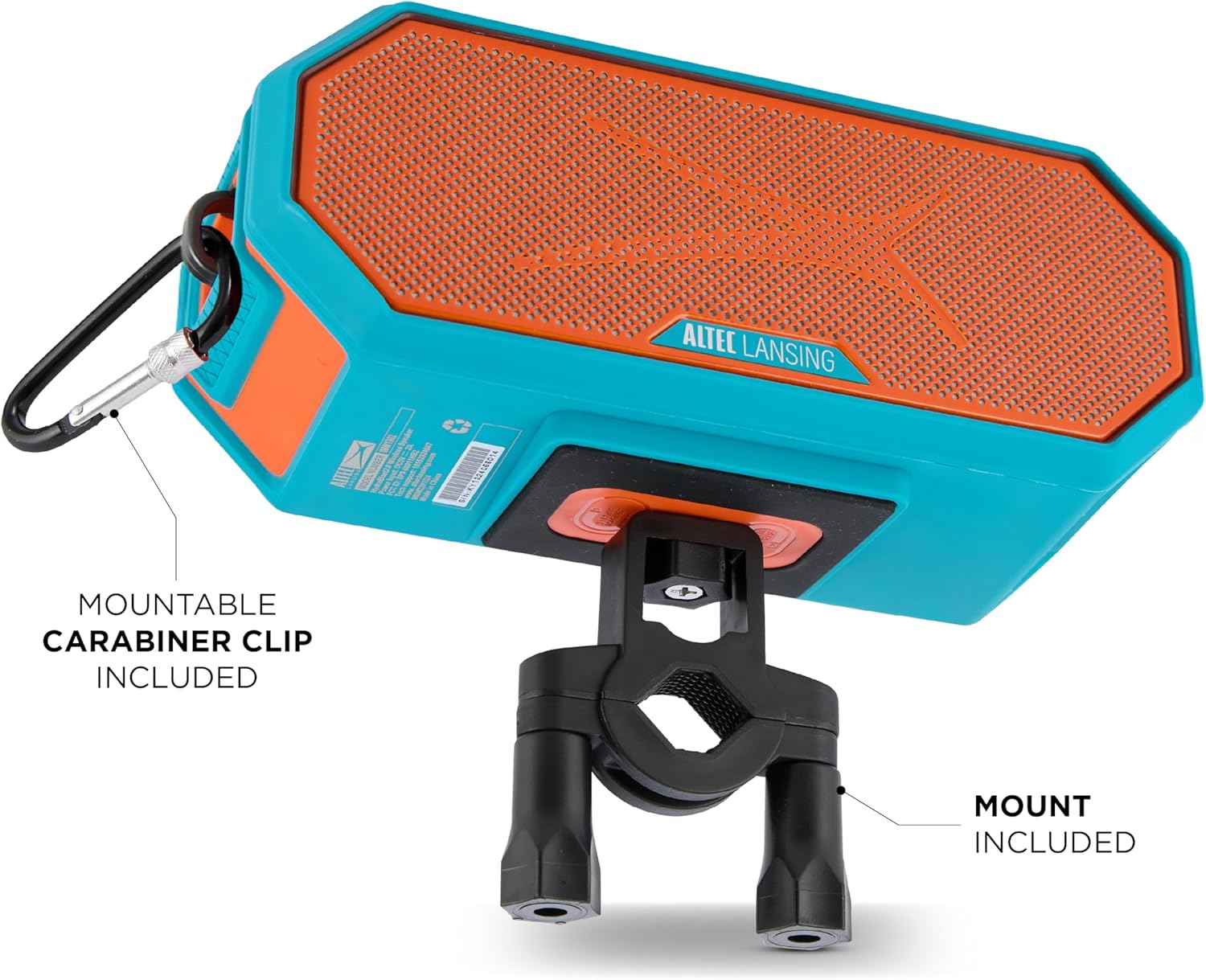
Image 5.2: Speaker mounted with carabiner clip and mount.
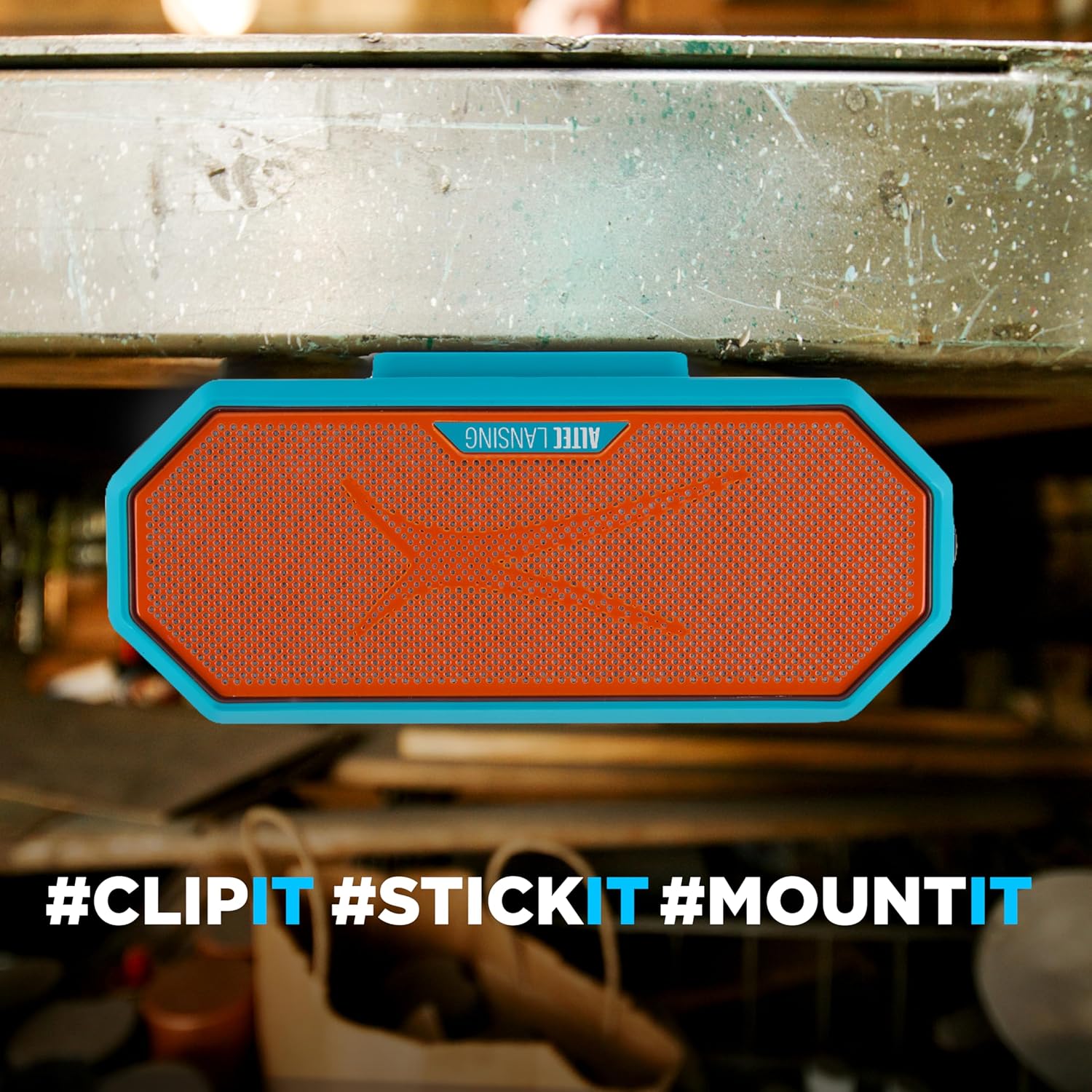
Image 5.3: Speaker magnetically attached to a metal surface.
5.6 Wireless Phone Charging (Qi)
Place your Qi-compatible smartphone on the designated wireless charging area of the speaker to initiate charging.

Image 5.4: Wireless phone charging in progress.
Note: Some users have reported that phones may slide off the charging surface due to speaker vibrations, especially at higher volumes. Ensure your phone is securely placed or consider alternative charging methods if this occurs.
6. Onderhoud
Proper care ensures the longevity of your HYDRABLAST 2.0 speaker.
- Skoonmaak: Vee die luidspreker af met 'n sagte, damp cloth. Avoid using harsh chemicals or abrasive cleaners. Ensure all ports are dry before charging after exposure to water.
- Berging: Store the speaker in a cool, dry place away from extreme temperatures and direct sunlight when not in use for extended periods.
- Waterblootstelling: While the speaker is IP67 waterproof and floats, it is recommended to rinse it with fresh water after exposure to saltwater or chlorinated water to prevent corrosion.
7. Probleemoplossing
If you encounter issues with your speaker, refer to the following common solutions:
| Probleem | Moontlike Oplossing |
|---|---|
| Luidspreker skakel nie aan nie. | Maak seker dat die luidspreker volledig gelaai is. Koppel dit aan 'n kragbron en laat dit vir ten minste 30 minute laai voordat jy dit weer probeer aanskakel. |
| Kan nie via Bluetooth koppel nie. |
|
| Geen geluid of lae volume nie. |
|
| Draadlose laai werk nie. |
|
8. Spesifikasies
| Kenmerk | Detail |
|---|---|
| Model Naam | Bluetooth-luidsprekers |
| Modelnommer | IMW1302 |
| Tipe luidspreker | Draagbare luidspreker |
| Verbindingstegnologie | Bluetooth |
| Draadlose kommunikasiereeks | Tot 100 voet |
| Luidspreker Maksimum uitsetkrag | 20 Watts (10W x 2) |
| Klankuitvoermodus | Stereo |
| Waterdigte gradering | IP67 (Waterdig, Stofdig, Drywend) |
| Kragbron | Battery aangedrewe |
| Batterylewe | Tot 24 uur |
| Laaipoort | USB-C |
| Produk Afmetings (D x B x H) | 4.13" x 5.38" x 8.75" |
| Item gewig | 2.66 pond (1.21 kilogram) |
| Vervaardiger | Sakar Internasionaal |
| UPC | 021331131515 |
9. Waarborg en Ondersteuning
The Altec Lansing HYDRABLAST 2.0 speaker comes with a Limited Warranty. For specific warranty terms and conditions, please refer to the documentation included with your purchase or contact the manufacturer directly.
For technical support or further assistance, please contact Sakar International, the manufacturer of Altec Lansing products. Contact information can typically be found on their official webwebwerf of op die produkverpakking.
10. Bykomende inligting
For more detailed information, including app features or advanced settings, please visit the official Altec Lansing website or scan the QR code found on the product packaging.
Link 10.1: External link for additional product information.