
Inleiding
Thank you for choosing the W-KING T8II Portable Bluetooth Speaker. This manual will guide you through the features and functions of your new speaker, ensuring optimal performance and longevity. Please read these instructions carefully before using the product.
Pakketinhoud
- 1 x W-KING T8II Portable Loud Speaker
- 1 x 3.5 mm oudiokabel
- 1 x Tipe-C-laaikabel
- 1 x Gebruikershandleiding
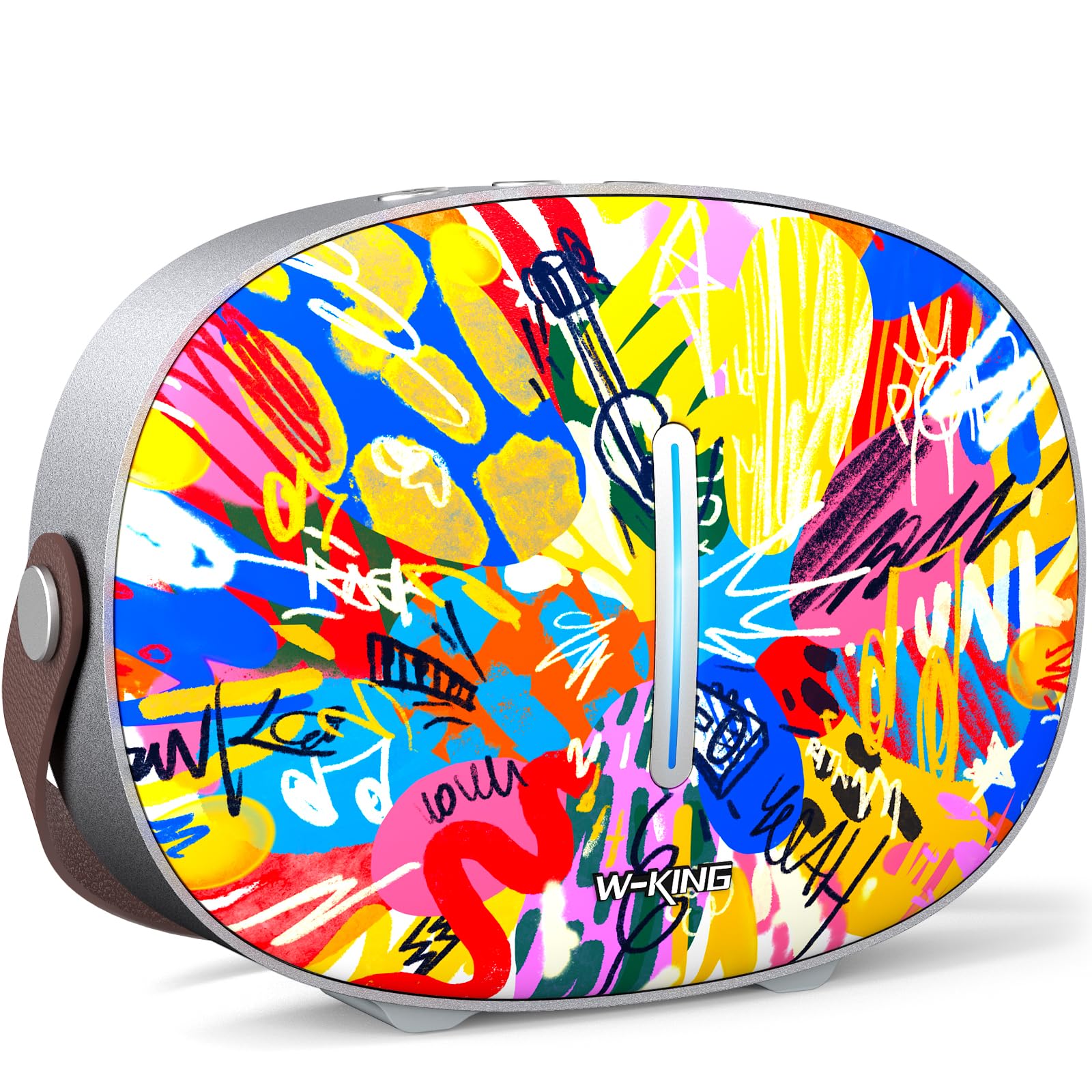
The package includes the W-KING T8II speaker, a 3.5mm audio cable for auxiliary connections, a Type-C charging cable, and this user manual.
Opstelling
Aanvanklike laai
Before first use, fully charge your W-KING T8II speaker. Connect the provided Type-C charging cable to the speaker's Type-C port and a compatible power source. The speaker supports up to 30W fast charging. The indicator lights on the back will show the charging status.

Krag aan/af
- To power on: Press and hold the power button located on the back of the speaker for a few seconds until the indicator light illuminates.
- To power off: Press and hold the power button again for a few seconds until the indicator light turns off.

Bluetooth-koppeling
- Ensure the speaker is powered on and in Bluetooth pairing mode (the indicator light will flash).
- Aktiveer Bluetooth op jou toestel (slimfoon, tablet, ens.) en soek vir beskikbare toestelle.
- Select "W-KING T8II" from the list of devices.
- Once connected, the indicator light will become solid, and you will hear an audible confirmation.

The W-KING T8II uses Bluetooth 5.4 for a stable and efficient wireless connection.
Uitpak en Verbyview Video
Video: 'n Uitpak en meerview of the W-KING T8II Portable Bluetooth Speaker, demonstrating its contents and initial setup.
Bedryfsinstruksies
Beheer knoppies
The top panel of the speaker features intuitive control buttons for easy operation:
- M (Mode Button): Druk om tussen Bluetooth-, AUX- en USB-terugspeelmodusse te wissel.
- - (Volume Down / Previous Track): Druk kort om die volume te verlaag. Druk lank om na die vorige snit te gaan.
- Speel/Pause-knoppie: Druk om oudio te speel of te onderbreek.
- + (Volume Up / Next Track): Druk kort om die volume te verhoog. Druk lank om na die volgende snit te gaan.

Afspeelmodusse
- Bluetooth-modus: Connect wirelessly to your device as described in the Setup section.
- AUX-modus: Connect an external audio device using the provided 3.5mm audio cable to the AUX port on the back of the speaker. Press the 'M' button to switch to AUX mode.
- USB-terugspeelmodus: Insert a USB flash drive into the USB-A port on the back of the speaker. The speaker will automatically switch to USB mode and begin playing compatible audio files.

Ware draadlose stereo (TWS) -paar
For an enhanced audio experience, two W-KING T8II speakers can be paired together to create a true stereo sound system:
- Ensure both T8II speakers are powered on and in Bluetooth pairing mode (not connected to any device).
- On one of the speakers, press and hold the Bluetooth pairing button (usually indicated by a Bluetooth icon) until you hear a confirmation tone.
- Die twee luidsprekers sal outomaties aan mekaar koppel. Sodra dit gekoppel is, sal een luidspreker as die meester (linkerkanaal) en die ander as die slaaf (regterkanaal) optree.
- Connect your device to the master speaker via Bluetooth.

Laai eksterne toestelle
The W-KING T8II speaker can function as a power bank to charge your mobile devices. Connect your device to the speaker's USB-A output port using a compatible charging cable. The USB-A to Type-C output supports up to 18W charging.

Onderhoud
Algemene Sorg
- Hou die luidspreker weg van uiterste temperature, direkte sonlig en vog.
- Vermy om die luidspreker te laat val of aan sterk impakte te onderwerp.
- Do not disassemble or attempt to repair the speaker yourself, as this will void the warranty.
Battery sorg
To maximize battery life, avoid fully discharging the speaker frequently. Recharge the battery regularly, even if the speaker is not in use for extended periods.
Skoonmaak
Vee die luidspreker af met 'n sagte, droë lap. Moenie skuurmiddels of oplosmiddels gebruik nie.
Waterweerstand
Let wel: The W-KING T8II speaker is NIE waterdig nie. Avoid exposure to water or other liquids to prevent damage.
Probleemoplossing
| Probleem | Oplossing |
|---|---|
| Luidspreker skakel nie aan nie. | Maak seker dat die battery gelaai is. Koppel die luidspreker aan 'n kragbron met die Tipe-C-kabel. |
| Kan nie via Bluetooth koppel nie. |
|
| Geen klank nie. |
|
| Klankvervorming teen hoë volume. | Reduce the volume on the speaker or your connected device. Ensure audio source quality is high. |
| Speaker not charging external device. | Ensure the speaker has sufficient battery charge. Use a compatible USB-A cable. |
Spesifikasies
| Model Naam | T8II |
| Handelsmerk | W-KING |
| Tipe luidspreker | Outdoor Wireless Portable Loud Speaker |
| Verbindingstegnologie | Hulp, Bluetooth, USB |
| Bluetooth weergawe | 5.4 |
| Luidspreker Maksimum uitsetkrag | 96 Watt |
| Klankuitvoermodus | Omring stereo |
| Frekwensierespons | 20 Hz (Lower bound, full range not specified) |
| Sein-tot-geraas verhouding | 85 dB |
| Woofer deursnee | 3 duim |
| Tweeter-deursnee | 1 duim |
| Kragbron | Battery Powered (1 x 12V battery required) |
| Produk afmetings | 10.91" D x 7.73" B x 3.9" H |
| Item gewig | 5.5 pond (2.5 kilogram) |
| Materiaal | Plastiek, metaal |
| Waterdig | Nee |
| Spesiale kenmerke | Bass Boost, Bluetooth 5.4, True Wireless Stereo Pairing, Portable, Shockproof, Type-C Fast Charging, Type-C output, USB PLAYBACK/AUX, Personalised Trendy Design |
Waarborg inligting
The W-KING T8II Portable Bluetooth Speaker comes with a Limited Warranty. Please refer to the product packaging or contact W-KING customer support for specific warranty terms and conditions.
Ondersteuning
For further assistance, technical support, or inquiries regarding your W-KING T8II speaker, please visit the official W-KING website or contact their customer service department. The user manual included in the package also contains detailed information.
W-KING Store: Visit the W-KING Store on Amazon